
Internal linking and content updates are often treated like cleanup work: the sort of thing you do after the “real” writing is finished and the coffee has gone cold. That is the mistake. These edits are not housekeeping. They decide whether a reader keeps moving, whether older pages stay useful, and whether your site acts like a connected system instead of a stack of isolated posts.
The practical version is simpler than the advice usually makes it sound. Link pages by role, not by habit. Update pages when the content, structure, or cluster around them has changed. Then make sure the older pages point toward the better, newer, or more relevant ones. That is the whole game, minus the fog machine.
If you want the broader system this article belongs to, the internal linking and updating guide gives the cluster-level view. This page stays practical: what to change, when to change it, and how to keep the work from turning into random site surgery.
What internal linking and updating actually do
Internal links help readers move to the next useful page. Updates help older pages stay accurate, specific, and worth sending people to. Put them together and you get compounding value: better navigation, clearer topic structure, and less content that rots in place.
Search engines also use internal links to understand relationships between pages. Google’s own guidance on internal links is plain about this: links help it discover pages and understand site structure. That does not mean “add more links everywhere.” It means give each important page a sensible path in and out of the site. Google Search Central
For a broader refresher on why the system matters, Ahrefs has a solid overview of internal links and why they support both crawlability and user navigation. Ahrefs on internal links
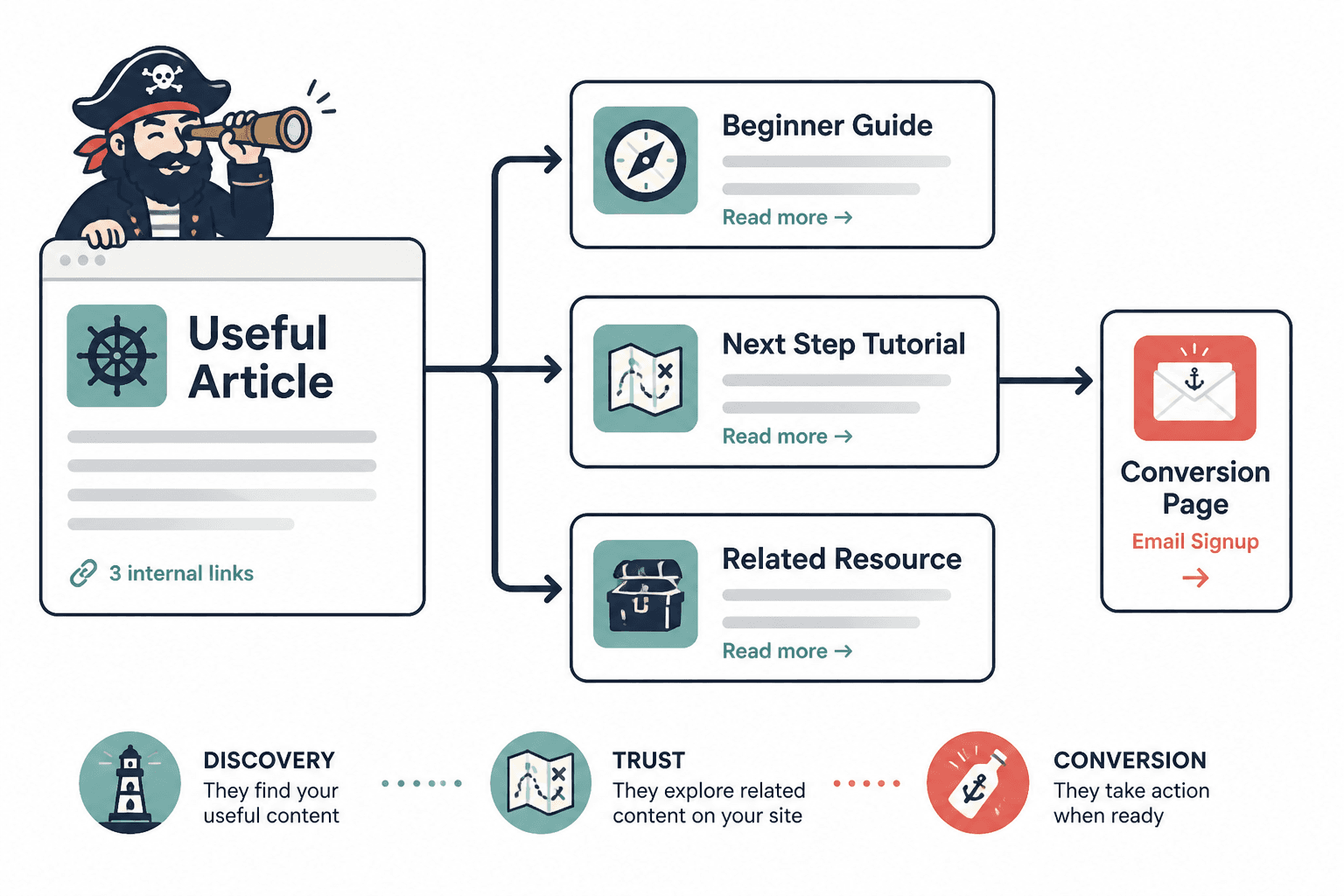
The two jobs every internal link should serve
Every good internal link does two things at once:
- Helps the reader. It gives them a genuinely useful next step, not a decorative detour.
- Helps the architecture. It clarifies which pages are central, which pages support them, and which pages should point where.
If a link does only one of those jobs, it is usually weaker than it looks. A link that helps the architecture but not the reader feels forced. A link that helps the reader but ignores the site structure may be useful, but it does not help enough pages. Good internal linking does not choose between usefulness and structure. It tries to make them the same thing.
What counts as a real content update
Not every update needs a rewrite. Some pages only need a sharper link path. Others need a better section order, a cleaner intro, or a fresh example. And some pages are past the point of polishing and should be merged, split, or retired.
1. Link refresh
This is the smallest useful update: add new internal links, replace stale ones, and make sure older posts point to newer, better resources where appropriate. A link refresh is often enough when the content itself is still solid but the site around it has changed.
2. Structure improvement
Sometimes the page is not wrong; it is just badly arranged. A stronger heading sequence, fewer detours, and better transitions can make the page much easier to use. This is especially useful when the content has good material but reads like it was assembled under duress.
3. Substance refresh
When facts, examples, screenshots, or recommendations are outdated, the page needs more than link surgery. Update the parts that readers would actually notice if they were wrong. A page can be perfectly linked and still feel stale enough to lose trust.
4. Merge or retire
When two pages cover the same ground, “more content” is not a strategy. It is clutter. If one article is clearly better, merge the useful material into the stronger page and redirect or de-emphasize the weaker one. That keeps the cluster cleaner and the links more meaningful.
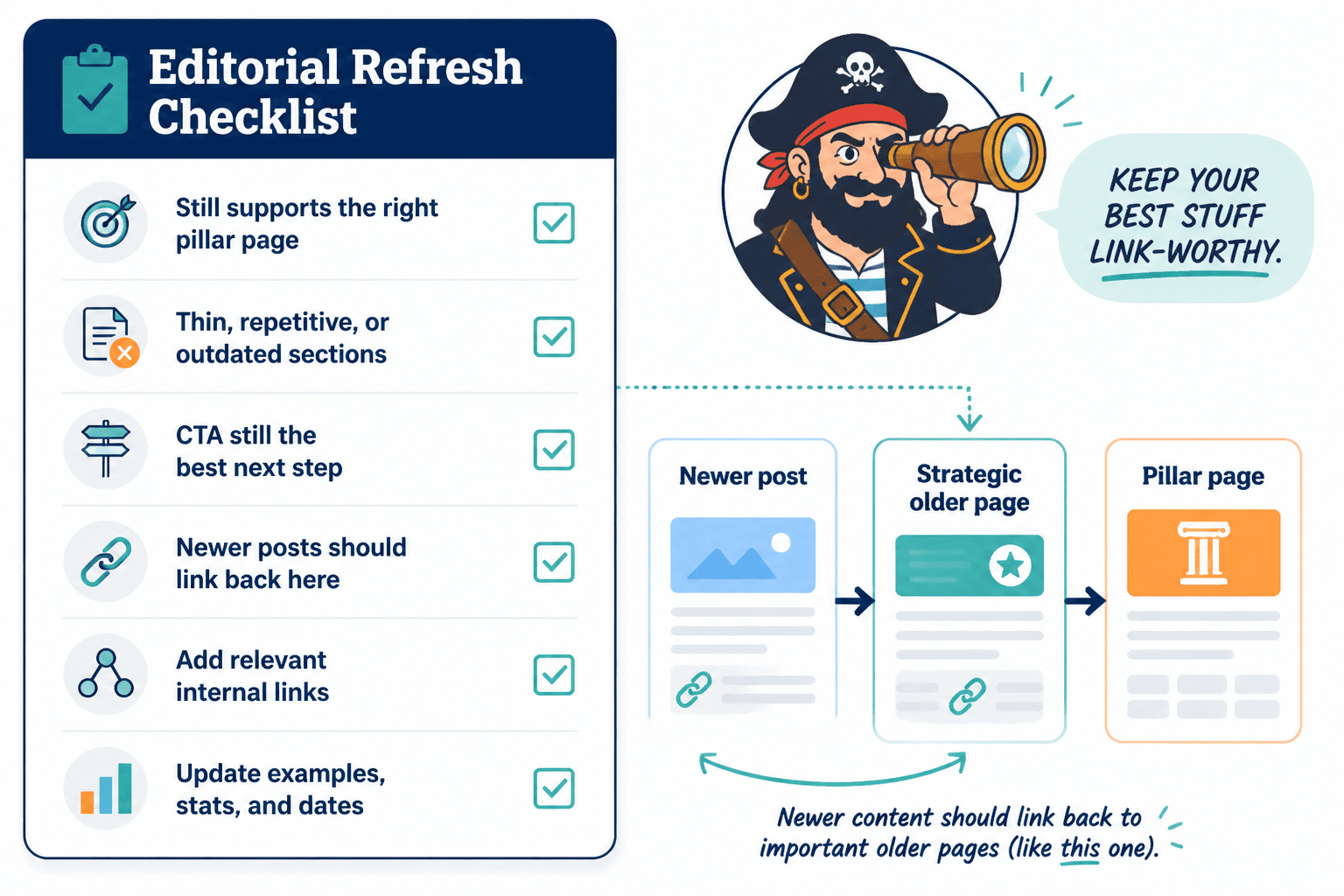
How to decide what needs updating first
Do not start with pages that merely feel old. Start with pages that matter and pages that are drifting.
- Page role: Is this a hub, support post, conversion page, or reference page?
- Performance: Is the page already getting impressions, clicks, or links from other posts?
- Age: Has the topic changed enough that the page may now be less trustworthy?
- Cluster changes: Have you published newer pages that should be linked in?
- Reader intent: Does the page still answer the question it was written for?
This is where many site owners waste time. They update pages in chronological order, which is comforting and mostly useless. Better to update the pages that shape how the rest of the cluster works.
What good internal linking looks like in practice
Good internal links are specific. They fit the sentence. They appear where the reader is already asking for the next step. And they point to something that actually extends the point being made.
That means avoiding vague anchor text like “read more” or “click here.” It also means not linking every related page from every paragraph like a site map got into the prose. One well-placed link often does more than four hurried ones.
A useful pattern is:
- Introduce the idea.
- Make the point.
- Then link to the page that goes deeper, gives examples, or handles the next question.
If you want examples of what that looks like in real layouts and page roles, the ideas and examples page is the better companion piece. It stays focused on patterns instead of theory with good posture.
For link phrasing specifically, the sibling guide on anchor text is useful when the sentence itself needs to do less heavy lifting and still sound human.
Common mistakes that hurt performance
Internal linking goes sideways in predictable ways. The bad news is that they are common. The good news is that they are fixable without a six-week brand intervention.
1. Linking only when publishing something new
If old posts never get updated, your newer pages never get the support they need. Internal links should be added when the cluster grows, not just when the publishing button gets pressed.
2. Using anchor text that says nothing useful
Anchor text should describe what the reader will get. If the link text could point to half the internet, it is too vague.
3. Refreshing pages one by one without checking the cluster
A page can look improved in isolation and still fit the site worse than before. When a new guide is added, the surrounding articles should be checked too.
4. Updating wording without improving page purpose
Smoother sentences do not fix a page that no longer has a clear job. Sometimes the problem is not style. It is that the page is trying to do three different jobs and failing politely.
5. Linking every related page from every article
Relevance matters. The reader does not need the whole archive. They need the next best page.
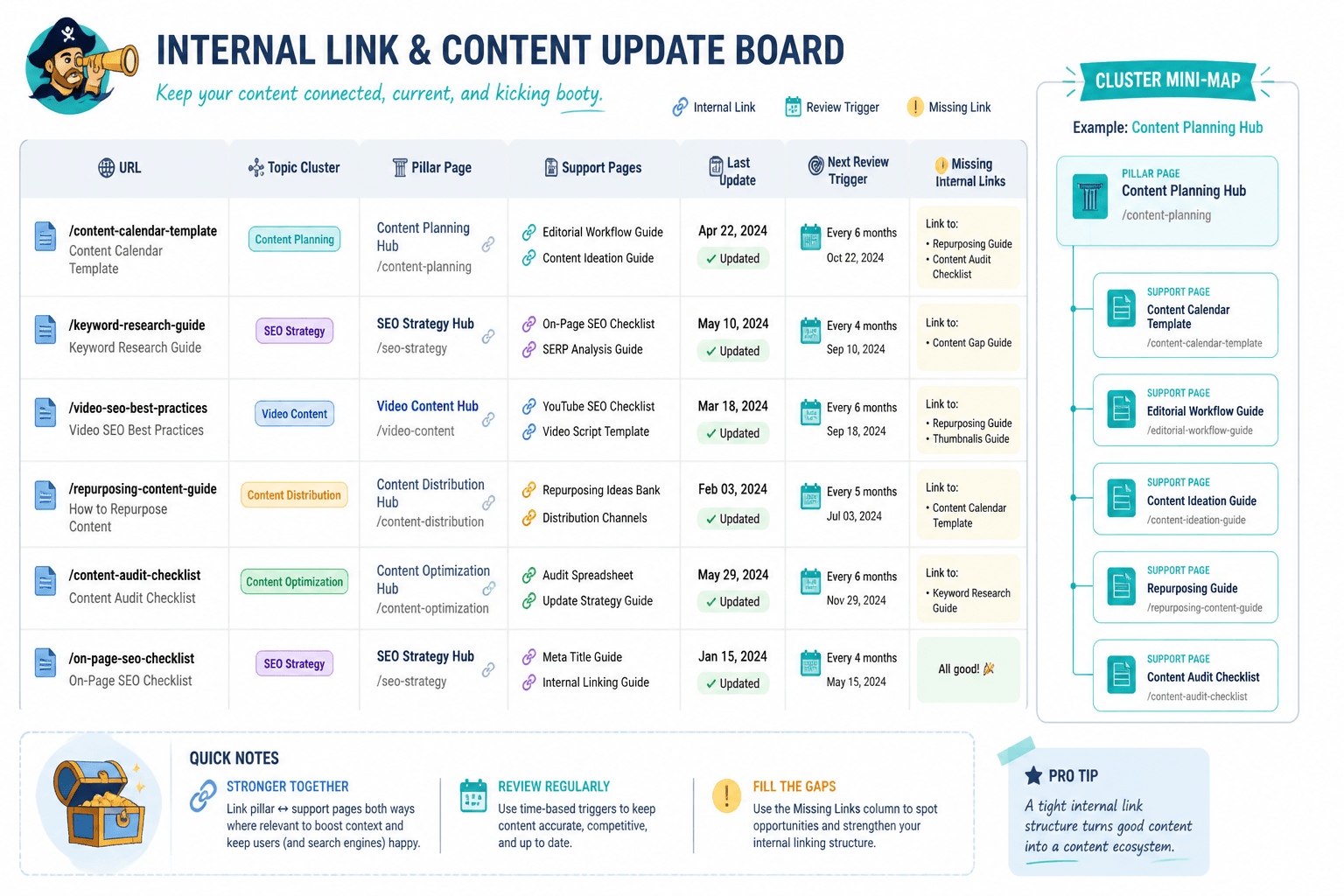
A simple workflow for updating and relinking old content
- Pick the page’s job. Decide whether it is a hub, support post, conversion page, or update target.
- Check what changed. New articles, changed recommendations, or outdated examples are usually the first clues.
- Add or replace internal links. Point to the best current pages, not just the oldest ones.
- Update the nearby wording. Make sure the sentences around the links still earn the click.
- Review the surrounding cluster. Older pages should point to the newer page if it is now the stronger resource.
- Decide whether the page needs more work. If the structure or substance is weak, do not pretend a link refresh solved it.
This workflow works best when the update is treated as a site-level action, not a lone-post panic response. A single new article can improve half a cluster if the older pages are adjusted to support it.
How often to review pages
There is no universal schedule that fits every page. A roundup page, a conversion page, and a foundational guide will not age at the same speed.
- Monthly or quarterly: core pages, money pages, and pages that depend on current examples or offers.
- Every 3 to 6 months: support articles in active clusters.
- Every 6 to 12 months: older reference pages that are still useful but change less often.
The point is not to obsess over a calendar. It is to keep the pages that matter from drifting out of sync with the rest of the site. For a tighter breakdown of cadence by content type, see how often to update internal links and content.
When a short update is enough, and when it is not
A short update is enough when the page is mostly fine and just needs better connections. It is also enough when the topic is still current, but the surrounding cluster has grown.
A deeper update is needed when:
- the page is structurally weak,
- the examples are stale,
- the topic has changed,
- the page no longer matches reader intent, or
- the article has become generic compared with newer content on the site.
That distinction saves time. It also stops you from trying to patch a page that really needs a more honest rewrite.
Conclusion
Better internal linking and updating is not about making old posts look productive. It is about making the site easier to understand and easier to move through. When links are deliberate and updates are tied to page role, the whole archive starts to behave less like a filing cabinet and more like a working system.
If you want to turn that system into better business results, the next step is the companion guide on using internal linking and updating to generate more leads or sales. Same foundation. More consequences.
For the broader cluster context, return to the parent guide when you need the map instead of the maintenance log.