
A draft sits open with three possible hooks, one version that sounds too polished, and another that sounds like it was written during a caffeine argument. The post is technically finished, but it still feels like it needs a map and a flashlight. That is where examples help: they turn vague advice into something a creator can actually use without wandering around in content fog.
LinkedIn is full of posts that look tidy and still do nothing. The problem is usually not that the idea is weak. It is that the post never gives the reader a reason to keep going, trust the point, or care about the takeaway. Good examples solve that by showing structure, not just “inspiration.”
If you want the broader mechanics behind that, the parent guide on LinkedIn posts covers the fundamentals. This article stays in the practical lane: what kinds of posts work, what they are trying to do, and how creators can adapt them without turning every update into a tiny brand theater production.
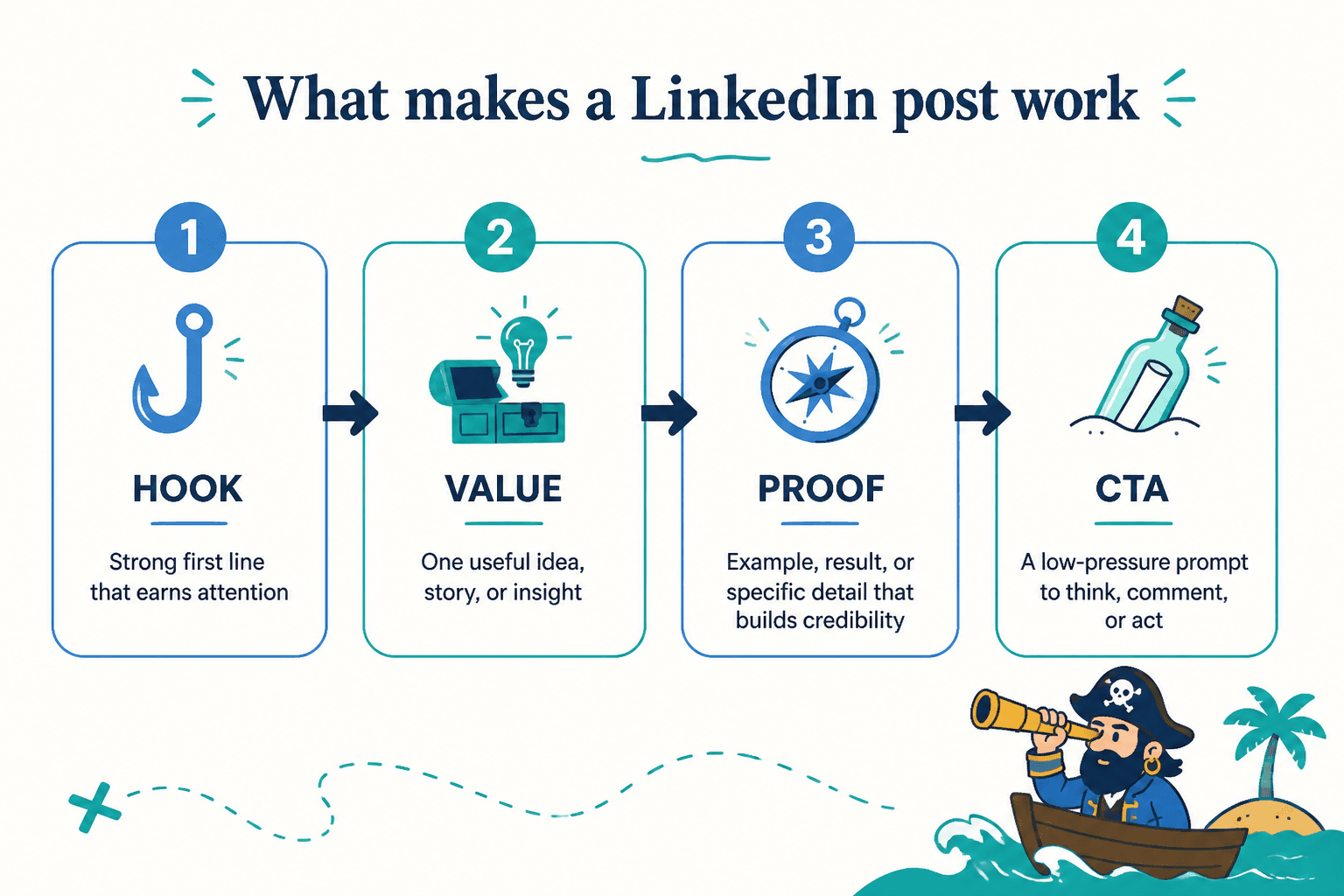
What good LinkedIn post examples actually show
A useful example does more than sound clever. It shows how the post earns attention, delivers value, and gives the reader a next step. At minimum, strong LinkedIn posts usually do four things:
- Hook: the first line makes continuing feel worthwhile.
- Value: the body explains something useful, specific, or honest.
- Proof: the post includes a detail, pattern, result, or concrete observation.
- CTA: the ending invites a response, a follow, a save, or a click without sounding like a hostage note.
That structure is not a law. It is a dependable shape. Some posts lean more heavily on opinion. Some are mostly story. Some are quick frameworks. But if a post has no clear point and no reason to care, it usually reads like polished air.
LinkedIn’s own help center emphasizes the basics of posting and engagement. For writing that holds attention, the practical lesson is simpler: the post should be easy to scan, easy to understand, and easy to continue.
A simple LinkedIn post formula creators can reuse
Before jumping into examples, it helps to have a template that is flexible enough to survive real writing. Use this:
- Start with a specific tension, claim, or observation.
- Explain why it matters.
- Show one example, lesson, or proof point.
- End with a useful takeaway or question.
That formula works because it gives the post direction without boxing it in. It also keeps creators from hiding the point under three paragraphs of warm-up material.
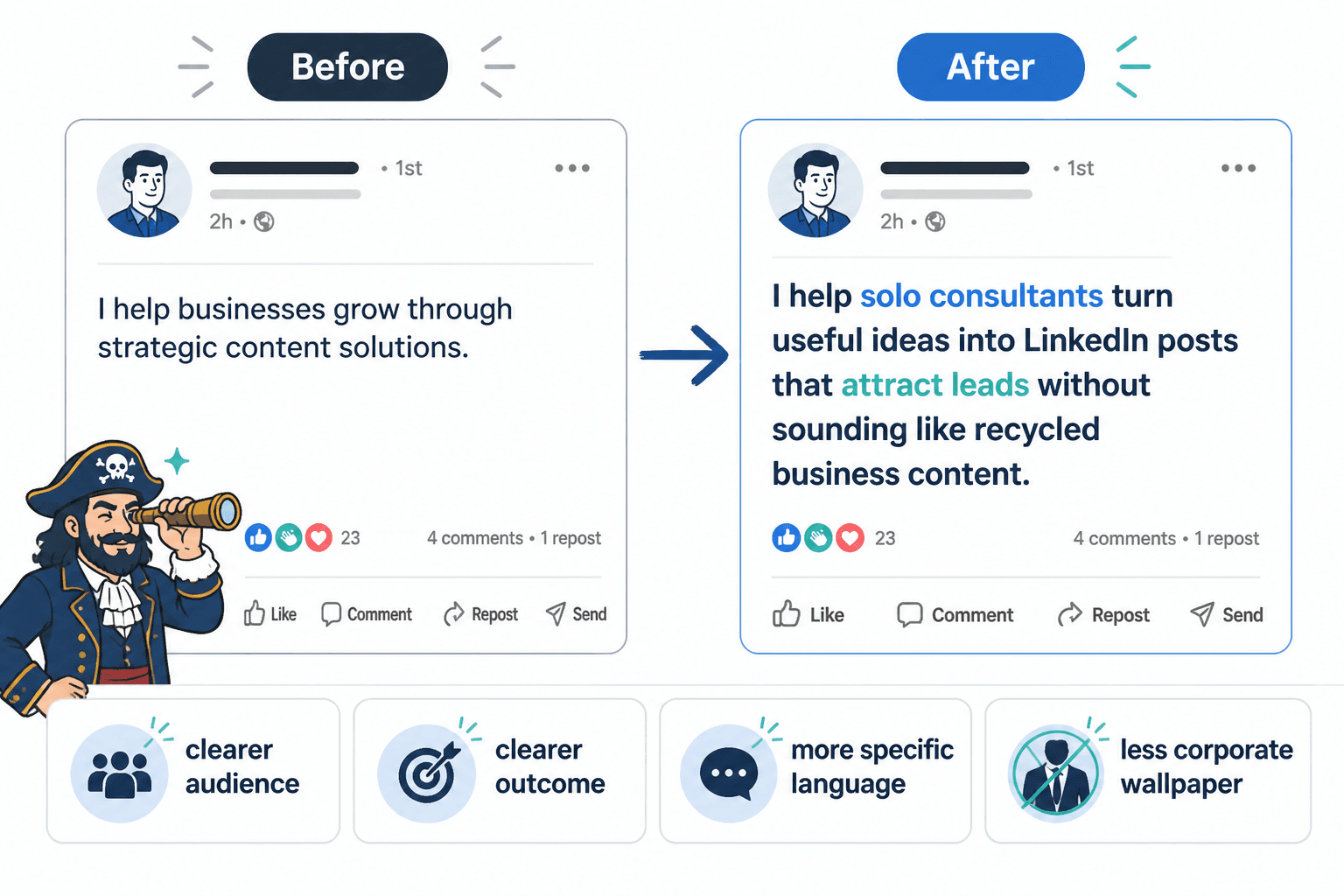
LinkedIn post ideas and examples creators can adapt
1. The common mistake post
This post type calls out a mistake people in your audience keep making, then shows a better way. It works well because it is instantly relevant and easy to recognize.
Example structure:
Most creators do not have a visibility problem. They have a specificity problem.
They talk about their work in broad terms, so the reader never sees why it matters.
A better post says exactly who it is for, what problem it solves, and what changes after the reader applies it.
Specific beats impressive every time.
This is the kind of post that can spark conversation because readers immediately compare it to their own habits.
2. The opinion post with teeth
An opinion post works when it has a clear stance and a reason behind it. It does not need to be spicy for sport. It needs to be defensible.
Example structure:
Hot take: consistency matters less than clarity.
Posting every day means very little if the message keeps changing.
A smaller number of sharper posts usually does more for trust than a larger pile of forgettable ones.
The point is not to post less. It is to stop publishing filler and calling it momentum.
If you want a deeper set of opinion-post patterns, see simple LinkedIn opinion post templates for busy creators.
3. The mini case study post
A mini case study gives the reader a small story with a useful outcome. It does not need a dramatic transformation. It just needs to show what changed and why.
Example structure:
A creator rewrote a post by removing three vague claims and adding one concrete example.
The new version got more replies because people could actually picture the situation.
The lesson was not “write longer.” It was “make the reader see something real.”
That kind of post is handy because it combines proof and teaching without becoming a full case study report.
4. The simple framework post
Framework posts are useful when you want to make something practical and memorable. They are especially good for creators, consultants, and educators who want to sound organized without sounding robotic.
Example structure:
Use this three-part structure for better LinkedIn posts:
- State the problem.
- Show the better approach.
- Give one example the reader can copy.
It keeps the post moving and gives the audience something they can actually use.
Framework posts tend to perform well because they are easy to save and share. They feel useful without being heavy.
5. The behind-the-scenes decision post
People like seeing what was chosen, changed, or rejected behind the scenes. Not because every decision is fascinating, but because it shows judgment.
Example structure:
I almost posted the shorter version of this idea.
Then I realized it explained the what, but not the why.
The longer version works better because it gives the reader enough context to decide whether the idea matters to them.
This is a clean way to show how you think without pretending you have a dramatic origin story.
6. The list post
List posts are not automatically shallow. They become shallow when every item repeats the same idea in a different hat.
Example structure:
Five LinkedIn post ideas that usually work better than generic updates:
- A mistake you keep seeing.
- A lesson from a recent project.
- A strong opinion with reasons.
- A simple framework.
- A question that reveals how people think.
Good list posts are built around distinction. Each item should bring something slightly different to the table, or the list is just filler with numbering.
7. The lesson learned post
This format works when something changed your thinking in a useful way. The trick is to keep the lesson grounded instead of turning it into a moral speech with a LinkedIn logo on it.
Example structure:
I used to think better posts needed more explanation.
Usually the opposite is true.
When a point is clear, the post feels stronger even if it uses fewer words.
Clarity is not the enemy of depth. It is the entry point.
This format works well for creators because it turns a small realization into a usable principle.
8. The prompt or question post
Questions are only useful when they are specific enough to draw out real answers. “Thoughts?” is not a prompt. It is a shrug in sentence form.
Example structure:
What makes you trust a creator’s advice on LinkedIn faster:
- a clear point of view,
- a specific example, or
- a track record you can verify?
I am interested in the difference between what sounds credible and what actually earns trust.
Better questions invite a response by narrowing the frame. Broad questions tend to drift into polite silence.
How to make example posts sound like you
Examples are useful, but copying them word-for-word is how you end up sounding like a corporate clipboard with a schedule. The point is to borrow the structure and keep your own language.
Try this process:
- Keep the job of the post. Decide whether it is meant to teach, persuade, reflect, or invite a conversation.
- Swap in your own subject matter. Use your audience, your topic, and your actual point of view.
- Trim generic phrasing. If a sentence could belong to anyone, it probably should not survive the edit.
- Add one real detail. A small concrete example usually does more work than a paragraph of abstraction.
That is also where a rewrite can sharpen a post fast. A vague sentence like “creators need to be consistent” becomes stronger when it names the cost, the behavior, or the real issue behind the habit.
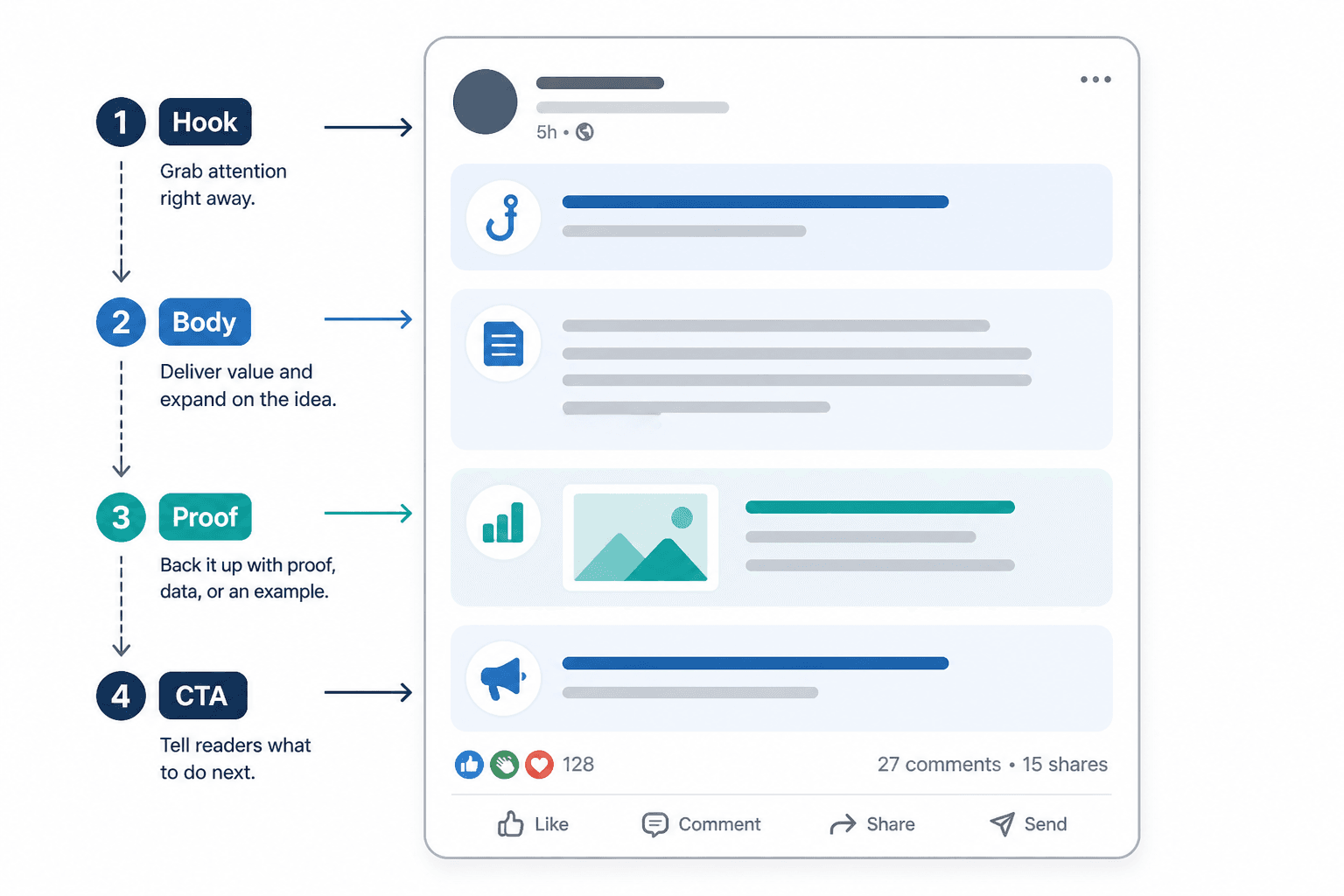
Quick rules for a better swipe file
If you keep a collection of LinkedIn post examples, make it selective. A swipe file full of almost-good posts can waste more time than it saves.
- Save posts with a clear structure.
- Save posts that use specifics, not just clever phrasing.
- Save posts that fit a goal: trust, replies, profile visits, or leads.
- Do not save everything. A giant pile of mediocre examples is just clutter with optimism.
For creators trying to improve performance beyond the post itself, the next useful step is often distribution and conversion. That is covered in how to turn LinkedIn posts into more leads or sales.
When to use examples instead of templates
Templates are useful when you need repeatable structure. Examples are better when you need judgment. In practice, most creators need both.
Use templates when the job is simple and repeatable.
Use examples when the idea needs adaptation, tone control, or a better angle.
That balance matters even more if you are choosing tools or workflow support. If you want that angle, the companion guide on best AI tools for LinkedIn posts is the more natural next stop.
Final take
Good LinkedIn post ideas are not rare. Good execution is the part that keeps slipping through the cracks. Examples help because they show what the post is doing, not just what it is saying.
Start with a clear point, give the reader something concrete, and make the structure easy to follow. That is usually enough to move a post from “technically published” to “worth reading.” Which, for LinkedIn, is already doing a lot.
For the broader publishing framework, return to the LinkedIn posts guide. For sharper openings, pair this article with LinkedIn hook examples creators can adapt fast.