
A draft sits open in one tab, the email platform is waiting in another, the automation builder wants a rule nobody documented, and the subject line ideas are scattered across a notes app like a small administrative disaster. That is the usual welcome-email toolchain: too many handoffs, not enough judgment, and a sequence that gets more complicated each time somebody says, “We should automate this.” The fix is not a bigger stack. It is a lean system that helps you draft, refine, automate, and test welcome emails without turning the process into software cosplay.
This guide is about the tools that actually help with that job. Not every platform with “AI” in the marketing copy earns its keep. The useful ones reduce friction, keep the message consistent, and give you enough control to make the welcome sequence sound human instead of plausibly generated. For strategy and structure, start with the broader welcome emails guide, then use this page to choose the tools that fit the workflow.
What AI tools for welcome emails should actually do
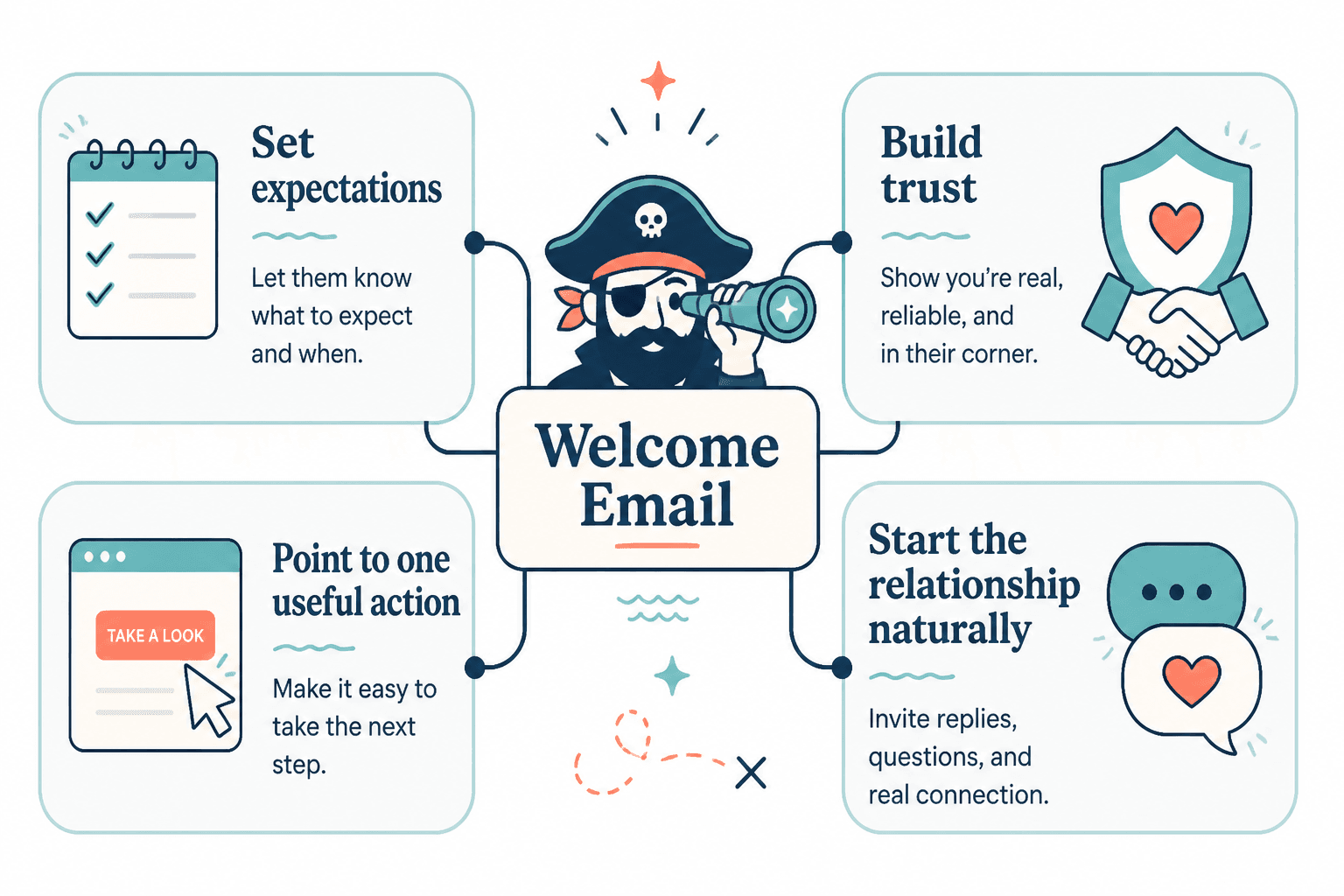
The job is not “write an email.” The job is to help a new subscriber understand why they joined, what happens next, and what action makes sense now. A good tool stack supports that sequence without creating extra labor at every step.
At minimum, useful AI tools should help you do four things:
- Draft faster so you are not starting every welcome email from a blank page.
- Edit more cleanly so the tone stays useful, specific, and on-brand.
- Automate reliably so the right message goes out at the right time.
- Test and improve so subject lines, CTAs, and timing are not guesses dressed up as strategy.
That sounds obvious until you see how many tools only do one of those well. A decent writer with a clumsy automation flow is still a bottleneck. A powerful platform with bland AI suggestions is still a bottleneck. The goal is a system where each tool earns its place.
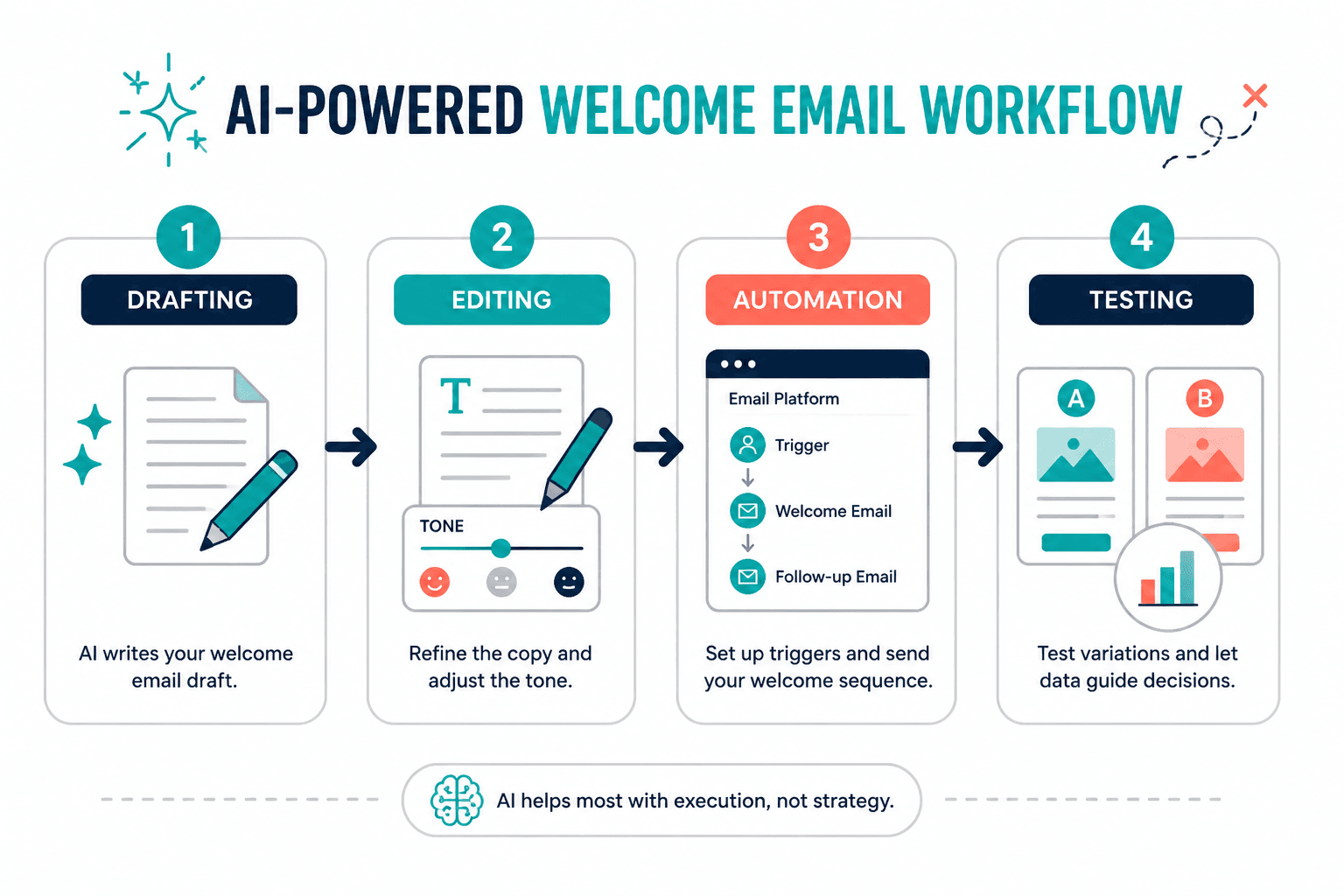
The lean workflow: draft, edit, automate, test
The cleanest setup usually follows the same sequence.
1. Draft
Use AI to generate a rough welcome email or several variants. Good prompts should give you a usable starting point, not final copy you copy-paste with a prayer.
2. Edit
Human editing matters here more than in many other content types. Welcome emails are short, which means every line carries weight. Cut generic filler, tighten the promise, and make the next step obvious.
3. Automate
Move the email into your platform and connect it to the signup trigger, lead magnet delivery, or onboarding sequence. Keep the logic simple unless you actually need branching paths.
4. Test
Check how it renders, whether links work, whether the timing makes sense, and whether the subject line actually encourages opens. A sequence that looks fine in draft and breaks in inboxes is not a sequence. It is a future support ticket.
The main types of AI tools that work for welcome emails
AI writing assistants
These are the tools you use to generate first drafts, subject lines, CTA options, and alternate tones. They are best when you already know what the email needs to do. They are less useful when you ask them to invent strategy from scratch and then act disappointed that the output feels hollow.
Use them for:
- Welcome email drafts
- Subject line ideas
- Shorter follow-up variants
- Tone adjustments
If you need help shaping the actual message before you write, the sibling guide how to write better welcome emails is the better starting point.
Email platforms with AI features
Some email platforms now include AI assistance for drafting, segmentation, send-time optimization, or content suggestions. These are especially useful when you want fewer tools and fewer exports. The best ones reduce friction instead of adding “smart” buttons everywhere like confetti on a dashboard.
Use them when your priority is:
- Keeping writing and sending in one place
- Reducing copy-paste between tools
- Maintaining one source of truth for the sequence
For broader context on choosing the right platform, see best email software and automation tools for welcome emails.
Automation tools
Automation tools are what connect the signup event to the welcome sequence. They do not need to be flashy. They need to be predictable. The moment a workflow starts needing an apology, it is already too complex.
Use them for:
- Triggering the welcome email after signup
- Tagging new subscribers by source or interest
- Branching follow-ups based on behavior
- Coordinating lead magnet delivery and onboarding
If your current setup feels like a relay race with a dropped baton, simplify the trigger logic before adding more content.
Testing and optimization tools
These tools help you evaluate subject lines, preview inbox rendering, monitor deliverability, and compare performance. They are often ignored until something goes wrong, which is a charming but expensive habit.
Use them for:
- Inbox previews
- Spam and deliverability checks
- Open and click tracking
- A/B tests for subject lines or CTAs
Open rates are imperfect, but they still help you spot obvious problems. For a deeper business-focused angle, the sibling guide how to turn welcome emails into more leads or sales is the next step.
How to choose the right AI tool without overbuying
Choose based on your actual use case
A solo creator, a small newsletter business, and a team running multi-step onboarding do not need the same tool. That should sound simple. Somehow it is not.
Ask what you are really doing:
- Writing one clean welcome email?
- Building a short sequence?
- Sending a lead magnet delivery email?
- Running segmented onboarding for different subscriber types?
The more complex the workflow, the more valuable a platform with built-in automation becomes. The simpler the workflow, the more dangerous it is to buy software just because it can do twenty things you will never use.
Pay attention to workflow friction
The best tool is not always the one with the strongest AI model. It is the one you will actually use without wrestling it into shape every Tuesday.
Look for:
- Easy draft-to-send handoff
- Minimal copy-paste between tools
- Clear approval or review steps
- Templates you can reuse without fighting them
When a tool slows the process down, people stop testing, stop refining, and start shipping whatever already works. That is not optimization. That is surrender with analytics.
Do not overbuy automation
A welcome sequence does not need a museum-grade automation system unless your business genuinely requires it. Start with the simplest setup that reliably sends the right message, then expand only if the next step is actually justified.
That matters because complexity increases failure points. More triggers, more branches, more edge cases, more things to forget when the platform updates a setting and quietly ruins your week.
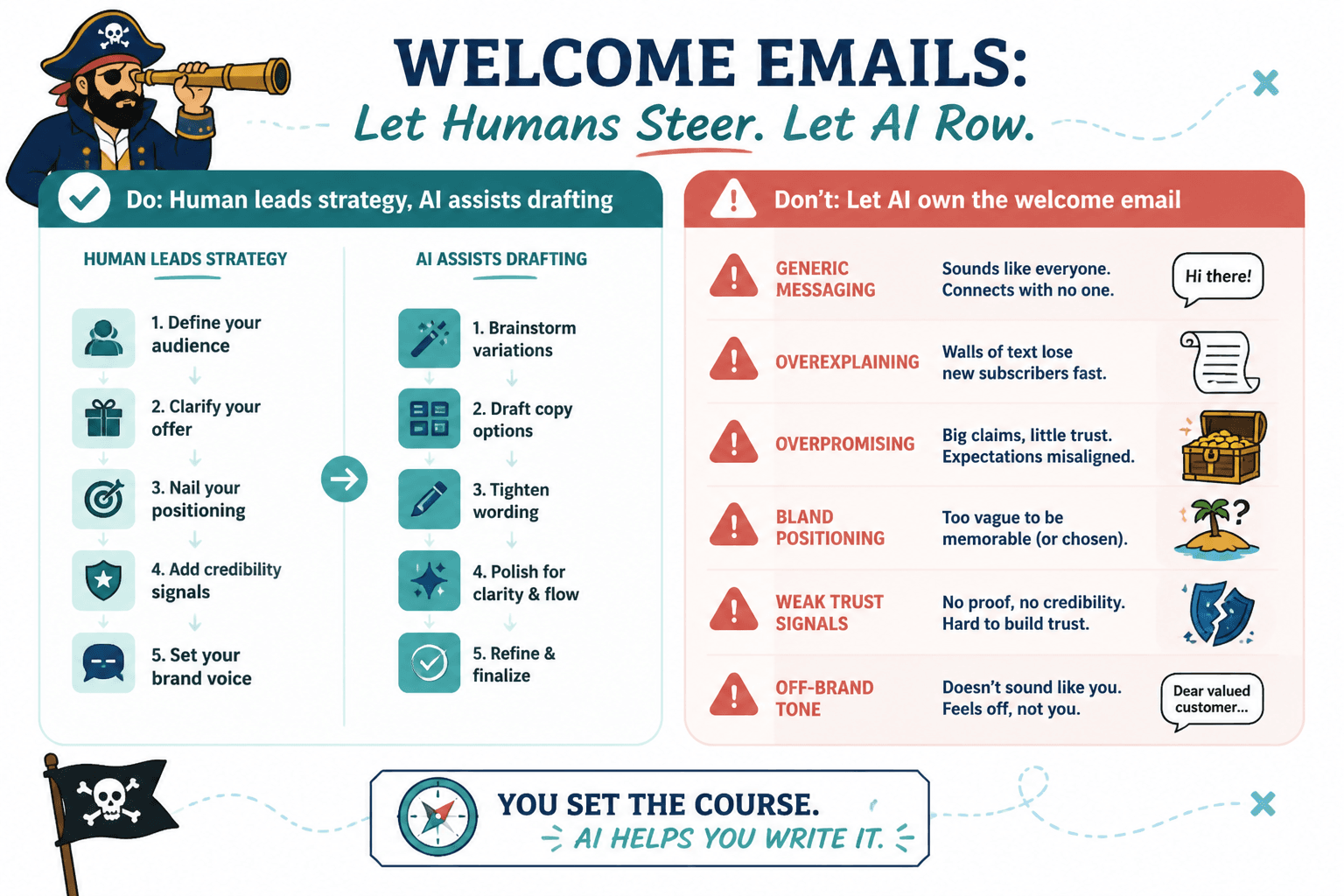
Keep brand control and human judgment in the loop
AI should speed up drafting, not replace decisions about tone, clarity, or timing. A welcome email that sounds polished but vague is still a weak welcome email. A little specificity does more work than a lot of shiny automation.
That is especially important for sequences tied to offers, lead magnets, or educational products. New subscribers should feel guided, not processed.
Deliverability and compliance still matter
Good tools are not just about writing. They also need to support sending practices that keep your emails out of trouble.
At a minimum, make sure your setup respects:
- Permission-based signup and consent
- Clear unsubscribe options
- Accurate sender identity
- Stable list hygiene and domain reputation
For official guidance, see the FTC CAN-SPAM compliance guide, Google’s sender guidance for email, and Mailchimp’s deliverability resources if you want a practical platform-side overview. The details change, but the principle stays boring and useful: send mail people asked for, and make it easy to leave.
Best AI tool setup by use case
For solo creators
Use a writing assistant for drafts, a creator-friendly email platform for sending, and only light automation. The goal is speed without a tangled setup.
For newsletter businesses
Use AI for drafting and subject line testing, then keep automation inside the same platform where possible. This reduces moving parts and makes iteration faster.
For products or courses with onboarding
Use AI to draft the first welcome message and follow-ups, but lean on automation and segmentation for behavior-based paths. This is where basic workflows stop being enough and structured sequences start pulling their weight.
For teams
Prioritize review, collaboration, and consistency. The best tool is the one that makes it easy for one person to draft, another to refine, and a third to verify that the sequence still makes sense after the sixth round of “small edits.”
A practical setup that stays small
If you want a lean system, keep it to three layers:
- AI writing assistant for drafting and variants
- Email platform for storage, sending, and automation
- Testing/checking tool for previewing and QA
That is enough for most welcome-email workflows. Add more only when the missing function is clearly slowing you down.
If you need examples before you build, the companion guide best welcome email ideas and examples for creators can help you see the shape before you choose the machinery.
Final takeaway
The best AI tools for welcome emails are not the fanciest ones. They are the ones that help you move from rough idea to working sequence with the fewest bad handoffs. Draft fast, edit hard, automate simply, test everything that matters, and keep a human in charge of the part that actually builds trust.
If your current stack feels like it needs a project manager just to say hello, it is probably too much tool and not enough system.