
Most creators do not have a research problem. They have a time problem, a focus problem, and an “I opened the AI tool and now I’m staring at 47 bad angles” problem.
That’s why simple creator AI topic research templates matter. Not because templates are magical. They are not. But because a decent template can stop you from asking mushy questions and getting mushy answers back.
If you are a coach, consultant, writer, solo founder, or personal brand trying to come up with better content ideas without burning an hour every time, this will help. You’ll get practical templates you can use to research topics faster, find stronger angles, and turn vague ideas into content that actually has a point.
And importantly, these are built for busy creators. Not people pretending they have a six-person strategy team and a spreadsheet addiction.
For the full path around this topic, head to the parent guide.
Why most AI topic research goes sideways
A lot of people use AI for topic research like this:
- “Give me 50 content ideas for my business.”
- “What should I post about this week?”
- “What topics are trending for coaches?”
And then they wonder why the output sounds like a bland intern with Wi-Fi.
AI usually reflects the quality of your prompt structure. If your input is broad, generic, and lazy, the output will often be broad, generic, and lazy too. That is not a shocking betrayal. That is just math with branding.
Good topic research prompts do three things:
- They anchor the AI in a specific audience
- They define the kind of outcome you want
- They force the tool to look for useful tension, specificity, and practical relevance
That is the whole game. Not “better prompting” as performance art. Better input structure.
What simple creator AI topic research templates should actually do
A useful template is not just a fill-in-the-blank sentence. It is a shortcut to better thinking. The best simple creator AI topic research templates for busy creators help you do at least one of these:
- Find better content angles on topics you already cover
- Spot recurring audience questions worth writing about
- Turn one broad niche into several sharp subtopics
- Identify friction points, objections, myths, and mistakes
- Generate posts, articles, threads, emails, or lead magnet angles from one theme
- Research topic variations for different audience awareness levels
If the prompt gives you a pile of random ideas without helping you choose, shape, or sharpen them, it is not really a research template. It is a digital confetti cannon.
The simplest way to use AI for topic research
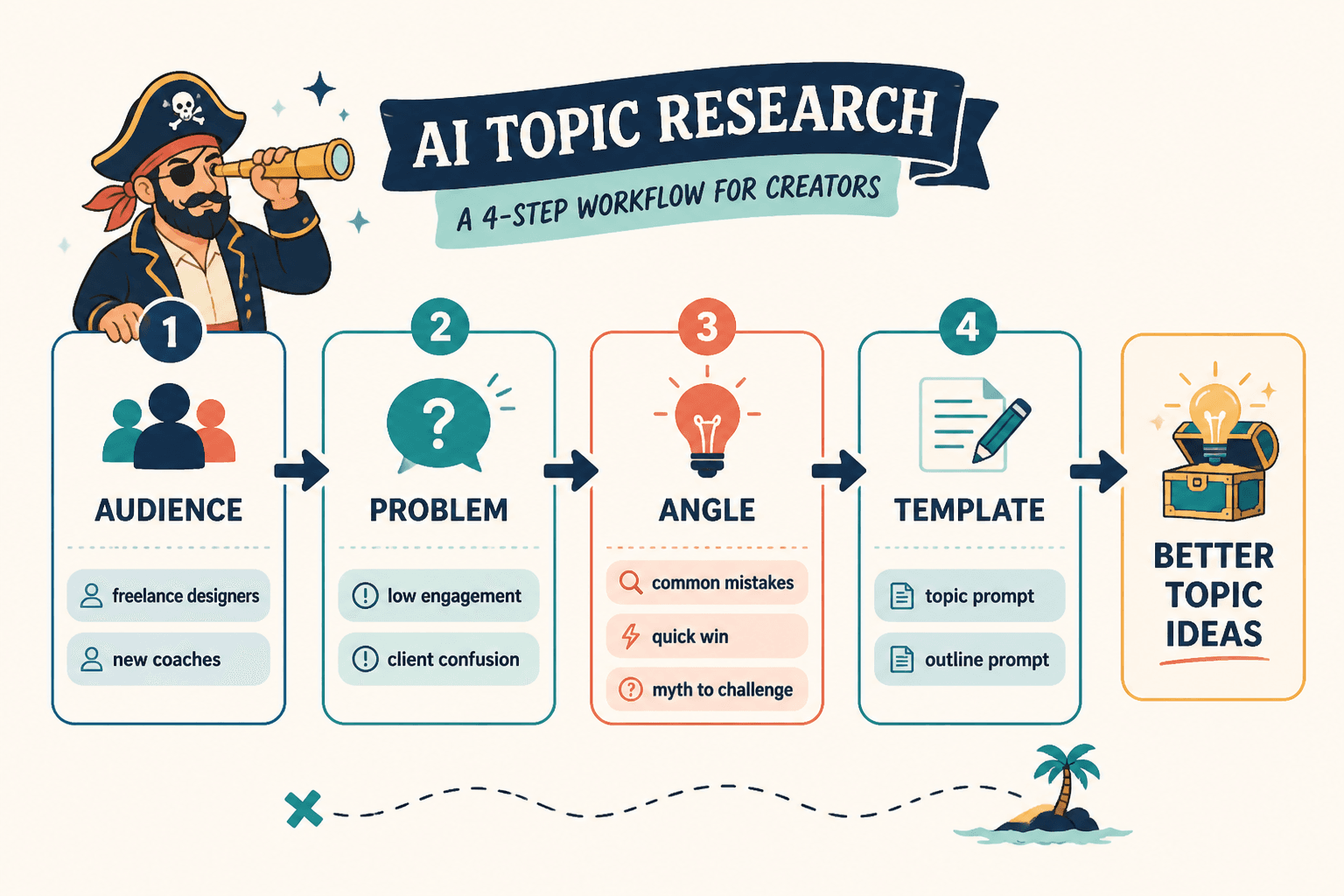
Before the templates, here’s the easiest structure to remember:
- Name the audience
- Name the problem or theme
- Name the goal of the research
- Name the format you want back
- Ask for specificity, not volume
That alone improves most outputs.
For example, this is weak:
Give me content ideas about personal branding.
This is better:
Give me 15 content topic ideas for freelance designers who want a clearer personal brand and more inbound leads. Focus on specific mistakes, myths, objections, and easy wins. Group ideas by beginner, intermediate, and advanced audience awareness.
Same tool. Much better direction.
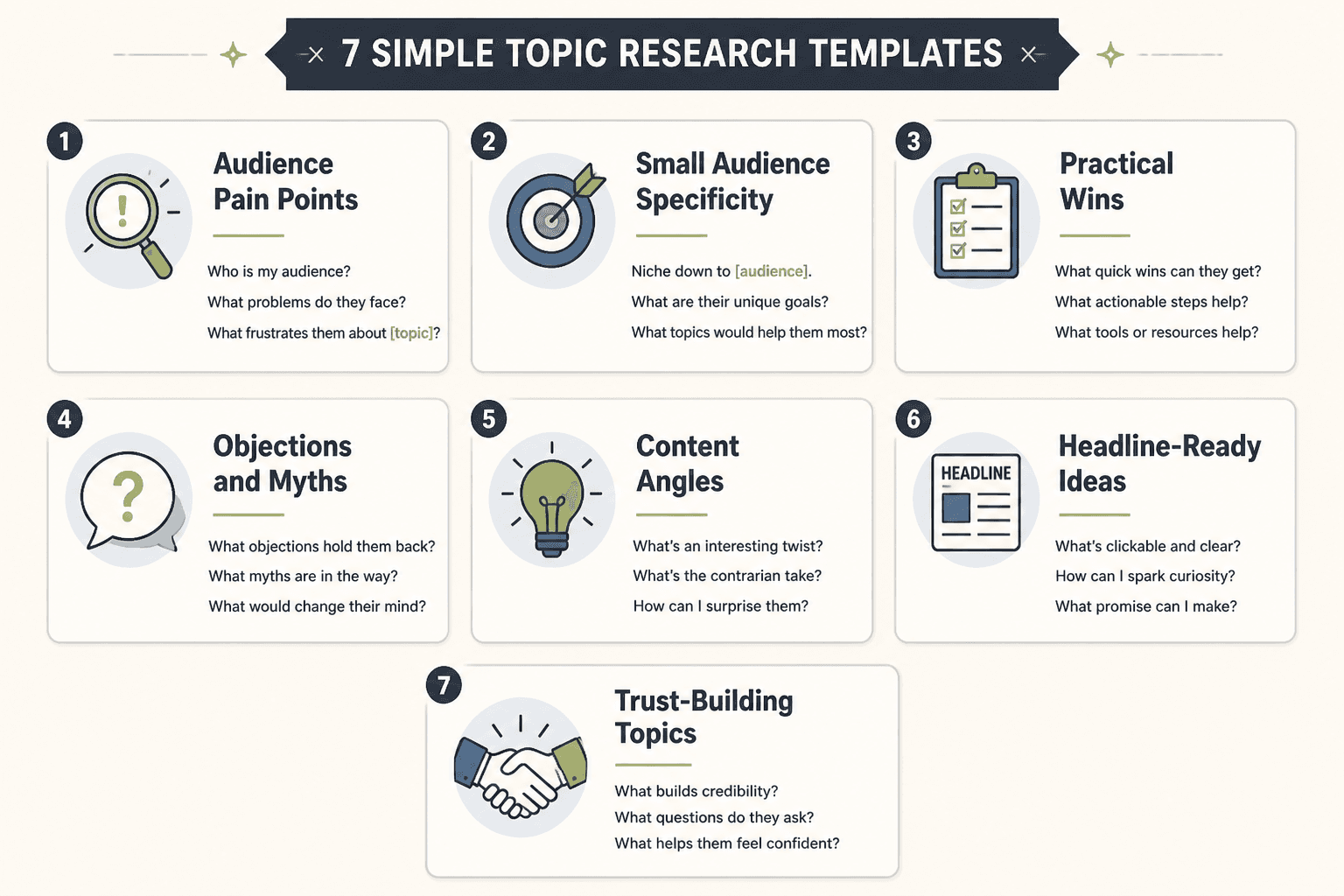
7 simple creator AI topic research templates for busy creators
Use these as written, then tweak them for your niche. The point is not to worship the exact wording. The point is to give the AI enough structure that it can stop offering the same recycled sludge everyone else is posting.
1. The audience pain point template
Best for: finding useful content topics rooted in real audience problems
I create content for [specific audience]. They are trying to [goal], but they struggle with [problem area]. Give me 20 topic ideas based on their real frustrations, common mistakes, objections, false assumptions, and repeated questions. Make the ideas specific, practical, and non-generic. Group them into quick wins, deeper strategy, and myth-busting topics.
Example:
I create content for executive coaches. They are trying to attract better-fit clients through content, but they struggle with sounding generic online. Give me 20 topic ideas based on their real frustrations, common mistakes, objections, false assumptions, and repeated questions. Make the ideas specific, practical, and non-generic. Group them into quick wins, deeper strategy, and myth-busting topics.
Why it works: it forces the AI away from generic niche ideas and toward actual audience friction. Friction is where good content usually lives.
2. The subtopic expansion template
Best for: turning one broad topic into a usable content map
Help me break down the broad topic of [topic] for [audience]. List 25 specific subtopics that are practical, relevant, and worth turning into content. Include beginner questions, advanced questions, common mistakes, unpopular opinions, tactical how-to angles, and decision-making angles.
Example:
Help me break down the broad topic of LinkedIn thought leadership for B2B consultants. List 25 specific subtopics that are practical, relevant, and worth turning into content. Include beginner questions, advanced questions, common mistakes, unpopular opinions, tactical how-to angles, and decision-making angles.
This template is handy when your niche feels too broad and your ideas keep sounding repetitive. It gives you room to create content that has range without becoming random.
3. The audience question mining template
Best for: generating topic ideas that feel close to search intent and everyday audience language
Act like a [audience type] who is trying to solve [problem]. List 30 realistic questions they might ask before they are ready to buy, hire, subscribe, or trust someone in this space. Make the questions sound natural, not formal. Then group them by awareness stage and highlight which ones would make strong content topics.
This one is especially useful if your content has gotten too expert-heavy. Sometimes creators write from ten steps ahead of the audience and then wonder why nobody engages. Because the audience is still trying to answer a much simpler question.
If you serve people at different stages, ask the AI to separate questions into:
- Just noticing the problem
- Actively trying to fix it
- Comparing options
- Ready to take action
That gives you a cleaner content pipeline instead of one giant pile of “ideas.”
4. The angle finder template
Best for: making familiar topics feel sharper and less boring
I want to create content about [topic], but I do not want generic angles. Give me 15 stronger angles using contrast, contrarian takes, common mistakes, hidden costs, false beliefs, behind-the-scenes process, and practical examples. Keep the ideas useful, not clickbait.
Most “bad topic ideas” are not truly bad. They are just flat. A stronger angle can rescue a familiar subject.
For example, “AI writing tips” is broad and sleepy. But these are sharper:
- Why most AI writing prompts fail before the tool even starts
- The difference between faster drafting and publishing robotic sludge
- Where AI helps your writing workflow and where it quietly makes it worse
Same territory. Better packaging.
5. The content format conversion template
Best for: turning one research topic into multiple platform-friendly ideas
Using the topic [topic] for [audience], generate content angles for these formats: LinkedIn post, X thread, short email, long-form article, lead magnet idea, and FAQ. Make each angle appropriate for the format and audience. Focus on practical value, clarity, and clear takeaways.
This template saves time because topic research and content planning do not need to be separate tasks every single time. If one idea is worth covering, it may be worth expressing in different shapes.
If you want a fuller system for this, the broader creator AI research and ideation guide can help you build a workflow instead of improvising every week.
6. The objection and hesitation template
Best for: sales-adjacent content, authority content, and trust-building topics
My audience is [audience], and they want [result], but they hesitate because of [obvious hesitation]. Give me 20 content topics based on hidden objections, fears, doubts, timing concerns, budget concerns, trust concerns, and past bad experiences. For each topic, suggest a practical angle that builds trust without sounding pushy.
This is where AI can actually be helpful. Not because it knows your audience’s soul, but because it can quickly generate objection categories you can refine with real-world judgment.
Especially if you sell a service, content that addresses hesitation usually performs better than another generic “5 tips” post. People do not just need information. They need friction removed.
7. The small-audience specificity template
Best for: creators who do not have a huge audience and need stronger relevance, not more noise
I have a small but relevant audience of [audience type]. I need content topics that will feel highly specific and genuinely useful, not broad or mass-market. Give me 15 topic ideas focused on narrow pain points, practical wins, direct examples, and trust-building insights for people likely to become clients or subscribers.
This matters because small creators often make the weird mistake of trying to sound big. Big audience topics are often broader, lighter, and more entertainment-friendly. If your audience is small, specificity is usually a better bet.
There’s more on that in this guide for creators with small audiences, because small-audience research should be tighter, not louder.
How to improve the output without making the prompt absurdly long
You do not need a 900-word super prompt every time. You just need a few smart constraints.
Add one or two of these lines to almost any research prompt:
- “Avoid generic advice and vague business language.”
- “Make the ideas specific enough to become headlines.”
- “Prioritize practical usefulness over trendiness.”
- “Include angles based on mistakes, objections, myths, and decisions.”
- “Write for an audience that is busy, skeptical, and not easily impressed.”
That last one, by the way, quietly improves a lot of AI output. Busy, skeptical audiences require better content. The fluff starts falling apart fast.
What AI topic research can do well, and what it cannot
AI is good at helping you:
- Brainstorm faster
- Expand subtopics
- Surface question variations
- Organize angles into categories
- Turn one theme into multiple content directions
- Reduce blank-page drag
AI is not good at:
- Knowing which ideas fit your voice automatically
- Understanding your exact audience without context
- Deciding what is worth saying based on lived expertise
- Replacing taste, positioning, or strategic judgment
- Saving a boring offer with prettier wording
So yes, use the tool. Just do not hand it the steering wheel and act surprised when the content starts sounding like a polite committee memo.
If you want tool-specific help, this guide to the best AI tools for creator AI research and ideation breaks down where different categories actually help.
A simple weekly workflow for busy creators
If you want to make these templates useful in real life, not just interesting in theory, use this quick workflow once a week:
- Choose one audience problem or content pillar
- Run 1 to 2 research templates, not all 7 like a maniac
- Highlight the 5 best topic ideas
- Pick the 2 that feel most specific and commercially relevant
- Turn those into platform-specific drafts
- Save the remaining angles in a content bank
That is enough. You do not need to produce 80 ideas in one sitting. You need a small number of useful ones that fit your business and your audience.
If you want more structure around templates and workflows, you can also read best templates and tools for creator AI research and ideation and explore the broader creator AI research and ideation hub.
Quick table: which template to use when
The bigger point is simple: clearer structure and clearer writing make the piece more useful. That is usually what makes the ending land better too.
The bigger point is simple: clearer structure and clearer writing make the piece more useful. That is usually what makes the ending land better too.