
Offer messaging has a habit of getting stuck in tool limbo: customer notes in one app, draft copy in another, positioning ideas in a chat window, and final edits shoved into a CMS after three rounds of “tightening.” By the time the page is ready, the message has often been diluted by handoffs rather than improved by them. The fix is not a bigger stack. It is a lean one that helps you capture real language, shape a clearer angle, and move the copy to publish without turning the process into interpretive dance.
This guide is about the tools that actually help with offer messaging and positioning: collecting customer phrases, testing angles, drafting cleaner copy, and trimming the parts that sound smart but sell nothing. If you want the framework side too, pair this with the offer messaging positioning guide and the offer messaging positioning examples.
What the tool stack needs to do
Good tools do not “create positioning.” They reduce the drag between the thing you learned and the thing you can actually publish.
- Capture customer language from interviews, calls, reviews, support tickets, and sales notes.
- Turn scattered notes into usable angles instead of generic one-liners.
- Compare message options so you can see which version is sharper, narrower, or more believable.
- Clean up clarity without flattening the voice into corporate oatmeal.
- Support iteration so you can test and refine without rebuilding the whole page each time.
If a tool cannot do at least one of those jobs well, it probably belongs in the “nice idea” pile, right next to the second whiteboard marker that vanished in April.
The best AI tools for offer messaging and positioning by job
1. Research and customer-language capture
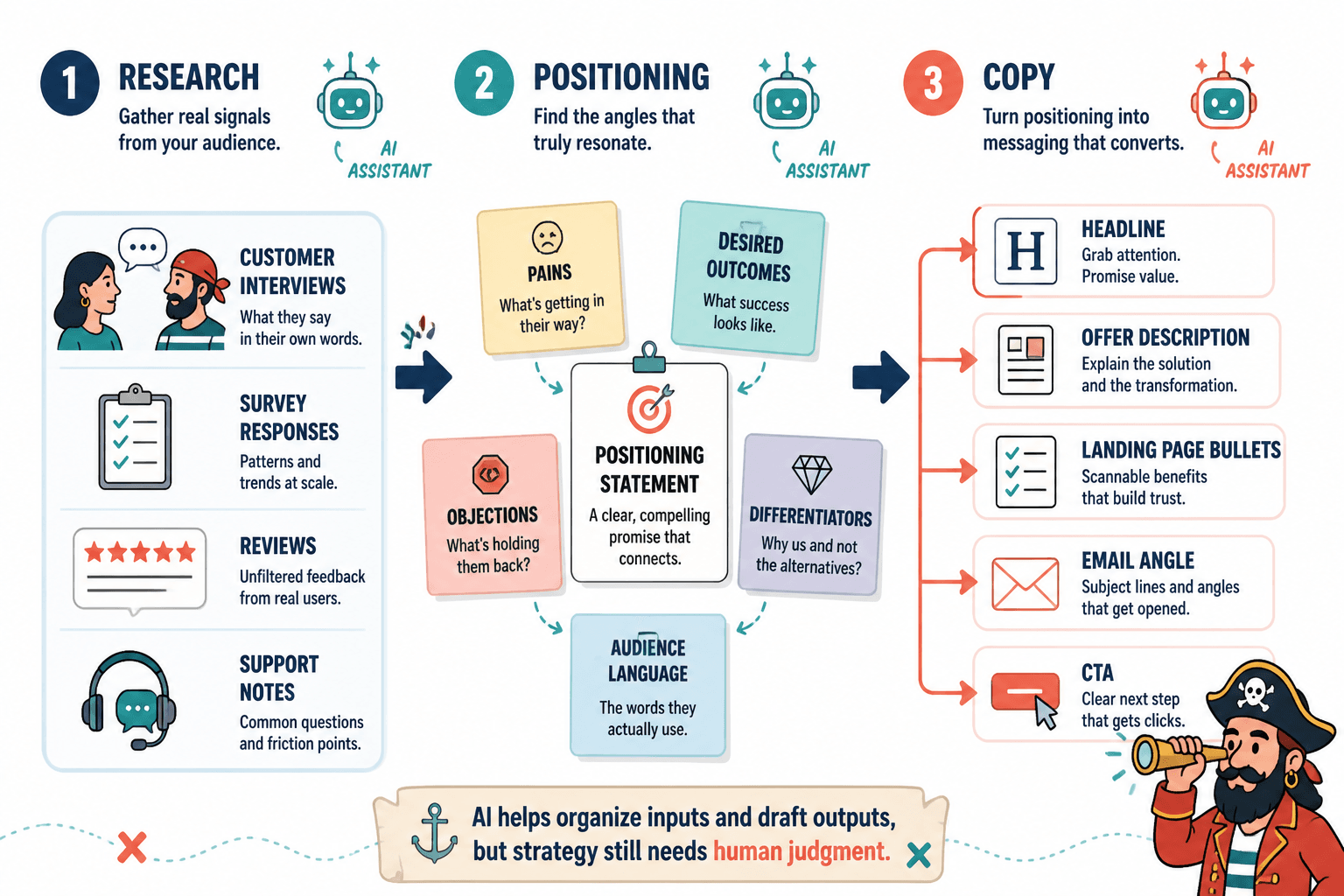
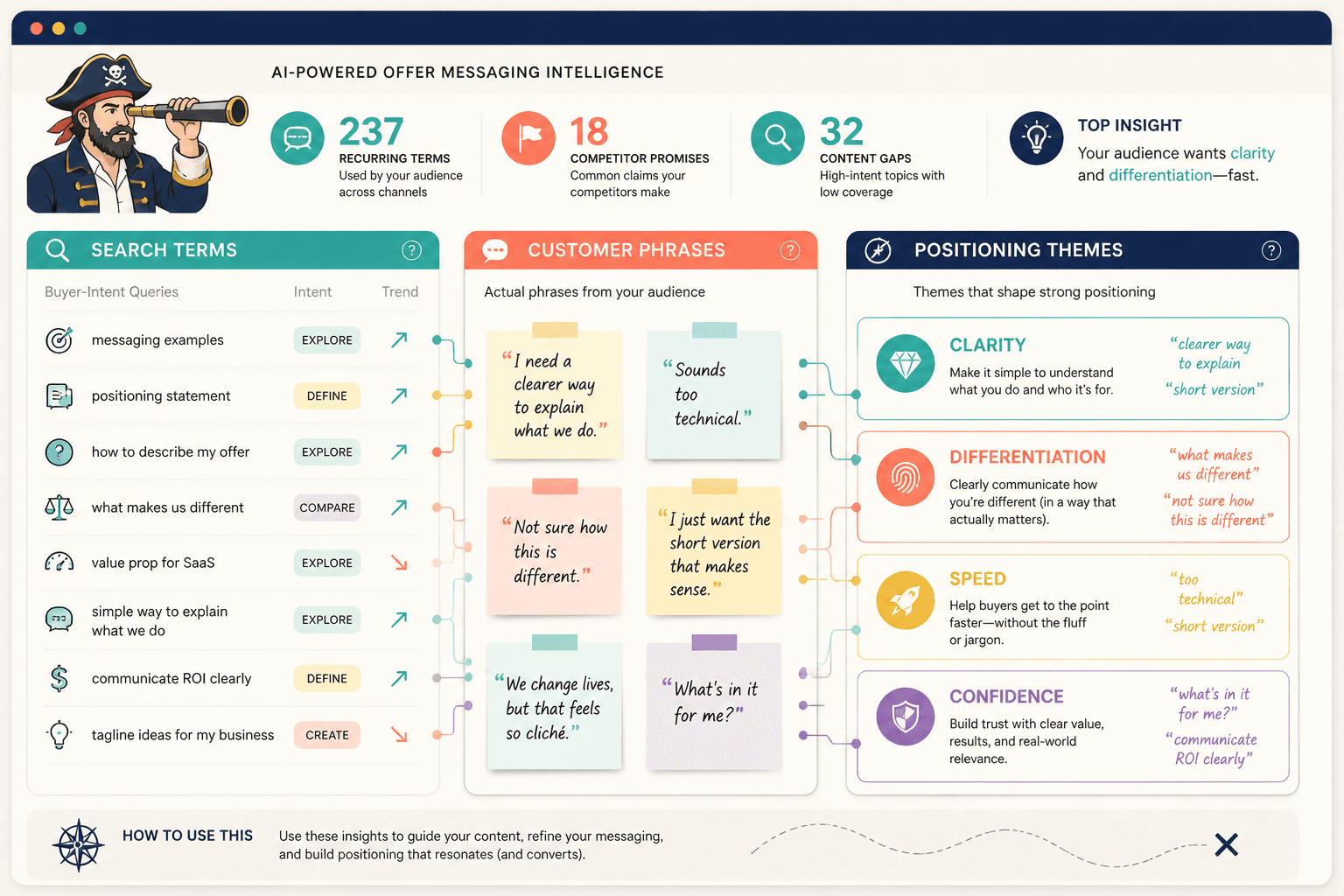
Start here. If the inputs are vague, the output will be too. The best research tools help you pull phrases from interviews, transcripts, reviews, and support conversations, then group them by recurring theme.
Useful options:
- Notion AI – useful if your research already lives in Notion and you want fast summarization and pattern spotting across notes.
- ChatGPT – useful for clustering customer phrases, extracting objections, and turning raw notes into draft positioning themes.
- Claude – useful for long transcripts and messier source docs when you want a careful read-through before rewriting.
Best use: Ask for direct quotes, repeated objections, and exact phrasing that appears across multiple sources. The goal is not a clever summary. The goal is language you would actually dare to put on a page.
2. Drafting and reframing the offer
Once you have the raw material, AI drafting tools are best used as reframing engines. They help you spin one clear idea into multiple angles: outcome-led, pain-led, differentiated-method, objection-handling, or “we are not for everyone.”
Useful options:
- ChatGPT – good for generating several versions quickly and comparing tone, clarity, and angle.
- Claude – good when you want longer drafts that stay coherent across a full page or section.
- Gemini – useful when you want to work across Google docs, notes, and related research with a lighter handoff.
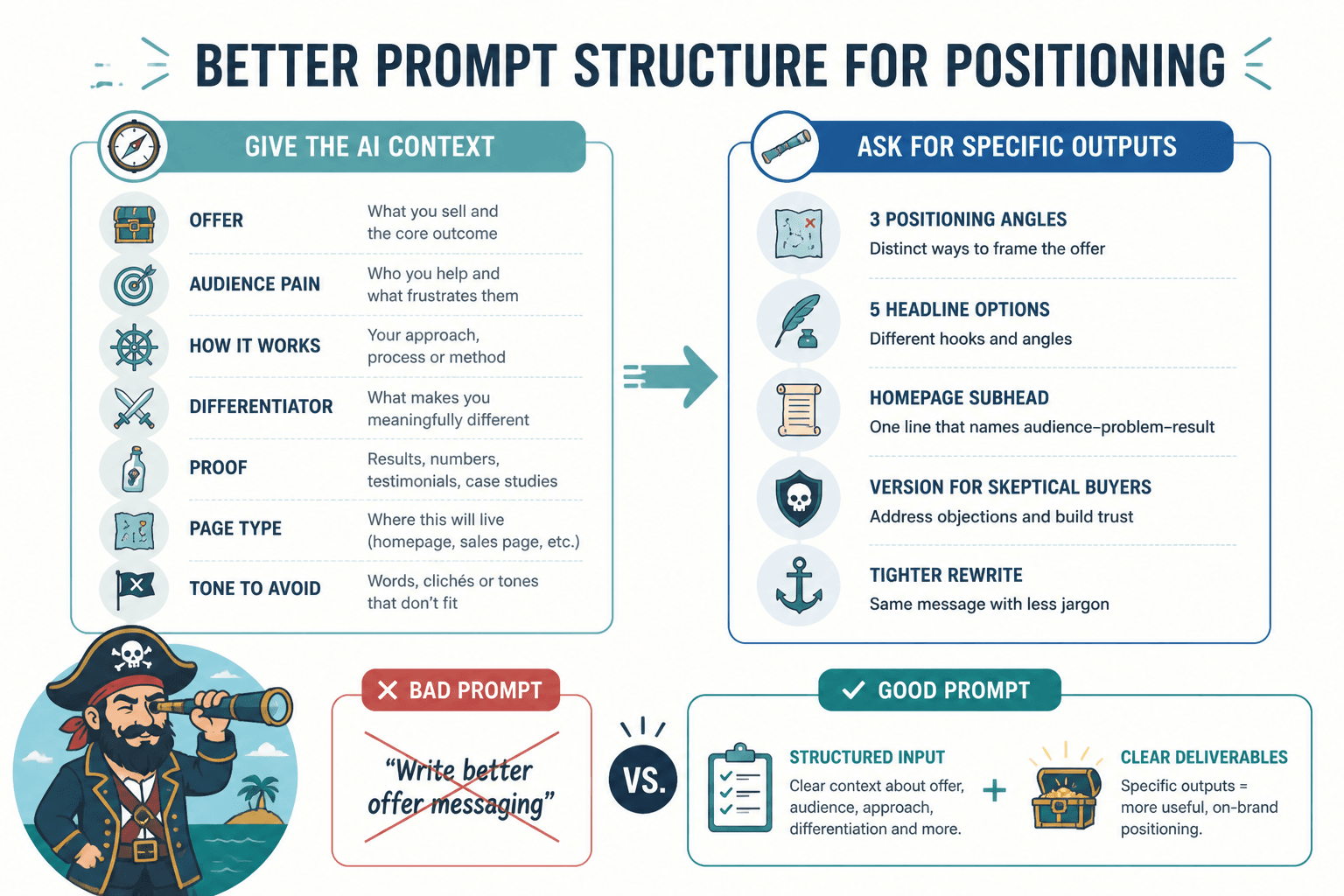
Best use: Feed the tool a narrow brief: who it is for, what pain it solves, what outcome it promises, and what makes it different. Then ask for variations instead of “write the page.” The latter is how you get a polished fog machine.
3. Positioning comparison and angle testing
Positioning work is often a comparison problem. Which audience is the priority? Which pain matters most? Which mechanism feels distinct instead of decorative? AI is useful here because it can place options side by side without getting emotionally attached to any of them.
Useful options:
- ChatGPT – useful for comparing two or more positioning statements and listing what each implies.
- Claude – useful for stress-testing a positioning claim against likely objections.
- Perplexity – useful when you want fast research context around market language, category conventions, or adjacent phrasing.
Best use: Ask the tool to tell you what each version says, what it leaves out, and what kind of buyer would respond to it. That is more useful than asking which one is “best,” because “best” without context is just a compliment wearing a spreadsheet hat.
4. Editing and clarity cleanup
After the message is shaped, the next job is to remove friction. This is where AI can help cut filler, reduce repetition, and tighten transitions without replacing judgment.
Useful options:
- Grammarly – useful for grammar, consistency, and basic readability cleanup.
- Hemingway Editor – useful for spotting dense sentences and overlong passages.
- ChatGPT or Claude – useful for rewriting a section while preserving the underlying point.
Best use: Use editing tools after the positioning is already set. Otherwise they will happily polish unclear messaging into very elegant unclear messaging.
5. Lightweight validation and CRO tools
Messaging tools are only half the story. If the page is live, you also need some way to see whether the message is landing. That does not mean overbuilding your analytics setup. It means using a few reliable tools to check behavior, not just taste.
Useful options:
- Google Analytics 4 – for page engagement and conversion tracking.
- Microsoft Clarity – for heatmaps, scroll behavior, and session replays.
- Hotjar – for surveys, behavior insights, and visitor feedback on specific pages.
Best use: Pair message changes with behavior signals. If visitors bounce before the core promise shows up, that is a message problem. If they read but do not click, the issue may be clarity, proof, or offer structure. The tools will not diagnose it for you, but they will stop you from guessing in the dark.
The best lean stack for offer messaging work
You do not need ten tools. You need a chain that holds together.
- 1 research tool to capture customer language and objections.
- 1 drafting tool to generate positioning angles and page copy.
- 1 editing tool to tighten clarity and reduce noise.
- 1 validation tool to check whether the message gets read and acted on.
A practical lean stack often looks like this:
- ChatGPT for drafting and comparison
- Claude for longer-form refinement
- Notion AI or a transcript tool for research capture
- GA4 + Clarity for post-launch feedback
If that feels plain, good. Messaging systems are supposed to be useful, not theatrical.
How to use the stack without making a mess
- Collect raw language from calls, reviews, sales notes, and support tickets.
- Cluster the phrases into problems, outcomes, objections, and differentiators.
- Draft 3 to 5 positioning angles using the same source material.
- Pick the clearest angle for the audience and the offer stage you are actually in.
- Write the page around that angle, not around a grab bag of all possible audiences.
- Trim for clarity and check whether the message still sounds like a human being would say it.
- Measure behavior after launch and revise only the pieces that are actually underperforming.
This workflow also fits the templates in the sibling guide on offer messaging positioning examples, especially when you want to compare a few different angles before committing to one.
What to look for when choosing a tool
- Fits the job – Does it help with research, drafting, editing, or validation?
- Handles your actual content – Can it work with transcripts, notes, pages, and customer language?
- Reduces handoffs – Does it keep the work moving without extra export/import drama?
- Supports reuse – Can you build prompts, templates, or workflows you will use again?
- Does not add noise – If it creates more decision fatigue than clarity, it is not helping.
That last one matters. A tool that produces ten plausible answers and no decision is not a positioning tool. It is a convincing procrastination device.
Outbound sources worth using alongside the stack
If you want a stronger grounding for the workflow itself, these sources are stable and useful:
- Google Analytics 4 documentation for measurement basics.
- Microsoft Clarity for session replay and heatmaps.
- Hotjar Help Center for behavior and feedback tools.
- Grammarly Help Center for editing support and usage details.
Bottom line
The best AI tools for offer messaging and positioning are the ones that keep your thinking visible long enough to improve it. Start with customer language, use AI to structure and compare, then trim the result until the offer is easy to understand and hard to ignore.
If you want the broader strategic context, go back to the parent guide on offer messaging and positioning. If you want examples and templates, use the sibling resources as a reference point, not a substitute for judgment. The tool stack should support the message, not audition for the lead role.