
A draft sits open in one tab, the caption editor is open in another, the scheduler wants copy in a slightly different format, and the comments inbox is already asking for attention on a post that has not gone live yet. That is not a creativity problem. It is a toolchain problem. The fix is not a bigger stack with more dashboards and more tabs. It is a lean system that helps you move from idea to draft to publish without turning every handoff into a small administrative tragedy.
This guide focuses on the best AI tools for Facebook posts by job, not by hype. The useful question is not “which tool has the longest feature list?” It is “which tool helps me write something useful faster, clean it up without flattening the voice, and get it published without a mess?”
If you want the broader writing playbook behind this, start with the parent guide on Facebook posts, then pair this with how to write better Facebook posts and Facebook post ideas and examples.
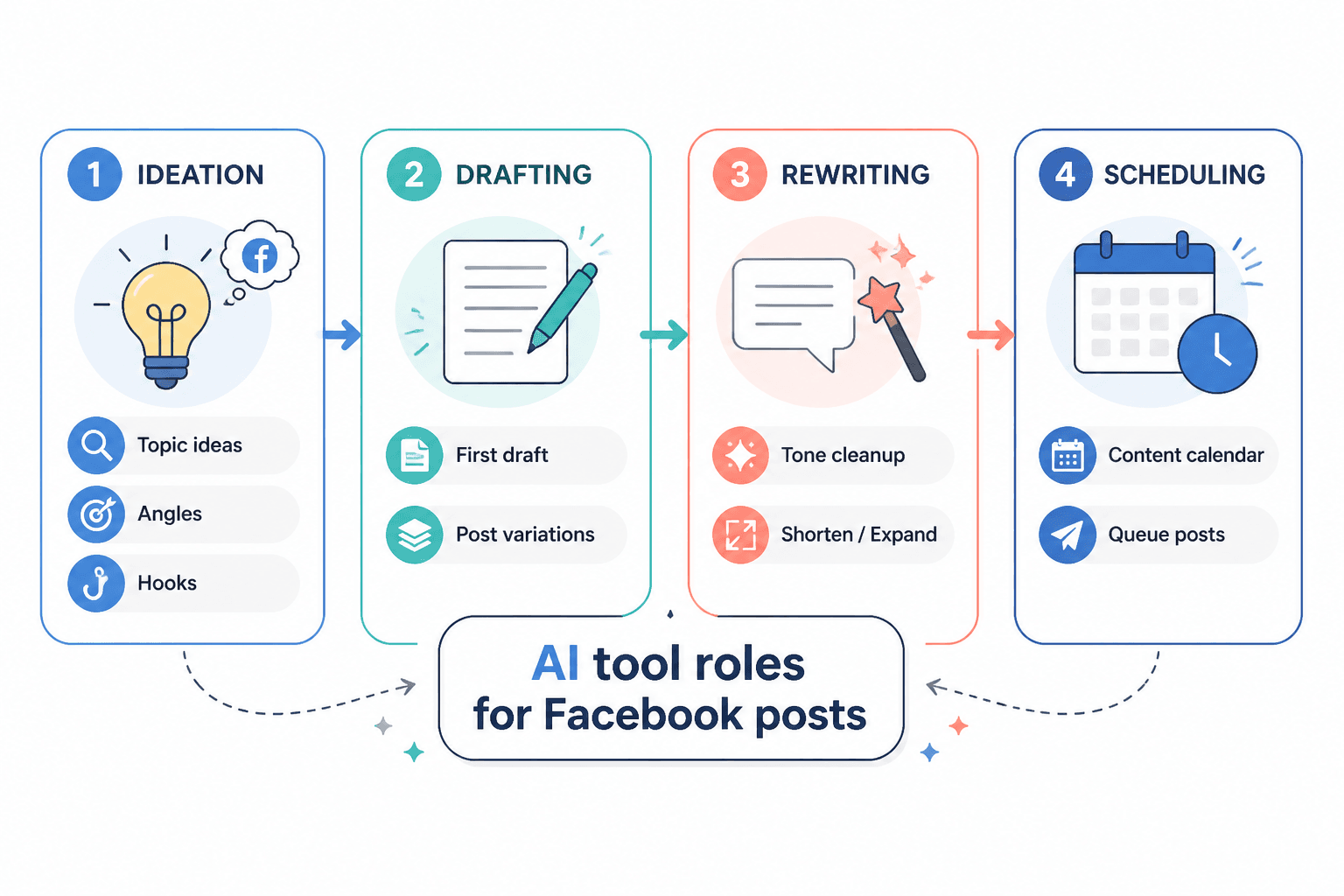
What the best AI tools for Facebook posts should actually do
Good tools do not replace judgment. They reduce friction in the parts of the workflow that keep posts from getting finished.
- Generate useful angles fast: not just “write about my product,” but give me hooks, objections, examples, and post shapes.
- Draft in a usable voice: conversational, clear, and not weirdly overproduced.
- Rewrite without sanding off the point: shorten, sharpen, or soften the tone when needed.
- Fit platform reality: support short-form social writing, not just generic blog copy.
- Help with the handoff: schedule, queue, or at least move cleanly into publishing tools.
- Support the follow-up loop: comments, replies, and repost ideas should not live in a separate universe.
That lines up with how Meta describes publishing and engagement on Facebook Pages and professional tools: the post is only one step in a larger content and response cycle, not the end of the job. See Meta’s documentation for business help resources and publishing tools guidance for the platform side of that workflow.
The main categories of AI tools for Facebook posts
The easiest way to overbuy is to treat every tool as if it must do everything. Better to assign jobs.
1. AI idea-generation tools
These tools are useful when the blank page is the bottleneck. They help with:
- post angles
- hook variations
- audience pain points
- contrarian takes
- list-post outlines
- mini story prompts
Use these when you have a topic but not a shape. They are the fastest way to get from “I should post something” to “here are three posts I could actually write.”
2. AI drafting tools
Drafting tools are the workhorses. They turn notes into a first pass, which matters because first passes are often where momentum dies.
Look for tools that can handle:
- short captions
- first-person or brand voice
- clear calls to action
- different post lengths without sounding bloated
A good drafting tool should give you something edit-ready, not something that needs a rescue mission.
3. AI editing and rewriting tools
These are the cleanup crew. They help when the post is basically right, but the tone is off or the sentence rhythm feels clunky.
- Shorten: trim filler and make the point sooner.
- Clarify: remove fuzzy phrasing.
- Retone: make it warmer, sharper, or more direct.
- Reframe: turn an observation into a question, story, or list.
This category matters because a lot of Facebook posts do not fail from lack of ideas. They fail because the draft never gets one good edit.
4. Template and swipe-file tools
Templates are boring in the best way. They keep you from reinventing structure every time.
A useful template system can store patterns like:
- sharp observation posts
- mini story with a point
- contrarian-but-not-obnoxious posts
- useful list posts
- audience callout posts
- conversation starters that do not feel needy
If you want a deeper structure breakdown, the sibling guide on templates and tools for Facebook posts goes harder on formats that actually repeat well.
5. Scheduling and publishing tools
Scheduling tools are not glamorous. That is their selling point. They reduce the chance that a good post gets stranded in draft limbo.
Useful scheduling features include:
- content queueing
- calendar view
- draft approval
- simple reuse across post types
Meta’s own business tooling and publishing options are the baseline here, but many creators prefer third-party schedulers because they make batching easier.
6. Comment and reply support tools
Once a post lands, the work is not over. Some tools help triage comments, surface replies, or keep follow-up from disappearing into the noise.
That matters most if your Facebook posts are meant to start conversations, not just occupy space.
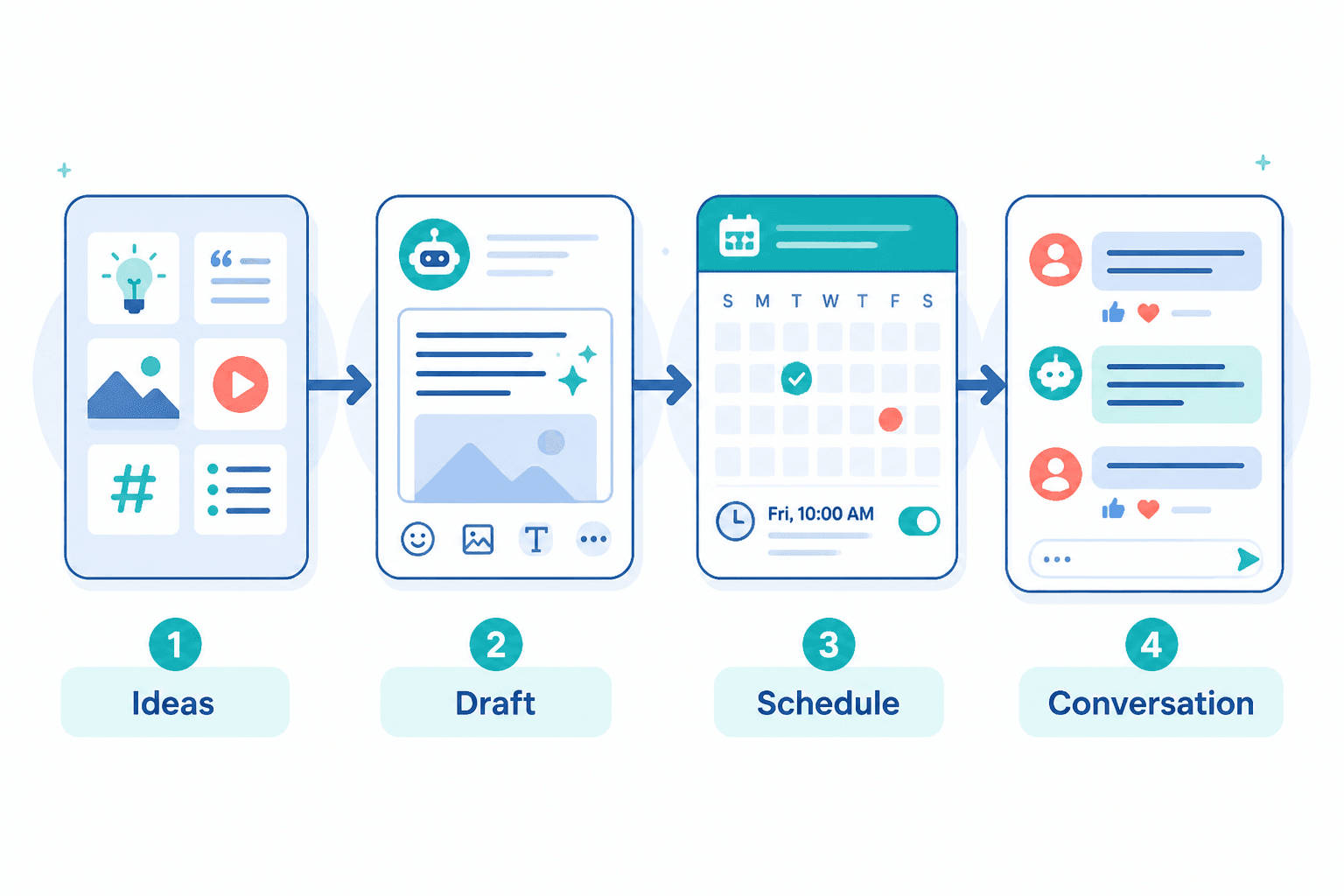
A lean tool stack for different needs
You do not need the same setup as a full content team if you are one person publishing a few times a week. The stack should match the workload.
For a solo creator
- one AI writing tool for ideation and drafting
- one editing pass tool or built-in rewrite feature
- one scheduler
- a simple notes app or swipe file for ideas
That is usually enough. Anything more starts to feel like administrative theater.
For a small business
- one drafting tool with brand voice settings
- one template library for recurring post types
- one scheduling tool with approval or review options
- basic comment management
Small businesses usually need consistency more than novelty. The stack should help staff publish without guessing what “on brand” means today.
For a content team
- shared idea bank
- AI drafting plus editing layer
- approval workflow
- scheduled publishing
- comment monitoring and response routing
At team scale, the main value is not writing faster in isolation. It is avoiding rework, duplicated ideas, and mismatched voice across contributors.
How to pick tools without overbuying
The best tool is not the one with the most features. It is the one that solves the actual bottleneck you keep hitting.
Use this quick filter
- Does it help me start faster?
- Does it improve the draft without flattening the voice?
- Can I move the post into publishing without friction?
- Does it support the kind of post I write most often?
- Will I still use it when the calendar gets busy?
Watch for fake convenience
Some tools look efficient because they do everything inside one interface. That is only useful if the output is actually better and the workflow is truly simpler. Otherwise you end up with a sleek machine that produces more steps, just with prettier buttons.
Choose based on the bottleneck
- If you struggle with ideas, prioritize ideation.
- If you have ideas but weak drafts, prioritize drafting and rewriting.
- If posts are ready but never published on time, prioritize scheduling.
- If comments and replies are where things break down, prioritize community support.
A practical workflow from idea to post
Here is the simplest version of a useful Facebook post system:
- Capture the raw idea. Keep a running bank of notes, questions, objections, and observations.
- Pick a post shape. Story, list, question, take, or practical tip.
- Use AI to draft. Ask for one clear version, not twelve mushy alternatives.
- Edit for voice. Cut filler, sharpen the point, and make the ending feel intentional.
- Schedule or publish. Do not leave the post sitting in a half-finished doc for three business days.
- Review comments. Capture common replies, objections, or follow-up post ideas.
That workflow is simple on purpose. Complexity is easy to buy and hard to maintain.
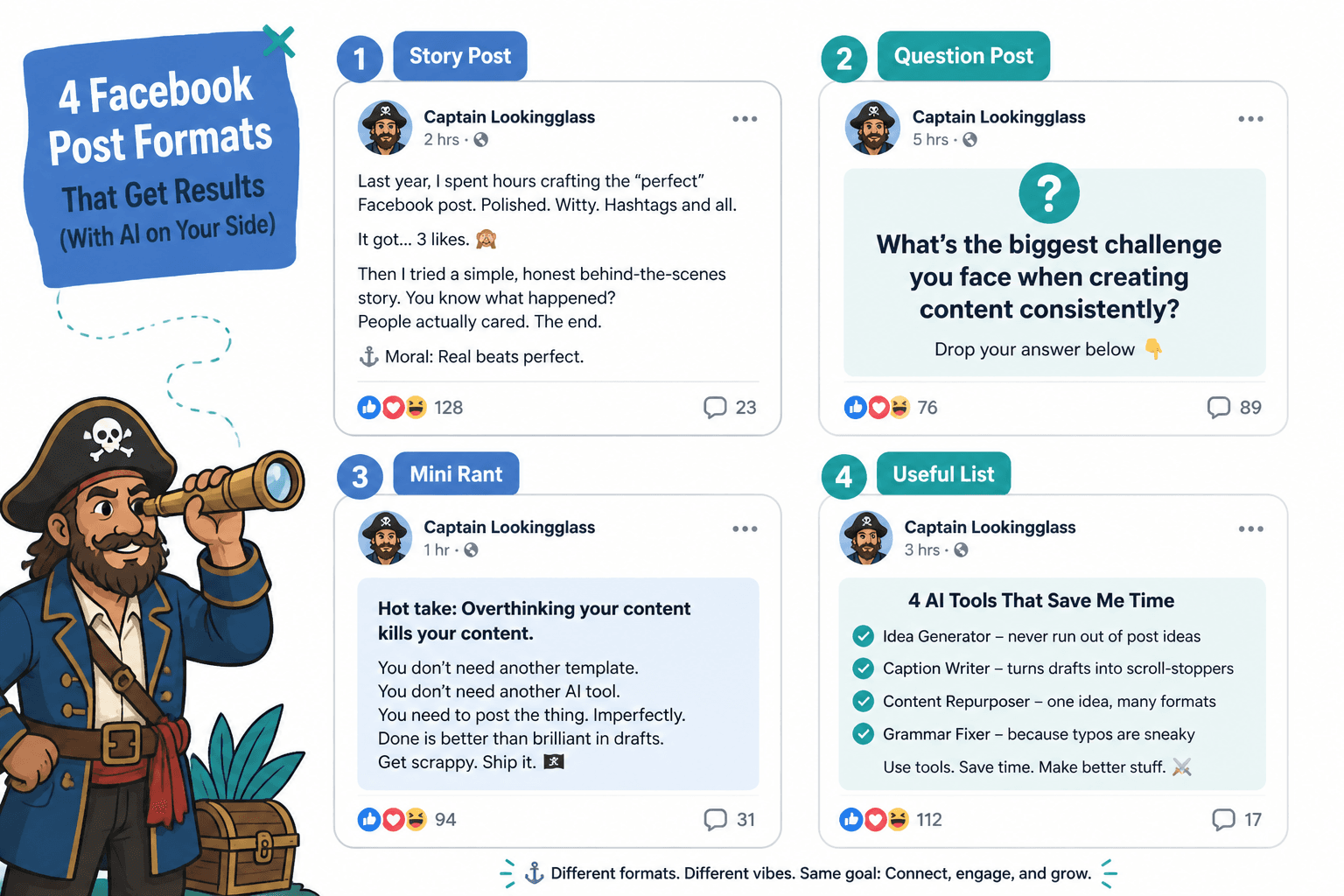
Recommended tool behavior by post type
Different Facebook post types benefit from different AI assistance.
- Story posts: use AI for structure and trimming, not for inventing the point.
- Question posts: use AI to sharpen the question so it invites actual replies.
- Mini rant posts: use AI to keep the tone pointed instead of sloppy.
- Useful list posts: use AI to organize the list and remove redundancy.
- Sales-adjacent posts: use AI to make the offer clearer and less padded.
If you want to turn posts into actual business outcomes, pair this page with how to turn Facebook posts into more leads or sales.
What to avoid
- tools that generate generic copy with no clear audience
- stacks that require too much manual copying between apps
- “AI assistants” that make the draft longer but not better
- template libraries that sound clever but do not fit real posting habits
- comment tools that are heavier than the volume of comments you actually get
The job is to make Facebook posts easier to finish and better to read. Everything else is bonus clutter.
Bottom line
The best AI tools for Facebook posts are the ones that remove friction at the right point in the workflow. If your bottleneck is ideas, use a tool that helps you generate sharper angles. If your bottleneck is writing, use one that drafts and rewrites cleanly. If your bottleneck is publishing, use a scheduler that keeps the pipeline moving. And if your bottleneck is follow-up, choose something that helps you stay on top of comments without turning your day into inbox archaeology.
Keep the stack small. Keep the workflow obvious. Let the tools do the repetitive work so the post can still sound like a human actually had a point.