
Most offer stacks are either lazy padding or a chaotic pile of bonuses thrown at the reader like spare screws in a sandwich bag.
That is the problem.
A good offer stack on a sales page does not just list what people get. It increases perceived value, makes the offer easier to understand, and helps the buyer feel like the price makes sense. A bad one feels bloated, vague, or weirdly desperate.
If you are trying to build better sales pages, these sales page offer stack examples creators can adapt fast will help you package what you already sell in a way that feels clearer, stronger, and much more buyable. Not more hyped. Just more convincing.
This is especially useful if you are a coach, consultant, freelancer, educator, or creator with a service, digital product, workshop, or offer that currently sounds thinner than it actually is.
For the main guide behind this topic, visit the parent guide.
What an offer stack is actually doing
An offer stack is the structured list of what somebody gets when they buy.
That sounds obvious, but plenty of people still treat it like an inventory dump:
- 6 modules
- 3 bonuses
- private community
- templates
- Q&A
Fine. Technically accurate. Also dull.
The job of the stack is not to recite contents. The job is to help the buyer quickly understand:
- what each piece does
- why it matters
- how the pieces work together
- why the total offer feels worth the price
So if your stack just names assets without showing the benefit of each one, you are making the reader do extra work. Readers are not famous for loving extra work.
For more on building stronger conversion pages overall, it helps to pair this with a broader sales pages guide for creators who want better results.
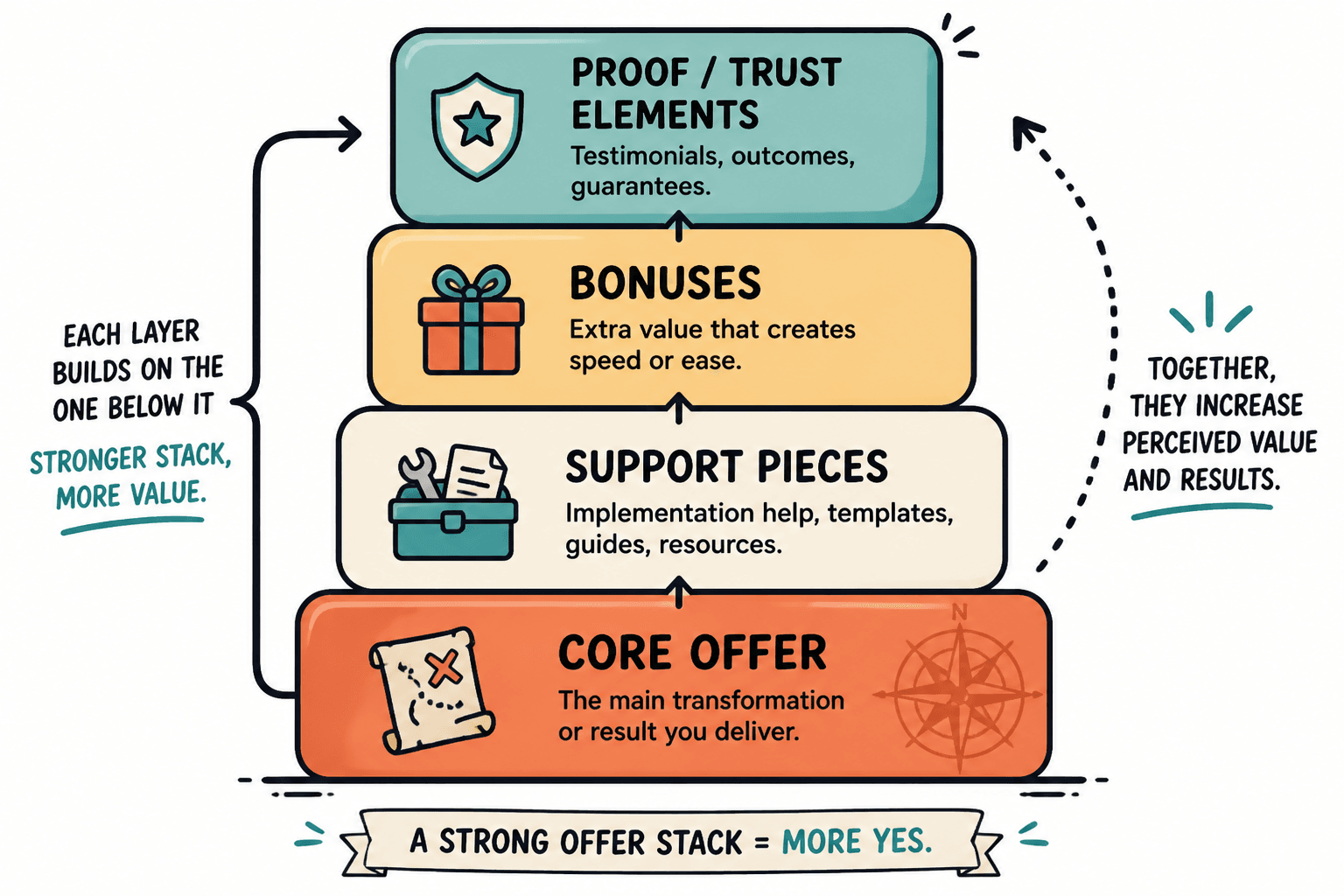
The 4 parts of a strong offer stack
Most strong stacks are built from some version of these four layers.
1. The core result
This is the main thing they are buying.
Examples:
- 8-week group program
- 90-minute strategy session
- copy template pack
- course on building a newsletter funnel
- done-for-you profile rewrite
2. The support pieces
These help the buyer implement the thing better or faster.
- worksheets
- checklists
- office hours
- review rounds
- walkthrough videos
3. The friction removers
These reduce common objections or roadblocks.
- plug-and-play templates
- implementation calendar
- bonus onboarding guide
- private feedback channel
- example library
4. The confidence builders
These make the buyer feel safer saying yes.
- clear process
- proof
- deadline or scope boundaries
- review support
- risk reducer or guarantee, where appropriate
Notice what is not on that list: random junk. Your stack does not get stronger because you glued on seven “bonuses” nobody asked for.
How to write each item in the stack
The easiest fix for a weak offer stack is changing how each item is described.
Bad version:
Bonus: Content Calendar
Better version:
30-Day Content Calendar — A simple posting plan that helps you turn ideas into publishable content without staring at a blank screen every morning.
That second version does three things:
- names the asset clearly
- translates it into a real outcome
- shows why it matters now
Use this mini formula:
Name of item — what it is, what it helps them do, or what problem it removes.
Simple. Effective. No need to write each bullet like it escaped from a launch webinar.
Sales page offer stack examples creators can adapt fast
Here are practical stack examples for different creator-style offers. Steal the structure, not the exact words.
Example 1: 1:1 brand messaging package
- Brand Messaging Strategy Session — A deep-dive call to clarify your positioning, audience, and the message your business should actually lead with.
- Messaging Guide — A concise document with your core promise, brand angles, value propositions, and key language you can use across your site and content.
- Homepage Copy Recommendations — Suggested sections and copy direction so your messaging does not die in a Google Doc.
- 30 Custom Hook Ideas — Platform-friendly post starters built from your positioning, so your content sounds like your business and not generic creator wallpaper.
- 7 Days of Follow-Up Support — Light support for questions and implementation so you are not left wondering what to do next.
Why this works: the stack supports one outcome. It is not trying to be a course, mastermind, and design package at the same time.
Example 2: Course for creators selling digital products
- Core Training: Build Your First Product Funnel — Step-by-step lessons on turning one digital product into a cleaner path from content to sale.
- Offer Positioning Workbook — Prompts to sharpen the product promise before you start writing pages and emails that say a lot without saying much.
- Sales Page Template — A fill-in structure for writing a product page that explains the offer, handles objections, and gets to the point.
- Email Launch Sequence — A short prewritten sequence to announce, follow up, and close without sounding weirdly theatrical.
- Example Library — Real breakdowns of digital product sales pages and funnel structures so you can model proven patterns instead of guessing.
- Launch Week Checklist — A practical execution list that helps you ship on time rather than “strategize” forever.
Why this works: the bonuses are not decorative. They remove the exact friction that stops people from finishing the course and applying it.
Example 3: Consultant day rate or VIP day
- Pre-Day Audit Form — A focused intake form that helps identify bottlenecks, priorities, and what must be solved during the session.
- Half-Day or Full-Day Intensive — Dedicated strategy and implementation time to fix the highest-leverage problems in your messaging, funnel, or content system.
- Live Decision-Making Support — Real-time feedback so we stop the spiral of “should this headline say growth or traction” before it eats your calendar.
- Post-Session Action Plan — A clean summary of decisions, recommendations, and next steps.
- 14 Days of Voxer or Email Support — Light follow-up support to help you implement the work while it is still fresh.
Why this works: service buyers want clarity and confidence. This stack makes the process feel concrete.
Example 4: Membership or paid community
- Monthly Expert Session — One focused teaching or workshop each month on a problem members actively need help with.
- Resource Vault — Swipe files, templates, and guides members can use without reinventing basic systems every week.
- Member Feedback Thread — Ongoing space for copy, ideas, launches, or offer questions.
- Monthly Planning Prompt Pack — A repeatable content and growth planning tool to keep momentum from dying after one motivated Monday.
- Private Community Access — Connection, accountability, and actual discussion with peers who are building similar things.
Why this works: it sells the operating experience of the membership, not just the fact that a group exists.
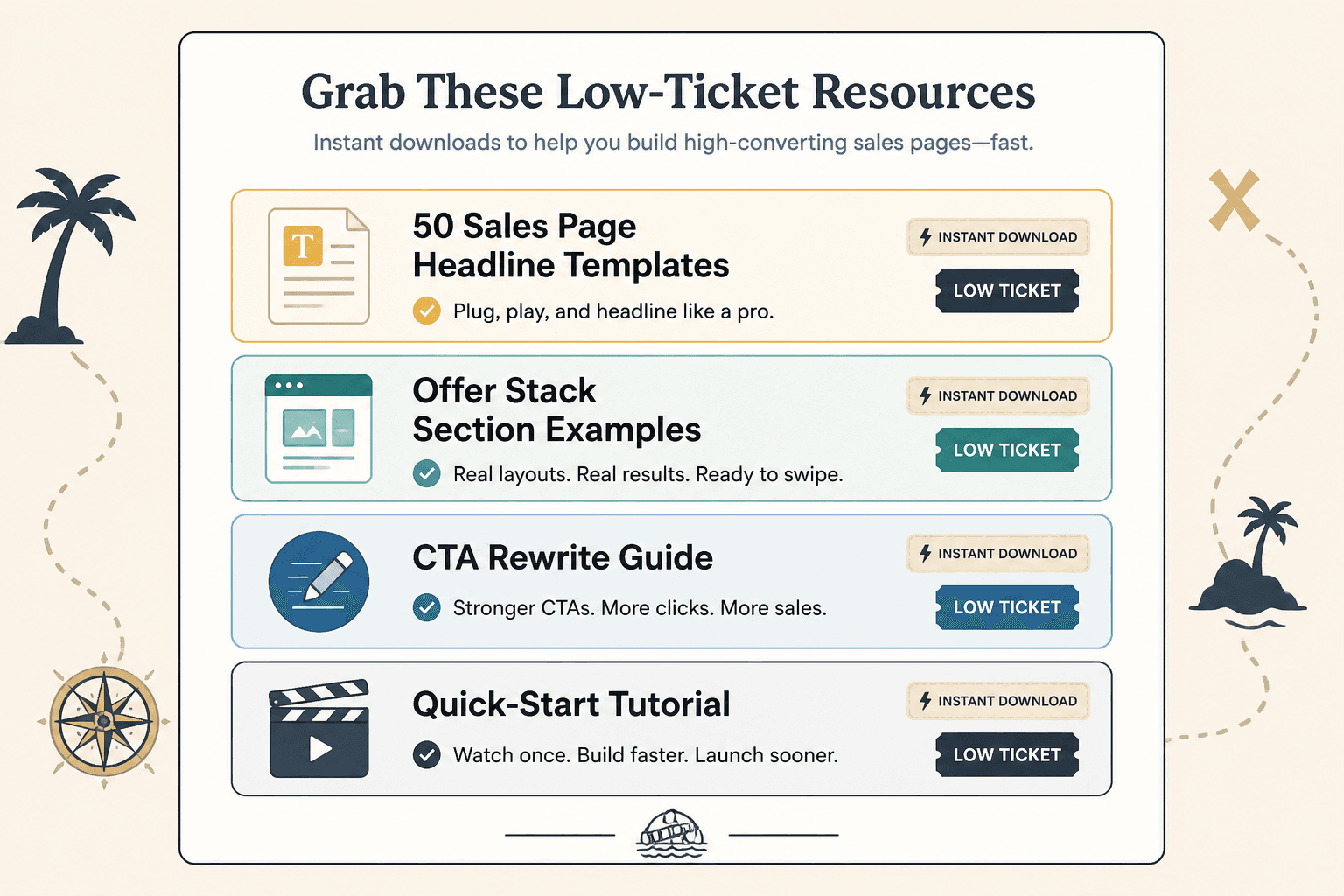
Example 5: Template pack or low-ticket digital product
- 50 Sales Page Headline Templates — Headline ideas organized by use case, so you can stop writing the same vague promise 19 different ways.
- Offer Stack Section Examples — Ready-to-model examples for courses, coaching, retainers, audits, and digital products.
- CTA Rewrite Guide — A quick guide to writing calls to action that sound clear and useful instead of needy or overcooked.
- Quick-Start Tutorial — A short walkthrough on how to adapt the templates for your own business fast.
Why this works: low-ticket buyers want immediate usability. The stack should scream “you can use this today.”
3 offer stack formats that tend to work well
You do not need to invent a brand new structure every time. Most good offer stacks fall into one of these formats.
The core offer + implementation support format
Best for courses, training, and workshops.
- Core training
- Workbook
- Templates
- Example library
- Q&A or support
The service + clarity + follow-through format
Best for consulting, coaching, audits, and done-with-you work.
- Intake or audit
- Main service session or delivery
- Summary or roadmap
- Follow-up support
The product + shortcut + speed format
Best for low-ticket digital products and template packs.
- Main asset
- Examples
- Tutorial or walkthrough
- Quick-use checklist
If you want to see more page structures around these formats, best sales pages ideas and examples for creators is a useful next read.
What to stop doing in your offer stack
Some things make a stack look bigger. That is not the same as making it stronger.
- Stop adding filler bonuses. If the bonus does not help someone get the promised result faster, easier, or with more confidence, cut it.
- Stop using vague labels. “Bonus resources” means nothing. Name the thing.
- Stop overvaluing everything. Slapping fake dollar values next to every PDF can make the page feel like a late-night infomercial.
- Stop mixing unrelated outcomes. Your offer should solve one main type of problem. Random extras muddy the promise.
- Stop hiding the main offer inside the stack. The buyer should know what they are really buying within seconds.
There is a weird creator habit of trying to rescue a weak core offer by taping on more stuff. That usually backfires. If the main offer is fuzzy, fix the main offer. Do not distract from it with a bonus workbook and a prayer.
A fast template you can use for your own sales page
Here is a flexible offer stack template you can adapt in about 20 minutes.
- [Core Offer Name] — The main service, program, product, or experience and the result it helps create.
- [Support Piece] — A tool, guide, call, or resource that helps the buyer implement or use the core offer properly.
- [Friction Remover] — A template, example set, checklist, or shortcut that makes the process easier.
- [Confidence Builder] — Follow-up support, review access, or another element that helps the buyer feel looked after.
Filled-in version for a copy audit:
- Website Copy Audit — A full review of your homepage, sales page, and key conversion points to identify what is unclear, weak, or costing you trust.
- Prioritized Fix List — A ranked action plan so you know what to change first instead of poking random headlines and hoping.
- Headline Rewrite Suggestions — Stronger options for the sections most likely to affect attention and conversion.
- 7-Day Follow-Up Support — Light implementation support so you can make the changes with less second-guessing.
That is a stack. Clear, relevant, and not stuffed with nonsense.
How to place the offer stack on the page
The stack usually works best after the reader understands three things:
- the problem
- the promise of the offer
- why your approach makes sense
In most sales pages, that means the offer stack belongs after the main pitch section and before deeper objection handling or FAQs.
A simple flow looks like this:
The bigger point is simple: clearer structure and clearer writing make the piece more useful. That is usually what makes the ending land better too.