
A spreadsheet says one thing, the CMS says another, analytics hint at a third, and the draft sitting in your editor has somehow become the place where all of them go to fight. That is usually how internal linking and content updates turn into a slow, mildly haunted handoff chain. A lean system helps because it gives each tool one job: find the opportunity, suggest the link, shape the update, and keep a human in charge of the final call.
This guide is about choosing that system without building a Rube Goldberg machine out of tabs. For the broader strategy behind the workflow, start with the internal linking and updating parent guide, then use this page to narrow down the tools that actually help.
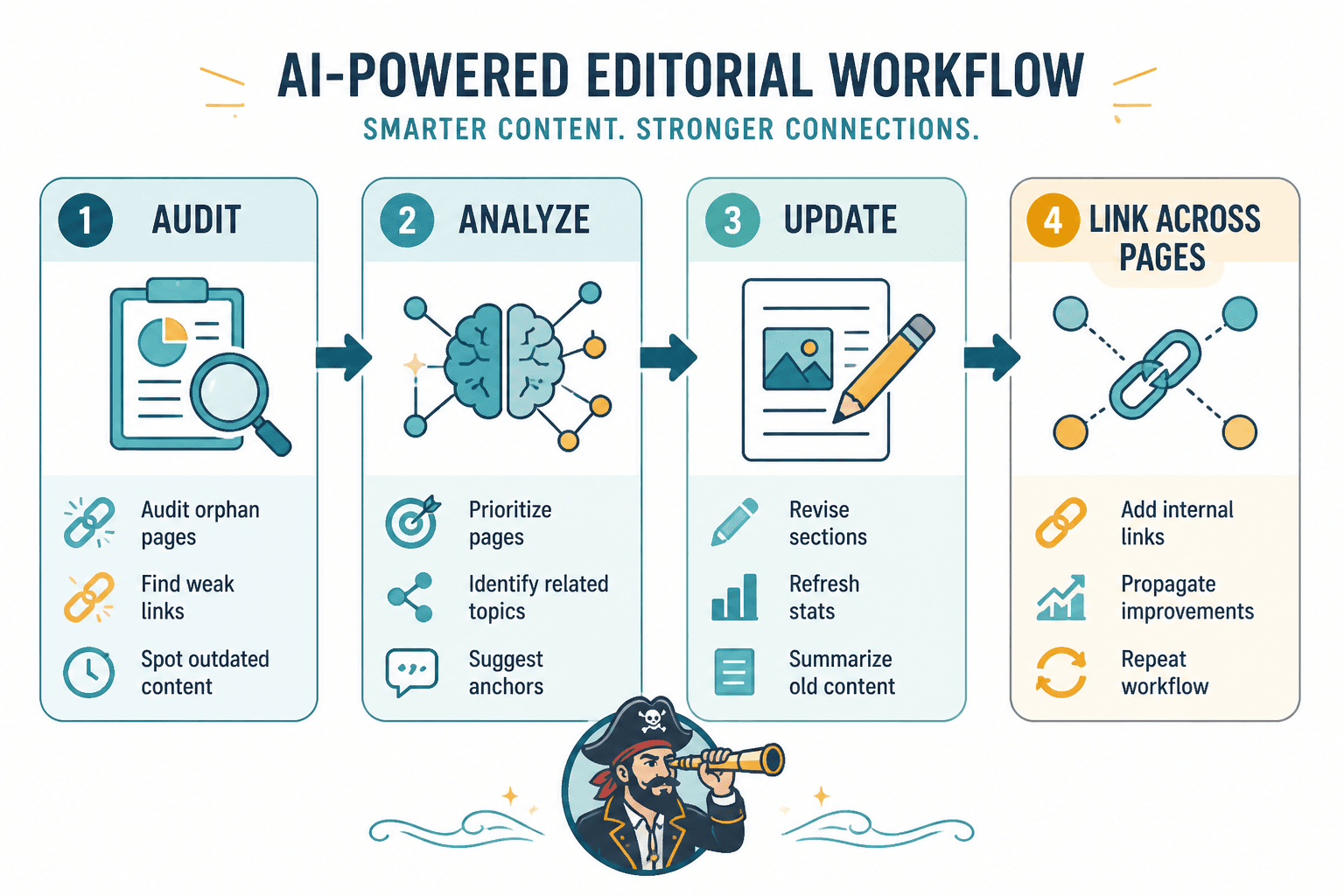
What AI tools should do in an internal linking and updating workflow
The useful tools are the ones that reduce decision fatigue, not the ones that add another dashboard to ignore. In practice, that means AI should help with four things:
- Spotting candidates: finding pages that are underlinked, stale, or close to ranking better.
- Suggesting connections: pointing to relevant pages that fit naturally in context.
- Drafting revisions: helping with summaries, intro rewrites, section refreshes, and cleaner transitions.
- Organizing priority: sorting a big backlog into a sequence you can actually finish.
What it should not do: invent facts, replace editorial judgment, or turn every paragraph into a keyword-stuffed ventriloquist act. The best setup keeps the machine useful and the prose readable.
The best AI tool categories for internal linking and updating
1. Audit tools that surface pages worth fixing
Before anything can be linked or updated, you need a list of pages that deserve attention. AI-assisted audit tools can help cluster posts by topic, flag weak performance, and identify pages that are overdue for a refresh.
Look for tools that can:
- surface declining traffic or outdated pages,
- show link depth or orphaned content,
- group related posts into topical clusters, and
- help you prioritize pages with the highest upside.
For technical validation, pair this with a crawl tool or site audit tool rather than trusting AI summaries alone. Crawl data still matters. Magic does not fix broken architecture.
2. Internal link suggestion tools
These tools are most useful when they work like a smart assistant, not a slot machine. You give them a page, a topic, or a draft, and they suggest relevant internal links plus anchor text options that fit the sentence.
The best ones help with:
- matching intent instead of just repeating keywords,
- finding contextual links inside older content,
- avoiding overused anchor text, and
- spotting natural places to link without forcing it.
If the suggestions sound like they were generated by a robot in a hurry, they probably were. Use them as candidates, not commandments.
3. AI writing tools for update work
Once a page needs a refresh, AI writing tools can help with the unglamorous parts: tightening intros, rewriting stale examples, summarizing sections, and cleaning up transitions. That is where they tend to save real time.
Good update support usually means the tool can:
- rewrite a section without changing the meaning,
- adapt tone to match the rest of the page,
- suggest better subheadings,
- condense repetitive explanations, and
- help update dates, stats, and language that has gone stale.
Use AI for speed, then check the result for accuracy and structure. A fast wrong answer is still a wrong answer.
4. Planning and tracking tools
Internal linking and updating often fail because the work is spread across too many places. One tool tracks the backlog, another tracks links, another stores notes, and nobody can tell what has been done.
Planning tools help by giving the workflow a spine:
- what to update first,
- what links to add,
- what needs review, and
- what should be checked again later.
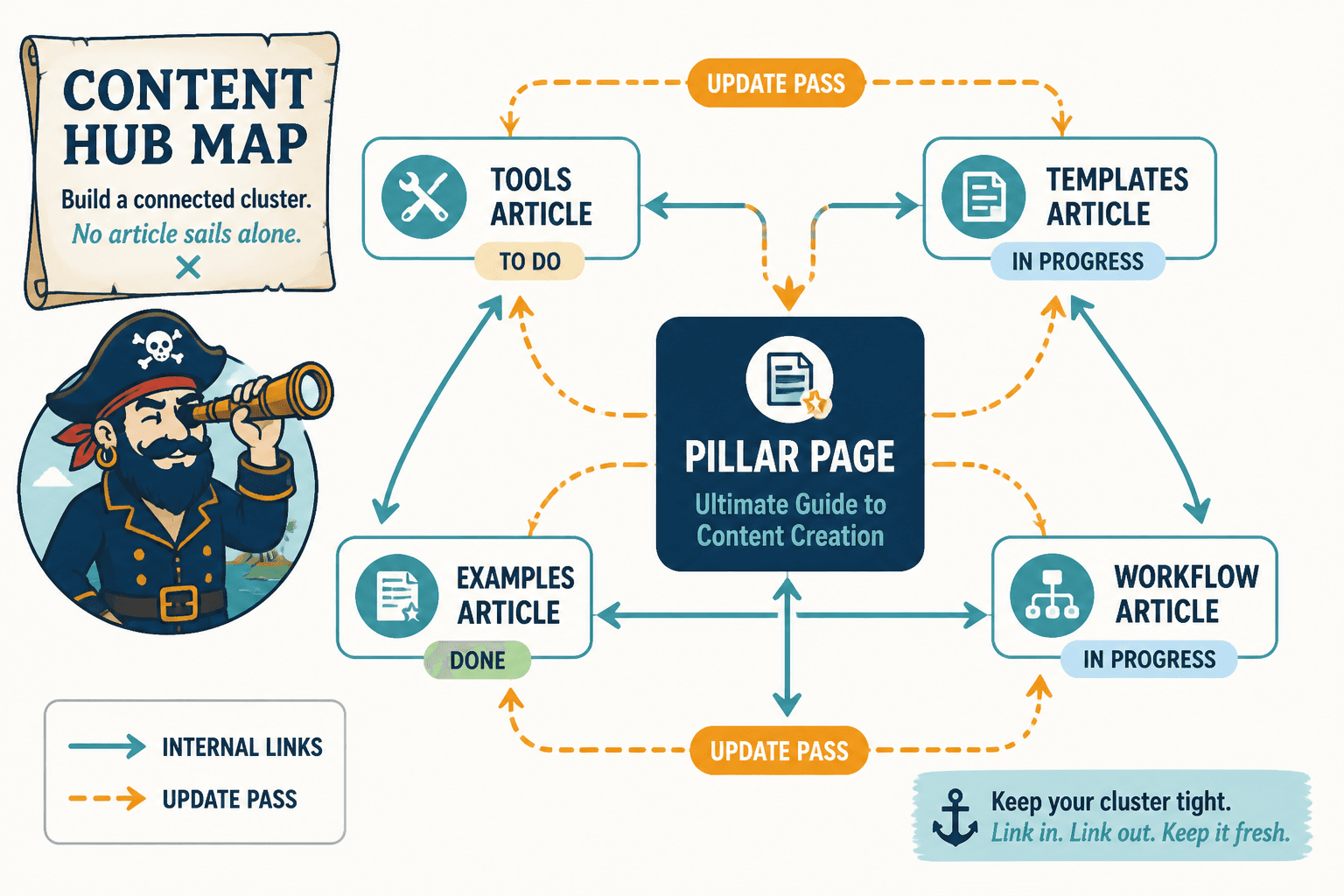
This is also where a clean template beats a clever prompt. If you want structure first, the examples and ideas guide is a better companion than opening another generic AI chat and hoping for enlightenment.
How to choose a lean tool stack
A lean stack usually beats a “best of breed” pile-up, especially for small teams and solo operators. The goal is not to own every possible tool. The goal is to make one pass through the site without needing a committee meeting.
A practical stack usually looks like this:
- One source of truth for priorities: spreadsheet, project board, or content tracker.
- One audit source: crawl or analytics tool that shows what needs attention.
- One AI writing assistant: used for rewrites, summaries, and variation.
- One CMS workflow: where final edits and links are published.
If a tool cannot clearly improve one of those steps, it is probably decoration with better branding.
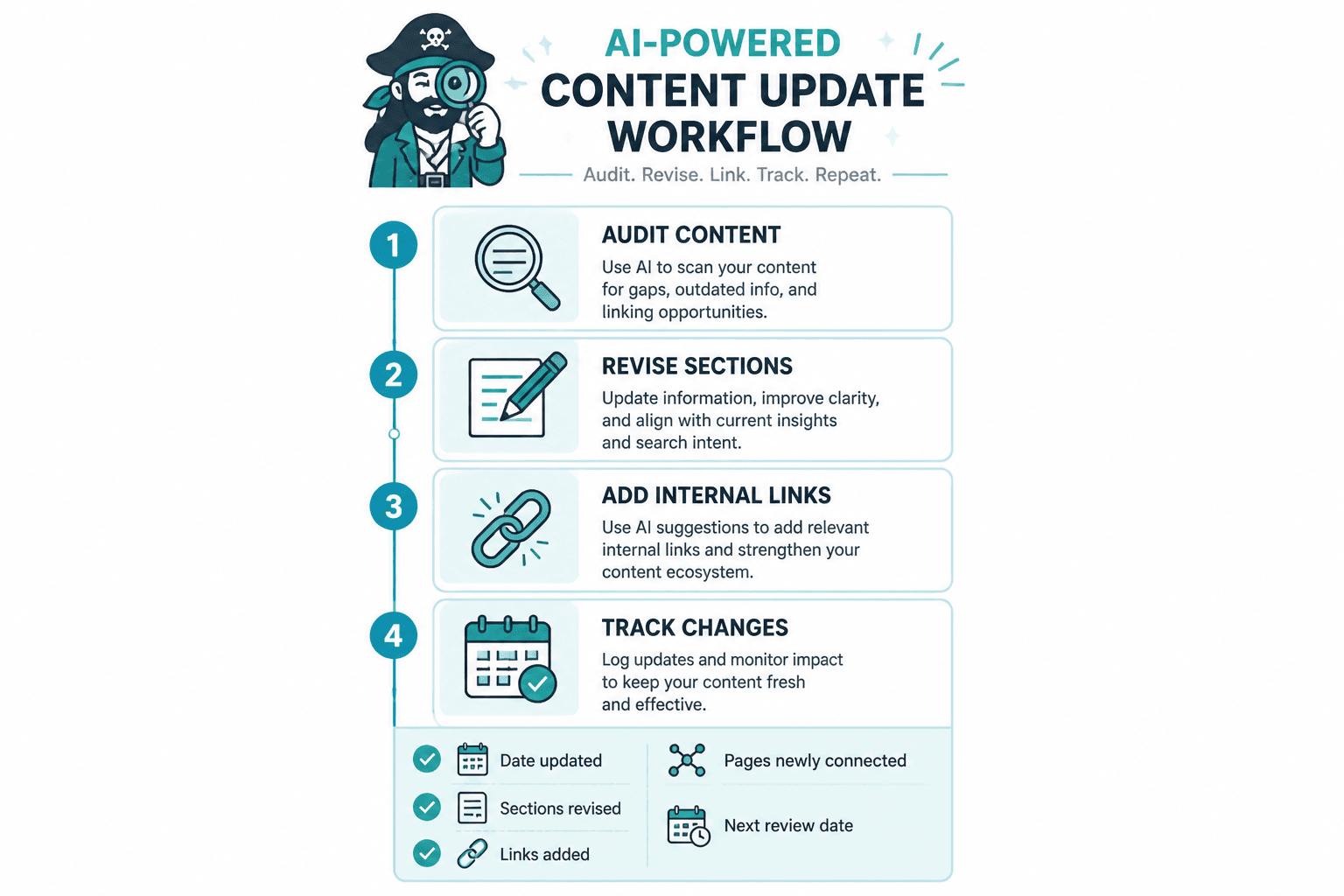
A practical workflow from audit to update to linking
Here is the clean version of the workflow, without pretending the rest of the site will magically cooperate.
- Audit the content: identify stale pages, weak performers, and posts with obvious internal linking gaps.
- Prioritize the list: focus on pages with traffic, conversion potential, or strong topical relevance.
- Use AI to suggest links: generate candidate internal links and anchor text for each target page.
- Draft the update: refresh intros, replace outdated examples, tighten section structure, and improve clarity.
- Review for accuracy and fit: make sure links are natural and the update does not distort the original intent.
- Publish and track: monitor whether the page improves, then revisit as part of the next review cycle.
Example scenario: a long-form article on content planning starts losing clicks. An AI audit flags it as high priority, a link suggestion tool identifies three related posts, and a writing assistant rewrites the introduction so it better matches current search intent. The end result is not “AI wrote my content.” It is “the page now fits the site better.” Small difference. Large consequences.
Tool categories by team size
Solo creators
Keep it simple: one audit tool, one AI writing tool, one tracker. Solo workflows break down when they become a hobby in software selection.
Small teams
Small teams benefit most from shared templates and repeatable review steps. A shared backlog plus a standard update checklist makes collaboration less chaotic and less dependent on memory.
Content-led businesses
Larger content libraries need stronger prioritization. AI can help sort opportunities, but the system still needs human review, clear ownership, and scheduled rechecks. Otherwise the backlog becomes a museum.
Common mistakes to avoid
- Letting AI invent links: always verify that the destination is genuinely relevant.
- Over-updating everything: not every page needs a rewrite; some need one good paragraph and two better links.
- Using too many tools: if no one can describe the workflow in one sentence, the workflow is too complicated.
- Skipping the review step: AI can speed up the draft, but it cannot own the final judgment.
- Ignoring conversions: linking and updating should support movement, not just tidy the archive.
For the business side of that workflow, the companion piece on turning internal linking and updating into more leads or sales is the natural next stop.
Recommended tool stack by use case
For finding update opportunities
Use a crawl or audit tool plus an analytics source. AI is best at sorting and summarizing what those tools already show.
For drafting internal links
Use an AI writing assistant that can work from page context and keep anchor text varied.
For rewriting stale sections
Use an AI editor for drafts, but keep a human pass for accuracy, voice, and structure.
For managing the workflow
Use a simple project tracker or spreadsheet so update work does not disappear into everyone’s memory and optimism.
Useful sources for validation
Internal linking and updating work best when the toolchain reflects the actual site, not just a prompt. For official guidance on internal linking and crawlable structure, Google’s documentation on links and crawlable structure is worth keeping nearby. For structured content and technical clarity, Google’s structured data overview is also useful when page updates need cleaner machine-readable context.
For the human side of content quality and helpfulness, the helpful content guidance is a better reference point than any “write 17x faster” promise from a tool page.
Bottom line
The best AI tools for internal linking and updating are not the flashiest ones. They are the ones that help you spot what needs attention, make links easier to place, and update pages without turning the site into a patchwork of half-automated guesses. Keep the stack small, keep the review step real, and let the tools do the clerical work while the editorial judgment stays with you.
If you want the process side next, move on to the how-to guide for internal linking and updating. If you want more structure and examples, the sibling guide on ideas and examples for creators fills that gap nicely.