
A draft sits open in one tab, subject lines are scattered across a notes app, the automation builder is asking for a rule nobody documented, and the “final” sequence is somehow being edited in three places at once. That is how creator email tools usually turn into a handoff problem with prettier labels. The fix is not more software. It is a lean system that gives each tool one job and stops the rest from freelancing.
This guide focuses on the AI tools that actually help with creator email sequences: planning, drafting, rewriting, testing, automating, and keeping the whole thing from becoming a haunted inbox machine. If you want the broader strategy behind the sequence itself, start with the creator email sequences parent guide. For structure and examples, the sibling guides on writing better creator email sequences and sequence ideas and examples are the useful companions.
What creators actually need from AI in email sequences
AI is most useful in creator email work when it reduces friction, not judgment. The goal is not to let a model invent your voice from first principles like a tiny synthetic ghostwriter. The goal is to speed up the parts that usually bog people down:
- turning a rough idea into a usable sequence outline
- drafting first versions faster
- rewriting for clarity, tone, and length
- generating subject line options and preview text
- checking for repetition, weak transitions, or missing calls to action
- adapting one core sequence for different segments or offers
That makes the best setup less about “which AI tool is best?” and more about “which tool does which job without adding another layer of confusion?”
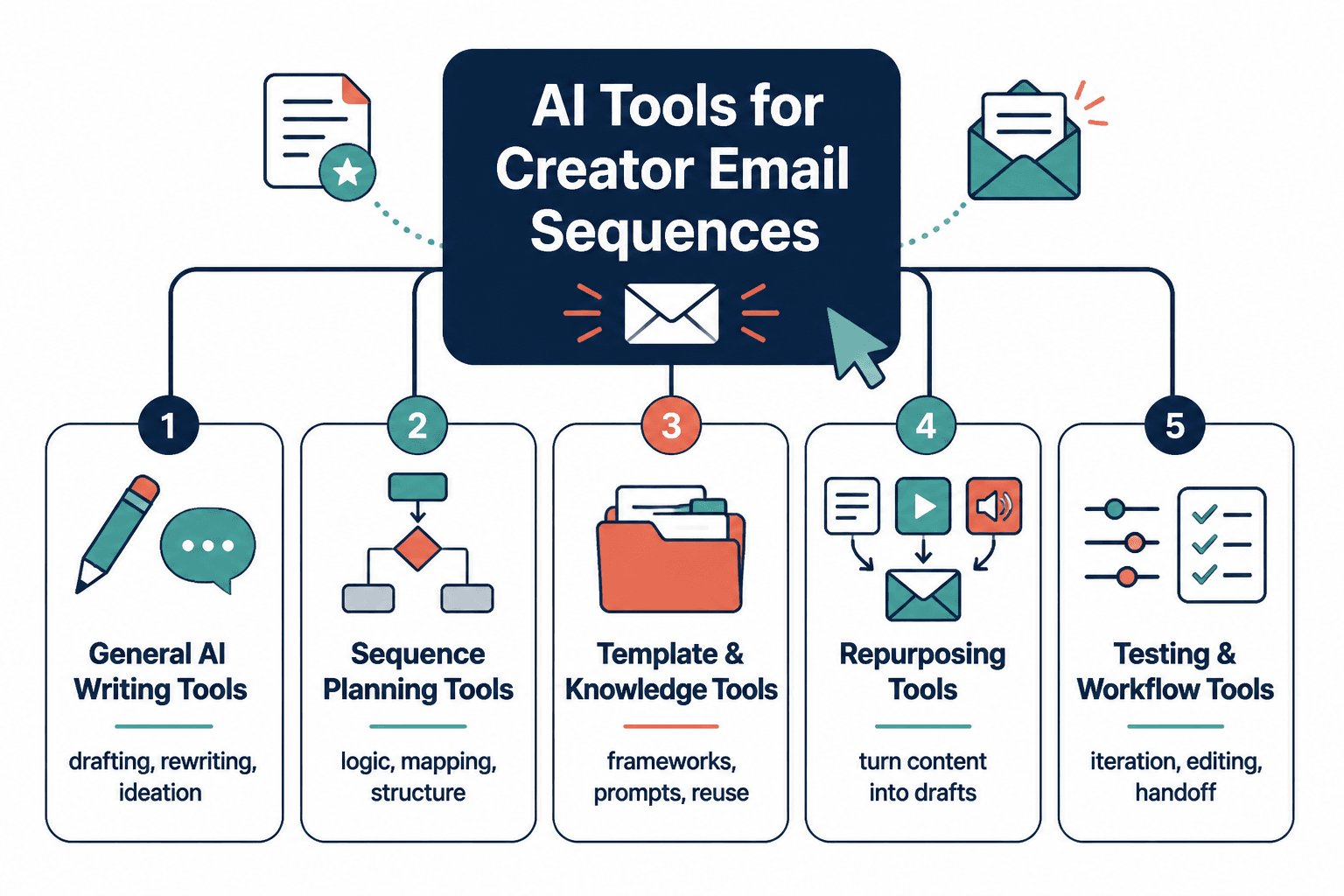
The lean toolchain for creator email sequences
A sensible stack usually has four layers. You do not need four separate subscriptions for every layer, but you do need the jobs covered.
1. Planning and briefing
This is where you decide what the sequence is for: welcome, lead magnet follow-up, sales, re-engagement, or nurture. AI can help summarize notes, cluster ideas, and turn a messy brief into a sequence map.
Good fits here include:
- general AI writing assistants for outlining
- note-to-draft workflows
- workspace assistants that can reuse brand context
2. Drafting and refinement
This is where AI earns its keep. First drafts are easier to improve than empty pages are to admire. Use AI to create the rough email body, then edit for your voice, offer, and actual reader path.
Useful jobs in this layer:
- subject line generation
- email body drafts
- tone adjustments
- shortening long sections
- rewriting repetitive paragraphs
3. Automation and sending
Once the sequence is drafted, you need a platform that can send it reliably, tag people correctly, and move them through the right path. AI features here are helpful, but they should support automation, not replace it.
Look for:
- simple automation rules
- tagging and segmenting
- form and landing page connections
- basic reporting
- AI-assisted email copy or segmentation where available
4. Review and QA
Before anything sends, check the sequence like a slightly suspicious editor. Does each email do one job? Do the links work? Does the CTA match the promise? Does the sequence still make sense if read as a chain instead of a pile of isolated drafts?
AI can help spot repetition and clarity issues, but the final pass should always be human.
Best AI tools by job
AI drafting and rewriting tools
These are the tools you reach for when the sequence exists in outline form but the sentences are still refusing to line up.
- ChatGPT – strong for outlining, draft generation, rephrasing, and variations.
- Claude – useful for longer context, careful rewriting, and working through sequence logic.
- Gemini – handy when you want quick drafting help inside a broader Google workflow.
Best use: create the first draft of each email, then refine by segment and sequence purpose.
Email platforms with built-in AI
These tools matter because they combine drafting helpers with the place where the sequence actually lives. That usually makes the workflow less brittle.
- ConvertKit – a strong fit for creators who want a simple email-first system with automation support.
- MailerLite – useful for creators who want straightforward workflows, forms, and campaigns without excessive complexity.
- ActiveCampaign – better when you need more advanced automation, tagging, and segmentation logic.
If your sequence is relatively simple, an email-first tool is often enough. If your business logic is growing teeth, a CRM-first setup may be worth the complexity.
Automation and CRM tools
These help when the sequence needs to respond to behavior, not just timing. That matters for creators selling higher-ticket offers, running multiple entry points, or segmenting by interest.
- ActiveCampaign – the strongest fit when automation depth matters.
- HubSpot – more platform than pure creator email tool, but useful when your email system needs to connect to broader lead tracking.
- Zapier – not an email platform, but useful for connecting forms, spreadsheets, content tools, and email systems.
Review and QA helpers
These are the less glamorous tools, which is how you know they may be important.
- Grammarly – useful for cleanups, sentence clarity, and tone consistency.
- Hemingway-style editing tools – useful when a sequence has gotten dense enough to qualify as a minor obstacle course.
- Built-in preview/testing tools in your email platform – essential for layout, link, and mobile checks.
Which tool path fits your sequence type?
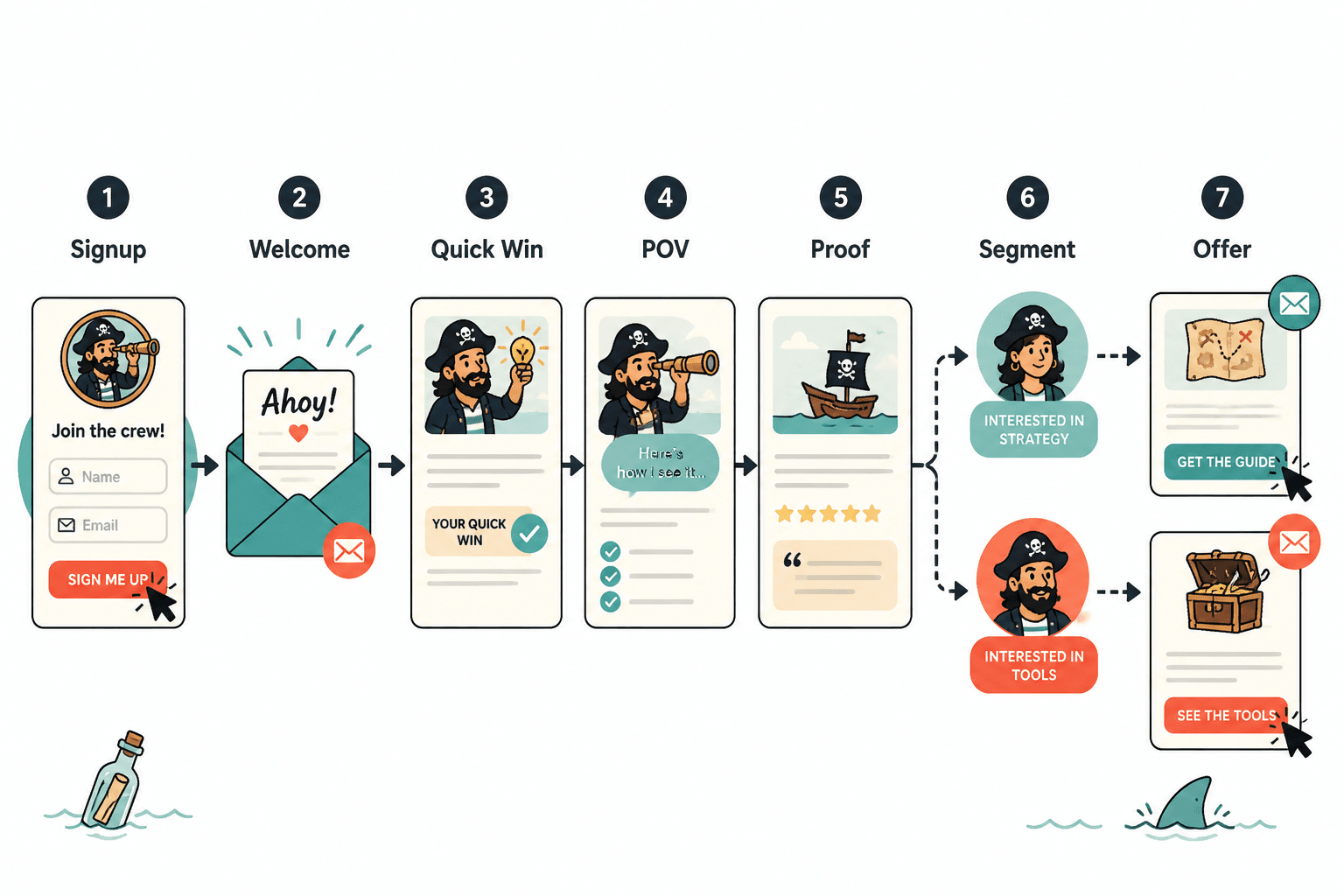
The right stack depends on what the sequence is supposed to do. A welcome sequence does not need the same machinery as a segmented sales sequence with multiple branches.
Welcome sequence
Best fit: a simple email-first platform plus one drafting assistant.
What matters most:
- fast setup
- clear tagging for new subscribers
- good delivery and simple sequencing
- easy editing when the lead magnet changes
Lead magnet follow-up sequence
Best fit: drafting assistant + email platform with segmentation.
What matters most:
- matching the lead magnet promise to the emails
- moving readers from download to next step
- keeping the sequence focused on one offer or one next action
Sales sequence
Best fit: drafting assistant + stronger automation platform.
What matters most:
- timing
- objection handling
- offer clarity
- branching based on clicks or interest
If you want the business side of that sequence, the companion guide on turning creator email sequences into more leads or sales is the better next stop.
Re-engagement sequence
Best fit: platform analytics + AI rewriting help.
What matters most:
- identifying the inactive segment
- writing a concise reconnection sequence
- making the ask simple
- keeping the tone confident, not clingy
Nurture sequence for longer sales cycles
Best fit: AI drafting + a platform with segmentation and content tagging.
What matters most:
- topic variety without losing the thread
- useful value between offers
- tracking reader interest over time
- modular content that can be reused
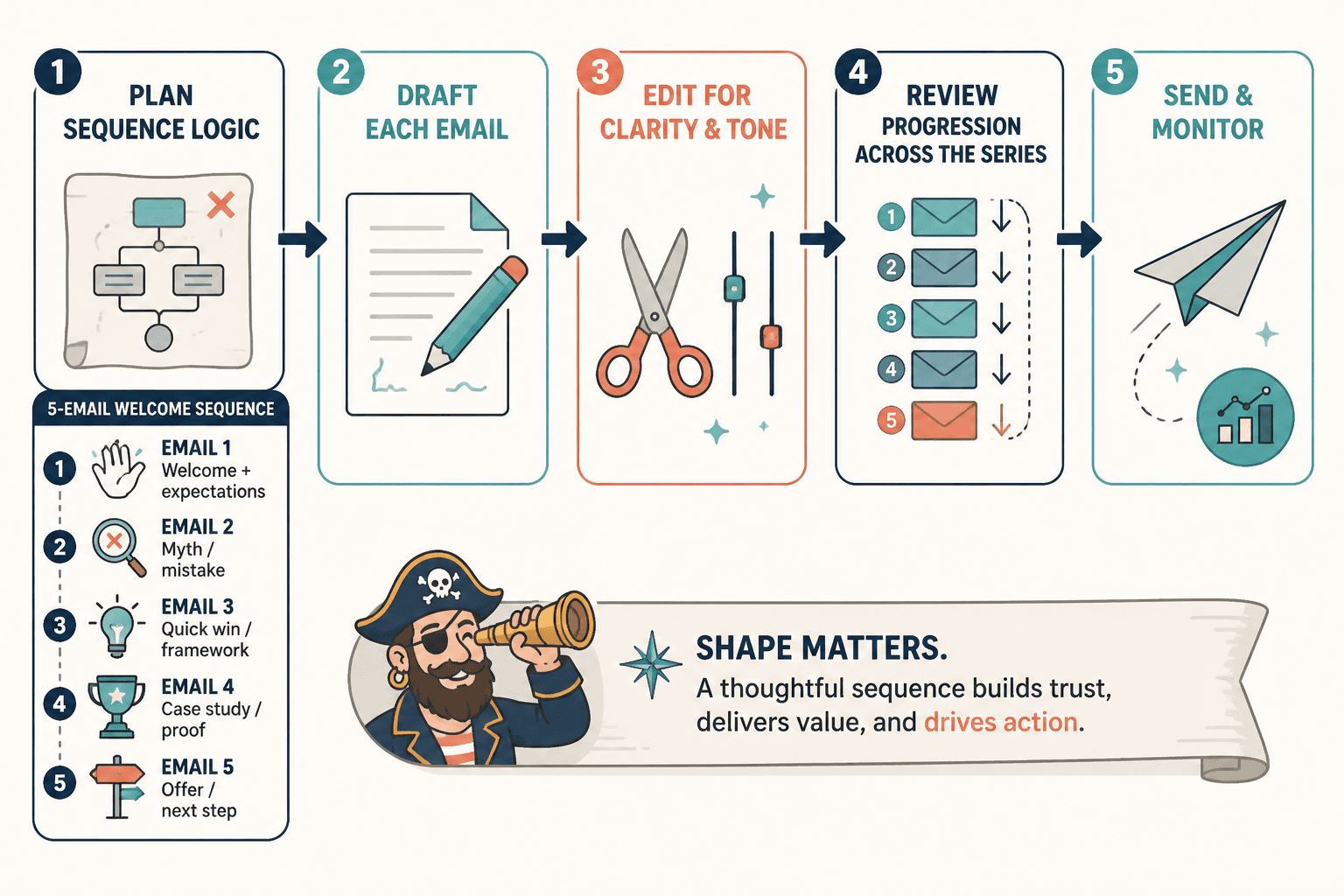
A practical creator setup that avoids tool sprawl
A lean setup is usually enough:
- One thinking tool for outlining and drafting
- One email platform for automation and sending
- One review tool for cleanup and clarity
- One connection layer if your forms, content system, or CRM need to talk to each other
That is the point where the system still behaves like a system. Add more tools only when they solve a real bottleneck.
How to choose the right AI tool for your sequence
Use this shortlist:
- Choose drafting AI if your main problem is getting from idea to usable copy.
- Choose email-first software if you want fewer moving parts and simpler maintenance.
- Choose CRM-first tools if segmentation, branching, and lead tracking matter more than simplicity.
- Choose QA helpers if your drafts tend to drift, repeat themselves, or get too long for their own good.
If you want a deeper look at tool paths and platform tradeoffs, the sibling guide on email automation tools and CRM tools for creator email sequences is the natural companion.
Recommended workflow
- Define the sequence goal and reader stage.
- Use AI to outline the sequence by email.
- Draft each email with one clear job.
- Rewrite for voice, clarity, and length.
- Load the sequence into your email platform.
- Test links, formatting, and automation triggers.
- Send, review results, and tighten the weakest email.
That workflow is boring in the best way. It keeps the actual sequence from being buried under tool enthusiasm.
AI tool selection sources worth trusting
For platform features and current product capabilities, check the official docs before you commit to a stack:
- OpenAI product and docs: https://platform.openai.com/docs
- Anthropic docs: https://docs.anthropic.com/
- ConvertKit help center: https://help.convertkit.com/
- ActiveCampaign help center: https://help.activecampaign.com/
Bottom line
The best AI tools for creator email sequences are the ones that reduce handoffs, speed up the draft stage, and keep the sending system simple enough to maintain. For many creators, that means one drafting tool, one email platform, and one cleanup pass before anything goes live.
If your stack is getting louder than your strategy, shrink it. The sequence should do the work. The tools should just stop getting in the way.