
A blog refresh can go sideways fast: one tab for notes, one for the draft, one for SEO data, one for “maybe this sentence sounds smarter now,” and another for the version nobody trusts. The result is usually a post that has been touched by six tools and improved by none. The fix is not more software. It is a lean system that knows what each tool is for and refuses to let them all cosplay as the author.
This guide covers the AI tools and editing tools that actually help with blog rewrites and refreshes, plus a practical stack for getting a post from stale to useful without turning the job into a software migration project. For the broader workflow, see the parent guide on blog rewrites and refreshes and the companion piece on how to write better blog rewrites and refreshes.
What these tools should actually help you do
A good rewrite tool is not just a text generator. It should help you make better decisions about what to keep, what to cut, what to update, and what to move out of the way.
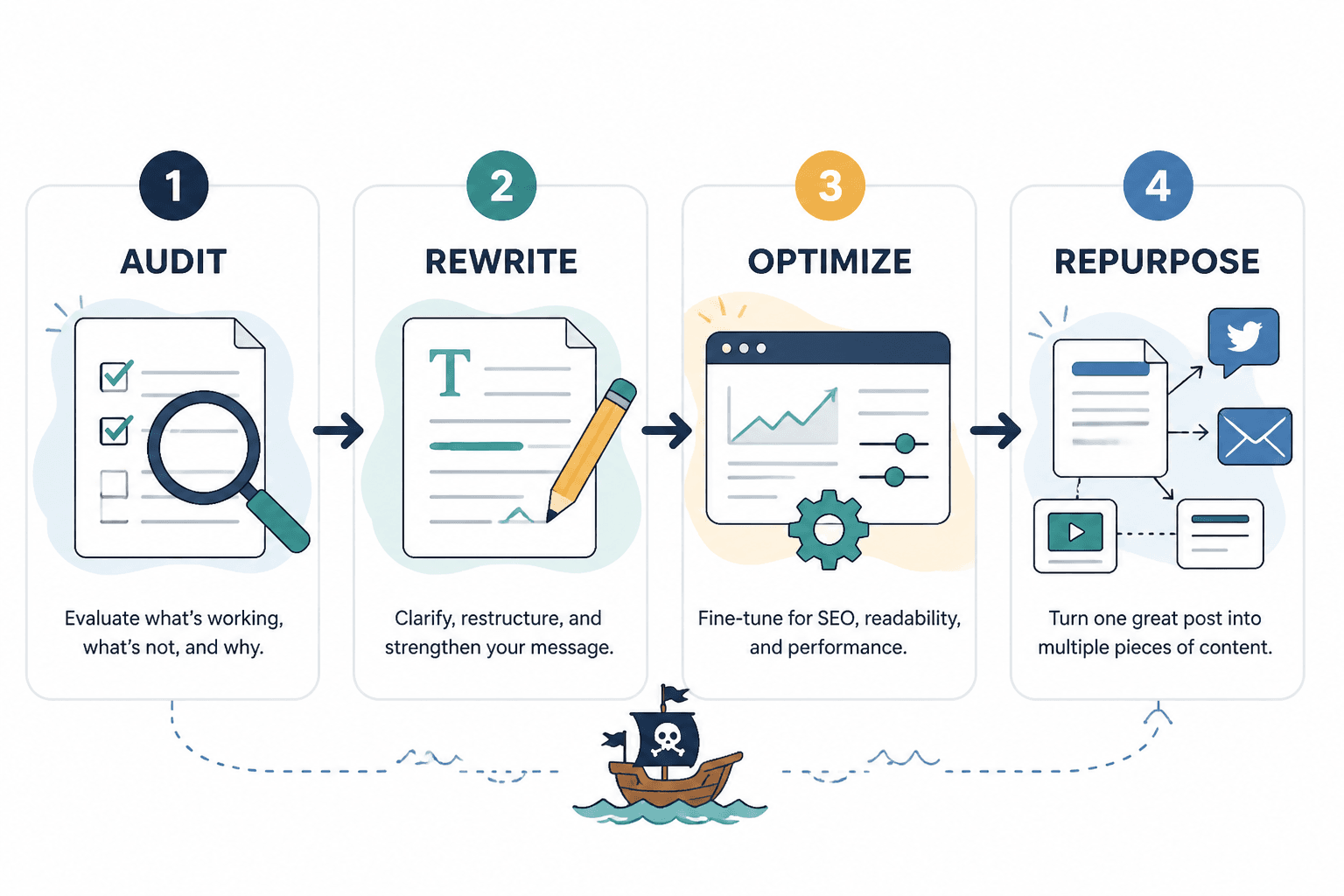
- Audit the post: spot outdated claims, thin sections, and missing intent.
- Rewrite faster: turn rough notes into usable paragraphs without flattening the voice.
- Improve clarity: trim jargon, repetition, and overbuilt sentences.
- Update SEO signals: align headings, search intent, internal links, and metadata.
- Track changes: keep the original, the revised version, and the final publish-ready copy separate enough to trust.
- Repurpose cleanly: turn one refreshed article into social copy, email copy, or a lead magnet section.
If a tool only makes text longer, it is not helping. It is volunteering for extra work.
The main tool categories worth using
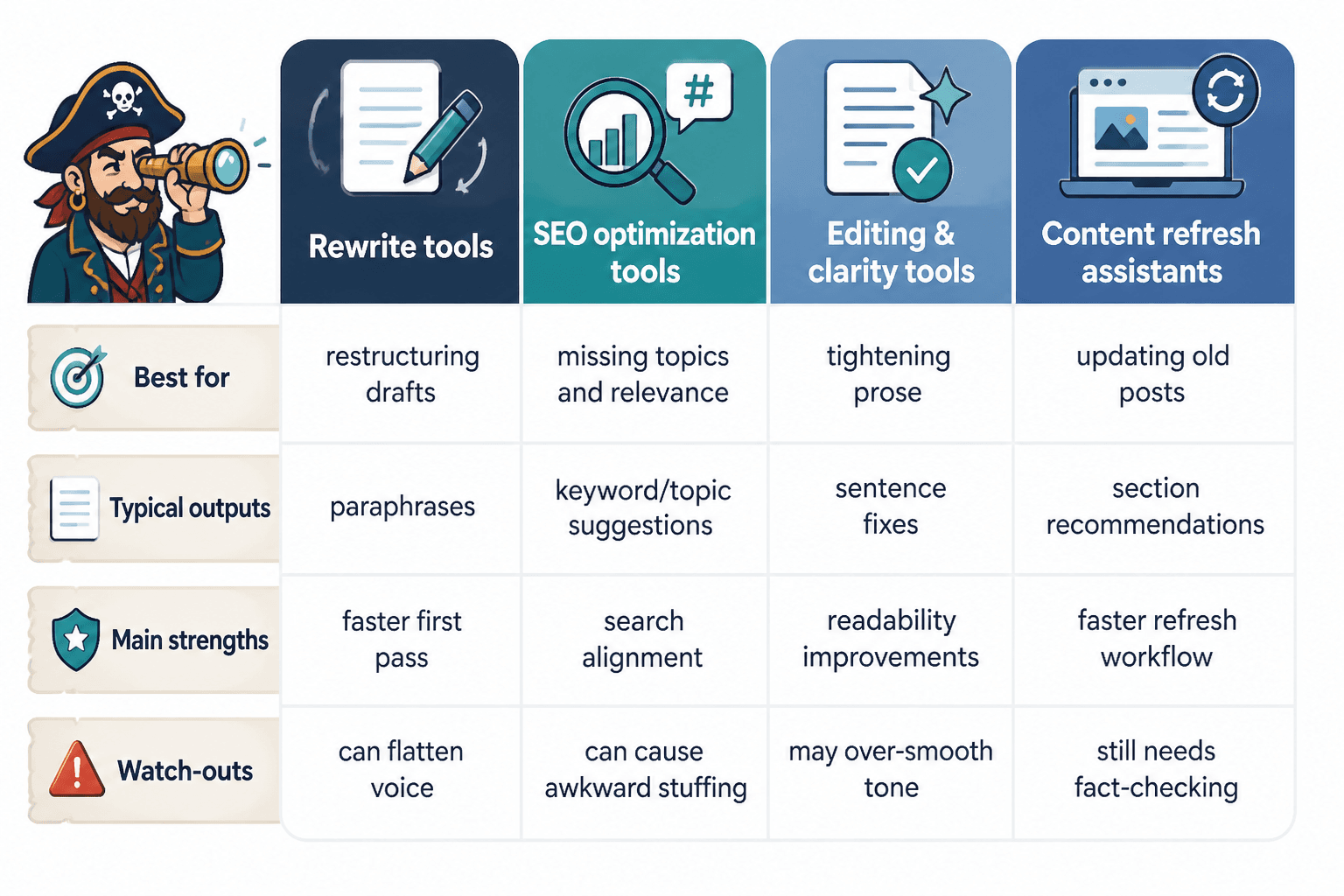
1. AI drafting and rewrite tools
These are the tools you use to generate a new intro, rework a section, or test a few ways to explain the same idea. They are best when you already know the goal and need a drafting partner, not a decision-maker.
Good for: rewriting intros, modernizing examples, simplifying long sections, and turning bullet notes into draft copy.
2. Editing and style tools
These tools help you clean the draft after the rewrite. They catch awkward phrasing, overcomplicated sentences, and the occasional sentence that looks like it was assembled from spare parts.
Good for: line editing, readability, grammar, tone consistency, and cutting fluff.
3. SEO refresh tools
These tools help you compare the article against search intent, topic coverage, and missing terms. They are useful when a post is structurally fine but no longer matches what searchers actually want.
Good for: keyword coverage, competitor comparison, heading gaps, internal link opportunities, and content brief updates.
4. Collaboration and change-tracking tools
These matter when more than one person touches the post. They reduce the “whose version is this?” problem and make it easier to approve changes without losing the original structure.
Good for: comments, suggestions, version history, approvals, and handoff between writer and editor.
5. Repurposing tools
These tools help you turn the finished refresh into supporting assets. That can mean social posts, email hooks, summary blocks, or a lead-capture version of the same core idea.
Good for: extracting key points, formatting excerpts, and turning one update into more than one use.
Best AI tools for blog rewrites and refreshes
Here is the practical shortlist. Not every post needs every tool. Most need one drafting tool, one editing tool, and one SEO check.
ChatGPT
Strong for fast rewrites, section-level alternatives, outline reshaping, and prompt-driven brainstorming. It works especially well when you give it clear instructions: preserve the point, reduce the fluff, and keep the tone natural.
Best use: drafting refreshed intros, rewriting weak sections, generating multiple versions of a paragraph, and testing tone shifts.
Watch for: generic phrasing, overconfident filler, and updates that sound polished but say very little.
Claude
Useful when you want a larger chunk of text handled at once and want the result to stay relatively coherent. It is often a good fit for revising long sections or working through a post with a lot of connective tissue.
Best use: long-form rewrites, structural cleanup, and turning sprawling notes into a more readable draft.
Watch for: over-smoothing. A refresh still needs a human opinion, not just elegant shrugging.
Jasper
Helpful for teams that want branded workflows, reusable prompts, and a more guided content process. It can be useful when rewrite work needs to be repeatable rather than improvised every time.
Best use: repeatable rewrite frameworks, campaign-aligned refreshes, and content team workflows.
Watch for: using it as a shortcut around editorial judgment. The robot is not the editor. Tragic, but true.
Grammarly
Still one of the easiest ways to catch grammar issues, sentence-level awkwardness, and tone problems after an AI rewrite. It is especially useful in the final polish stage when the draft is already mostly there.
Best use: cleanup pass, grammar checks, tone adjustments, and clarity improvements.
Watch for: overcorrecting voice or accepting every suggestion as if grammar were a popularity contest.
See Grammarly’s product information here: Grammarly.
Hemingway Editor
A good fit when a rewrite has become dense, windy, or quietly hostile to readers. It is a blunt instrument, which is often exactly what a sagging draft needs.
Best use: shortening sentences, reducing complexity, and spotting readability issues.
Watch for: forcing every sentence into a simplified rhythm. Some ideas need structure, not just trimming.
See the official Hemingway Editor site: Hemingway Editor.
Google Docs or Word with suggestion mode
For many rewrites, this is the unglamorous winner. Suggestion mode gives you a visible record of changes, which matters when a post is being revised by more than one person or reviewed before publication.
Best use: collaborative editing, change review, and version control.
Watch for: losing track of final decisions when comments and revisions pile up like polite debris.
Google Docs collaboration features are documented here: Google Docs Help. Microsoft Word collaboration features are documented here: Microsoft Word Support.
Clearscope, Frase, Surfer, and similar SEO refresh tools
These tools are useful when you need to update a post around search intent rather than just polish the prose. They help you see where a page is undercovered, what related terms matter, and where the structure is thinner than it should be.
Best use: topic coverage, keyword refinement, heading planning, and content gap analysis.
Watch for: writing to the tool instead of the reader. Keyword coverage is useful; keyword worship is how posts start sounding like itemized receipts.
For a solid non-tool-specific reference on search quality and helpful content, see Google’s Search Central guidance on creating helpful, reliable, people-first content: Google Search Central.
The lean stack I would actually use
Most refreshes do not need a sprawling toolchain. A simple stack is usually enough:
- ChatGPT or Claude for first-pass rewrites and structural alternatives
- Google Docs or Word for editing and version control
- Grammarly or Hemingway for final cleanup
- One SEO tool such as Clearscope, Frase, or Surfer for coverage checks
That combination covers the full job: draft, refine, verify, and ship. Anything beyond that should earn its place.
How to choose the right tools for the job
The best tool depends on what is broken in the post.
- If the intro is weak: use an AI drafting tool and test three new hooks.
- If the writing is muddy: use Hemingway or Grammarly after the rewrite.
- If the article is outdated: use an AI tool to help restructure around new facts, then verify manually.
- If rankings slipped: use an SEO refresh tool to compare intent and missing coverage.
- If multiple people are involved: use suggestion mode and keep version history clean.
That decision tree is boring in the best way. It prevents tool creep.
A simple workflow for using these tools without chaos
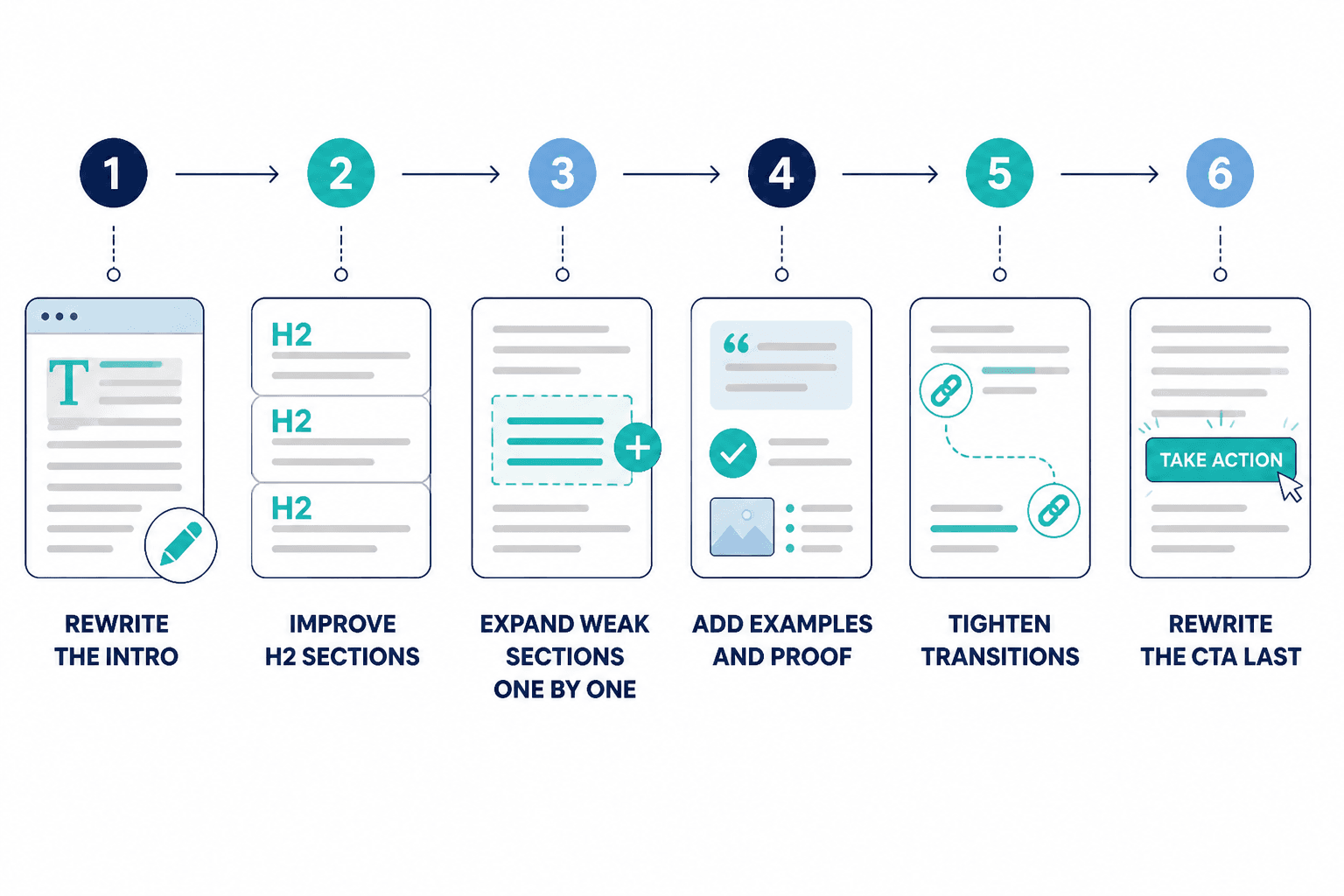
- Audit the post for outdated facts, weak sections, and search intent drift.
- Decide the type of refresh: light edit, section rewrite, full rewrite, or rewrite plus repurpose.
- Use an AI tool for drafts on the specific sections that need help.
- Edit in Docs or Word so changes stay visible and reviewable.
- Run a final style and SEO pass to catch gaps, repetition, and missed opportunities.
- Publish and track results so the next refresh is based on evidence, not vibes.
If you want the full process in more detail, the workflow section in Best Templates and Tools for Blog Rewrites and Refreshes is worth a look.
Common mistakes to avoid
- Using AI to rewrite without an audit: the tool cannot fix a bad brief you never wrote.
- Running every sentence through every app: that is not quality control; that is traffic congestion.
- Chasing readability at the expense of meaning: short is good. Hollow is not.
- Ignoring internal links: a refresh should strengthen the page’s position in the site, not leave it floating alone.
- Skipping measurement: if you do not track results, you are guessing whether the refresh helped.
What to use when you want the fastest workable setup
If you need the shortest answer possible, start here:
- For drafting: ChatGPT or Claude
- For editing: Grammarly plus suggestion mode in Google Docs or Word
- For readability: Hemingway Editor
- For SEO refreshes: Clearscope, Frase, or Surfer-style coverage tools
That stack is enough for most blog rewrite work. It is also easier to maintain than a Frankenstein setup with seven logins and no clear owner.
Related guides
If you are building the rest of the system, these companions fill in the gaps:
- Ideas and examples for blog rewrites and refreshes
- How to turn blog rewrites and refreshes into more leads or sales
- How to write better blog rewrites and refreshes
The point is not to use more tools. The point is to use the right few tools in the right order, so the post gets better instead of merely getting edited by committee.