
Most lead magnets do not fail because the idea is bad. They fail because the format is annoying, overbuilt, or weirdly hard to use.
Busy creators do this to themselves all the time. They spend days making a 37-page PDF nobody asked for, then wonder why opt-ins look decent but actual trust, replies, and sales do not move. The problem usually is not the freebie. It is the delivery format.
Simple Lead Magnets Delivery Formats Templates for Busy Creators is really about one thing: making your free resource easy to create, easy to consume, and easy to connect to your paid work. Because if people have to mentally prepare for your lead magnet like it is a tax form, they are not going to use it.
Here’s how to choose simpler lead magnet formats, when to use each one, and a bunch of practical templates you can steal without turning your funnel into a sad little bureaucracy machine.
For the full path around this topic, head to the parent guide.
What busy creators actually need from a lead magnet format
A good lead magnet format does four things:
- Feels fast to consume
- Solves one clear problem
- Leads naturally to your offer
- Does not take you a week and a half to make
That is the standard. Not “looks impressive.” Not “has enough pages to feel valuable.” Not “could become a mini-course if I keep procrastinating hard enough.”
If you are a coach, consultant, writer, freelancer, solo founder, or personal brand, your lead magnet should usually act like a useful next step, not a full educational universe. Give someone a win, a shortcut, a clearer decision, a better draft, or a cleaner plan. Then point them toward the next move.
If you need help choosing the actual topic before the format, read best lead magnets ideas and examples for creators and lead magnets guide for creators who want better results. Format works better when the promise is already sharp.
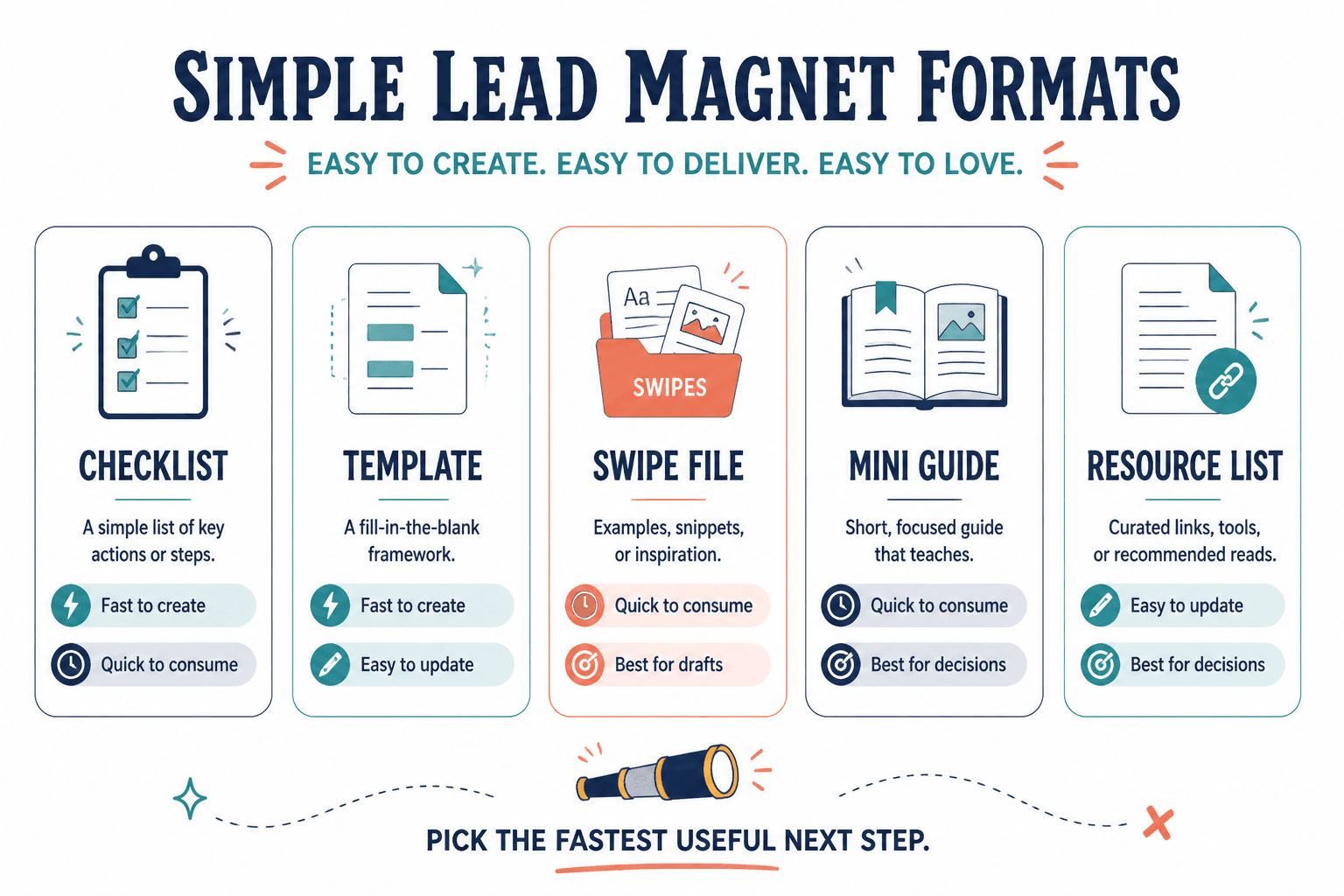
The best simple lead magnet delivery formats for busy creators
You do not need twelve options. You need a few formats that are easy to make, easy to update, and useful enough that people actually open them.
1. Checklist
A checklist is good when your audience needs a quick review, audit, or prep tool. It works especially well for content creation, launch prep, profile optimization, outreach, onboarding, and simple workflow fixes.
What makes checklists work is not the format itself. It is the reduction of friction. People like being able to scan, assess, and act without reading seven pages of throat-clearing.
Use it when: the problem is repetitive, practical, and easy to verify.
Template: “Before you publish/send/launch/post this, check these 7 things.”
Example: “LinkedIn Post Pre-Publish Checklist: 9 things to fix before you hit post.”
2. Swipe file
A swipe file is one of the best formats for creators because it gives people language they can actually use. Not forever, not word-for-word in every situation, but as a strong starting point.
These work beautifully for hooks, CTAs, DM openers, discovery call questions, bio lines, email subject lines, positioning statements, and objection handling. If your audience struggles to find the right words, a swipe file is usually more useful than a dense guide.
Use it when: the bottleneck is phrasing, structure, or idea generation.
Template: “25 plug-and-play examples for [specific use case].”
Example: “18 non-cringey CTA lines for creators who want replies without sounding desperate.”
3. One-page framework
This is a strong option when your audience needs clarity more than information. A one-page framework helps people understand how something works without drowning in detail.
It can be a model, map, visual process, scorecard, or simple decision tool. The key is that it makes the problem feel cleaner.
Use it when: your audience is confused, scattered, or doing too much in the wrong order.
Template: “The 4-part framework for going from [messy state] to [clear result].”
Example: “The 3-part content funnel map: post, profile, next step.”
4. Template pack
Template packs are great when your audience needs speed. Not theory. Not mindset. Not another lecture about consistency. Speed.
This format works well for emails, posts, proposals, welcome sequences, content calendars, onboarding docs, and message frameworks. Keep it tight. Five useful templates beat 40 flimsy ones every time.
Use it when: your audience has to create similar things repeatedly.
Template: “5 ready-to-customize templates for [specific task].”
Example: “7 lead magnet welcome email templates for creators who want more opens and clicks.”
5. Mini resource library
This is a slightly bigger format, but still manageable if it is organized well. A resource library collects a few small assets in one place instead of pretending one PDF needs to carry your entire business.
It works well if your audience has one larger goal with a few related sub-problems. For example: content planning, audience research, launching a service, or setting up a simple creator funnel.
Use it when: one asset is not enough, but a full course would be overkill.
Template: “Starter kit: [checklist] + [template] + [example] + [short guide].”
Example: “Lead Magnet Starter Kit: idea list, promise template, opt-in checklist, welcome email swipe.”
6. Short email course
Email courses are useful when the problem needs sequence, not size. If someone has to understand step one before step two, this format can work very well.
But keep “course” in perspective. Three to five short emails is usually enough. You are trying to create momentum, not assign homework people will ignore while feeling vaguely guilty.
Use it when: the transformation needs pacing and repeated contact builds trust.
Template: “A 5-day email series to help you [specific result] without [common pain].”
Example: “A 3-day email mini-course to build your first simple content funnel.”
7. Workbook or fill-in worksheet
This works when your audience needs to think through decisions, not just consume information. It is especially useful for positioning, messaging, offer design, audience clarity, and content planning.
The trap here is making it too long. If it starts looking like unpaid consulting labor, people will postpone it forever. Keep it focused and structured.
Use it when: the user needs guided thinking with clear prompts.
Template: “A fill-in worksheet to help you clarify [specific decision or message].”
Example: “The one-page positioning worksheet for creators who are tired of vague bios.”
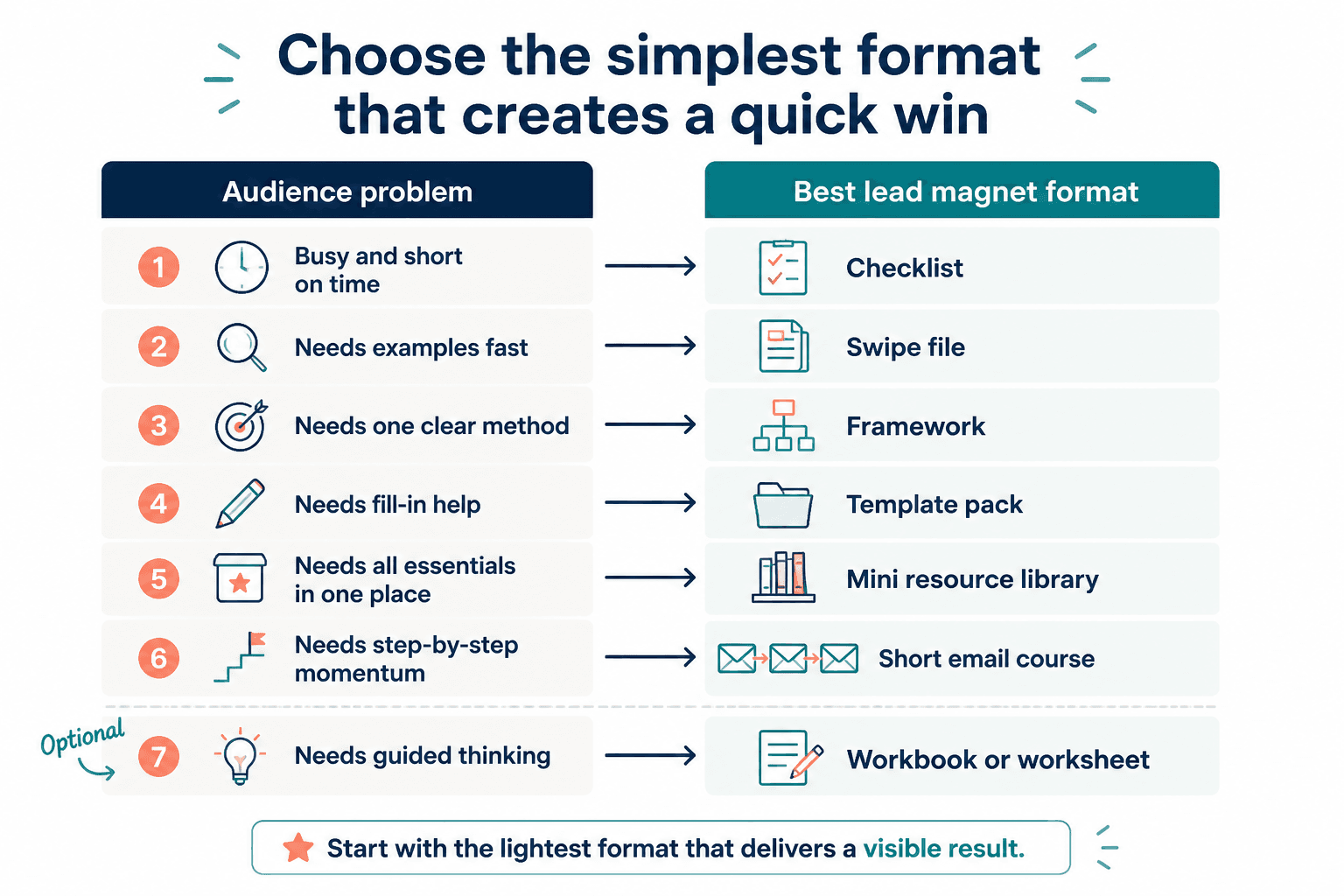
How to choose the right delivery format without overthinking it
Pick the format based on the kind of help your audience needs most. Not based on what seems impressive. Not based on what some funnel bro said converts best in all situations, which is usually nonsense wearing confidence.
| If your audience needs… | Use this format |
|---|---|
| A quick quality check | Checklist |
| Better wording or examples | Swipe file |
| A simple process or model | One-page framework |
| Faster execution | Template pack |
| A few related resources in one place | Mini resource library |
| Step-by-step momentum over time | Short email course |
| Guided thinking and decisions | Workbook or worksheet |
If your audience is busy, overwhelmed, or not deeply aware of the problem yet, start with the simplest format that can deliver a visible win. Usually that means a checklist, swipe file, framework, or compact template pack.
If you have a smaller audience, this matters even more. You do not need giant asset production. You need relevance and usefulness. This guide on lead magnets for creators with small audiences will help if you are trying to make something that earns trust without a giant following.
Simple lead magnet delivery format templates you can actually use
Below are practical templates by format. These are not abstract formulas that sound good in a workshop and then collapse in real life. They are built for actual creators with actual time limits.
Checklist template
Structure:
- Short title with a specific outcome
- 1-line explanation of when to use it
- 5 to 12 checkpoints
- Optional “common mistake” notes
- Next step CTA
Plug-and-play version:
[Task] Checklist: X things to review before you [publish/send/launch/post].
Use this when you want to catch weak spots fast and improve the result without rewriting everything from scratch.
Filled example:
Lead Magnet Opt-In Page Checklist: 8 things to review before you send traffic.
Use this before promoting your freebie so you are not sending people to a page that quietly kills conversions.
Swipe file template
Structure:
- Short intro explaining what the examples are for
- Grouped examples by context
- Optional notes on when to use each type
- Customization prompts
- Next step CTA
Plug-and-play version:
X swipe examples for [use case]
Use these when you need a faster starting point for [task]. Edit for your voice, audience, and offer. Do not copy like a little content goblin.
Filled example:
21 welcome email lines for creators
Use these to open your lead magnet delivery emails with more clarity and less robotic politeness.
One-page framework template
Structure:
- Name the framework
- List 3 to 5 parts
- Explain each part in 2 to 4 sentences
- Show how the parts connect
- Give one example application
- Next step CTA
Plug-and-play version:
The [number]-part framework for [result]
Part 1: [name]
Part 2: [name]
Part 3: [name]
Use this when you need a simpler way to understand and execute [topic].
Filled example:
The 3-part lead magnet path
Promise: what problem this solves
Format: how it is delivered simply
Bridge: what paid next step it leads to
Template pack template
Structure:
- Short explanation of the use case
- 3 to 10 templates
- One line explaining when each template fits
- Optional example rewrite
- Next step CTA
Plug-and-play version:
X templates for [task]
Use these when you need to create [asset] faster without starting from a blank page every time.
Filled example:
6 simple CTA templates for lead magnet posts
Use these when your content gets attention but people are not taking the next step.
Mini resource library template
Structure:
- One core promise
- 3 to 5 small resources inside
- Very clear organization
- Short orientation note on what to start with
- Next step CTA
Plug-and-play version:
The [topic] starter kit
Inside: [resource 1], [resource 2], [resource 3], [resource 4].
Start with [resource] if your biggest problem is [pain point].
Filled example:
The simple lead magnet starter kit
Inside: idea prompts, promise template, delivery format guide, welcome email example.
Short email course template
Structure:
- Email 1: quick win or mindset reset
- Email 2: practical framework
- Email 3: example or implementation steps
- Email 4: common mistakes
- Email 5: next step CTA
You do not need all five. Three is often enough. The real job is momentum.
Filled example:
3-day mini-course: build a better lead magnet
Day 1: choose the problem
Day 2: choose the format
Day 3: write the bridge to your offer
Worksheet template
Structure:
- Clear goal at the top
- 5 to 10 prompts
- Space for answers
- Optional scoring or self-review section
- Next step CTA
Filled example:
Lead magnet clarity worksheet
Who is this for?
What exact problem does it solve?
Why is this worth opting in for now?
What format would make this easiest to use?
What paid next step does it naturally lead to?
How to connect the format to your paid offer
This part matters more than people think. A lead magnet should not just be useful. It should create a logical bridge.
If your free resource solves a random surface-level problem with no relationship to your paid work, you may get subscribers but not buyers. That is how people end up with bloated lists full of mildly interested strangers who like free stuff and disappear when money enters the room.
A simple way to think about it:
- Checklist leads well into audits, reviews, and service offers
- Swipe file leads well into copy, messaging, and content offers
- Framework leads well into consulting, strategy, and education offers
- Template pack leads well into implementation support, memberships, and toolkits
- Email course leads well into coaching, workshops, and programs
- Worksheet leads well into strategy calls and personalized services
Lead magnets work best when they solve one real problem cleanly and make the next step feel natural. The clearer the bridge from free value to real offer, the stronger the whole system gets.