
Most tool reviews blur together because they act like every buyer has the same job, the same budget, and the same tolerance for complexity. They do not. A solo creator choosing a tool is making a very different decision from a small team doing the same thing.
That is where a lot of reviews go sideways. They praise feature depth when the real question is usability. They obsess over price without mentioning time cost. Or they recommend the same shiny platform to a one-person business and a five-person content team like those are basically identical. They are not.
This guide on Tool Reviews for Solo Creators vs Small Teams is here to make that distinction useful. If you create reviews, use tools, recommend software to clients, or monetize content through affiliate-style articles, you need sharper criteria than “it has a free trial” and “the dashboard looks clean.”
You will see what solo creators usually need, what small teams usually need, where reviews often mislead both groups, and how to judge a tool without getting hypnotized by a bloated feature list. Because more features is not the same thing as a better choice. Sometimes it is just more tabs to ignore.
For the full path around this topic, head to the parent guide.
Why tool reviews need two lenses, not one
A good tool review should not just ask, “Is this tool good?” It should ask, “Good for whom, under what constraints, and for what job?”
That sounds obvious. Yet a lot of reviews still treat software like a universal appliance. They compare pricing tiers, list integrations, mention AI features because apparently that is legally required now, and then slap on a verdict.
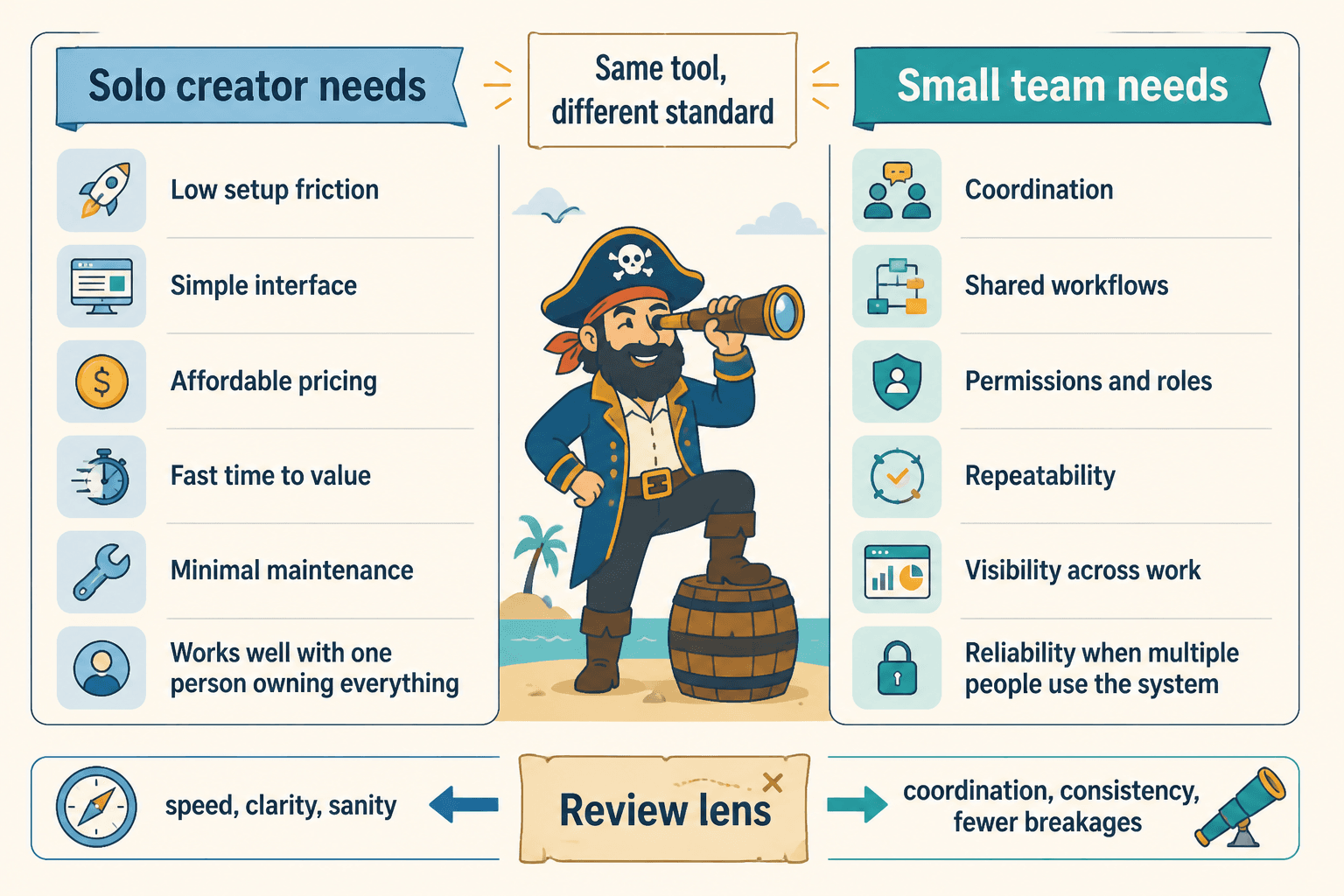
But a solo creator is often buying for speed, clarity, and sanity. A small team is often buying for coordination, repeatability, and fewer things breaking when more than one person touches the system. Same tool. Different standard.
If your review ignores that difference, it is not really helping anyone choose. It is just describing a product in public.
What solo creators usually need from a tool
Solo creators are not tiny versions of teams. They are operating with one brain, one schedule, one level of context, and a limited ability to babysit software.
That means the best tool for a solo creator is usually not the one with the most power. It is the one that creates the least drag between idea and execution.
The usual solo creator priorities
- Low setup friction: They should be able to get useful results fast.
- Simple interface: If the dashboard feels like air traffic control, that is a problem.
- Affordable pricing: Not just list price, but whether the tool replaces enough manual work to justify itself.
- Fast learning curve: They do not have a training department. They are the training department.
- Strong core use case: One job done very well beats twelve mediocre modules.
- Minimal maintenance: A tool that constantly needs tweaking becomes a side hustle no one asked for.
A solo creator often needs a tool that feels boring in the best possible way. It works, it saves time, and it does not make every task feel like a systems design project.
This is especially true for writing tools, scheduling tools, lightweight CRMs, content planners, basic design apps, and repurposing tools. The wrong pick here can quietly waste hours every week. Not dramatic enough to trigger a meltdown. Just annoying enough to sand down your output.
What small teams usually need from a tool
Small teams have different pain. They do not just need a tool that works for one person. They need one that works when multiple people use it inconsistently, ask different questions, and inevitably skip a step.
That changes what matters.
The usual small team priorities
- Collaboration: Comments, approvals, handoffs, shared visibility.
- User permissions: Not everyone should have access to everything.
- Process support: Templates, workflows, statuses, shared libraries.
- Integration depth: The tool should play nicely with the rest of the stack.
- Reporting or visibility: Somebody needs to know what is moving and what is stuck.
- Scalability: The setup should still make sense when the team grows from two to six.
A small team can tolerate a bit more complexity if that complexity reduces confusion across the group. That is the trade. A solo creator often wants less structure. A team usually needs more.
So when a review says, “This tool has an amazing workflow engine,” that might be a plus for a team and an absolute nuisance for a solo operator who just wants to publish Tuesday’s newsletter without opening six panels first.
Tool Reviews for Solo Creators vs Small Teams: the criteria that actually matter
If you are reviewing tools, comparing tools, or deciding what kind of recommendation belongs in your content, stop treating all criteria as equal. They are not. Here is the cleaner way to evaluate.
| Review Criteria | Solo Creator Priority | Small Team Priority |
|---|---|---|
| Ease of setup | Very high | High |
| Low monthly cost | Very high | Moderate to high |
| Collaboration features | Low | Very high |
| Workflow customization | Low to moderate | High |
| User permissions | Low | High |
| Fast solo execution | Very high | Moderate |
| Integration depth | Moderate | High |
| Training burden | Very high concern | Moderate concern |
| Scalability | Moderate | High |
| Administrative overhead | Very high concern | Moderate concern |
This is why blanket rankings are often flimsy. “Best content planning tool” means very little unless the review explains who the tool is best for and what tradeoffs come with it.
The mistakes tool reviews keep making
A lot of review content is not malicious. It is just lazy in familiar ways. If you want your tool reviews to be useful, or if you are reading them and trying not to get sold a headache, watch for these problems.
1. Treating price as the whole budget story
Cheap tools can be expensive if they waste your time. Expensive tools can be worth it if they reduce coordination chaos for a team. Reviews that only compare monthly pricing miss the operational cost completely.
For solo creators, the hidden cost is usually setup time and maintenance. For teams, it is onboarding, confusion, duplicate work, and process failure.
2. Rewarding feature bloat
Some reviews basically hand out points for having more stuff. That is backwards. Extra features are useful only if the buyer actually needs them and can use them without creating drag.
A tool can be impressive and still be the wrong choice. In fact, that is often the danger. Fancy software is very good at looking like future success while quietly complicating your current reality.
3. Ignoring implementation reality
A review should tell you what it takes to get value from the tool, not just what the tool can theoretically do. If a platform is powerful but requires serious setup, templates, permissions logic, and team training, say that plainly.
Do not act like every product becomes useful ten minutes after signup. Some do. Some really, really do not.
4. Recommending “all-in-one” tools too casually
All-in-one sounds efficient until one clunky platform becomes the center of your workflow and now every task feels slightly worse. Sometimes that trade makes sense for teams. Sometimes it is overkill for a solo business.
The right question is not “Does this tool do everything?” It is “Does this tool make the main job easier without creating new friction elsewhere?” Much better question. Less shiny. More useful.
How to review a tool differently for solo creators and teams
If you publish review content, this is the section that matters most. Your readers do not need another list of features copied from the pricing page. They need help making a decision.
Use this review structure
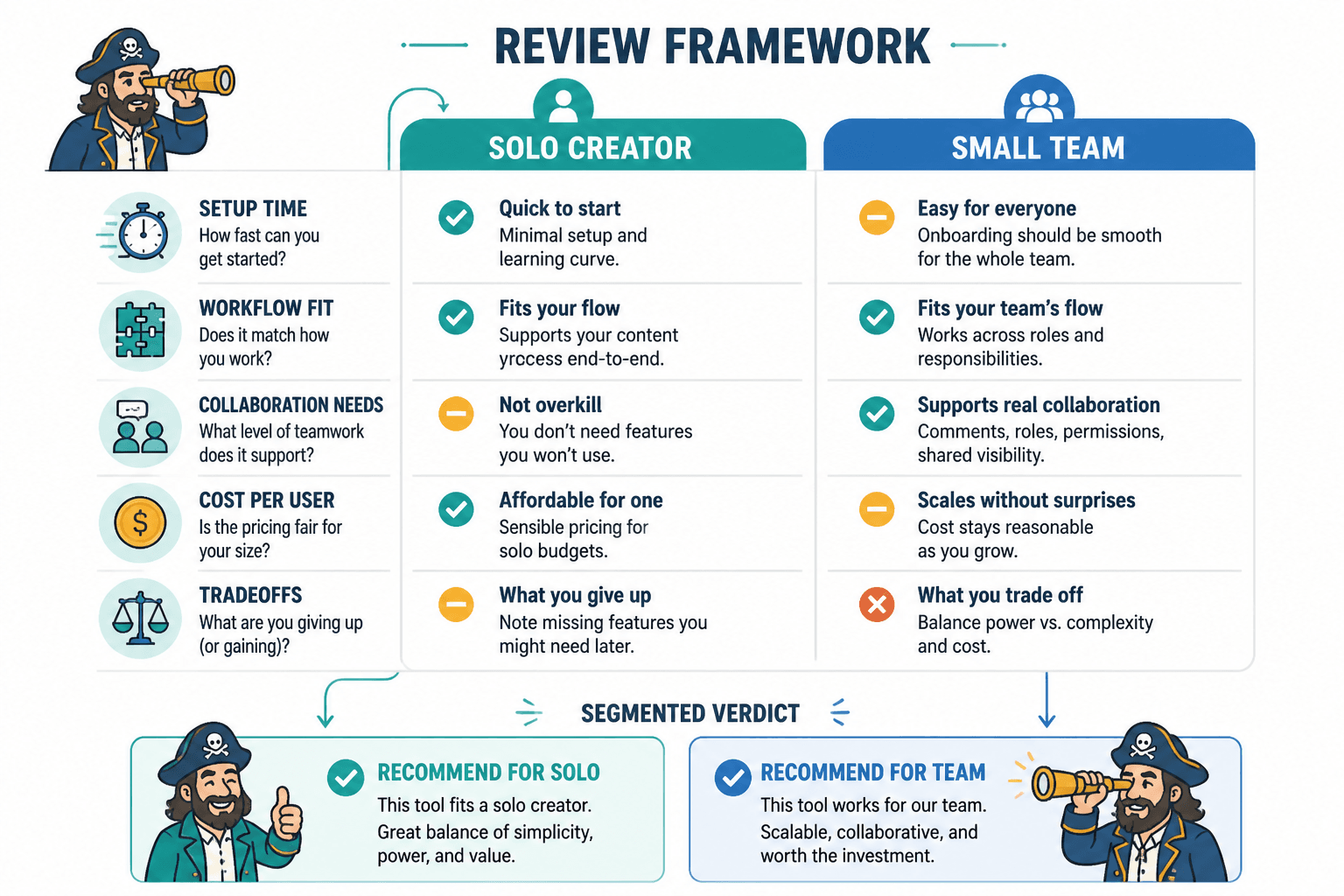
- Name the primary use case
What is the main job this tool helps with? - Say who it is best for
Solo creators, small teams, or both with conditions? - Explain the setup burden
Can someone use it this afternoon, or is this a project? - Assess the time-to-value
How quickly does a user get a real result? - Call out workflow fit
Does it support simple execution, collaboration, or both? - List tradeoffs honestly
What gets better, and what gets more annoying? - Make a segmented verdict
Separate your recommendation for solo creators and for teams.
That segmented verdict is the part many reviews skip. They end with one neat conclusion because it sounds cleaner. But clean is not always useful. If a tool is excellent for a three-person marketing team and mildly awful for a solo consultant, say exactly that.
It is also a smarter trust move. Readers can feel when you are flattening nuance just to keep the review tidy or affiliate-friendly. That is when the article starts feeling less like advice and more like a brochure wearing glasses.
What to emphasize in affiliate-style review content
If your review content is part of a monetization strategy, credibility matters even more. The minute readers sense that every road leads to a commission, trust starts leaking.
That does not mean affiliate content is bad. It means lazy affiliate content is bad. There is a difference. If you want a sharper standard, read Tool Reviews Guide for Creators Who Care About Quality and pair it with Affiliate Articles for Creators With Small Audiences.
The strongest review content usually does a few things well:
- It narrows the audience instead of trying to please everyone.
- It explains tradeoffs, not just benefits.
- It recommends against the tool when appropriate.
- It separates “best for solo” from “best for team use.”
- It includes realistic buying guidance, not just product praise.
This kind of precision also makes your monetization funnel stronger. Better trust leads to better clicks, better clicks lead to more relevant conversions, and relevant conversions beat random traffic every time. You can explore more content around that in the broader tool reviews section and the larger monetization funnels content hub.
Example: the same tool can be a great fit for one and a bad fit for the other
Say you are reviewing a content workflow tool.
It has approval chains, detailed status tracking, shared content calendars, permissions, asset folders, and analytics dashboards. For a small team, that might be excellent. It reduces confusion, helps delegation, and gives everyone a shared operating system.
For a solo creator, though, it might be too much. If they spend more time maintaining statuses than publishing content, the tool is not helping. It is supervising them for no reason.
Now flip it. A lightweight note-taking and publishing tool might be perfect for a solo creator who wants speed and focus. But for a team, it may break down quickly because there are no permissions, no approval logic, and no clean way to manage handoffs.
Same category. Different winner.
A practical rating framework you can actually use
If you are writing review content, here is a simple way to make it more useful without turning every article into a giant software lab report.
Rate each tool on these five factors
- Ease of use: How fast can someone operate it confidently?
- Time-to-value: How quickly does it produce a meaningful result?
- Workflow fit: Does it support the user’s actual way of working?
- Operational overhead: How much upkeep, maintenance, or admin does it create?
- Scale fit: Is it best for one person, a few people, or a larger operation?
Then give two verdicts:
- Best for solo creators if…
- Best for small teams if…
That one small shift makes your reviews dramatically more useful. It also stops you from forcing one “winner” when the better answer is conditional.
How buyers should read tool reviews without getting played
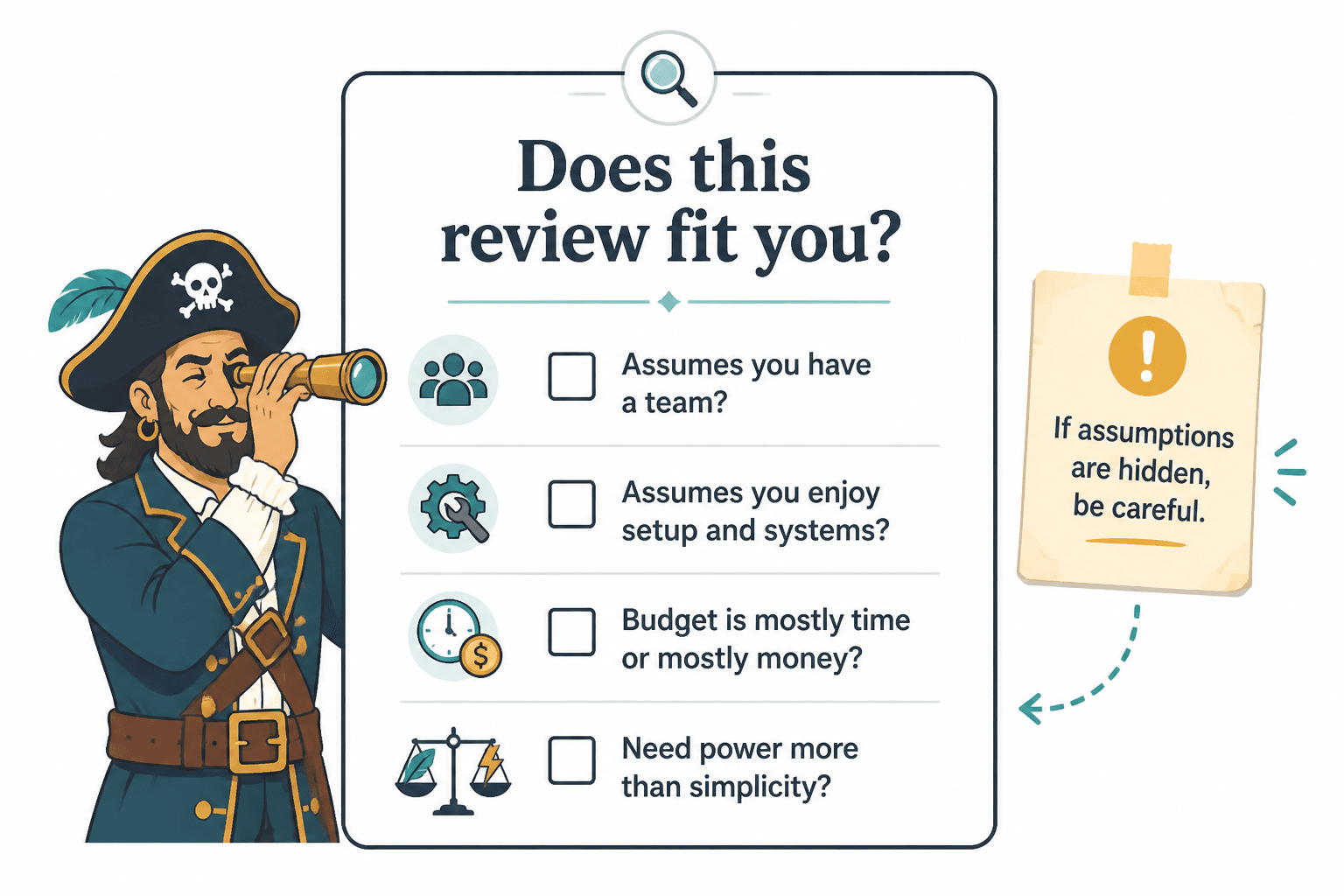
If you are the reader, not the reviewer, you still need a filter. Here is the easiest one: before trusting a review, ask what kind of operator the reviewer is assuming.
- Are they assuming you work alone?
- Are they assuming you have a team?
- Are they assuming you enjoy setup and systems?
- Are they assuming your budget is mostly time or mostly money?
- Are they assuming you need power more than simplicity?
If the review never reveals those assumptions, be careful. That usually means the advice is broad enough to sound helpful and vague enough to dodge being wrong.
If budget is the big issue, How to Review Tool Reviews When You Have a Tiny Budget is a useful companion piece. And if you want a broader landscape view, Best Tool Reviews for Creators in 2026 can help you spot which categories are worth paying attention to in the first place.
When a solo creator should buy like a team, and when a team should buy like a solo creator
There is one wrinkle worth mentioning. Sometimes a solo creator should choose a more team-friendly tool. Usually that happens when they are building systems early, planning to hire soon, or managing a workflow with multiple contractors.
The bigger point is simple: clearer structure and clearer writing make the piece more useful. That is usually what makes the ending land better too.