Most creator tool reviews are bad for one simple reason: they review the tool like it exists in a vacuum.
You get a feature list, a few dramatic claims about “saving hours,” and maybe a screenshot of a dashboard that looks clean enough to trigger bad financial decisions. What you usually do not get is the part that actually matters: who the tool is for, what job it does well, where it falls apart, and whether it helps you make more money or just organize your chaos a little more prettily.
If you are looking for the Best Tool Reviews for Creators in 2026, that is the lens worth using. Not “what is popular.” Not “what has the most AI features duct-taped onto the homepage.” Just: does this thing help a creator do useful work faster, better, or with less friction?
This guide will help you judge creator tools like an adult with a business, not like someone collecting shiny software subscriptions like Pokémon. We’ll cover the categories that matter, what makes a tool genuinely worth paying for, what is usually overrated, and how to spot the difference between a useful review and a polished sales page wearing fake glasses.
If you want a broader framework for reviewing tools without getting conned by aesthetics, start with Tool Reviews Guide for Creators Who Care About Quality. If you are comparing options already, these pros and cons questions to ask before you buy will save you from at least one regrettable checkout page.
For the full path around this topic, head to the parent guide.
What “best” actually means for creators in 2026
There is no universally best tool. There is only the best tool for a specific workflow, business model, and tolerance for nonsense.
A solo writer posting on LinkedIn, selling consulting calls, and managing leads manually does not need the same setup as a small creator team repurposing content across five platforms with a course funnel attached. Yet a lot of reviews mash these people together and act like one tool stack will fix both.
That is how creators end up paying enterprise prices for features they barely touch, or using “simple” tools that become annoying the second they need one custom workflow.
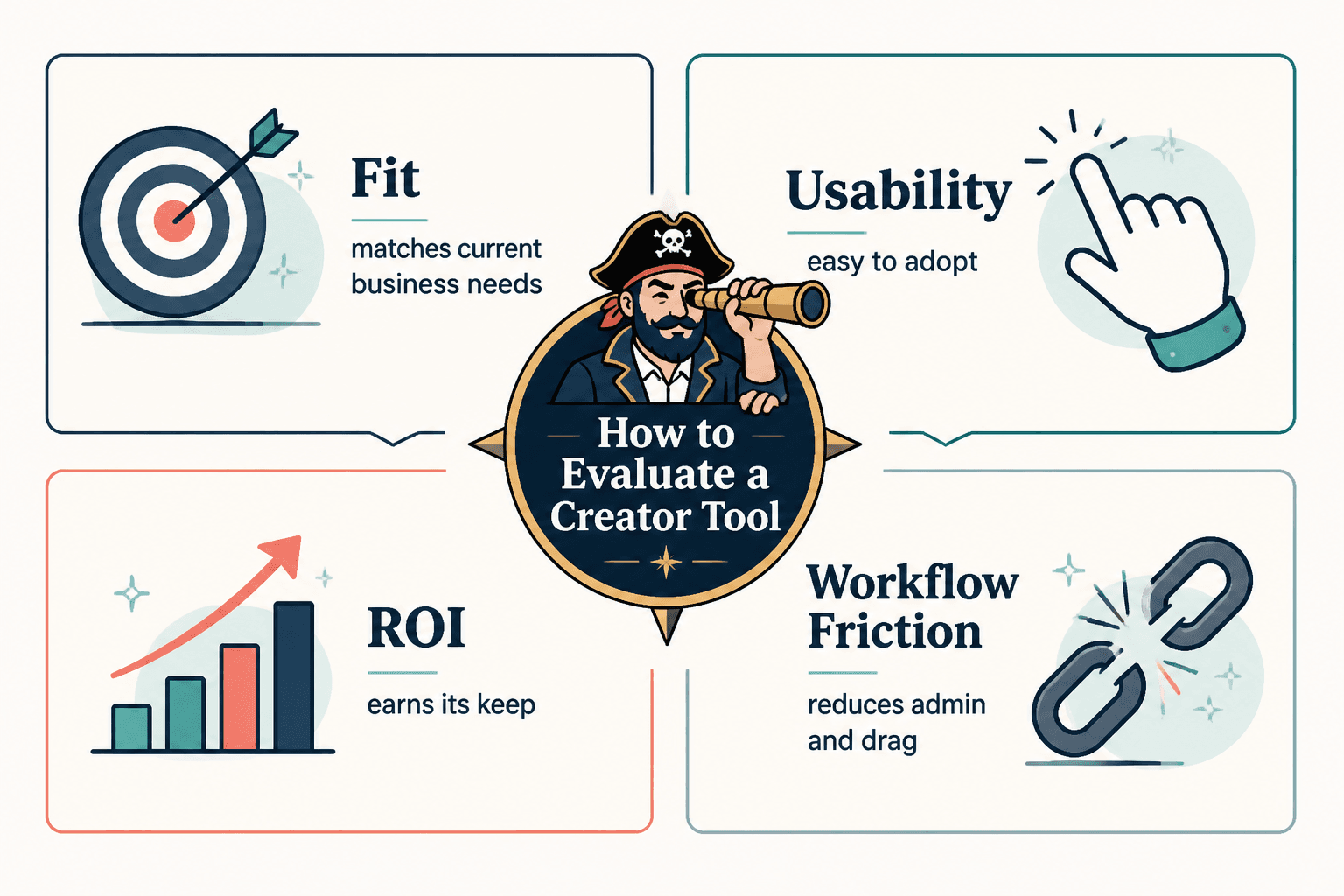
- Useful for the job: It solves a real bottleneck, not an imaginary one.
- Easy enough to adopt: You should not need a two-week emotional support period to start using it.
- Good enough at the core task: Not packed with side features while the main feature is flimsy.
- Flexible without becoming messy: Some customization helps. Too much usually means you are building your own software by accident.
- Reasonably priced for the return: “Affordable” means nothing unless the tool earns its keep.
- Supportive of your business model: Good tools make distribution, trust, leads, and sales easier. Bad ones create more admin.
That sounds obvious. Apparently it is not, because creators keep buying tools for the fantasy version of their business instead of the one they actually run on a Tuesday afternoon.

The creator tool categories that matter most
The best tool reviews for creators in 2026 should not just rank random apps. They should separate tools by job. That alone makes your decisions much cleaner.
1. Writing and idea development tools
These help with drafting, outlining, organizing notes, rewriting, and turning rough thoughts into publishable content.
Good ones speed up thinking support. Bad ones produce polished oatmeal. If a writing tool makes everything sound like a leadership ghost wrote it, that is not efficiency. That is brand damage with a monthly fee.
- Best for: writers, coaches, consultants, ghostwriters, founders, newsletter creators
- Worth paying for when: you publish often and already have real ideas
- Usually overrated when: you are hoping the tool will generate taste, positioning, or original opinions for you
2. Content repurposing and scheduling tools
These are useful when you already know what kind of content works and need help distributing it consistently. They are much less useful when your content is still vague, generic, or strategically confused.
Scheduling multiplies good systems. It does not rescue weak thinking. Important distinction.
- Best for: creators posting across LinkedIn, X, Facebook, newsletters, and blogs
- Worth paying for when: consistency matters and manual posting is causing friction
- Usually overrated when: you are using a scheduler to avoid learning how each platform actually works
3. CRM, lead capture, and funnel tools
This is where monetization starts getting real. A lot of creators say they want leads, but their systems are held together by screenshots, memory, and one sticky note that should frankly be retired.
Good funnel tools reduce drop-off between content, profile, lead magnet, email list, and booking page. Good CRM tools help you remember who is warm, who is cold, and who said “circle back next month” three months ago.
- Best for: consultants, coaches, service providers, educators, niche creators with offers
- Worth paying for when: content is already bringing interest and you need a cleaner path to conversion
- Usually overrated when: there is no strong offer and the tool is being asked to create demand from thin air
4. Design and asset creation tools
These cover thumbnails, simple graphics, carousels, sales assets, PDFs, and visual content systems.
You do not need a full design stack to be taken seriously. You do need visual clarity. If your lead magnet looks like it was assembled during a power outage, people notice.
- Best for: creators selling digital products, posting educational content, or building branded assets
- Worth paying for when: visuals affect trust or conversion in your business
- Usually overrated when: the tool is full of templates but your message still says nothing
5. Research, SEO, and insight tools
These help you find topics, validate demand, cluster content ideas, and identify what people actually care about.
For creators writing articles, building search traffic, or creating evergreen assets, these can be excellent. For someone posting daily social takes with no search strategy, not always necessary.
- Best for: article writers, niche educators, affiliate creators, service businesses using content to drive leads
- Worth paying for when: search intent or topic validation matters
- Usually overrated when: you want SEO data to replace understanding your audience
How to read creator tool reviews without getting seduced by nonsense
A lot of tool reviews are basically product pages with a friendlier haircut. So before you trust one, check what kind of review it is actually giving you.
Look for context, not just features
A decent review tells you who the tool suits, what use case it handles best, and where it starts getting annoying. Feature lists alone are cheap. Every software company has those already.
If a review says a tool is “great for creators,” that means almost nothing. Great for which creator? A YouTuber? A newsletter operator? A consultant with a tiny audience and high-ticket offer? “For creators” is often just lazy shorthand for “we have not bothered to think about fit.”
Check if the review mentions workflow friction
The best tools are not always the ones with the most features. They are often the ones that remove the most annoying repeated steps.
That means good reviews should mention things like:
- setup time
- learning curve
- publishing friction
- team handoff issues
- template quality
- searchability
- tagging or organization problems
- how well the tool fits with adjacent tools
If a review sounds too smooth, it probably skipped the annoying parts. Those are usually the parts you will care about most after week two.
Pay attention to what the tool cannot do
This matters even more now that every tool claims to be “AI-powered,” which often means “we added a button that writes generic copy in a confident tone.”
A good review should tell you what a tool cannot fix:
- bad positioning
- a weak offer
- unclear messaging
- lack of proof
- boring content strategy
- no distribution system
- a chaotic audience journey
Tools can help you move faster. They cannot make a muddled business suddenly persuasive.
Best Tool Reviews for Creators in 2026: what to prioritize by business stage
The right stack depends heavily on what stage you are in. Reviews that ignore this tend to push expensive complexity too early.
| Creator stage | Tool priority | What to avoid |
|---|---|---|
| Early-stage solo creator | Writing, note capture, simple publishing, basic lead capture | Heavy automation and enterprise CRM bloat |
| Consistent content creator | Scheduling, repurposing, analytics, better templates | Buying five tools that all do 60% of the same job |
| Service-based expert with offers | CRM, booking flow, email capture, authority content tools | Fancy funnel tools without a clear sales path |
| Small team creator business | Collaboration, approvals, asset management, workflow visibility | Solo-friendly tools that break under team complexity |
| Search and evergreen content brand | SEO research, content planning, internal linking, article optimization | Relying only on social scheduling tools for growth |
If you are trying to compare based on team size, Tool Reviews for Solo Creators vs Small Teams is the smarter next read. It will stop you from buying a team tool for your one-person business just because the dashboard looks expensive.
And if you want a category-by-category shortlist, Best Tool Reviews Tools for Creators in 2026 pairs nicely with this guide.
What makes a creator tool worth paying for
There are really only a few reasons to keep a paid tool.
- It saves meaningful time repeatedly.
- It improves output quality in a visible way.
- It helps you publish more consistently.
- It makes lead capture or sales cleaner.
- It reduces mental overhead.
- It replaces two or three weaker tools.
That last one matters more than people think. A slightly pricier tool can still be cheaper if it removes other subscriptions, cuts switching costs, and makes your workflow less irritating.
What usually does not justify the cost?
- It has a slick UI but solves no urgent problem.
- It is impressive in demos but annoying in daily use.
- It generates lots of content you still have to rewrite heavily.
- It has too many features for your current business stage.
- It promises scale before you have a process worth scaling.
If a tool saves you ten minutes but creates fifteen minutes of cleanup, congrats, you bought digital admin.
The most overrated patterns in creator tool reviews right now
Some review habits keep showing up because they sell. They do not help.
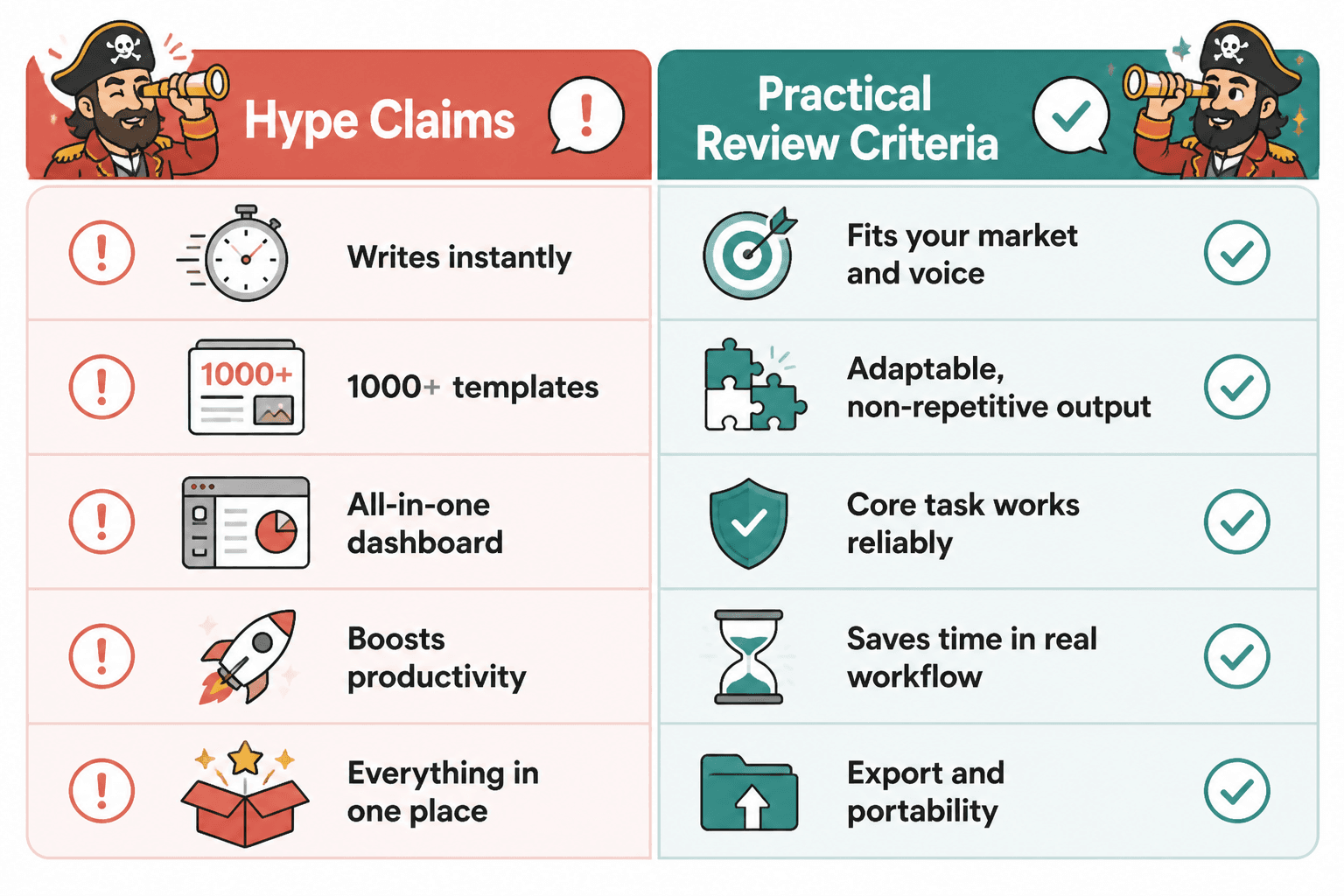
“All-in-one” as a default selling point
Sometimes all-in-one is great. Sometimes it means every feature is just good enough to stop you from leaving, but not good enough to love. Reviews should test the core use case first, not automatically reward tool sprawl.
AI output quality being treated like strategy
A tool writing decent first drafts does not mean it understands your market, angle, voice, or business. If the review treats smooth text generation as proof of strategic value, be suspicious.
Reviewing based on templates alone
Templates are useful. They are not a business model. A tool full of swipe files and prompt packs can still be weak if the outputs are repetitive, bland, or impossible to adapt cleanly.
Ignoring export and portability
Creators get trapped by this all the time. If your content, contacts, templates, or workflows cannot move cleanly, that matters. A lot. Reviews should mention lock-in risk, especially for content libraries and CRM-style tools.

A practical review checklist before you buy any creator tool
Use this before paying for anything that promises to fix your content, workflow, or funnel.
- Name the exact job. What specific problem is this tool solving?
- Check frequency. How often does that problem actually occur?
- Estimate value. If solved, does it save time, improve output, or increase revenue?
- Test the core action. Not the dashboard. The actual repeated task you will do.
- Check integration friction. Will it fit your current system without drama?
- Review export options. Can you leave cleanly if it stops being useful?
- Look for honest cons. If nobody mentions drawbacks, the review is probably fluff.
- Set a keep-or-cancel metric. Decide what result it must produce within 30 to 60 days.
This is boring compared with impulse-buying the sexy new tool stack on social media. It is also how adults keep margins.
How different creators should evaluate tools differently
A useful review for one kind of creator can be almost useless for another. Here is the cleaner way to think about it.
Writers and thought-leadership creators
Prioritize idea capture, outlining, drafting, editing, repurposing, and search-friendly publishing. Be careful with tools that make your writing smoother but flatter. You need more than speed. You need sharpness.
Coaches and consultants
Prioritize content-to-lead flow, lightweight CRM, booking systems, lead magnets, email nurture, and authority assets. Do not obsess over design software if your bigger leak is weak follow-up.
Course and digital product creators
Prioritize funnels, email systems, sales asset creation, member delivery, research tools, and conversion support. Tool reviews should tell you how well the stack supports trust before purchase, not just checkout mechanics.
Small creator teams
Prioritize collaboration, roles, approvals, asset visibility, standard operating procedures, and publishing workflows. A lot of solo-friendly tools feel elegant until two more people need access and everything starts sagging.
How tool reviews connect to monetization
Since this lives under monetization and funnels, it is worth saying plainly: the best creator tools are not just productivity toys. They should support a cleaner path from attention to trust to action.
That does not mean every tool needs to directly “make money.” Some improve idea quality, consistency, or operating clarity upstream. But taken together, your stack should help a reader move through a simple path like this:
- Find your content
- Understand what you help with
- Trust your expertise
- Join your list, book a call, or explore an offer
- Get followed up without manual chaos
If your tools make content production easier but do nothing to support the next step, your workflow may look productive while your business stays weirdly foggy.
That is also why the broader tool reviews hub matters. Good reviews are not just shopping advice. They help creators build systems that actually support revenue, not just output.
You can also browse the wider monetization content path here: related monetization and money-content resources. Slightly awkward link string, yes. Still useful.
What a genuinely useful tool review should include
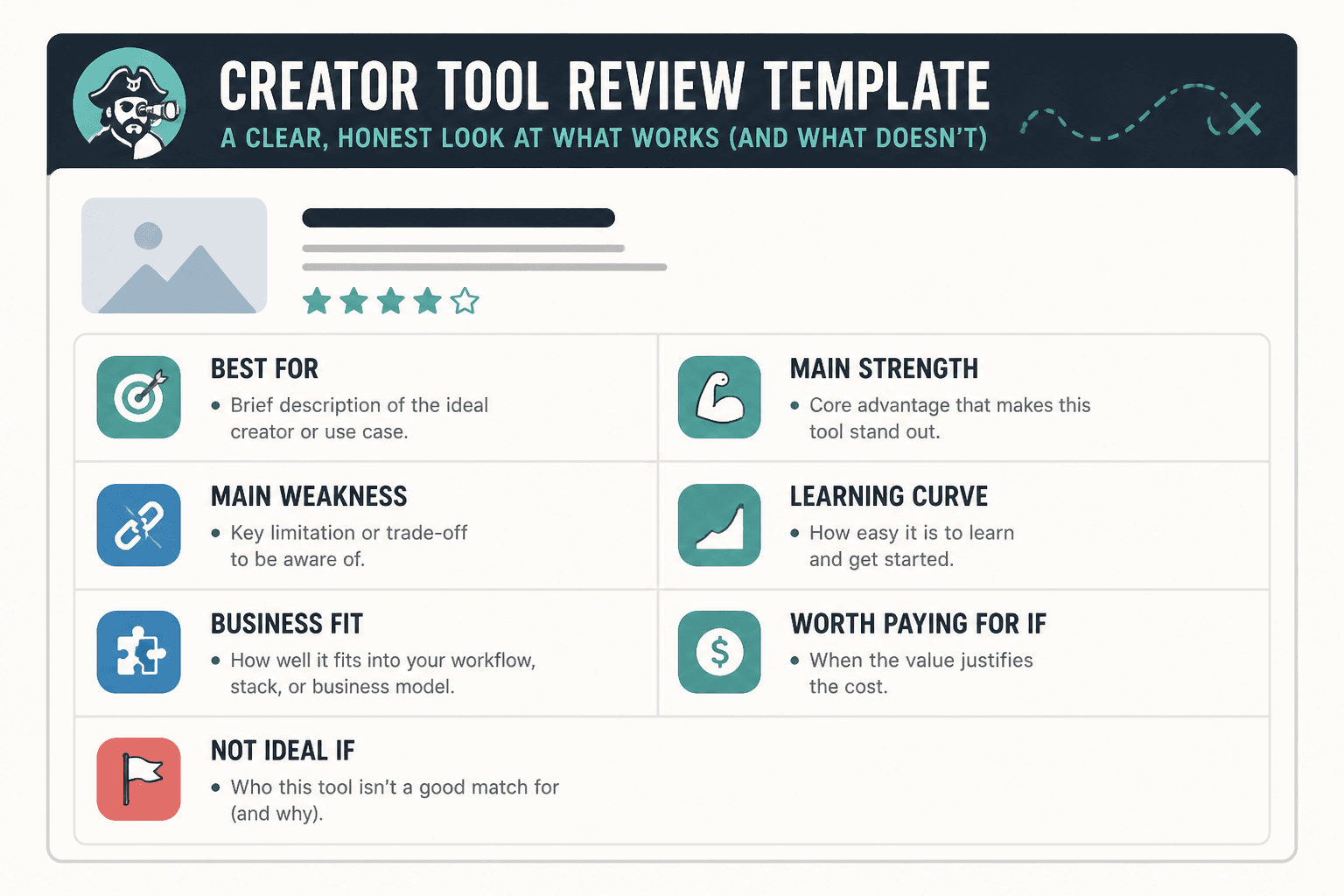
If you are reading reviews or even writing them for your own audience, this is the structure that tends to be most honest and most helpful.
- Best for: the type of creator and use case
- Main strength: the core job it does well
- Main weakness: where it breaks, drags, or gets irritating
- Learning curve: light, moderate, or annoying
- Business fit: audience growth, workflow, trust, leads, or sales
- Worth paying for if: a plain-language buying threshold
- Not ideal if: who should skip it
That structure respects the fact that creators do not all need the same thing. It also prevents the usual review sin: praising software in a vague cloud of adjectives while never quite saying who should touch it.

Quick FAQ
How many tools should a creator use in 2026?
Fewer than you think. Start with the smallest stack that supports content creation, publishing, lead capture, and follow-up.
Are AI creator tools worth it?
Often, yes, for drafting, repurposing, organization, and variation testing. No, if you expect them to provide original taste, positioning, or trust.
Should solo creators buy all-in-one platforms?
Sometimes. They can be useful if simplicity matters more than perfect depth. But if the core feature is weak, “all-in-one” just means “all-in-one place to be mildly disappointed.”
What matters more: price or fit?
Fit. A cheap tool you avoid using is expensive in practice. A pricier tool that removes a serious bottleneck can be a bargain.
How do I know if a tool is actually helping my business?
Track one concrete outcome: time saved, content published, leads captured, conversions improved, or admin reduced. If nothing changes, the tool is decoration.
Choose tools that support the work, not the fantasy
The real point of reading the Best Tool Reviews for Creators in 2026 is not to build the prettiest stack. It is to build a business that runs with less friction and more clarity.
That means choosing tools that help you write sharper, publish more consistently, manage leads more cleanly, and move people toward a real next step. Not tools that merely make you feel organized for twenty minutes before you open another tab and forget why you bought them.
Buy for the actual bottleneck. Review for the actual use case. And if a tool cannot clearly help you create, distribute, convert, or simplify, it might be impressive, but it is probably not necessary.
The bigger point is simple: clearer structure and clearer writing make the piece more useful. That is usually what makes the ending land better too.