
A draft is open in one tab, a product page is open in another, screenshots are piling up in a downloads folder with no naming system, and the comparison table is still pretending to be “in progress” while the deadline moves closer. That is not a writing problem. It is a toolchain problem. The fix is not a bigger stack with more dashboards and more tabs. It is a lean system that helps you move from research to testing to draft to publish without turning every handoff into a small administrative tragedy.
This guide focuses on the tools that actually support tool reviews for creators: the ones that help you gather evidence, compare options, write clearly, format the page, and keep the piece updated after it goes live. For the broader cluster context, see the tool reviews parent guide.
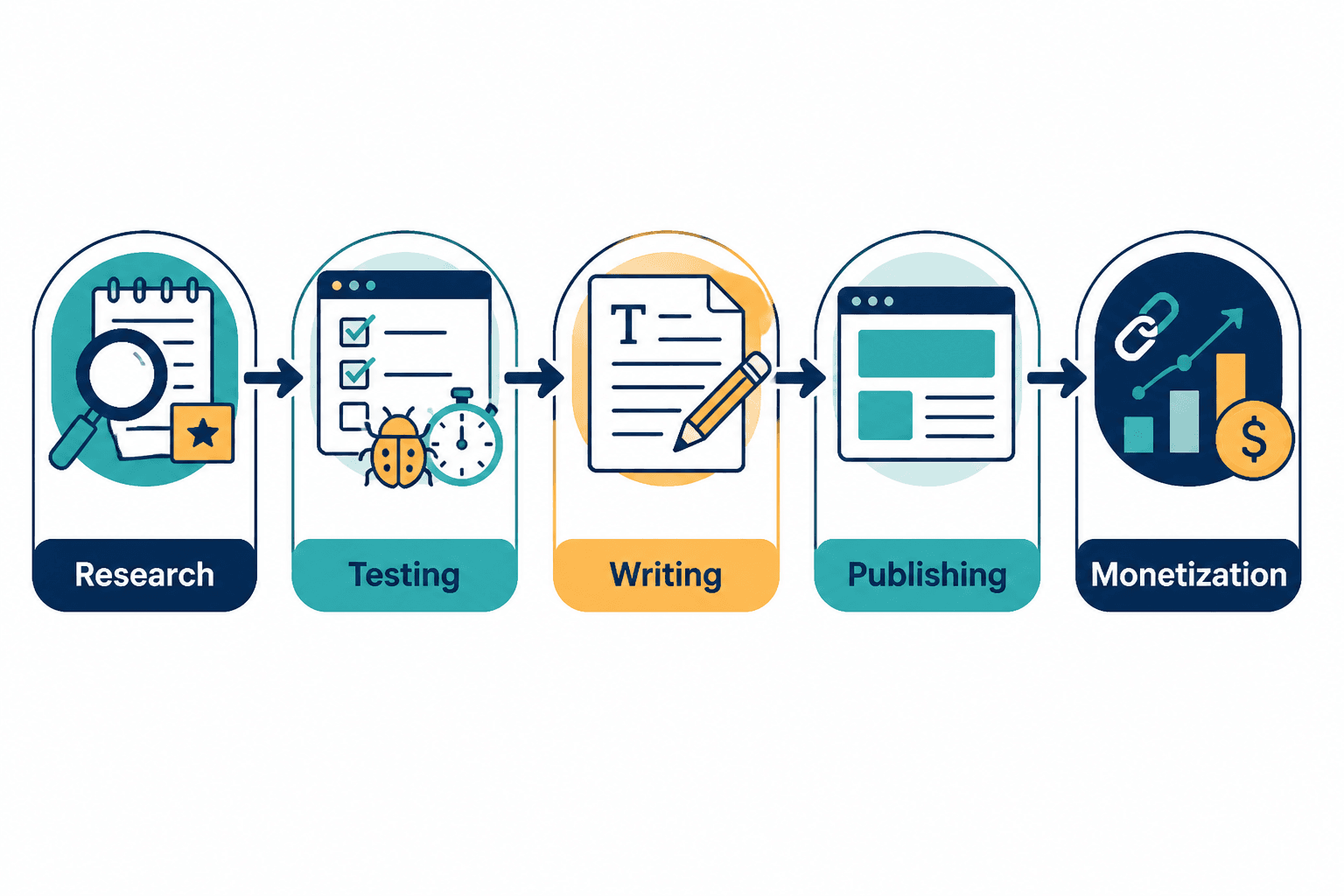
What a tool review workflow actually has to do
A useful tool review is not just a verdict with affiliate links. It has to do a few specific jobs:
- Capture evidence while you test the product, not after memory has started editing the facts.
- Separate features from fit so the reader can see what matters for a real use case.
- Compare options consistently instead of changing standards every time a tool looks better in a fresh tab.
- Write fast enough that the review is still timely when it publishes.
- Format clearly so the page is scannable before it is persuasive.
- Support monetization without clutter so the page does not read like a sponsored maze.
- Stay updateable because tool products change constantly and stale reviews age badly.
That means the best tools for writing tool reviews are not necessarily the flashiest ones. They are the ones that reduce friction at the moments when the process usually falls apart.
The lean tool stack for creators writing tool reviews
You do not need a warehouse full of software. You need a stack with clear roles. The categories below cover most of what a creator needs to produce a strong review without dragging the workflow into tool-hoarding territory.
1. Research and discovery tools
Start with tools that help you figure out what the product actually is, who it is for, and what readers are already trying to learn about it.
- Search and keyword tools for identifying intent, phrasing, and common questions.
- Browser research tools for collecting source pages, product docs, and feature references.
- Note capture tools for saving observations while the research is still fresh.
The point here is not to collect every data point possible. The point is to identify the buyer questions that the review should answer. That is the difference between a useful article and a feature tour with opinions attached.
2. Testing and documentation tools
This is the heart of the stack. If the review is built on vague impressions, the final article will wobble no matter how polished the prose gets.
- Task logging tools to track what you tested and what happened.
- Checklist tools to make sure the same core tests happen for each product.
- Documentation tools to store observations, timestamps, and screenshots together.
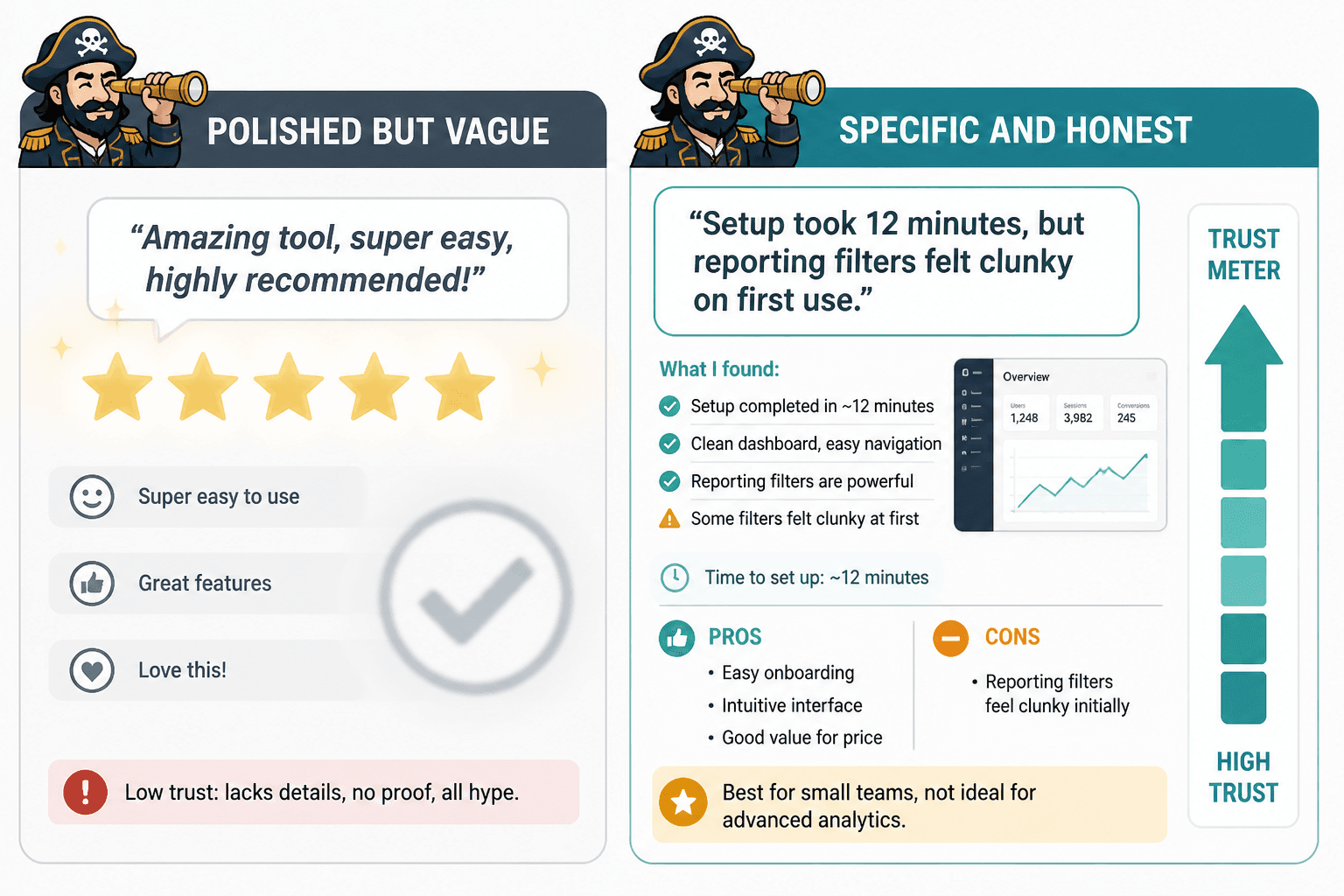
A small system with consistent notes usually beats a sprawling one with three competing truth sources. One clean record of what happened is worth more than six “I think it worked like this” paragraphs.
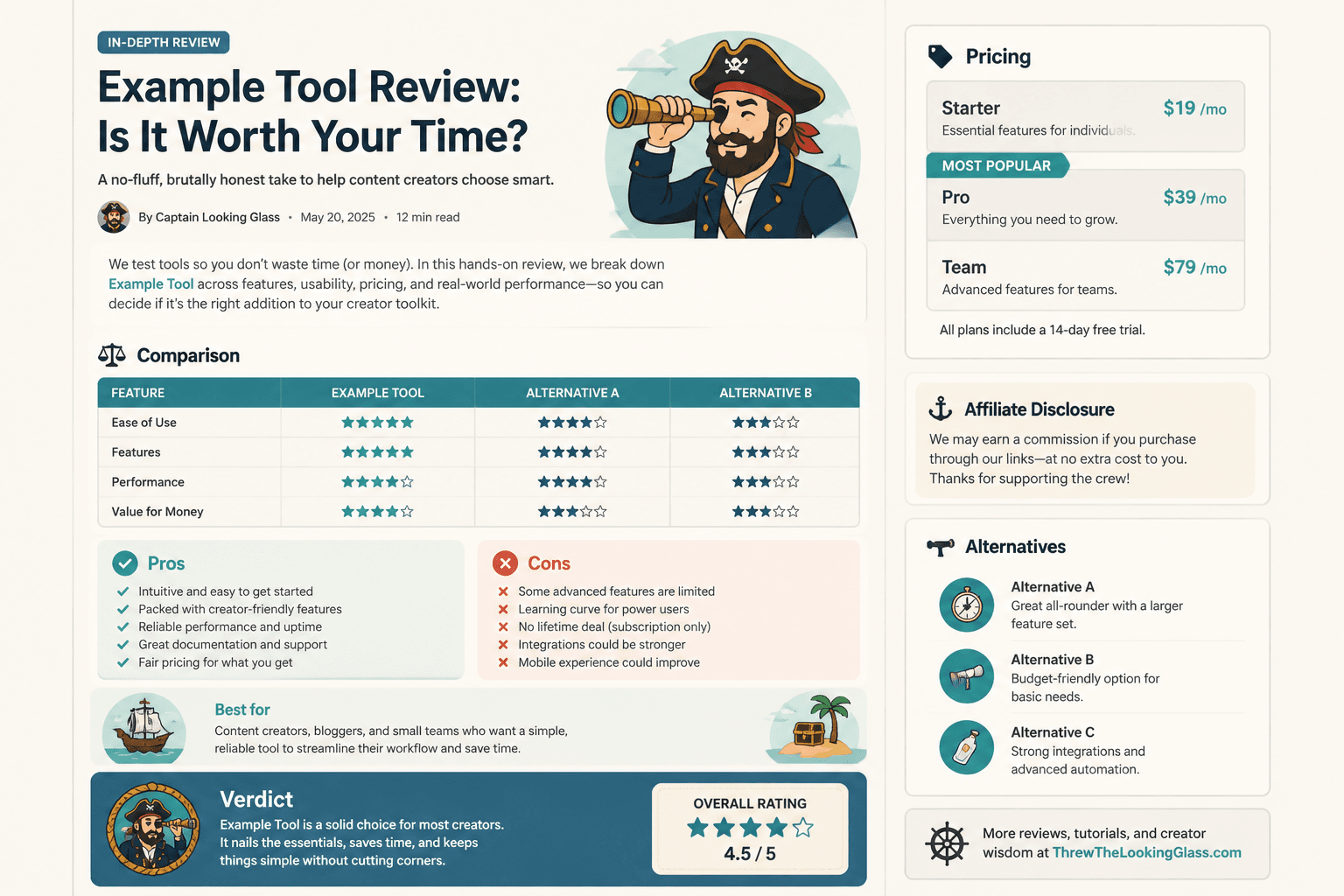
3. Screenshot and visual capture tools
Tool reviews often need visual proof: settings, workflows, pricing pages, output samples, and before/after comparisons. Screenshot tools and screen capture tools earn their keep quickly.
- Annotated screenshots help highlight the exact feature or problem being discussed.
- Screen recording tools are useful when the behavior is easier to show than describe.
- Image organization tools keep the visual evidence from becoming a drawer full of unlabeled receipts.
Use visuals to clarify, not decorate. A screenshot that shows the relevant limitation is useful. A gallery of random interface bits is just a calorie-free distraction.
4. Writing and drafting tools
Drafting tools need to do two things well: help you move quickly and help you keep structure under control. That usually means a writing environment with low friction, decent organization, and enough formatting support to keep the page readable.
- Outlining tools for structuring the comparison before drafting.
- Drafting tools for turning notes into a coherent review.
- Style and editing tools for catching clarity problems, repetition, and overstuffed phrasing.
The best setup here is boring in the best way. You want fewer excuses to delay the actual writing.
5. Publishing and formatting tools
Once the review is written, the next problem is presentation. A strong review still loses credibility if the page layout is messy or hard to scan.
- CMS tools for clean publishing and easy revision.
- Formatting helpers for tables, headings, callouts, and comparison blocks.
- Preview tools for checking the page before it goes live.
Good formatting does not make the argument for you, but it gets the reader to the argument without friction. That matters.
6. Link management and monetization tools
For creator-focused tool reviews, monetization is part of the stack. The goal is to make links useful and unobtrusive, not sticky in the worst way.
- Link management tools for organizing affiliate destinations and keeping them current.
- Tracking tools for seeing which pages or placements actually do anything.
- Disclosure helpers for making the relationship clear without making the copy awkward.
Keep this layer simple. A review that has to fight through too many redirects or too much visual noise starts to feel less like advice and more like a checkout line.
7. Update tracking tools
Tool reviews decay. Pricing changes, features move, competitors launch, screenshots become stale, and the page quietly starts describing a product that no longer exists in quite the same form.
- Content tracking tools for refresh dates and review status.
- Audit reminders for checking pricing, UI changes, and link health.
- Comparison logs for noting when a recommendation should be revised.
This is the least glamorous part of the stack and one of the most valuable. A review that stays accurate keeps earning trust after the publish date has stopped being interesting.
How to choose tools without overbuilding the stack
The easiest mistake is assuming every category needs a separate best-in-class app. That is how a simple review process becomes a haunted airport of subscriptions.
Use these filters instead:
- Does it reduce a real bottleneck? If not, it is probably garnish.
- Does it fit the way you already work? A tool that requires a ritual to remember the ritual is not helping.
- Does it support repeatability? Good review workflows can be used again with less effort, not rebuilt from scratch every time.
- Does it make evidence easier to trust? The best tools improve accuracy, not just aesthetics.
- Does it help the reader decide? That is the whole point of the page.
A compact stack usually wins. One research tool, one note system, one capture tool, one writing environment, one publishing system, and one link/update layer can carry a lot of review work without becoming a second job.
A practical workflow from idea to published review
Here is the kind of workflow these tools should support:
- Find the topic by checking search intent, product relevance, and buyer questions.
- Test the tool against a short checklist that matches the use case.
- Capture evidence with screenshots, notes, and short observations.
- Build the outline around the decision the reader actually needs to make.
- Draft the review using a repeatable structure: overview, strengths, limitations, use case fit, verdict.
- Format the page so comparisons, tables, and verdicts are easy to scan.
- Add links and disclosures without burying the main argument.
- Schedule a refresh so the review does not drift into irrelevance.
If you want a deeper framework for the article structure itself, the sibling guide on creator tools and review frameworks for tool reviews is the better next stop.
Tool-review quality checks before publishing
Before a review goes live, run a quick check against the usual failure points:
- Did the review answer a specific buyer question?
- Did the testing section show real evidence?
- Did you include at least one meaningful limitation?
- Did the recommendation match the use case, not just the feature list?
- Did the comparison section actually compare something?
- Did the page stay readable on mobile?
- Are the affiliate links and disclosures clear?
- Is there a plan to update the post later?
This is where a good stack pays for itself. The right tools make these checks routine instead of heroic.
Where this fits in the tool reviews cluster
This page is about the operating system behind the review, not the review angle itself. For adjacent guidance, these pages fill in the rest of the picture:
- How to compare tool reviews with buyer questions without bias
- Tool reviews examples that actually help a buyer decide
- How to use tool reviews in a creator funnel
- Best tool reviews for creators in 2026
Put together, those pages cover the review framework, the decision logic, the funnel role, and the supporting stack. That is enough structure to keep the whole thing from drifting into “content about content” territory, which is a tax nobody needs.
Bottom line
The best tools for writing tool reviews are the ones that remove friction from the exact places review content tends to break: research, evidence capture, drafting, formatting, linking, and updates. Keep the stack lean. Make every tool earn its slot. Then use the system to produce reviews that are specific, useful, and actually helpful when a reader is trying to decide what to buy.