
Prompt engineering sounds more technical than it is. A lot of beginners hear the phrase and assume it means coding, model tuning, or some secret AI-wrangling skill practiced by people with three monitors and a superiority complex.
Usually, it just means giving ChatGPT better instructions so it gives you better output.
That is the core of it. Not magic. Not wizardry. Just clearer inputs, better context, smarter constraints, and less lazy prompting.
If you’ve ever typed something into ChatGPT, gotten a bland answer back, and thought, “Well, that was useless,” prompt engineering is the thing that helps fix that. It won’t make bad ideas brilliant. It won’t turn a weak offer into a strong one. But it can help you get more useful drafts, sharper brainstorming, cleaner summaries, better workflows, and fewer AI-generated paragraphs that sound like they were raised by corporate wallpaper.
Here’s how prompt engineering in ChatGPT actually works, why it matters, and how to use it without overcomplicating the whole thing.
Prompt engineering in ChatGPT is the practice of writing prompts in a way that improves the quality, relevance, tone, and usefulness of the response.
A prompt is the instruction you give the AI. Prompt engineering is how you shape that instruction so the model has a better chance of giving you what you actually meant, not what you vaguely hinted at while hoping it would read your mind.
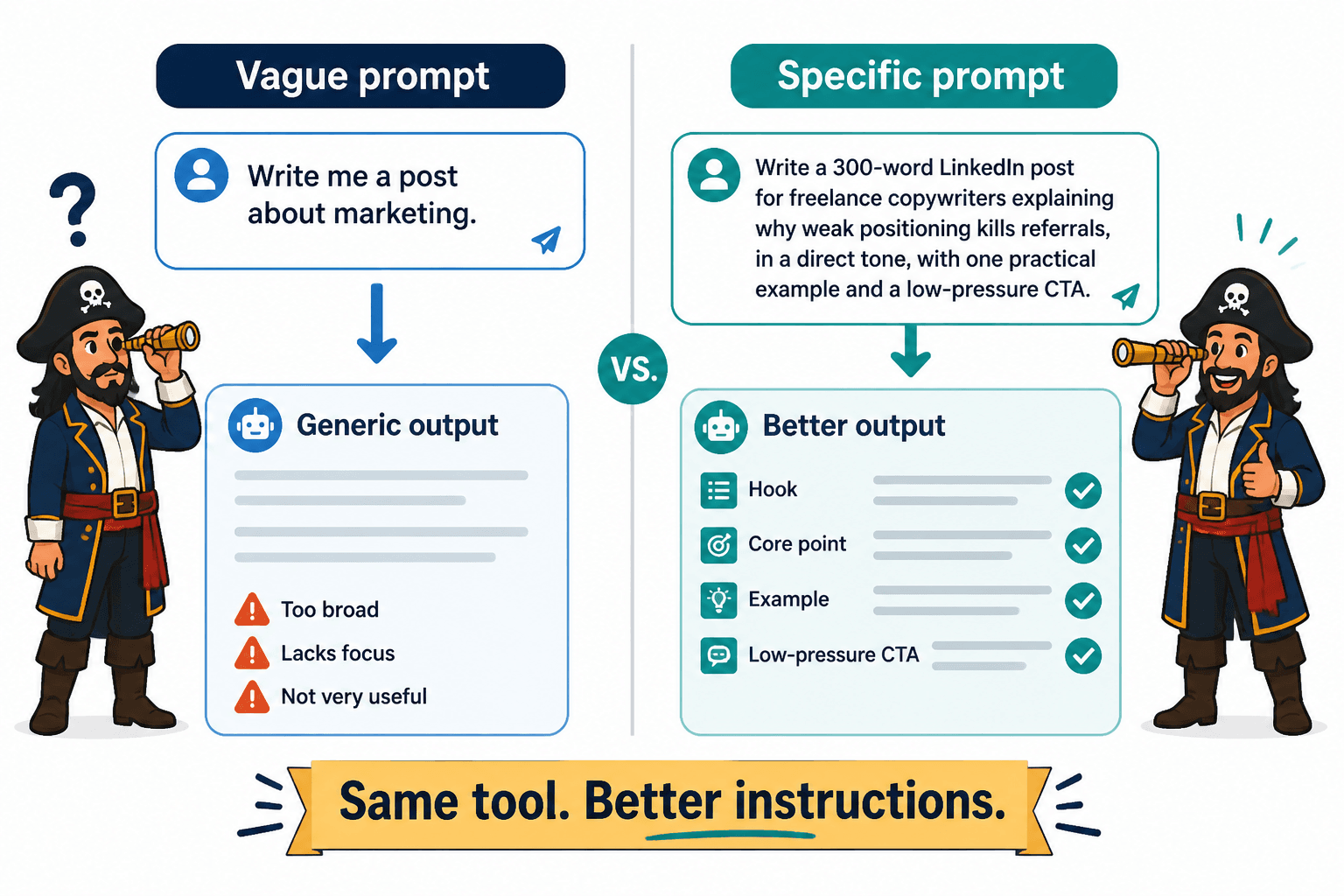
Think of it like briefing a freelancer. If you say, “Write me a post about marketing,” you’ll get something generic. If you say, “Write a 300-word LinkedIn post for freelance copywriters explaining why weak positioning kills referrals, in a direct tone, with one practical example and a low-pressure CTA,” the output tends to get much better.
Same tool. Better instructions.
That is prompt engineering.
Want the broader roadmap? Start with the parent guide.
Why prompt engineering matters
Beginners often use ChatGPT like a search bar mixed with a wish. Then they judge the tool based on whatever average sludge comes back.
The problem is not always the tool. Sometimes the prompt is doing absolutely none of the heavy lifting.
Good prompt engineering helps you:
- get more relevant responses
- save time on rewriting and cleanup
- match a specific tone or format
- reduce vague, repetitive output
- generate better ideas and examples
- use ChatGPT as a workflow tool, not just a text machine
It also helps you spot one of the biggest misunderstandings around AI writing tools: ChatGPT is not best used as a button you press for finished content. It works better as a collaborator, assistant, drafter, organizer, and thinking partner.
That only happens when your prompt gives it something solid to work with.
What a good prompt usually includes
You do not need some giant, theatrical mega-prompt every time. A good prompt just gives ChatGPT enough direction to be useful.
The strongest prompts usually include some mix of these five things:
1. A clear task
Say what you want it to do.
- Summarize this article
- Rewrite this email
- Brainstorm 10 hooks
- Turn these notes into a thread
- Explain this concept simply
Simple, yes. But a weird number of prompts skip this and just throw a topic at the model like it should figure out the assignment itself.
2. Context
Give background that helps the model understand the situation.
For example:
- who the audience is
- what the content is for
- what stage of the funnel it supports
- what you already have
- what problem you’re trying to solve
Without context, ChatGPT fills in the blanks with whatever patterns are most statistically likely. That is exactly how you end up with painfully generic copy.
3. Constraints
Constraints make the output sharper.
You can tell ChatGPT things like:
- keep it under 200 words
- use a direct tone
- avoid cliches
- write at a beginner level
- include 3 examples
- do not use bullet points
- make it sound like a practical consultant, not a hypey marketer
People often think more freedom means better creativity. With AI, more freedom often means more fluff.
4. Format
If you want a list, say list. If you want a table, say table. If you want a short paragraph followed by examples, say that.
Format instructions are wildly useful because they reduce cleanup later.
5. Examples or reference material
If you give ChatGPT raw material, it usually performs better.
That could be:
- a draft to rewrite
- notes to organize
- a transcript to summarize
- sample copy to match
- brand voice guidelines
- an outline to expand
The model is much better at transforming, structuring, and refining input than inventing strong specifics from a vacuum.
A simple prompt formula for beginners
If you are new to this, use this basic prompt structure:
Act as [role]. Help me [task]. The audience is [audience]. The goal is [goal]. Use this tone: [tone]. Include [requirements]. Avoid [things to avoid]. Format it as [format].
That is not the only formula, but it is easy to use and hard to mess up.
Here’s a weak prompt:
Write a post about prompt engineering.
Here’s a stronger one:
Act as a practical content strategist. Write a 500-word beginner-friendly article section explaining what prompt engineering in ChatGPT is. The audience is creators and solo business owners who are curious about AI but not technical. Use plain English, short paragraphs, and a direct tone. Include one simple example comparing a weak prompt with a stronger one. Avoid jargon and hype.
That second prompt gives the model a role, audience, tone, task, scope, and useful limits. So the answer has a much better shot at being usable.
Weak prompts vs better prompts
The easiest way to understand prompt engineering is to compare bad prompts with better ones.
| Weak prompt | Better prompt |
|---|---|
| Write a bio for me. | Write a short LinkedIn bio for a leadership coach who helps first-time managers lead with more clarity and less people-pleasing. Keep it under 220 characters. Make it sound credible and human, not corporate. |
| Give me content ideas. | Give me 15 LinkedIn post ideas for a freelance brand strategist who wants to attract founders. Focus on positioning mistakes, messaging clarity, client red flags, and practical brand advice. |
| Make this better. | Rewrite this sales email to sound more confident and less needy. Keep the offer the same, cut filler, and make the CTA feel low-pressure. |
| Explain SEO. | Explain SEO in plain English for a service-based business owner who hates jargon. Use one analogy and keep it under 300 words. |
Notice what changes: the better prompts are not dramatically longer. They are just clearer. That matters more than trying to sound clever.
Common prompt engineering mistakes beginners make
Most prompt problems are not advanced problems. They are basic instruction problems.
Being too vague
If your prompt could apply to a thousand situations, the answer will usually sound like it was written for none of them.
Expecting one prompt to do everything
You do not always need one perfect prompt. Often, the better move is a sequence:
- first, brainstorm ideas
- then, pick the strongest one
- then, build an outline
- then, draft
- then, rewrite for tone and clarity
Trying to get all of that from one giant instruction often creates a weird, overloaded result.
Giving no source material
If you want content based on your expertise, give it your expertise. Notes, voice memos, messy bullets, client questions, workshop transcripts, and rough drafts are all useful inputs.
If you give it nothing, it gives you internet soup.
Leaving tone up to chance
If you care how something sounds, say so. Otherwise ChatGPT tends to default to a polished, generic style that often feels a bit too eager to help and a bit too empty to trust.
Not iterating
Prompt engineering is not only about the first prompt. It is also about follow-up prompts.
You can say things like:
- make this less formal
- give me three stronger alternatives
- tighten the opening
- cut the cliches
- add a practical example
- turn this into bullets
- rewrite it for LinkedIn instead of email
That back-and-forth is part of the process. You are shaping the output. Not pressing a magic button and hoping for enlightenment.
What prompt engineering can and cannot do
This part matters because AI hype has broken some people’s brains a little.
Prompt engineering can help you get better results from ChatGPT. It can make your workflow faster and cleaner. It can improve brainstorming, summarizing, drafting, rewriting, outlining, repurposing, and idea development.
It cannot replace judgment, clear thinking, or a strong point of view. But it can help you reach a useful draft faster when you know what you are asking for and why.
That is the real value of prompt engineering. It is not magic syntax. It is learning how to give better instructions so the tool becomes easier to direct and easier to edit.