
A description can start in a notes app, get half-fixed in an AI writer, move into a content doc, then land in a product page field sounding like it was assembled by three people and a spreadsheet. That is usually the bottleneck: not a lack of tools, but too many handoffs. The useful move is to pick a lean system that helps you capture the offer, shape the message, tighten the wording, and publish without the copy falling out of the cart on the way.
This guide focuses on the tools that actually help with product and service descriptions: drafting tools, template tools, and the storefront or page-building tools where the final copy has to live. If you want the broader framing first, the parent guide on product and service descriptions covers the core principles. For concrete wording patterns, the examples page is the better companion.
What good tools should actually help you do
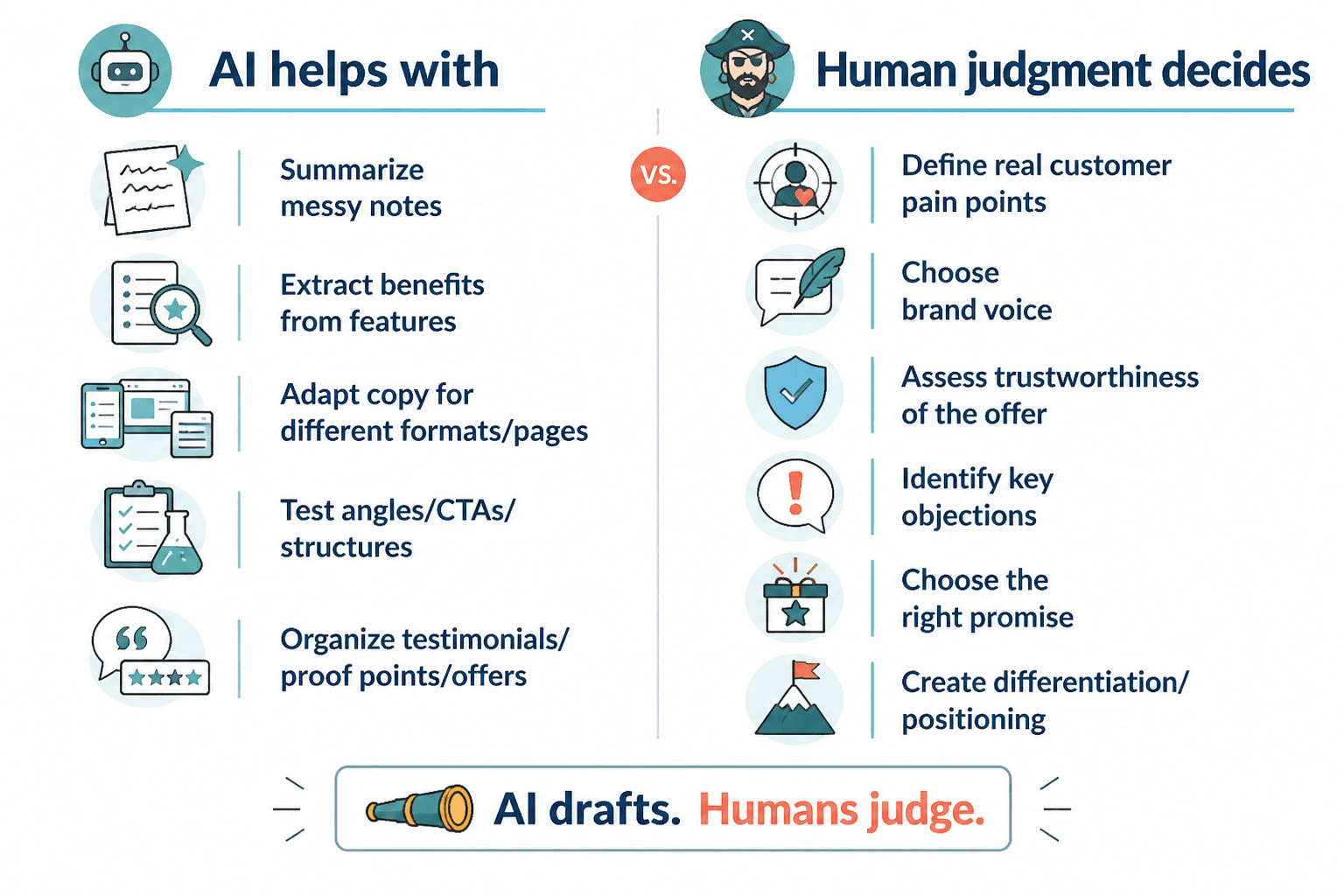
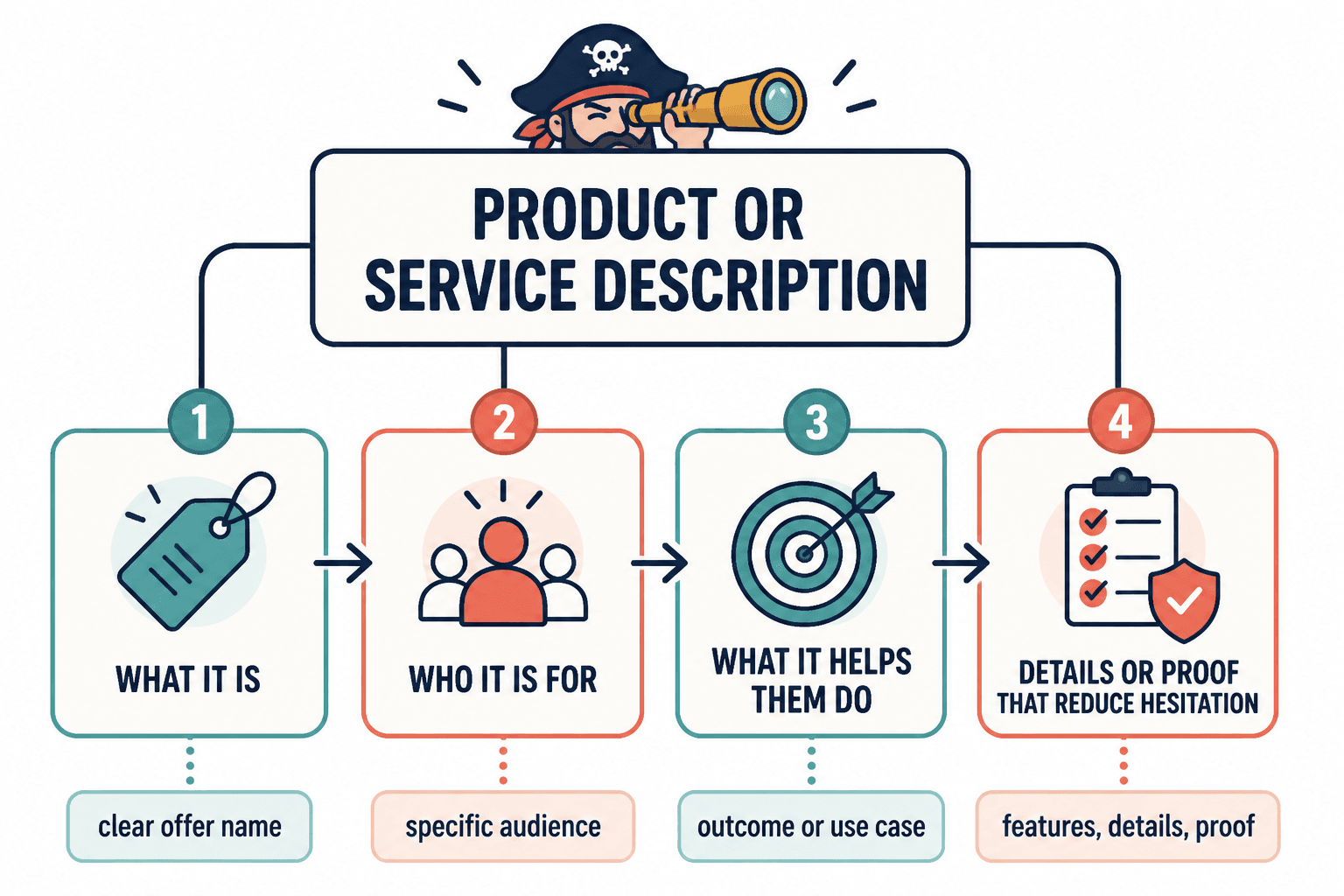
The best tools do not just “write faster.” They help you reduce the number of decisions a reader has to make. A strong product or service description should make it obvious what is being sold, who it is for, what problem it solves, and why the offer is worth a closer look.
That means the tool should help with a few specific jobs:
- Clarify the offer so the first sentence does not drift into fog.
- Turn features into benefits instead of listing specs like a distracted catalog.
- Keep the structure clean so the reader can scan without doing interpretive dance.
- Adapt tone and length for product pages, service pages, summaries, and short checkout copy.
- Support editing so the final version is tighter, not just longer and more confident.
If a tool only gives you more words, that is not a win. That is a better-funded problem.
The three tool categories that matter most
For this kind of copy, the useful stack is usually smaller than people expect. You do not need twelve apps. You need three functions that play nicely together.
1. Copy drafting and rewriting tools
These are the AI writing tools that help you generate a first draft, rewrite a messy one, shorten a paragraph, or produce variants for different channels. They are best when the input is clear and the output has a human editor nearby.
Use them for:
- first-pass description drafts
- headline and subhead variations
- benefit-focused rewrites
- shorter versions for listings, previews, and summaries
These tools are useful, but they are not decision-makers. They will happily make an unclear offer sound more confident, which is not the same thing as making it clearer.
2. Messaging and template tools
Template tools are where structure gets less annoying. They help you decide what goes first, what gets cut, and how to keep a description from wandering into a motivational speech about itself.
This is where the strongest templates from the sibling article fit in. The ones worth reusing are simple, because simple tends to survive contact with real products and services:
- The simple outcome template – what the product or service helps the customer achieve.
- The problem-solution-detail template – what hurts, what fixes it, and what the offer includes.
- The feature-to-benefit template – what it does, and why that matters.
- The “what it is / who it is for / why it works” template – a clean universal structure.
- The short ecommerce template – compact, direct, and easy to scan.
- The service package template – useful when the offer is bundled, customized, or appointment-based.
Templates keep AI output from becoming a stylish puddle.
3. Storefront and page-building tools
These are the tools where the copy has to live: ecommerce platforms, landing page builders, CMS editors, and checkout systems. They matter because a description is not done when it sounds good in a document. It is done when it works in the actual page layout, character limits, and content blocks the customer sees.
Use these tools to:
- check how copy reads in context
- adjust length for mobile and small modules
- test headings, bullets, and summaries in the real layout
- keep the final description aligned with the surrounding page
A polished draft that breaks in the page builder is still a broken draft.
How templates and AI work together
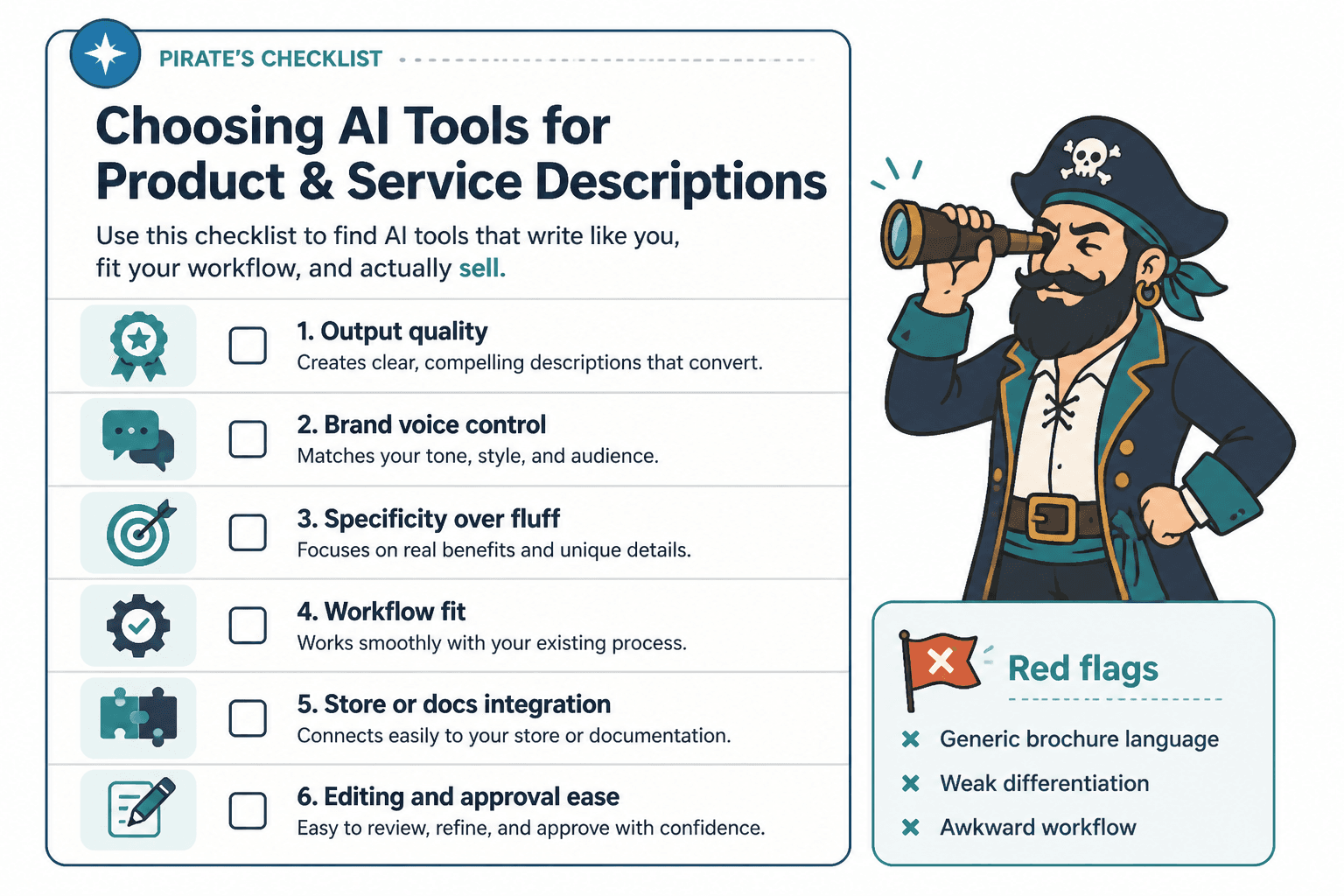
Templates and AI are better together than either is alone. The template sets the shape. The AI helps fill it in faster. The human editor keeps it honest.
A practical workflow looks like this:
- Start with a template that matches the offer.
- Give the AI a short brief: product, audience, problem, proof, and tone.
- Generate a rough draft or two, not twenty.
- Edit for clarity, specificity, and length.
- Test the result in the actual page or product listing.
That order matters. If you let the tool invent the structure first, you often end up editing a paragraph that never should have existed.
The templates that usually work best
- Simple outcome: best when the customer already understands the category and just needs the payoff.
- Problem-solution-detail: best when the pain point is obvious and the offer needs to feel grounded.
- Feature-to-benefit: best when the product has specific capabilities that need translation into customer value.
- What it is / who it is for / why it works: best as a default for mixed product-service offers.
- Short ecommerce: best when space is tight and the reader is browsing quickly.
- Service package: best when the offer includes steps, deliverables, or deliverable bundles.
For more wording patterns, the examples page is a good place to compare how the same offer changes when the structure changes.
How to choose a lean toolchain
You do not need the “best” tool in the abstract. You need the fewest tools that let you move from messy input to publishable copy without making each handoff slightly worse.
A lean toolchain usually looks like this:
- One place to gather raw notes – customer language, product details, service scope, proof points.
- One drafting tool – for first versions and rewrites.
- One structure tool – a template doc, prompt system, or messaging framework.
- One publishing environment – the actual storefront, CMS, or landing page builder.
If a tool does not help with a real step in that chain, it is probably decorative. Decorative software has a way of sounding useful while quietly expanding the to-do list.
A practical workflow from research to publish
Here is a simple workflow that keeps the copy grounded.
- Collect source material. Pull in customer questions, product specs, service scope, objections, and any proof you can honestly use.
- Pick the template. Match the structure to the offer instead of forcing every page into the same mold.
- Draft with AI. Ask for a narrow output: one version for the main description, one shorter version for scan-friendly use, one variation if needed.
- Edit manually. Remove filler, vague claims, and anything that sounds like it was generated under fluorescent lighting.
- Check in context. See how the copy fits alongside the headline, bullets, pricing, images, and CTA.
- Refine after launch. Use behavior and feedback to improve the wording, not your assumptions about what should have worked.
This is where a useful AI system pays off: not by replacing judgment, but by reducing the time spent wrestling with the blank page.
Common mistakes when using AI for product and service descriptions
There are a few familiar ways these tools go sideways.
- Writing from the prompt, not the offer. The tool sounds smart, but the copy does not match the real product.
- Confusing length with clarity. More words do not equal more persuasion.
- Skipping the customer lens. The page explains the business instead of the buyer’s problem.
- Using one generic structure everywhere. A service package and a physical product rarely need the same shape.
- Leaving the final edit to the machine. The machine is not allergic to vagueness. It is extremely comfortable there.
For broader copy structure advice, the parent guide on product and service descriptions is the right place to zoom out before you revise.
When to use examples instead of more tools
Sometimes the problem is not the software stack at all. It is that the team has not seen enough good patterns to copy the shape, not the wording. That is when examples help more than another tool trial.
Use examples when you need to:
- compare short and long description styles
- see how different offers are framed
- understand how structure changes tone
- borrow a layout without borrowing the actual copy
Tools are useful for drafting. Examples are useful for judgment. You generally want both, but the examples page tends to do the harder emotional work: it shows what “good” looks like without pretending it arrived by magic.
Pick fewer tools, use them better
The point of AI tools for product and service descriptions is not to build a flashy stack. It is to make the copy process less chaotic and more intentional. A good system helps you move from raw notes to a clear offer, from a rough draft to a structured page, and from a decent sentence to one that actually supports the sale.
If your current process has too many tabs and not enough clarity, reduce the number of moving parts first. Then choose the tools that support the workflow you actually use. That is usually where the real speed lives.
Start with the parent guide on product and service descriptions, then use the examples page to pressure-test the structure. Once the shape is right, the tools become genuinely helpful instead of politely noisy.