
A draft sits open in one tab, research notes are scattered across three others, the scheduler wants copy in a slightly different format, and the “final” version keeps losing half its shape every time someone tries to make it look cleaner. That is not a creativity problem. It is a toolchain problem. The answer is not a bigger stack with more dashboards and more tabs. It is a lean system that helps you move from idea to hook to formatted post without turning every handoff into a small administrative tragedy.
This article is about choosing the useful pieces: the AI tools that help you write stronger LinkedIn hooks, the tools that make formatting less annoying, and the workflow that keeps both from becoming a mess.
What good LinkedIn hooks and formatting actually do
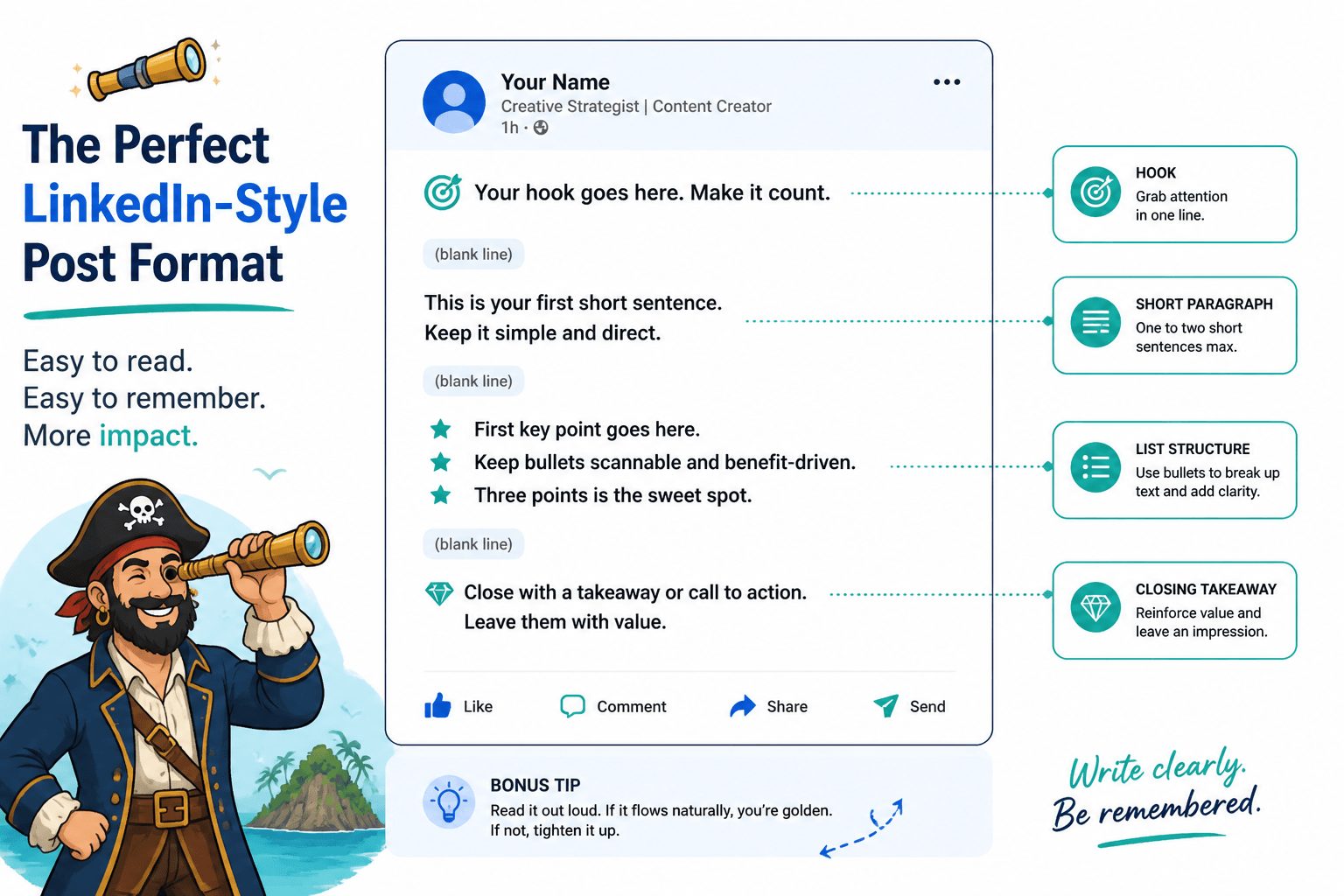
Hooks and formatting are not separate jobs. The hook gets the reader to keep going. The formatting decides whether they actually can.
A strong first line creates a reason to continue. Good formatting makes that continuation easy: short paragraphs, clear line breaks, and enough visual breathing room that the post does not feel like a wall of obligation. On LinkedIn, that matters because people are usually scanning before they are reading.
If you want the fuller strategic version of that idea, the parent guide lives here: LinkedIn hooks and formatting.
LinkedIn’s own profile and posting guidance also reflects this basic truth: clarity, structure, and relevance beat decorative chaos. That is not exactly a shocking revelation, but it is useful.
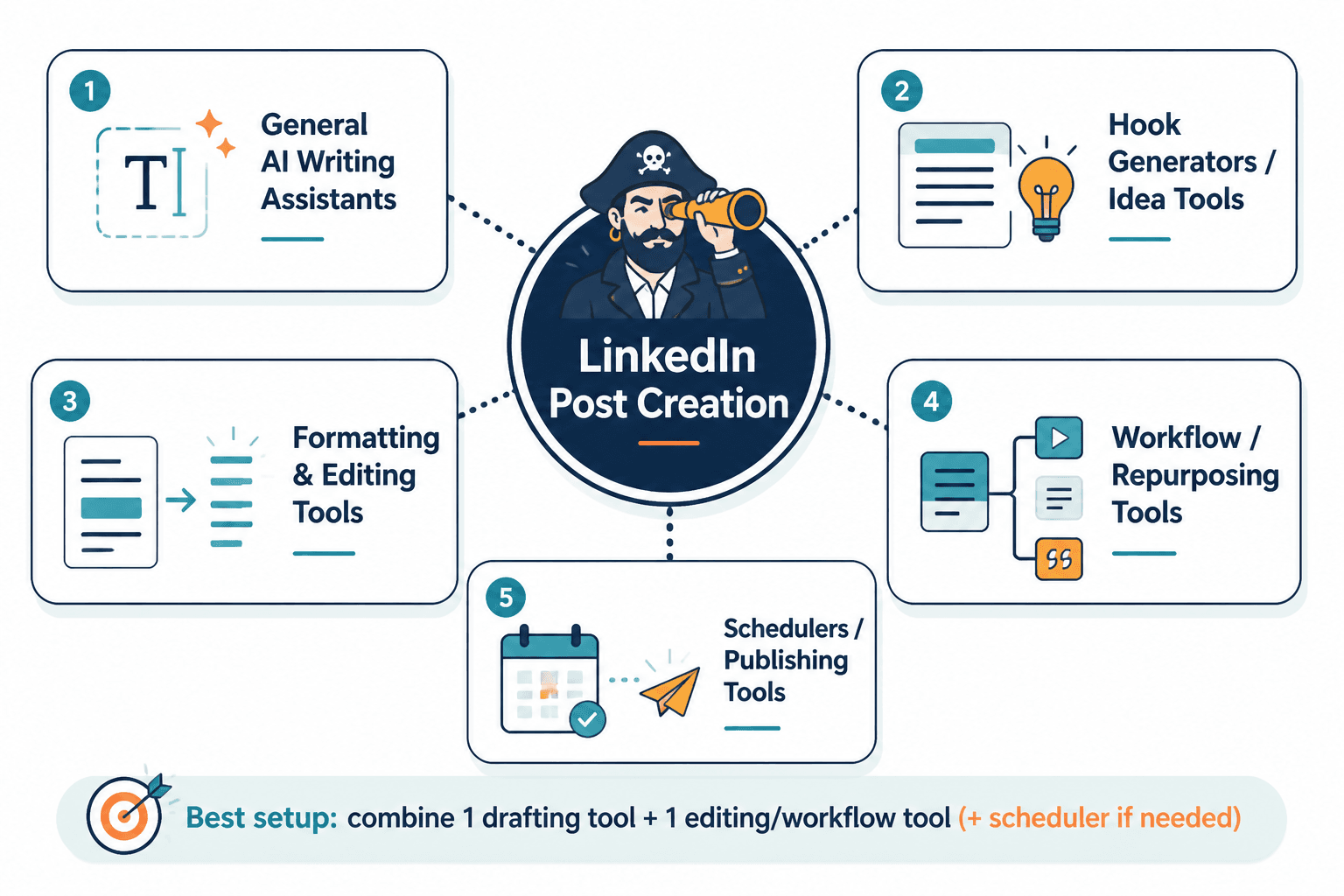
The 4 tool categories that matter most
You do not need fifteen AI subscriptions to write a decent LinkedIn post. You need a small set of tools that solve different parts of the same workflow.
- Writing and rewriting tools for hooks, angle testing, and cleanup.
- Idea storage and template tools for saving hook patterns, examples, and source notes.
- Scheduler tools for formatting, previewing, and publishing cleanly.
- Analytics and testing tools for seeing which hooks and structures actually hold attention.
That is the lean version. If a tool does not help at least one of those jobs, it is probably just expensive decoration.
Best AI tools for drafting LinkedIn hooks
The first job for AI is not “write the whole post.” The first job is to give you options that are better than the first tired sentence your brain produced at 4:40 p.m.
Useful drafting tools should help you do three things:
- generate several hook variations from one idea,
- tighten vague phrasing into something specific,
- adjust tone so the post sounds human instead of overbuilt.
That means the best tool is usually the one that makes fast iteration easy. A good hook tool should let you ask for a sharper angle, a shorter opening, a more conversational version, or a more direct benefit-led version without making you rebuild the prompt from scratch every time.
Practical ways to use AI here:
- Turn a rough topic into 5 hook options.
- Ask for “more specific,” “less salesy,” or “more contrarian” versions.
- Compare a plain hook against a more concrete one.
- Test whether the opening line earns the next sentence or just takes up space.
If you want examples of hook structures that work well with AI drafting, see best LinkedIn hooks and formatting ideas and examples for creators.
LinkedIn’s own publishing guidance is basic but helpful here: posts work better when they are clear, relevant, and easy to engage with. That sounds obvious until you open a draft that looks like a compliance memo with feelings.
Best tools for formatting and readability
Formatting tools matter because most posts are not lost for lack of insight. They are lost because the reader has to do too much work to find the point.
The best formatting tools help with:
- line breaks and spacing,
- mobile preview,
- consistent paragraph length,
- post structure that survives pasting between editors.
If you write in one app, paste into another, and schedule in a third, formatting is where things start to unravel. A tool that preserves spacing and lets you preview the post as it will actually appear can save more time than a “smart” feature no one uses.
For practical formatting patterns, the article on how to write better LinkedIn hooks and formatting is the more useful companion piece.
A simple workflow that keeps the stack lean
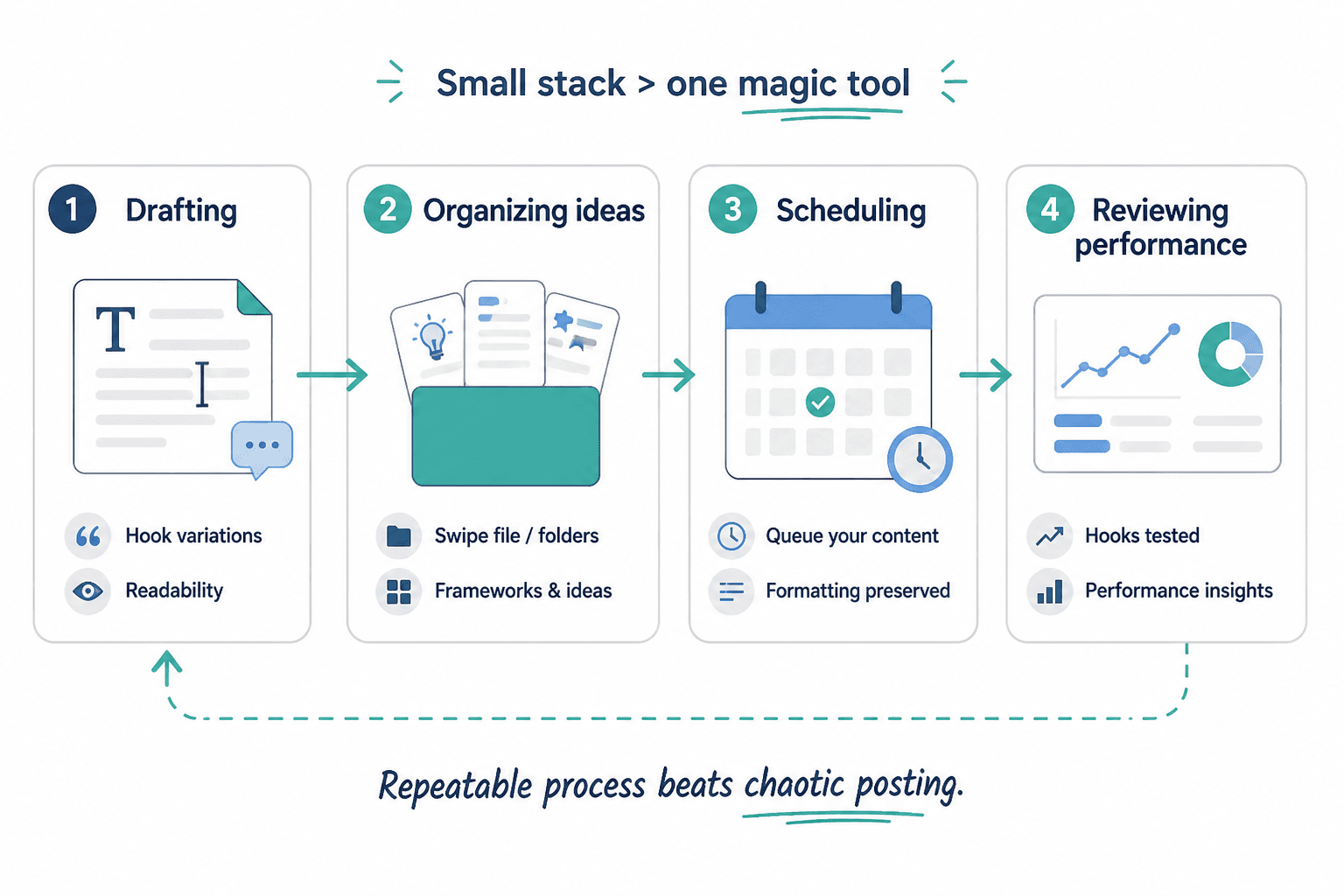
The real win is not using more tools. It is using fewer handoffs.
- Capture the raw idea. Save the thought, quote, question, or example before you try to make it elegant.
- Draft the hook. Use AI to create multiple first-line options.
- Choose the angle. Pick the opening that creates the clearest reason to continue.
- Format for scanability. Break up the text so it reads well on mobile.
- Preview in a scheduler. Check spacing, punctuation, and where the line breaks land.
- Review performance. Look at which hooks and structures earned attention, then reuse the pattern that worked.
If your current process needs a separate app for every step, that is a sign the stack is doing too much managerial cosplay.
For the version of this workflow that includes planning and scheduling more explicitly, see best writing tools and scheduler tools for LinkedIn hooks and formatting.
Hook templates AI can help you generate
AI is useful here because hook patterns are easier to vary than to invent from scratch every time. A few reliable structures cover a lot of ground.
1. The sharp opinion hook
Start with a direct point of view that avoids hedging.
Example pattern: “Most LinkedIn hooks fail because they try too hard to sound impressive.”
2. The mistake hook
Open by naming the common error.
Example pattern: “The biggest formatting mistake on LinkedIn is treating every post like a mini essay.”
3. The specificity hook
Use a concrete detail instead of a vague claim.
Example pattern: “One short sentence and two clean line breaks usually do more than a paragraph of ‘thought leadership.'”
4. The contrast hook
Set up a before/after or wrong/right comparison.
Example pattern: “A polished hook gets attention. A readable post keeps it.”
5. The mini-proof hook
Lead with a result, observation, or repeatable pattern.
Example pattern: “The simplest LinkedIn posts often outperform the ones that look the most edited.”
6. The direct utility hook
Promise a clear takeaway.
Example pattern: “Here are the AI tools that help you write faster without turning every post into a formatting repair job.”
These are not magic spells. They are starting points. The point of AI is to make them easier to test, not to replace judgment with enthusiasm.
How to choose the smallest useful stack
For solo creators, the best stack is usually one writing tool, one place to save ideas, and one scheduler that previews well.
For teams, add one layer of review and one place to store hook patterns so people stop reinventing the same opening every week in slightly different corporate clothing.
Before paying for another tool, ask:
- Does this improve the hook?
- Does this make formatting easier to scan?
- Does this reduce one handoff or just add another tab?
- Will I still use it after the novelty wears off?
If the answer is mostly no, keep walking. The best stack is the one that helps you publish clean work consistently, not the one with the most feature bullets.
Related reading: how to turn LinkedIn hooks and formatting into more leads or sales.
Bottom line
The best AI tools for LinkedIn hooks and formatting are the ones that reduce friction at the exact point where drafts usually break down: the opening line, the structure, and the handoff between apps. Start with a lean workflow, use AI for variations and cleanup, and keep the formatting simple enough that the post still works when it leaves your editor and lands in a feed.
That is the whole game, really. Less tooling theater. More readable posts.