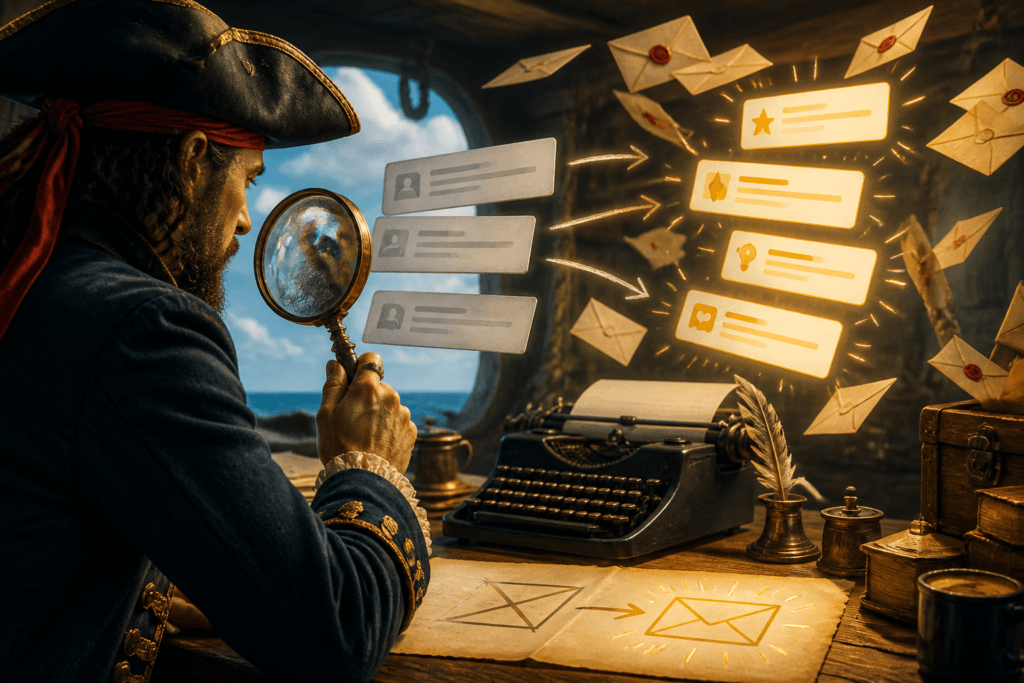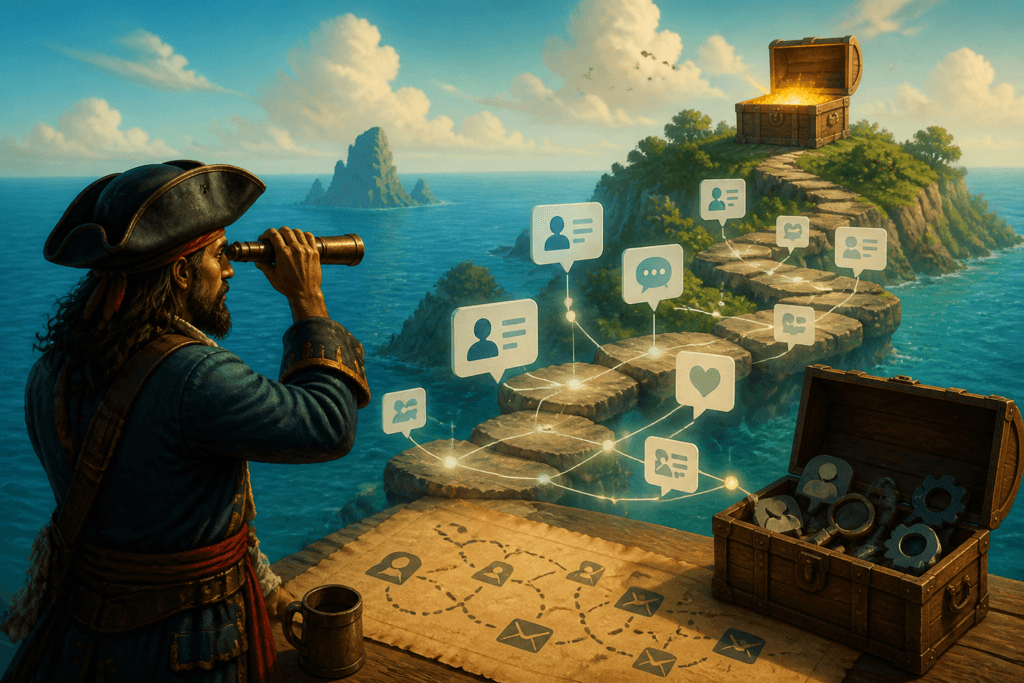
Audience work gets messy at the handoff points. One tab has content ideas, another has the landing page, the email tool is waiting for copy, and the CRM is quietly collecting leads like it has no intention of helping. That is usually where the process slows down: not in the idea itself, but in the gap between attention, trust, and the actual offer. The fix is not a bigger stack. It is a lean system where each tool does one useful job and the human still gets to make the judgment calls.
This guide looks at the AI tools that actually help with audience-to-offer journeys: planning, mapping, lead capture, nurturing, and follow-up. For the broader framework, start with how to write better audience-to-offer journeys or the parent guide on audience-to-offer journeys.
What an audience-to-offer journey needs before tools
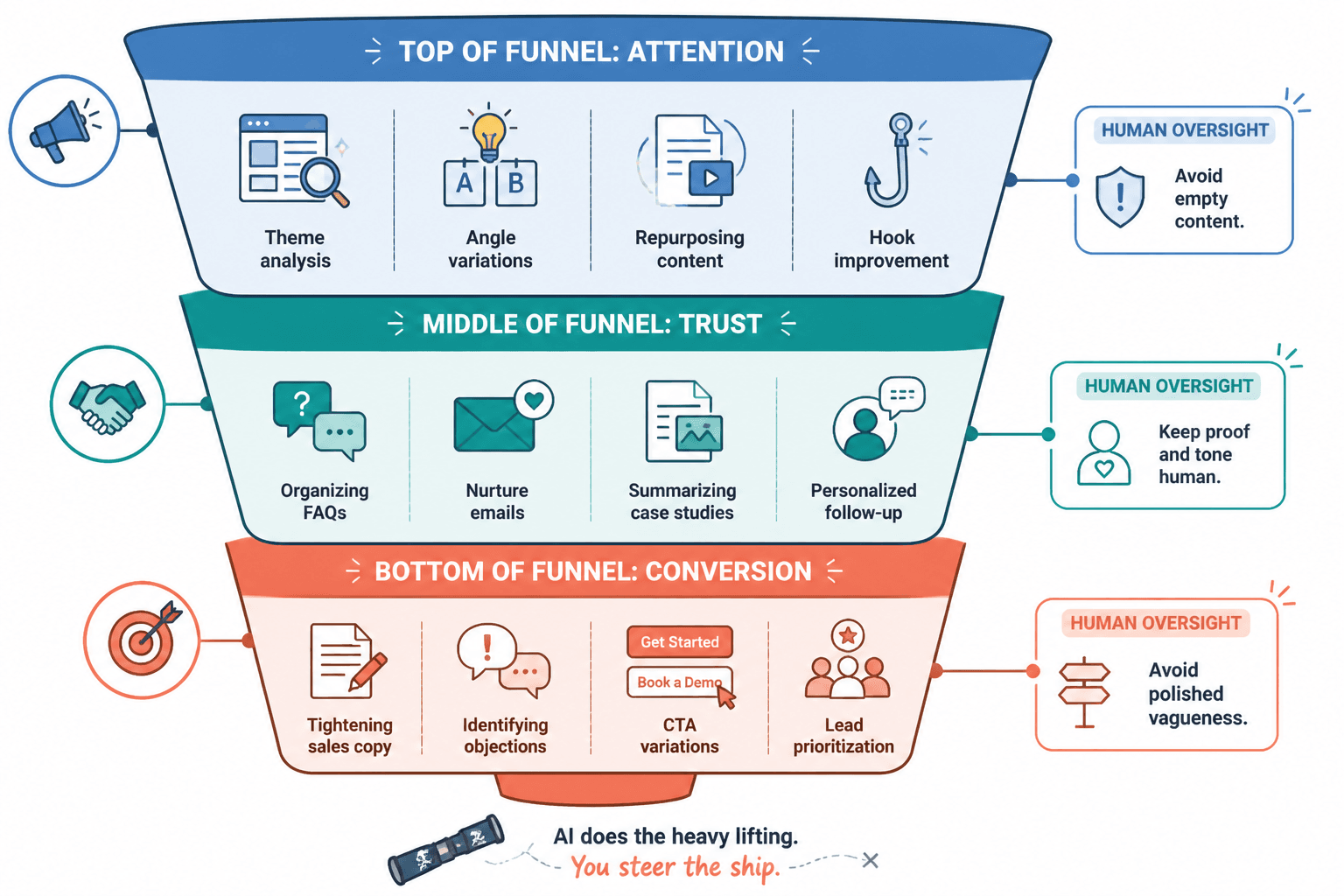
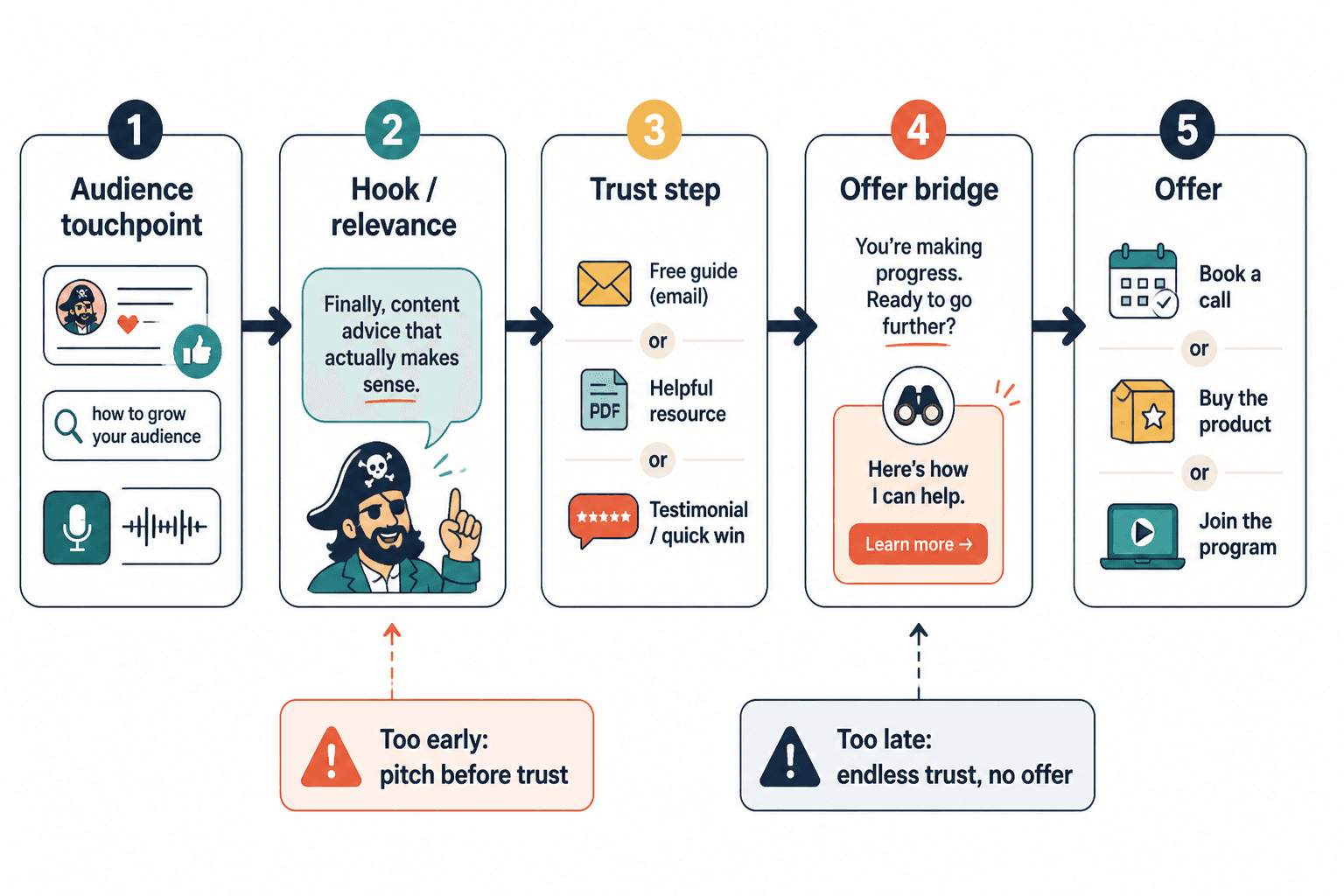
Before you pick software, you need to know what the path has to do. A useful journey usually covers five jobs:
- capture attention with a clear content hook
- move that attention to a useful next step
- build trust with follow-up or nurture content
- present the offer without a clumsy pivot
- track what happened so the next version is better
AI tools help when they reduce friction in those jobs. They are less useful when they generate more steps, more tabs, and more “almost ready” assets. A tool that makes the journey clearer beats a tool that makes it shinier.
The best AI tool categories for the journey
1. Journey mapping and planning tools
These are the tools that help you see the whole path before you build it. They are useful for outlining audience stages, listing touchpoints, and spotting where people are likely to fall out of the process. If your journey lives across content, email, and a sales page, mapping saves you from improvising every handoff.
Good fit: creators who want to simplify a funnel before adding automation.
2. Content ideation and repurposing tools
These tools help turn one strong idea into multiple useful touchpoints: social posts, email prompts, landing page copy, short hooks, or nurture angles. That matters because the journey usually breaks when the content and the offer sound like they came from different meetings.
Good fit: creators publishing across several channels without wanting to rewrite the same point six times.
3. Landing page and lead capture tools
These are the tools that handle the first conversion step: getting someone from curiosity to opt-in, booking, or purchase. AI helps here mainly with copy drafts, page structure, and testing variations. The point is not a magical page. The point is a page that makes the next step obvious.
Good fit: lead magnets, waitlists, simple offers, booking pages, and service funnels.
4. CRM and lead tracking tools
Once someone enters the pipeline, you need to know where they came from, what they responded to, and whether they went cold. AI in a CRM is useful when it helps score leads, summarize activity, and suggest follow-up. It is not useful when it turns lead management into a guessing game with prettier labels.
Good fit: service providers, coaches, consultants, and anyone with follow-up that cannot live in memory alone.
5. Email nurture and automation tools
Email is where the journey often becomes real. AI can help draft welcome sequences, segment audiences, and tailor follow-up based on behavior. That makes the transition from attention to trust less abrupt, which is the whole point. Nobody likes being introduced to an offer as if it just burst through a wall.
Good fit: creators who use email to warm leads before a sales page or call.
6. Sales support and offer-bridge tools
These tools help with the final step: FAQs, objection handling, proposal drafts, summaries, booking prep, and follow-up messages. They are the least glamorous part of the stack and often the most valuable. The offer bridge is where a lot of otherwise good journeys turn awkward.
Good fit: higher-ticket services and any journey that needs human follow-through.
Best AI tools by job
The exact tool matters less than the job it performs cleanly. Still, the best stack is easier to choose when you sort tools by function.
For planning and mapping
- ChatGPT or Claude for drafting journey maps, content-to-offer paths, and funnel logic
- Miro AI for visual workflow mapping and collaborative planning
- Notion AI for keeping the journey, offer notes, and content plan in one place
Use these when you need structure before execution. They are especially useful for turning a vague audience path into something you can actually build. If the journey is fuzzy, the software will happily help you make it look organized while staying fuzzy. Which is not an achievement.
For content and repurposing
- ChatGPT for hooks, outlines, nurture angles, and CTA variations
- Claude for longer-form drafting and cleaner transitions
- Canva for quick visuals, lead magnet layouts, and content reuse
Use these when one idea needs to travel across the journey without losing its shape. That can mean turning a post into a lead magnet outline, a nurture sequence, and a sales-page angle without rewriting the premise every time.
For landing pages and lead capture
- Framer or Webflow with AI-assisted copy support for simple, fast pages
- ConvertKit for lead forms, landing pages, and lightweight automation
- Leadpages if you want a more direct conversion-focused setup
The best tool here is the one that gets a useful page live without making you negotiate with twenty settings. AI is helpful for page copy, but the real win is reducing friction between “I’m interested” and “I clicked.”
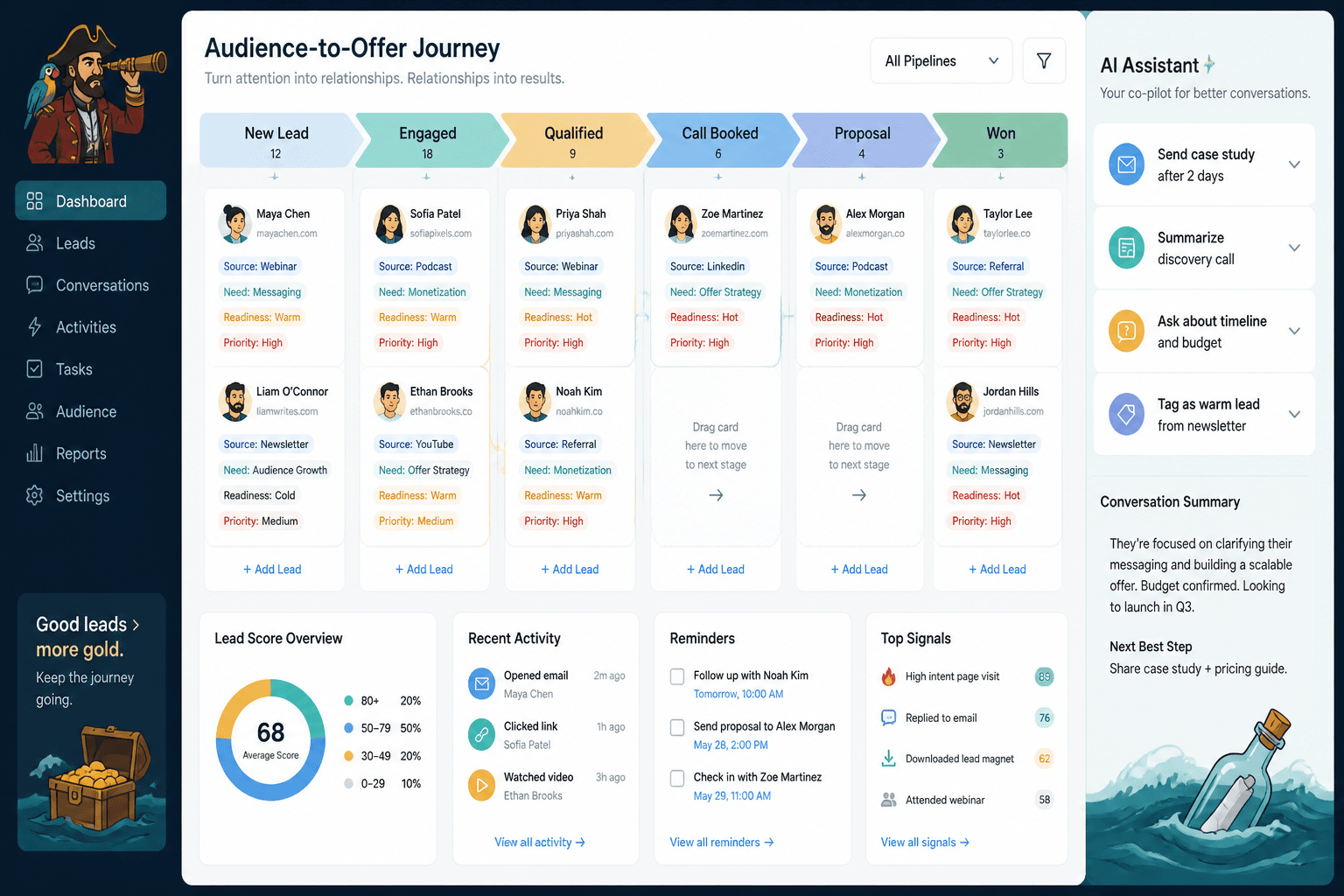
For CRM and follow-up
- HubSpot for lead tracking, pipeline stages, and AI-assisted follow-up
- Pipedrive for simpler sales pipeline management
- Attio if you want a flexible, modern CRM structure
This is where you stop relying on memory and sticky notes. A CRM only helps if it tells you what to do next, not just what already happened.
For email nurture and automation
- ConvertKit for creator-friendly automations and audience tagging
- MailerLite for simple, affordable nurture flows
- ActiveCampaign for more advanced behavior-based automation
Email tools are where the journey often gets its rhythm. Use AI to draft welcome series copy, segment subscribers, and create follow-up branches without building a machine that needs its own support team.
For sales support
- HubSpot AI for follow-up summaries and deal assistance
- Fireflies or similar meeting assistants for call notes and action items
- Notion AI for proposal drafts, FAQs, and objection lists
These tools are best when the offer is human-led. They help keep the process tidy so the sales conversation can stay focused on whether the fit is real.
How to choose a lean stack
The mistake is thinking you need one tool for every stage. You usually do not. A good starting stack looks more like this:
- one planning tool for mapping the journey
- one content tool for drafting and repurposing
- one capture tool for landing pages or forms
- one CRM for tracking leads
- one email tool for nurture and follow-up
If one platform can cover two of those jobs well, great. If it covers five badly, that is just an expensive way to create confusion. A lean system is easier to maintain, easier to measure, and far less likely to become a museum of abandoned automations.
Common mistakes to avoid
- Buying software before defining the journey – tool-first planning tends to produce tool-shaped problems.
- Using AI to generate noise – more copy is not the same as a clearer path.
- Skipping lead tracking – if you do not know where people drop off, you cannot fix the journey.
- Making the offer appear too late – trust matters, but endless warming is just delayed clarity.
- Stacking too many platforms – every extra handoff is another place for the system to wobble.
That last one is the classic small-business trap: a beautiful set of tools connected by optimism and a free afternoon. It rarely ends with elegance.
Simple tool stack examples
For a solo creator
- Notion AI for planning
- ChatGPT for content and CTA drafts
- ConvertKit for lead capture and email nurture
For a service provider
- Miro AI or Notion AI for mapping the journey
- Claude for proposal and follow-up drafts
- HubSpot for pipeline tracking
- MailerLite or ConvertKit for nurture
For a small team
- Notion AI for shared planning
- HubSpot for lead management
- ActiveCampaign for automation
- Framer or Webflow for landing pages
These are only starting points. The right stack is the one you will actually keep using after the first week of enthusiasm has wandered off.
Related guides
If you want the broader framework behind these tool choices, see the parent guide on audience-to-offer journeys, plus best templates and tools for audience-to-offer journeys and best CRM tools and funnel builders for audience-to-offer journeys.
If you are still shaping the path itself, the companion guide simple audience-to-offer journey mapping templates for busy creators is the better starting point. Tool choice gets much easier once the route is not just a cloud of good intentions.
Bottom line
The best AI tools for audience-to-offer journeys are the ones that make the path clearer, not louder. Use AI to map the journey, draft the content, simplify the lead capture, track the pipeline, and keep follow-up moving. That is enough for most creators. The goal is not a machine that does everything. It is a system that helps the right people move from attention to trust to action without losing the thread halfway through.