
If you are trying to use AI writing tools and the terminology feels like a small locked room full of acronyms, you are not alone. Most beginners do not struggle because the tools are impossible. They struggle because the words around the tools make everything sound more technical than it is.
The good news: for creator work, you do not need to learn every AI term. You only need a handful of terms that explain how the tool takes your instructions, uses context, and turns that into a draft you can actually work with.
This glossary is built for practical use. If you write posts, scripts, newsletters, captions, outlines, or repurposed content, these are the terms worth knowing first.
For a broader view of how these tools fit into actual creator systems, see AI writing tools workflows and creator AI research and ideation.
The AI writing terms beginners should learn first
If you only remember a few things, make them these:
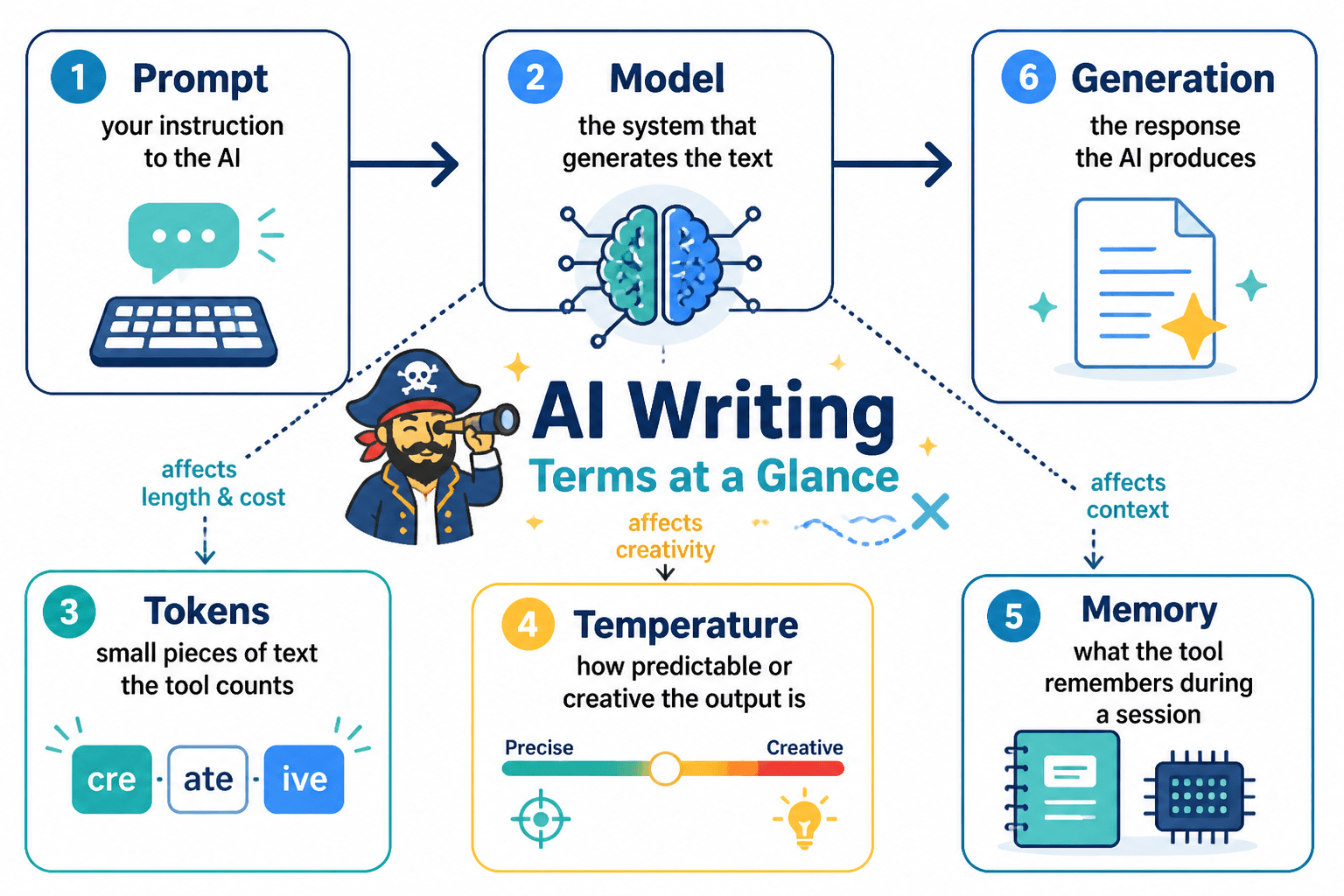
- Prompt: what you ask the tool to do
- Model: the engine doing the writing
- Context: the information the model can “see”
- Context window: how much of that information it can hold at once
- Tokens: the chunks of text the model reads and generates
- Temperature: how predictable or creative the output is
- Workflow: the steps you use from idea to final draft
- Template: a reusable prompt structure
- Hallucination: when the tool makes up facts
- Iteration: refining the output in rounds
Those ten terms cover most beginner use cases. Everything else is useful later, but not urgent.
Core glossary: the terms that actually matter
1. Prompt
A prompt is the instruction you give the AI tool.
For creators, a prompt might be:
- “Outline a newsletter about creator burnout in a calm, practical tone.”
- “Rewrite this caption for LinkedIn and keep it under 120 words.”
- “Turn these notes into a blog intro with a stronger hook.”
A prompt can be a single sentence or a detailed brief. Better prompts usually include:
- the task
- the audience
- the format
- the tone
- any limits
If you want a cleaner way to think about prompt writing, this is the main skill. Everything else supports it.
Official reference: OpenAI’s guidance on prompting and prompt engineering is a useful starting point: OpenAI Prompt Engineering.
2. Model
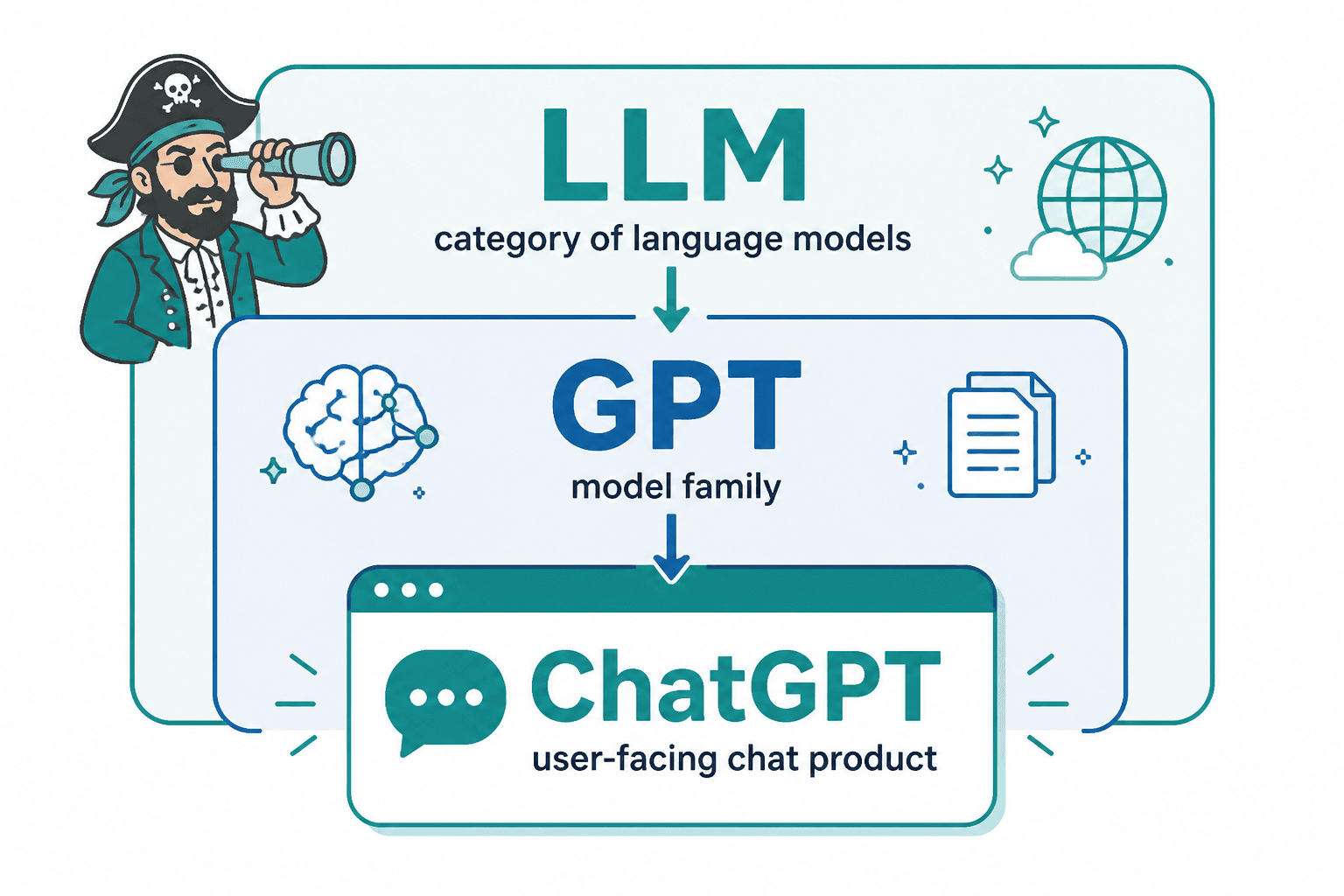
The model is the AI system behind the tool. It is the part that produces the text.
Different models can vary in:
- writing quality
- speed
- cost
- context handling
- reasoning ability
- style consistency
For beginners, the important thing is simple: the model affects what kind of output you get, even if your prompt stays the same.
Think of it this way:
- a weaker model may give you a usable draft, but require more cleanup
- a stronger model may follow instructions better and handle more complex requests
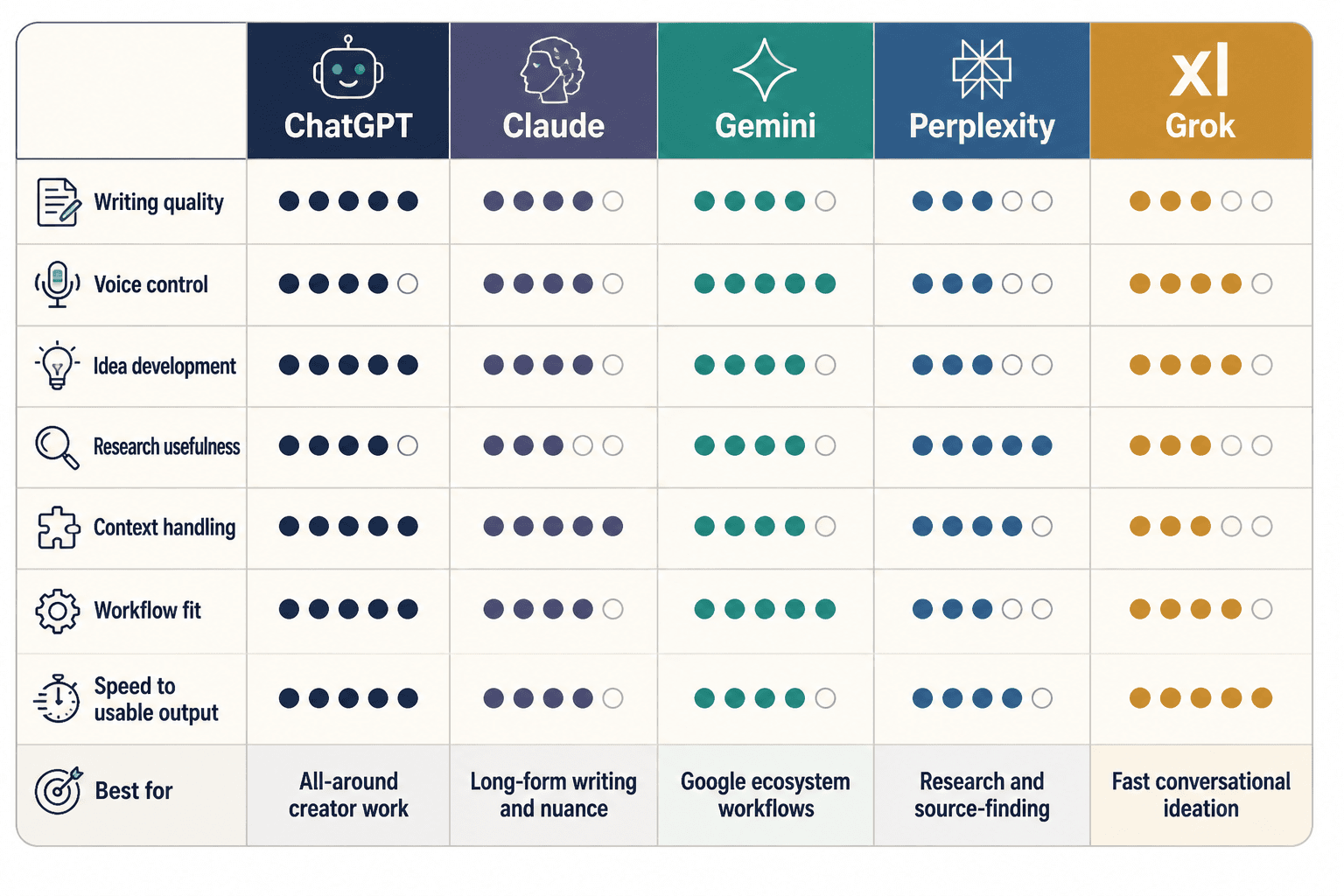
If you are comparing creator tools, this matters more than the marketing language around them. For examples of how tools differ in real creator workflows, see best ChatGPT apps and GPTs for creators and best AI tools for creator AI editing and repurposing.
3. Context
Context is the information the model can use when responding.
That can include:
- your prompt
- earlier messages in the chat
- files or notes you paste in
- instructions from a template
- memory, if the tool supports it
For creators, context is what keeps the AI from giving you a generic answer. If the tool knows your audience, your goal, and the piece you are working on, the output is usually more useful.
If context is weak, the draft often feels bland, vague, or off-topic.
4. Context window
The context window is the amount of text the model can process at once.
This matters because AI tools cannot hold an unlimited amount of information in active use. If your conversation or source material gets too long, older parts may stop influencing the response.
In practice, a larger context window helps when you are working with:
- long blog drafts
- research notes
- interview transcripts
- content repurposing from one long source into many smaller pieces
If the tool starts “forgetting” earlier details, the context window may be the reason.
OpenAI explains context windows and token limits in its docs, which is worth a look if you are working with long-form content: OpenAI models and context.
5. Tokens
Tokens are the text units AI models use to read and generate language.
A token is not always a whole word. It can be a word, part of a word, punctuation, or a short chunk of text.
Why creators should care:
- token limits affect how much text you can feed into a tool
- token usage can affect cost
- long prompts, long source material, and long outputs all use tokens
You do not need to count tokens by hand, but it helps to know that long documents and long chats are not free in model terms. When a tool cuts off or becomes less consistent, tokens are often part of the reason.
6. Temperature
Temperature controls how random or predictable the model’s output is.
In plain English:
- lower temperature = safer, more consistent, more predictable
- higher temperature = more varied, more creative, more willing to take chances
For creators, low temperature is often better for:
- outlines
- summaries
- rewrites
- brand-safe copy
- editing tasks
Higher temperature may help with:
- brainstorming headlines
- idea generation
- playful copy variations
- first-pass creative angles
If you want a stable draft, keep the setting conservative. If you want more options, loosen it a bit. Do not treat it like a magic creativity switch.
7. Workflow
A workflow is the sequence of steps you use to get from raw idea to finished piece.
A simple AI writing workflow might look like this:
- brainstorm topic angles
- outline the piece
- draft section by section
- revise for clarity
- repurpose into a social post or script
- do a final human edit
This matters because good AI writing is usually not “one prompt, one perfect answer.” It is a process.
For a creator-friendly breakdown of how this works, see AI writing tools workflows.
8. Template
A template is a reusable prompt structure.
Instead of rewriting the same instructions every time, you keep a format like:
- role
- task
- audience
- tone
- output length
- constraints
- examples
Templates help creators work faster and keep outputs more consistent. They are especially useful when you write the same kind of content repeatedly, such as:
- product descriptions
- newsletter intros
- post variations
- content repurposing prompts
- blog outlines
A template is not the output. It is the repeated pattern that gets you a better output.
9. Iteration
Iteration means improving the result through repeated edits and follow-up prompts.
This is one of the most important AI writing habits. The first draft is rarely the final draft.
A typical iteration cycle might be:
- “Make this shorter.”
- “Use a more practical tone.”
- “Add a stronger example.”
- “Remove jargon.”
- “Rewrite the ending for clarity.”
Iteration is where the tool becomes useful. Beginners often stop too early and assume the model “is bad” when the real issue is that the draft needed one or two more passes.
Terms about risk and accuracy
10. Hallucination
A hallucination is when the AI tool makes up information and presents it confidently.
That can mean:
- false facts
- invented citations
- incorrect names
- fake statistics
- made-up product details
This is one of the biggest beginner risks. AI writing tools can sound sure even when they are wrong.
That means you should double-check:
- dates
- quotes
- claims
- names
- sources
- numbers
OpenAI discusses the problem of inaccurate output and why verification matters in its documentation and safety materials: OpenAI Safety best practices.
11. Memory
Memory is when a tool remembers certain details about you or your preferences across chats.
This can be helpful if you want the tool to remember things like:
- your writing tone
- your preferred content formats
- recurring project preferences
But memory is not the same as perfect context. It is also not a substitute for clear instructions in the current conversation.
If you are trying to understand how memory works in ChatGPT specifically, see what is ChatGPT memory.
12. Guardrails
Guardrails are the built-in rules or limitations that shape what a model can or cannot do.
These can include:
- refusal behavior
- safety filters
- limits on certain kinds of requests
- constraints on output style or content
You will notice guardrails most when the tool declines a request, changes wording, or avoids certain material. For beginners, the main thing to know is that the tool is not always “being difficult.” Sometimes it is following system limits.
Terms beginners often confuse
Prompt vs. template
- A prompt is the specific instruction for one task.
- A template is a reusable prompt framework.
Example:
- Prompt: “Write a 150-word LinkedIn post about repurposing blog content.”
- Template: a standard structure you reuse for every LinkedIn post.
Context vs. context window
- Context is the information the model uses.
- Context window is how much of that information it can hold at once.
If context is the story, the context window is the size of the bag carrying it.
Model vs. tool
- The model is the engine.
- The tool is the product interface you use.
You might use one tool that gives access to different models.
Hallucination vs. error
- A hallucination is made-up information.
- An error can be a bad rewrite, weak phrasing, or a wrong assumption.
Not every bad answer is a hallucination, but every hallucination is a problem.
Temperature vs. creativity
Higher temperature can make outputs feel more varied, but it does not guarantee better writing. Sometimes it just makes the output less stable. Creativity still needs structure.
What to learn now versus later
Learn now
If you are just getting started, focus on:
- prompt
- model
- context
- context window
- tokens
- temperature
- workflow
- template
- iteration
- hallucination
These terms are enough to use most AI writing tools well.
Learn later
You can safely postpone most of the deeper technical vocabulary, such as:
- fine-tuning
- embeddings
- inference
- system prompts
- parameters
- APIs
- agents
- vector databases
These terms matter in some setups, but they are not required to draft a blog post or repurpose a newsletter.
Simple glossary cheat sheet
| Term | Plain-English meaning | Why it matters for creators | |—|—|—| | Prompt | The instruction you give the tool | Shapes the draft you get | | Model | The engine behind the writing | Affects quality, speed, and style | | Context | The information the tool can use | Helps the output stay relevant | | Context window | How much text the model can handle at once | Matters for long drafts and source material | | Tokens | Text chunks the model reads and writes | Affects length and cost | | Temperature | How predictable or creative the output is | Helps tune tone and variety | | Workflow | The steps from idea to final output | Makes AI writing repeatable | | Template | A reusable prompt structure | Saves time and improves consistency | | Iteration | Improving output through revisions | Usually where the best results happen | | Hallucination | Made-up information | Requires fact-checking | | Memory | Stored preferences or details across chats | Can reduce repeated setup | | Guardrails | Built-in limits on what the tool can do | Explains refusals or constraints |
Final take: you do not need to learn all of this at once
The fastest way to get better at AI writing tools is not to memorize jargon. It is to understand a few practical terms and use them while you work.
Start with prompts, context, and iteration. Add temperature and tokens once you are editing more often. Learn about memory if you use a chat tool regularly. Worry about the deeper technical terms later, if you ever need them.
If you want to keep going, the most useful next reads are:
- AI writing tools workflows
- what is ChatGPT memory
- creator AI research and ideation guide
- best AI tools for creator AI editing and repurposing
The point is not to become fluent in AI terminology. The point is to use the tools without getting dragged into the jargon swamp.