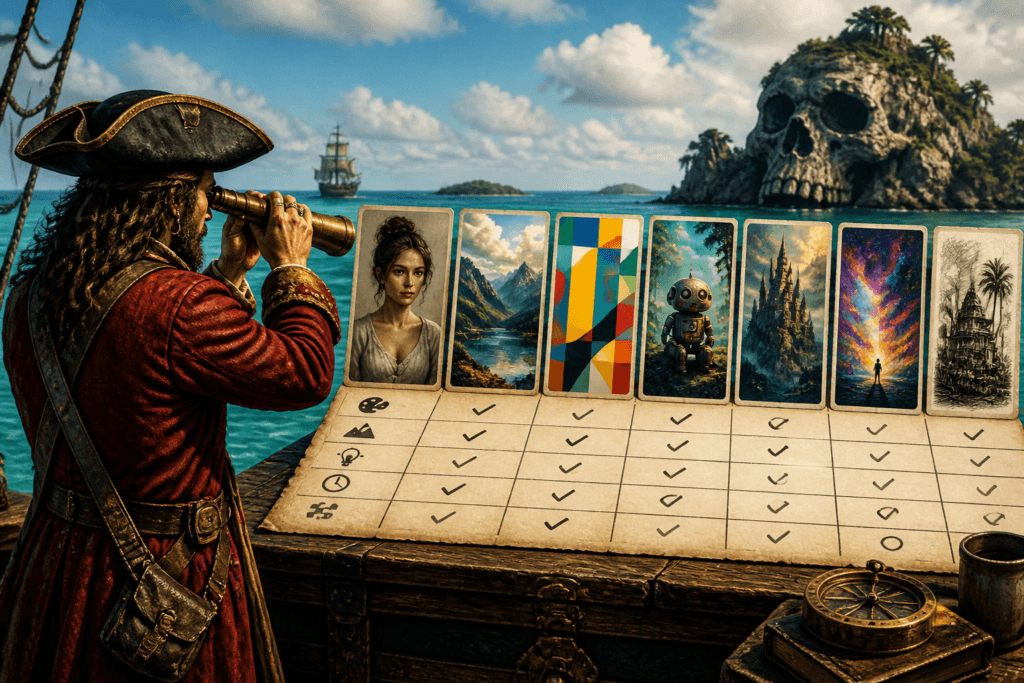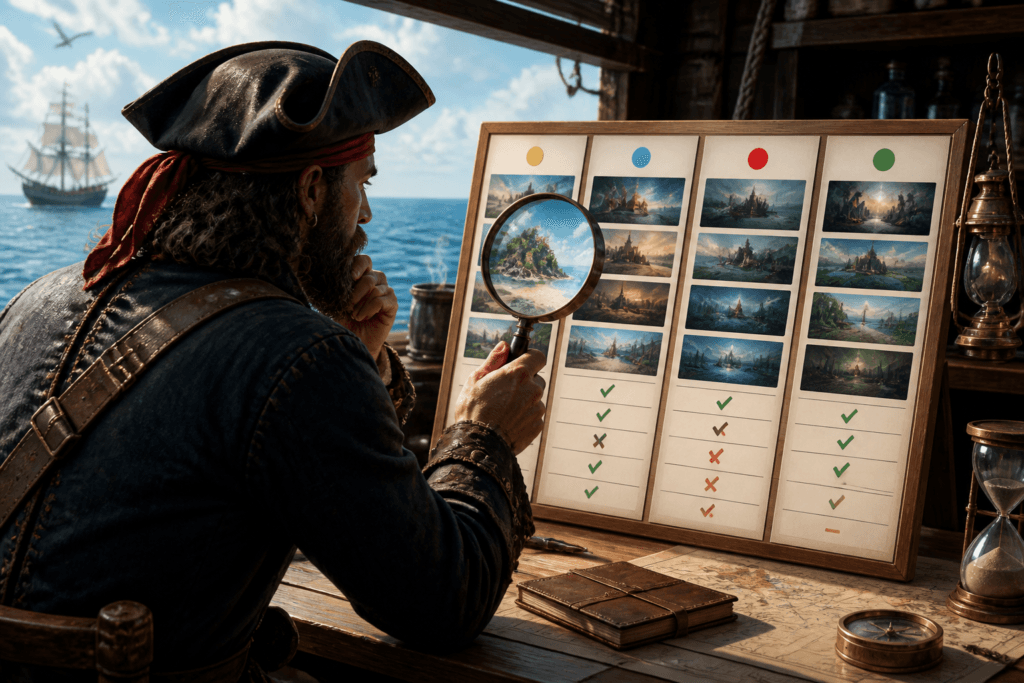
The idea that one AI image tool is simply “the best” is tidy, convenient, and usually wrong. A tool that excels at quick concept art may be mediocre at brand-safe edits, and a tool that feels powerful in a demo can be clumsy once you need repeatable results. The practical move is not ranking tools by hype. It is comparing them against the job you actually need done.
That shift matters because AI image tool comparisons get weird fast. Feature lists balloon. Benchmarks get hand-wavy. Screenshots do most of the arguing. A better comparison asks a much sharper question: which tool produces the right kind of output, at the right speed, with the right amount of control, for your workflow?
What creators usually get wrong when comparing AI image tools
The usual mistake is treating every tool comparison like a general shopping contest. That sounds sensible until the category gets too broad. “Better images” can mean sharper realism, stronger composition, easier edits, fewer prompt fights, or simply less time wasted. Those are related, but not interchangeable.
Three comparison errors show up again and again:
- Comparing by brand heat instead of actual use case. A popular tool is not automatically the right one for product mockups, blog graphics, social assets, or concept exploration.
- Comparing features without testing workflow. A long feature list is nice. What matters is whether those features shorten the path from prompt to usable image.
- Comparing outputs without consistent prompts. If each tool gets a different prompt, the comparison turns into a mood board with opinions.
If you want the broader map of where this topic fits inside the site’s AI image tools coverage, start with the parent guide on AI image tool comparisons.
Compare by workflow first, features second
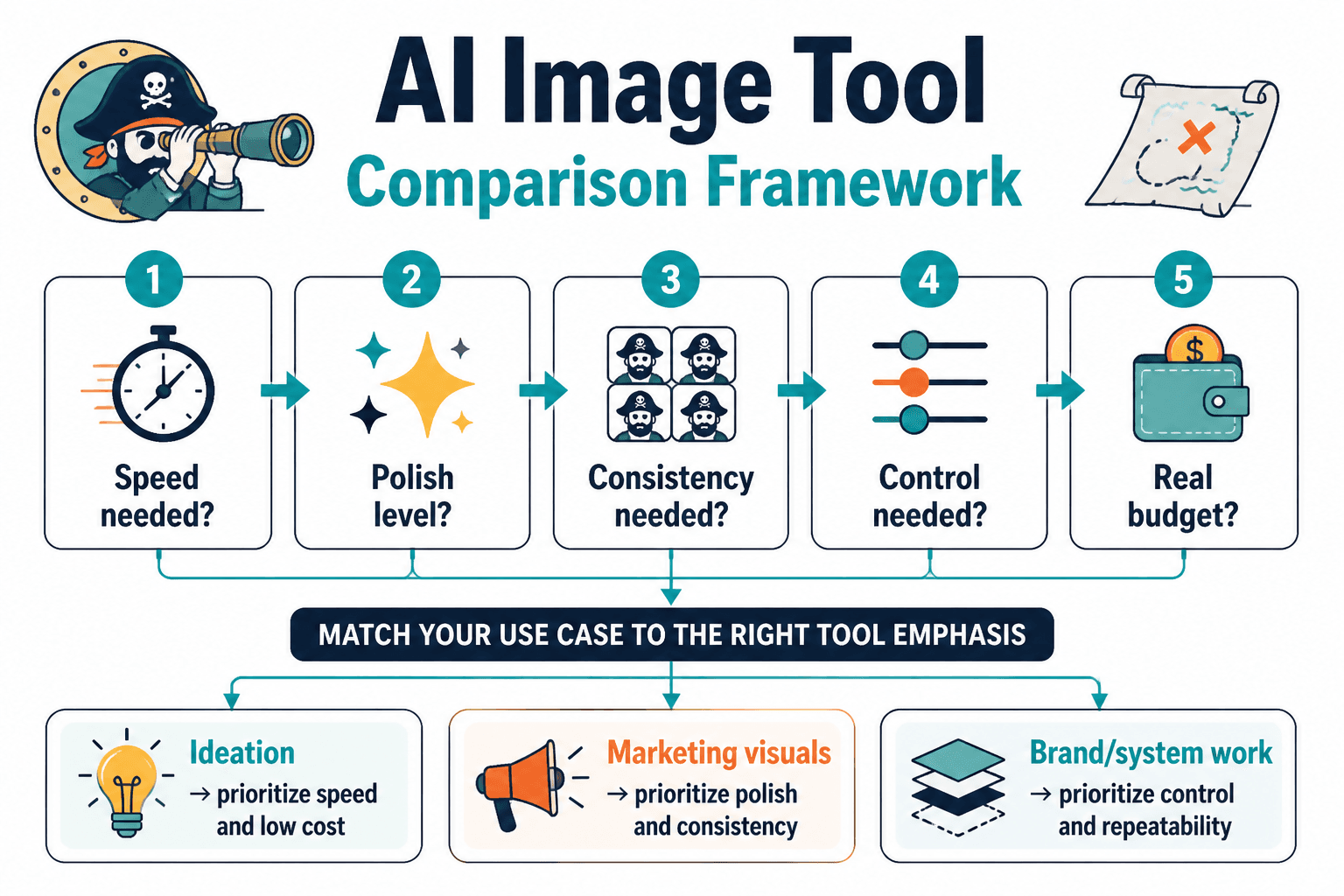
Before looking at tools, define the workflow. Are you generating ideas, making final assets, editing existing visuals, or iterating on a brand style? Those jobs do not demand the same strengths.
A cleaner way to compare tools is to break the workflow into three questions:
- What is the task? For example: hero images, thumbnails, ad concepts, product visuals, social posts, or internal mockups.
- Where does the tool sit in the process? Is it for first drafts, final generation, or refinement?
- What counts as success? Fast output, consistent style, precise edits, or a low-friction learning curve.
That framing keeps you from overrating features you will never use. A tool with ten ways to control shadows is useful only if your work actually needs shadow control. Otherwise, it is just an elegant way to make your afternoon feel longer.
The criteria that actually matter
Not every comparison needs the same scoring model, but most useful evaluations come back to a small set of criteria. These are the ones that tend to change the decision.
1. Output quality
Quality is not one thing. Separate it into the pieces that matter for your use case: realism, composition, detail, text rendering, artifact control, and how often the tool produces something usable on the first pass.
For general guidance on how image models are evaluated, Google’s Vertex AI image generation documentation and Adobe’s Firefly output considerations are useful starting points for understanding output limits and quality tradeoffs.
2. Ease of prompting
Some tools reward careful prompting. Others are more forgiving and get to a usable result with less ceremony. That difference matters if your team will use the tool often, or if you do not want prompt engineering to become a side hobby.
Compare how much effort it takes to get from a plain-language request to a decent image. The best tool for one workflow may be the one that needs the least coaching, not the one with the biggest control panel.
3. Editing and refinement
A comparison should test what happens after the first image appears. Can you revise without starting over? Can you inpaint, outpaint, or make targeted changes? Can you keep the same subject while adjusting the composition? The answer often separates a novelty generator from a practical production tool.
OpenAI’s image generation docs and Stability AI’s image generation documentation are good references for the kinds of generation and edit workflows these tools expose.
4. Style consistency
If you need a set of images that feel like they belong together, consistency matters more than one impressive sample. Compare whether a tool can keep character design, palette, composition, or visual tone aligned across multiple outputs.
This is especially important for brand work, series content, and any project where “close enough” still looks like chaos in a matching hat.
5. Speed and volume
Speed is not just about raw generation time. It also includes how quickly you can iterate, rerun a prompt, and collect enough options to choose from. A tool that returns pretty images but slows the whole process can be a bad fit for high-volume work.
6. Control and predictability
Some creators need creative surprises. Others need repeatable output. Compare how stable a tool is when you adjust prompts, seeds, aspect ratios, reference images, or style instructions. Predictability often matters more than flash.
7. Cost and licensing clarity
Do not evaluate a tool only on subscription price. Look at generation limits, commercial-use terms, training-data caveats where disclosed, and whether the license actually matches the way you intend to use the output.
For commercial and licensing context, it helps to read the tool’s own terms alongside policy pages such as Adobe Firefly’s generative AI user guidelines and the provider’s terms of service. Boring? Yes. Necessary? Also yes.
How to run a fair comparison
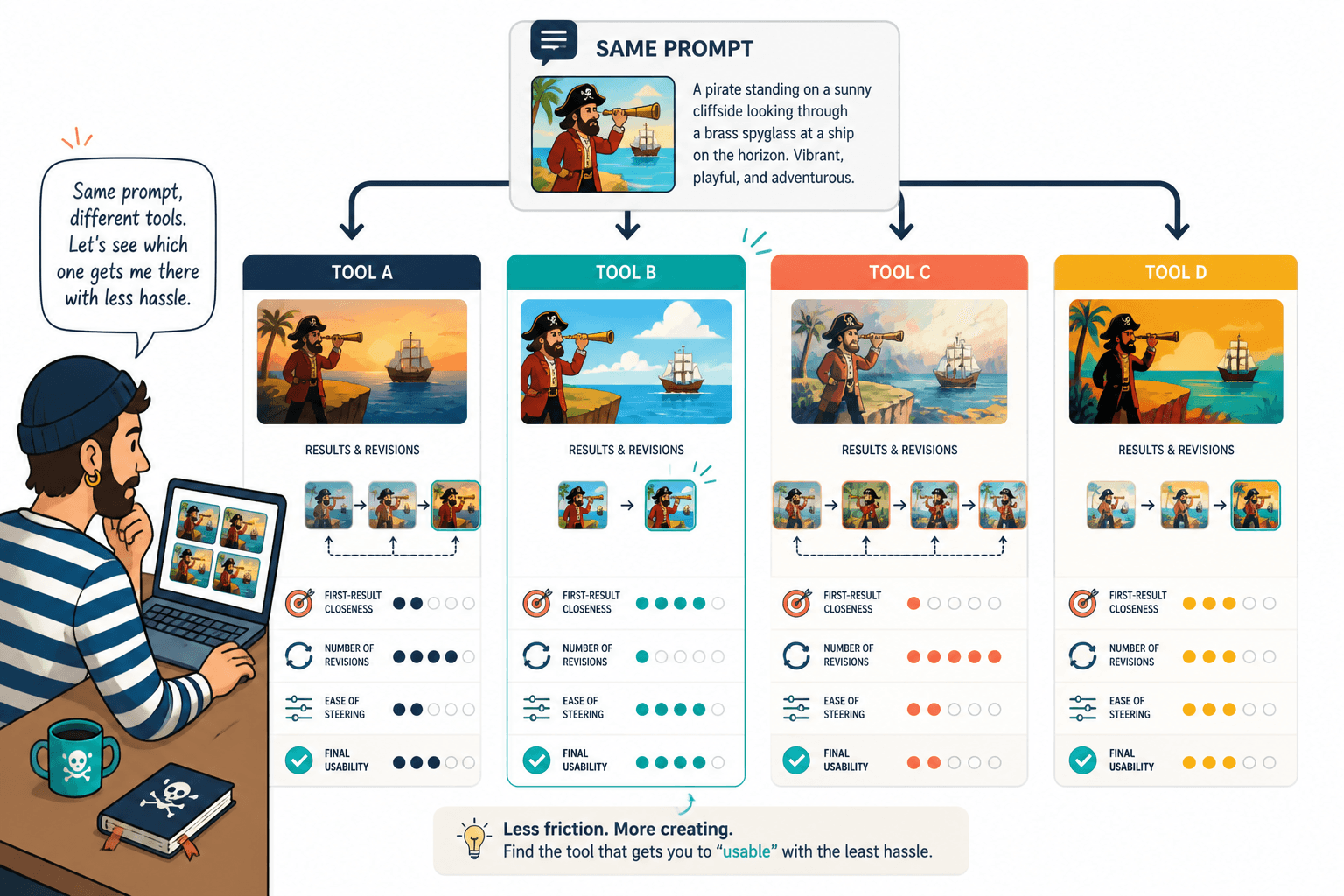
A fair comparison is less about perfection than consistency. Use the same prompts, the same prompt structure, and the same evaluation conditions for each tool. Otherwise you are comparing tools and prompt-writing luck at the same time.
A simple comparison setup can look like this:
- Choose three to five real tasks. Not abstract prompts. Actual jobs you need the tool to handle.
- Use the same input set for every tool. Keep subject, style, format, and output goal aligned.
- Score each result against the same criteria. Quality, speed, control, consistency, and ease of use are a solid baseline.
- Write down where the tool helped and where it fought you. The friction often tells the truth faster than the final image.
- Separate facts from preference. “This tool produced fewer artifacts” is different from “I liked the look better.”
That last point matters. A tool can be objectively stronger in one area and still be the wrong pick for your taste, brand, or workflow. Fine. That is not failure; that is information.
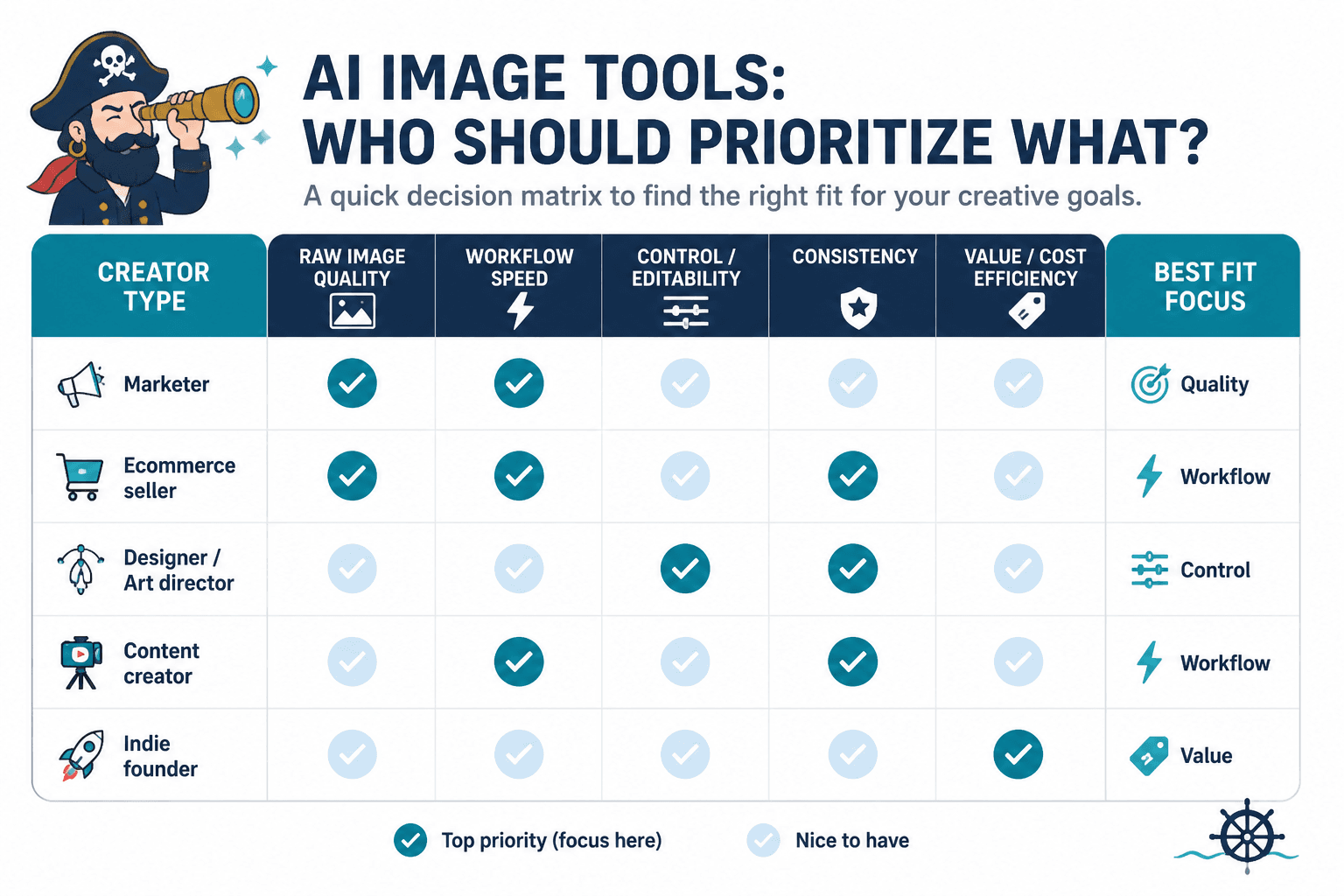
A simple way to compare tools by creator type
Different creators should weight the criteria differently. A solo blogger, a brand designer, and a social content team will not care about the same bottlenecks.
For solo creators
Prioritize ease of prompting, acceptable output on the first or second try, and enough editing control to fix obvious problems without extra software. Time is usually the scarce resource.
For content teams
Prioritize consistency, shared workflows, repeatability, and clear licensing. The question is not just whether the tool works once, but whether it works the same way for different people.
For brand-focused teams
Prioritize style control, revision loops, and predictable output across a series. In this case, “interesting” is less valuable than “stays on brand without a rescue mission.”
What a good comparison article should show
If you are writing or evaluating an AI image tool comparison, the useful version is not a wall of screenshots. It should show the decision path.
- The job being tested.
- The criteria used to judge it.
- The same prompt or task across tools.
- What improved, what failed, and what required extra effort.
- The recommendation, with the tradeoff attached.
That last part is the mark of a serious comparison. Good writing does not pretend every tool has one winner badge hiding in a drawer. It shows where each option is actually worth using.
Bottom line
Comparing AI image tools without guessing means comparing them against the work, not the marketing. Start with the workflow, define the criteria that matter, test with consistent prompts, and judge the tools by how quickly they produce usable results. Once you do that, “best” stops being a vague trophy and starts being a decision.
For the broader cluster and related AI image tools coverage, return to the parent AI image tool comparisons guide.