
Most welcome emails are weirdly bad for something so important.
Someone just subscribed. They raised their hand. They gave you attention, trust, and an email address, which is not exactly a casual donation in a crowded inbox. And then what do many creators send? A bland “thanks for joining” note, a clunky wall of links, or a needy pitch that shows up way too early and way too eager.
The best templates and tools for welcome emails do not fix bad judgment, but they do make it much easier to send something clear, useful, and actually worth opening. That is the goal here: not prettier automation for its own sake, but a stronger first impression that helps readers trust you, understand what they signed up for, and take the next step without feeling shoved.
This guide will show you which welcome email templates are worth stealing, which tools are actually useful, and how to build a welcome flow that sounds like a real person instead of a funnel that got trapped in 2019.
If you want the bigger picture on this topic, the broader welcome email systems guide is a useful companion. You can also browse the wider email newsletter writing and creator email systems sections if you are building more than one email at a time.
For the full path around this topic, head to the parent guide.
What a good welcome email is actually supposed to do
Before we get to templates and tools, we need to clear up one thing: a welcome email is not just a receipt with better manners.
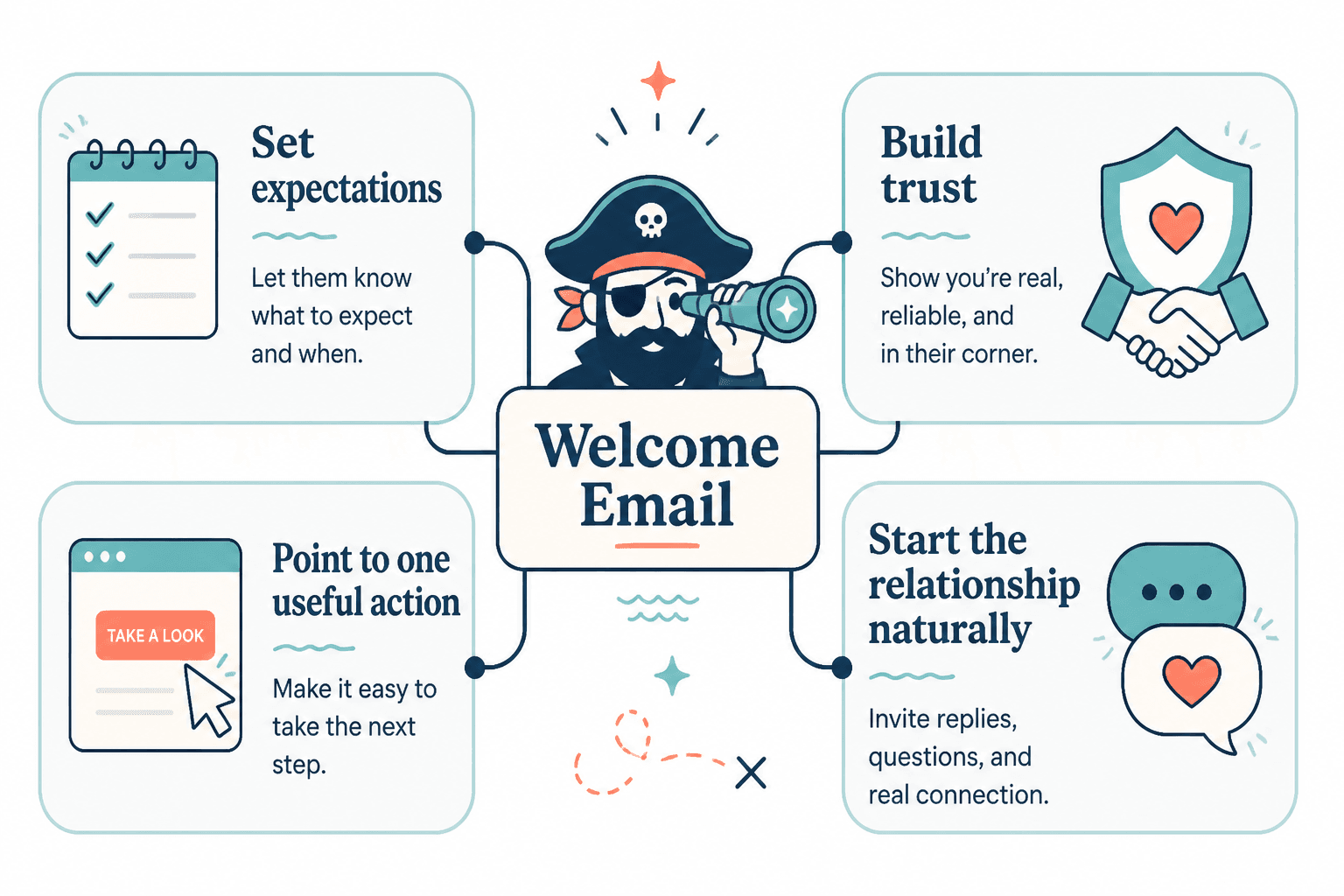
Its job is usually some mix of these:
- Confirm the signup worked
- Deliver the promised freebie, resource, or next step
- Set expectations for what kind of emails are coming
- Build trust fast
- Point the reader toward one useful action
- Start the relationship without sounding clingy
That last part matters more than people think. A welcome email is your first real test of tone. If the reader joins because your content feels smart and grounded, then your email should not suddenly sound like a corporate onboarding bot wearing fake warmth.
A lot of creators overcomplicate this. They build a seven-email sequence before they have written one good email. Or they throw twelve links into the first message because they are terrified the reader will disappear forever unless every offer, article, and social profile gets shoved into one place. Calm down. One email can do a lot if it is focused.
The best welcome email templates are simple, not sterile
Templates help when they give you structure. They hurt when they give you canned personality. So skip the swipe-file nonsense that sounds like it was generated by an “audience nurturer” in a blazer.
Here are the welcome email templates that tend to work best for creators, consultants, coaches, writers, and solo brands.
1. The straightforward welcome template
Best for newsletters, personal brands, consultants, and creators who just need a clean start.
Structure:
- Quick welcome
- One-sentence reminder of what they signed up for
- What they can expect from your emails
- One useful next step
- Friendly sign-off
Hey [First Name],
Glad you’re here.
You signed up to get [specific type of value], and that’s exactly what I’ll send: [brief description of topics, style, or frequency].
If you want a good place to start, here’s [one link or resource].
And if you want to make sure future emails don’t vanish into inbox purgatory, reply with a quick hello or move this to your primary inbox.
— [Name]
This works because it does not try too hard. It sounds clear, calm, and competent. Which, conveniently, is what trust sounds like.
2. The lead magnet delivery template
Best for free guides, checklists, templates, mini-courses, or workshop signups.
Structure:
- Confirm signup
- Deliver the thing immediately
- Explain how to use it
- Set expectations for what comes next
- Optional soft CTA
Hey [First Name],
Here’s the [resource] you signed up for:
[link]
Quick tip: don’t just save it and pretend future-you will become wildly organized. Use section 2 first. That’s where most people get the fastest win.
Over the next few emails, I’ll send a few practical ideas on [topic] so you can actually put this to work.
Talk soon,
[Name]
The little usage note matters. It turns the email from delivery notice into guidance. That tiny shift makes you sound more useful and less automated.
3. The authority-without-arrogance template
Best for consultants, experts, coaches, or service providers who need to establish credibility early.
Structure:
- Welcome
- Who you help and what you help with
- Why your emails are worth reading
- One proof point or positioning line
- One next step
Hey [First Name],
Welcome.
I write these emails for [specific audience] who want [specific outcome] without [common frustration].
My work focuses on [specialty], and I’ve used it to help [brief proof or result].
If you want the quickest sense of how I think, start here: [link].
More soon,
[Name]
This is good for building trust, but do not turn it into a chest-thumping bio essay. You are trying to sound credible, not auditioning for a conference keynote no one asked for.
4. The personality-first welcome template
Best for writers, creators, and personal brands where voice is a big part of the product.
Structure:
- Warm welcome in your actual voice
- Quick statement of what the newsletter is about
- Why people tend to stay subscribed
- One invitation or reply prompt
Hey [First Name],
You’re in.
This newsletter is where I send practical ideas on [topic], occasional strong opinions, and the kind of stuff that is useful enough to steal.
If that sounds like your thing, good choice.
If you want, hit reply and tell me what you’re trying to figure out around [topic]. I read those.
— [Name]
Notice what this does not do: perform intimacy. It sounds human without pretending you and the subscriber are now best friends because they downloaded a checklist ten seconds ago.
5. The soft conversion template
Best when the reader is joining from warm traffic and there is an obvious next offer.
Structure:
- Welcome
- Value and expectation-setting
- Brief relevance-based offer mention
- Low-pressure CTA
Hey [First Name],
Thanks for joining.
I’ll send you practical notes on [topic], plus examples and tools you can actually use without needing a 48-tab setup.
If you already know you want help with [specific problem], you can check out [offer/link] here.
If not, no rush. The emails will still be useful.
— [Name]
This works because it gives the reader choice. It does not corner them in email one with a pitch so desperate it practically sweats through the screen.
How to choose the right welcome email template
You do not need the most “optimized” template. You need the one that matches your business model, audience temperature, and voice.
| If your goal is… | Use this template style | Keep the focus on… |
|---|---|---|
| Start a newsletter relationship | Straightforward welcome | Clarity, tone, expectation-setting |
| Deliver a free resource | Lead magnet delivery | Fast access, quick guidance, next emails |
| Build expert trust | Authority-without-arrogance | Positioning, relevance, proof |
| Show personality | Personality-first | Voice, connection, reply invitation |
| Gently monetize | Soft conversion | Relevance, timing, low pressure |
If you are still unsure, start with the straightforward version. It is hard to ruin unless you insist on adding six CTAs, four emojis, and a paragraph about your mission to “empower ambitious humans.” Please don’t.
The best tools for welcome emails
The best templates and tools for welcome emails usually come down to five jobs:
- Writing the email
- Automating the send
- Personalizing the experience
- Testing and improving performance
- Organizing the system so it does not become a mess later
You do not need a giant stack for this. A small, sane setup beats a Frankenstein pile of apps every time.
1. Email software and automation tools
This is the non-negotiable category. You need something that can trigger the email, manage subscribers, and ideally handle tags, segmentation, and basic sequence logic.
Useful features to look for:
- Easy welcome sequence automation
- Simple visual or rule-based workflow builder
- Subscriber tagging and segmentation
- Clean editor for plain-text or lightly formatted emails
- Basic reporting on opens, clicks, and sequence performance
- Forms and landing page integration
If you want a deeper breakdown, read Best Email Software and Automation Tools for Welcome Emails. That is where you should compare tools in more detail, especially if your current setup feels like it was designed by someone who hates users.
One important note here: choose software that matches your actual complexity. A solo creator with one newsletter and one lead magnet does not need enterprise-grade automation. You need reliability, a clean writing experience, and enough segmentation to avoid sending the wrong thing to the wrong people. That is plenty.
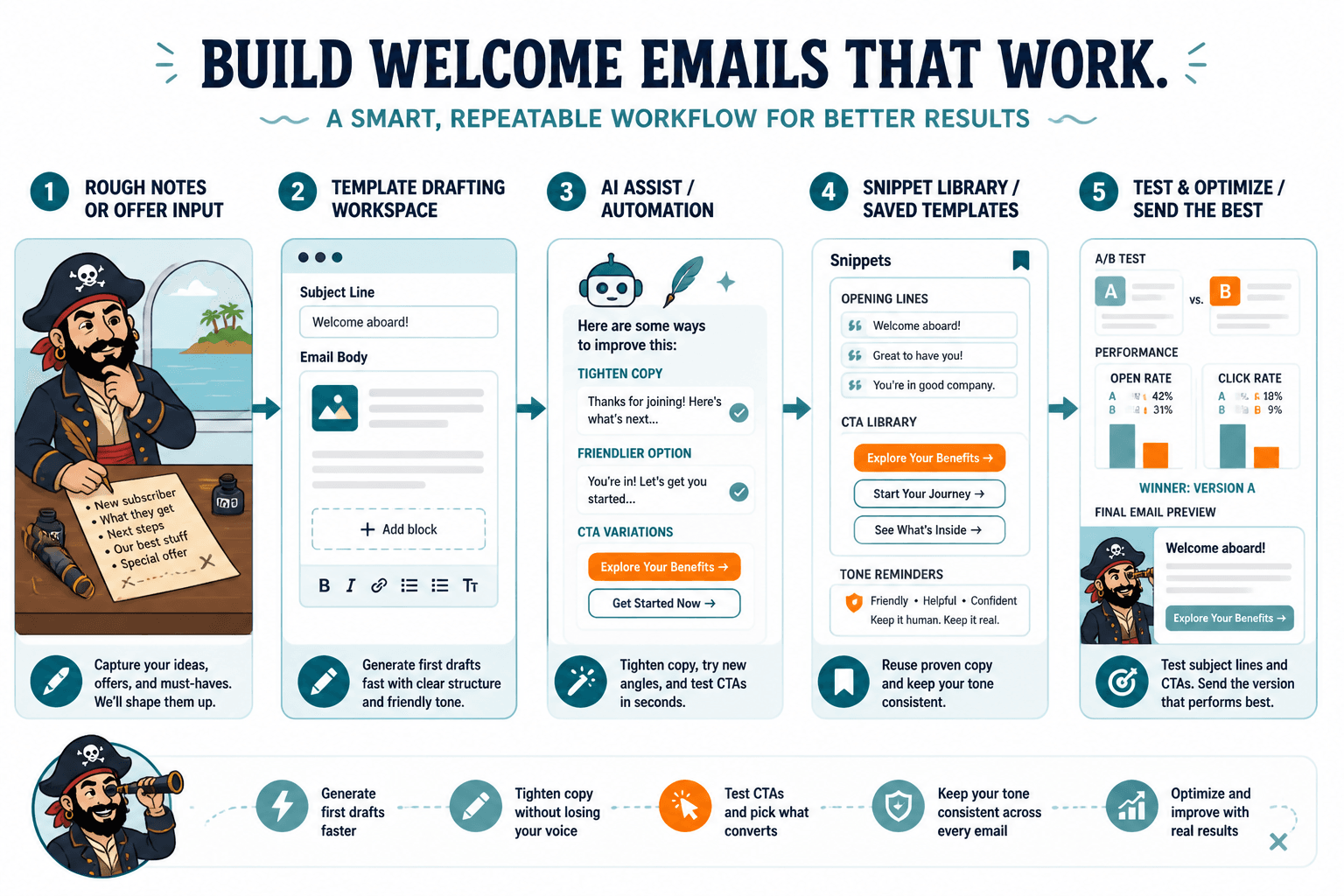
2. AI tools for drafting and iteration
AI can help with welcome emails, but only in the same way a sous-chef helps a good cook. It can prep, suggest, and speed things up. It cannot decide what your relationship with your audience should feel like.
AI tools are useful for:
- Generating first-draft variations
- Rewriting weak openings
- Tightening bloated copy
- Testing different CTAs
- Turning rough notes into cleaner email structure
- Matching tone more consistently across a sequence
They are not useful for:
- Inventing real audience insight from nothing
- Fixing vague positioning
- Making a boring offer feel compelling
- Replacing your judgment about what sounds human
If you want category-level recommendations, go to Best AI Tools for Welcome Emails. Use them to sharpen and speed up. Do not use them to mass-produce polished mush.
3. Template and snippet libraries
This category is underrated. Once you have a welcome email that works, save the structure, your favorite CTA lines, your delivery phrasing, and a few proven openings.
A simple snippet library helps you:
- Reuse good parts without copying the whole email
- Keep tone consistent across forms and offers
- Build faster when launching new lead magnets
- Avoid starting from a blank page every time
This can live inside your email tool, notes app, or content system. It does not need to be fancy. It just needs to exist.
4. Testing and analytics tools
You do not need obsessive dashboard behavior here, but some basic measurement helps.
Track things like:
- Open rate trends on your first welcome email
- Click rate on the main CTA or resource link
- Reply rate if the email invites responses
- Drop-off between email one and email two
- Which lead sources produce better engagement
The point is not to worship metrics. It is to notice if your first email is doing its job. If opens are fine but clicks are poor, the CTA may be weak. If clicks are fine but later engagement dies, your expectations or sequence flow may be off. Data cannot write for you, but it can stop you from confidently repeating nonsense.
5. CRM and tagging tools for more advanced systems
If you sell services, consultations, or more than one offer, your welcome email system may need some basic CRM logic. Not because complexity is cool, but because relevance matters.
For example, someone who signed up for a writing template should not get the same next-step pitch as someone who joined from a strategy workshop. Even light segmentation can make your welcome emails feel smarter and less generic.
Useful functions here include:
- Tagging by signup source
- Tagging by interest area
- Separating customers from non-customers
- Triggering different follow-up emails based on clicks or behavior
If that sounds like a lot, it is because it can be. Start simple. Relevance is the goal. Workflow cosplay is not.
A practical welcome email tool stack for most creators
Most people do not need twenty tools. They need a small stack that covers the basics without turning email into a part-time operations job.
- Email platform: for automations, subscriber management, and sending
- Writing assistant or AI tool: for drafting, rewriting, and variation testing
- Template library: for reusable structures and snippets
- Analytics/reporting: often built into the email platform already
- Optional CRM/tagging layer: if you have multiple offers or audience paths
That is enough for most creators, coaches, consultants, and solo founders. You can always add more later if your funnel gets more sophisticated. But if your first welcome email is still weak, more software is not the answer. Better writing is.
What to include in a welcome email, no matter the template
No matter which template you use, most strong welcome emails include a few core ingredients.
- A clear welcome: not dramatic, not robotic, just clear
- A reminder of why they signed up: reduce confusion immediately
- One useful next action: click, reply, read, download, browse, or book
- Expectation-setting: what kind of emails are coming and roughly how often
- The right tone: your actual voice, not “default email marketer” voice
Optional additions:
- One proof point
- A brief personal note if your brand is personality-led
- A whitelist or inbox-placement request
- A short reply prompt to encourage engagement
What you usually do not need:
- Your life story
- Every social link you have ever owned
- Three different offers
- A giant block of credentials
- A manipulative urgency pitch
Common welcome email mistakes the templates should help you avoid
A template should save you from predictable mistakes, not lock them in. Here are the most common ones.
Too many calls to action
Pick one main action. Two at most if they are closely related. If your welcome email asks the reader to download a guide, read three blog posts, follow you on four platforms, book a call, and answer a survey, you are not creating momentum. You are creating homework.
Being vague about what comes next
If people signed up for a newsletter, tell them what kind of newsletter it is. If they signed up for a resource, tell them what the follow-up emails will cover. Basic clarity lowers friction and improves trust.
Trying to sound “professional” instead of useful
This is where welcome emails go to die. The voice gets polished, abstract, and full of phrases no one says out loud. You do not need stiff language to sound credible. You need specificity.
Pitching before you have earned the right
A soft offer mention can work. A hard sell in the first email often feels jumpy unless the signup intent was clearly transactional. The warmer the lead, the sooner you can pitch. The colder the lead, the more trust you need first.
Forgetting mobile readability
Short paragraphs. Clean spacing. One obvious CTA. No giant intro block. People do not become more patient just because your email is automated.
The bigger point is simple: clearer structure and clearer writing make the piece more useful. That is usually what makes the ending land better too.