
A draft is half written in one tab, the hook is waiting in another, the scheduler is open somewhere else, and the version that was supposed to sound sharp now reads like it got ironed by committee. That is the real bottleneck with X posts: not ideas, but handoffs. The useful move is to build a lean system that helps you capture the thought, shape the post, tighten the wording, and get it scheduled without turning the process into a small administrative hobby.
This guide focuses on the best AI tools for X posts by job, not by hype. That means looking at what each tool actually helps with: idea capture, drafting, rewriting, voice consistency, and scheduling. If you want examples of what the finished output should look like, start with X posts examples. If you want the broader strategy behind the format, the parent guide on X posts is the cleaner place to begin.
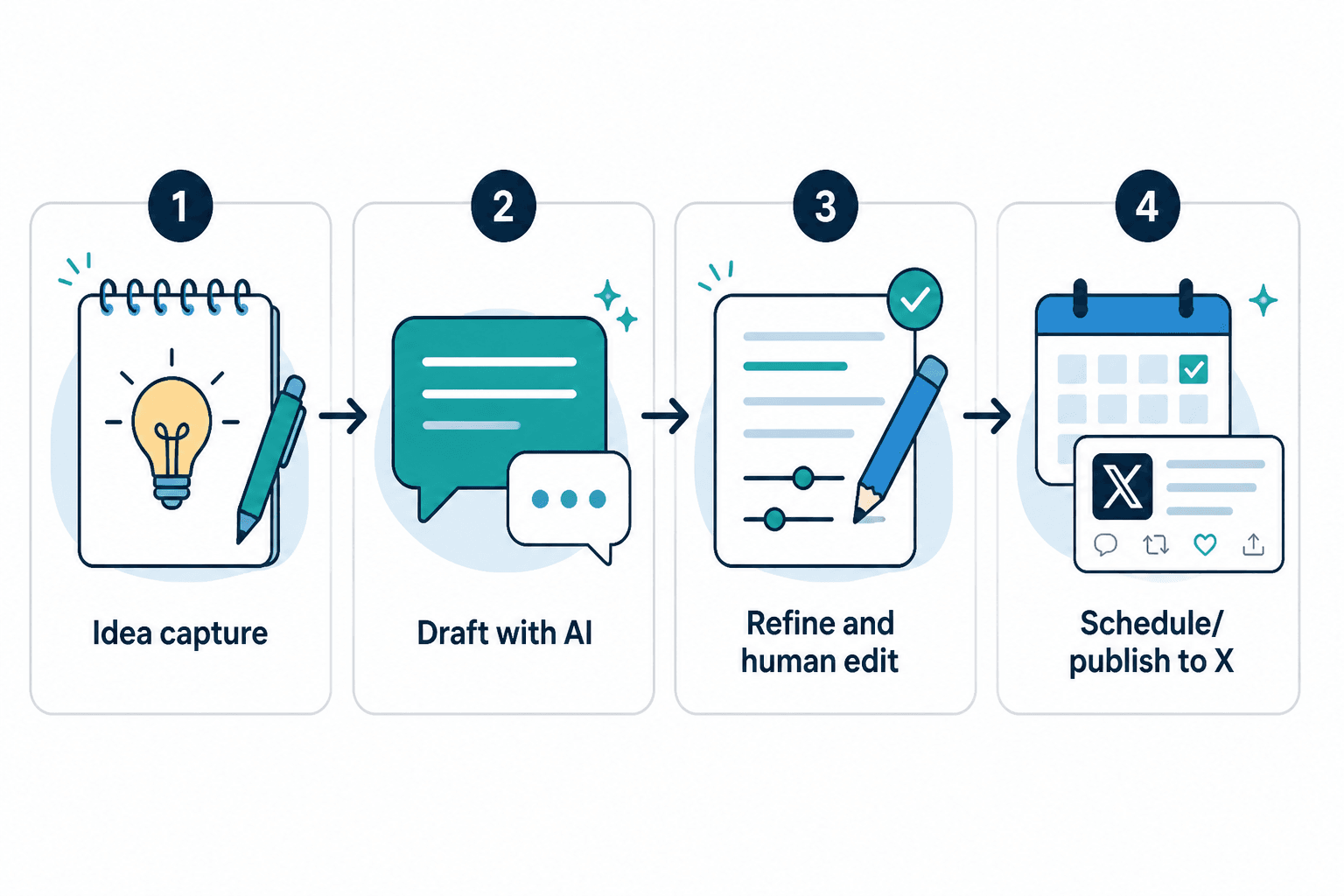
What a good AI tool for X posts should actually do
A good tool does not need to be magical. It needs to be useful in the exact places where X posts tend to fall apart.
- Capture raw thoughts fast so good ideas do not die in note app purgatory.
- Turn rough notes into readable drafts without flattening the point.
- Rewrite for clarity and punch when the post is technically fine but emotionally asleep.
- Keep the voice consistent so every post does not sound like a different intern with access to a thesaurus.
- Hand off cleanly to scheduling so the post actually goes live instead of living forever in draft status.
For X, that matters because the platform rewards speed, clarity, and frictionless reading. X’s own composition limits are still very real in practice, even when the platform shifts product details around, so a tool that helps compress and sharpen the message is usually more valuable than one that merely generates volume. For current platform guidance on posting and product behavior, the safest source is X’s own Help Center and developer documentation. See the X Help Center posting guidance and the X API documentation.
The best AI tools for X posts, by job
1. AI drafting tools for turning raw notes into usable first drafts
If your biggest problem is getting from “half an idea” to “something postable,” drafting tools are the starting point. These are best when you already know the point you want to make, but the opening line is stubborn and the middle section sounds like it was assembled from spare parts.
Use drafting tools for:
- turning bullet points into a readable X post
- expanding a rough thought into a stronger angle
- testing multiple openings quickly
- creating a first pass before human editing
The best drafting tools are the ones that take a messy input and give you something structurally usable, not something glossy and empty. For X posts, that difference matters.
Good fit: solo creators, founders, marketers, and anyone who batches ideas from notes, voice memos, or long-form drafts.
2. AI rewriting tools for making posts punchier
Some drafts are not bad. They are just soft. Rewriting tools help here by tightening the sentence structure, reducing filler, and finding the sharper version of the same idea. That is often more valuable than creating a fresh draft from scratch.
Use rewriting tools for:
- shortening long-winded openings
- making a point more direct
- removing filler and weak qualifiers
- testing a more concise version before publishing
This is the category that saves a post from sounding like it was written by a polite committee in a beige room. A good rewrite preserves the thought and improves the hit rate.

3. Idea generation tools for hooks, angles, and content prompts
When the issue is not drafting but knowing what to say, idea tools earn their keep. They can surface alternate angles, pull out patterns from a topic, or help you turn one content pillar into multiple post ideas.
Use idea tools for:
- hook generation
- angle discovery
- topic expansion
- turning a single concept into a post series
This is especially helpful when you are building a queue and do not want every post to feel like a slightly different version of the same sentence.
4. Voice-guided AI tools for staying consistent without sounding cloned
Voice tools matter when you want consistency but do not want your posts to sound like they were all written from the same very determined prompt. The best ones learn enough about your style to preserve tone, while still improving clarity and structure.
Use voice-guided tools for:
- keeping brand tone consistent across posts
- matching a founder voice or creator style
- rewriting with style constraints
- reducing the “AI wrote this in a suit” effect
If your content strategy depends on recognizable voice, this category matters a lot. It is the difference between sounding like yourself and sounding like a plausible LinkedIn impersonator.
5. Template and snippet tools for repeatable post formats
Some X posts work because the structure is doing the heavy lifting. That is where template support becomes useful. Templates keep the post predictable enough to produce quickly, while still leaving room for a specific point or example.
Use template-aware tools for:
- repeatable post formats
- mistake-and-fix posts
- before-and-after rewrites
- contrarian takes with proof
If you want a deeper breakdown of format-first posting, the sibling article on Best Templates and Tools for X Posts is the natural companion piece.
6. Scheduler tools for moving posts from draft to published
The best AI writing workflow still fails if the posts never leave the draft graveyard. Scheduler tools are not glamorous, but they solve the last handoff. The point is to make publishing consistent without turning it into a daily obligation you resent by Tuesday.
Use scheduler tools for:
- queueing posts in batches
- organizing content by theme or format
- maintaining posting rhythm
- reviewing what is ready, what needs edits, and what can wait
For platform-specific scheduling behavior and API support, the most reliable references are X’s own docs and Help Center pages. Third-party scheduling tools are fine, but the underlying rules still come from X.
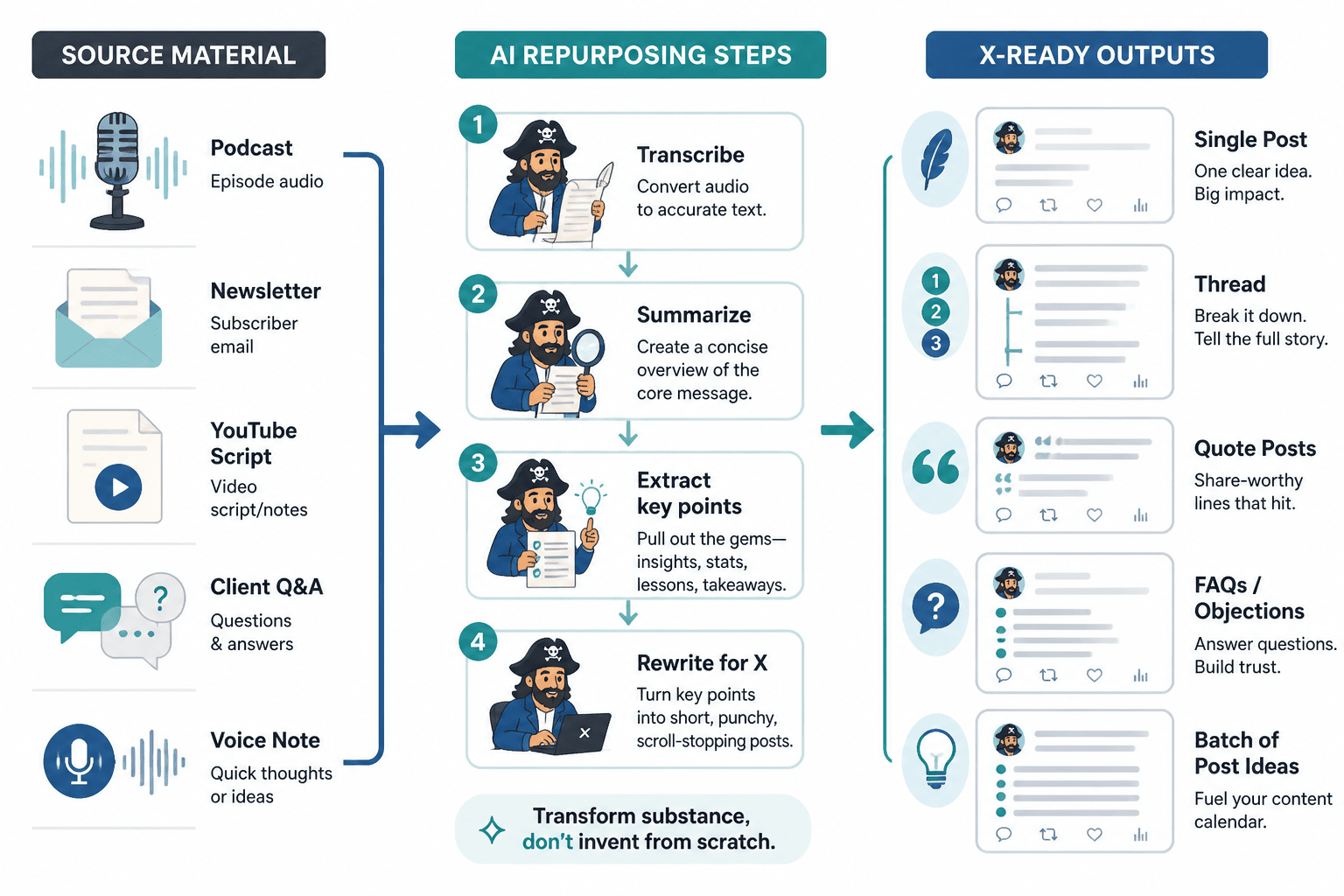
The best AI tool stack for different workflows
For a solo creator
If you are doing everything yourself, the winning stack is usually small:
- one drafting tool
- one rewriting tool
- one scheduler
That is enough to go from raw note to final post without bouncing across six tabs and forgetting why you opened the first one.
For a content marketer
Content marketers usually need a bit more structure because they are juggling brand voice, approvals, and repeatable post formats. A better stack usually includes:
- idea generation support
- drafting and rewriting
- a template system
- a scheduler with queue visibility
This setup works well when X posts are part of a larger content loop, not a standalone improvisation experiment.
For a founder or operator
Founders usually want speed, but not sloppy speed. The useful stack is the one that turns rough thinking into credible posts with the least drag.
- voice-aware drafting
- strong rewrite support
- fast scheduling
If the tool makes you admire the interface more than the output, it is probably too much.
How to choose the right AI tool without overbuying software
Before adding another subscription, ask three questions:
- Where does the workflow clog? Idea capture, drafting, rewriting, or scheduling?
- What kind of output do you need most often? Fresh ideas, tighter writing, or repeatable formats?
- How much structure do you actually want? A simple helper, or a full content system?
If the answer is “everything,” the answer is usually not “buy five tools.” It is “make one workflow simpler.”
A practical rule: pick the tool that removes the most friction from the most frequent task. For many X workflows, that means one strong drafting/rewrite tool plus one dependable scheduler. Extra software is only useful if it solves a real bottleneck.
Common mistakes when using AI for X posts
- Using AI to generate noise instead of sharper posts.
- Skipping the human edit and publishing the first pass.
- Choosing tools for novelty rather than workflow fit.
- Forgetting the audience context and making the post sound generic.
- Building a stack that is too large for the amount of content being shipped.
The fix is usually boring, which is why it works: fewer tools, clearer process, better editing.
Bottom line
The best AI tools for X posts are the ones that reduce handoff friction. Drafting tools help you start. Rewriting tools help you sharpen. Voice tools help you stay consistent. Scheduler tools help you publish before the post goes stale in a tab somewhere.
If you want the broader framework, go back to the parent guide on X posts. If you want to see what stronger output looks like, use the X posts examples page. And if you are trying to lock in structure before software, the companion piece on templates and tools for X posts is the sensible next stop.