AI images are not useless, and they are not a magic vending machine for instant taste. That false choice is where a lot of creator work gets sloppy. The better framing is simpler: an AI image is useful when it helps a real piece of content do a real job faster, clearer, or more consistently.
That means the question is not “Should I use AI images?” It is “What should this image do that plain text, a stock photo, or a blank space cannot?” Once you ask that, the use cases stop sounding vague and start becoming practical.
For a broader map of the territory, the parent guide to AI image use cases covers the cluster at a higher level. This page stays focused on the version that matters most to creators who want cleaner outputs and fewer pointless detours.
What AI images are actually good for
The strongest AI image use cases usually fall into a few buckets. None of them require pretending the tool is a substitute for strategy, design taste, or a functioning content plan.
- Supporting visuals: images that make a post easier to scan, follow, or remember.
- Offer packaging: quick mockups for lead magnets, digital products, and downloads.
- Editorial concepting: rough visual ideas for articles, newsletters, and series themes.
- Thumbnail and cover drafts: starting points that are faster to test than building from zero.
- Visual metaphors: ways to represent abstract ideas without forcing them into boring literalism.
- Branded production support: a faster path to consistent visuals across a content system.
The key pattern is utility. Good AI image use cases reduce friction. They do not merely add image-shaped noise.
The best ways to use AI images as a creator
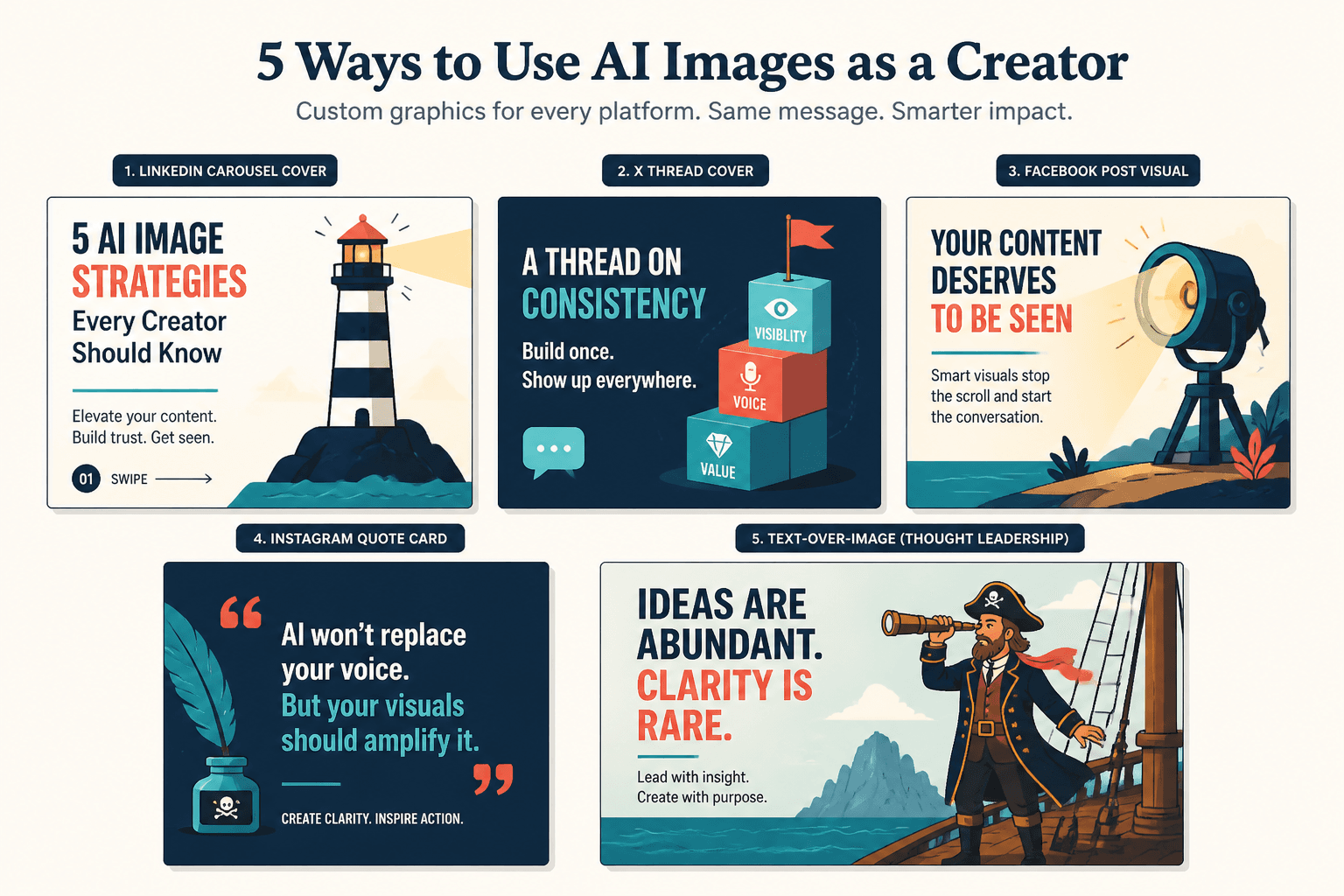
1. Create supporting visuals for social posts
Short-form content often needs a visual hook before it needs a masterpiece. AI images can help you draft post graphics, concept illustrations, or lightweight backgrounds that make the message easier to notice.
This works especially well when the visual is there to support a point, not replace it. A clean graphic with a concise headline beats a dramatic but irrelevant scene pretending to mean something.
2. Mock up lead magnets, offers, and digital products
When you are packaging an ebook, workbook, template, or resource hub, AI images can help with cover exploration, mockups, and promo assets. That is useful before the final design is locked, and sometimes useful afterward when you need fast variations for promotion.
For lead magnets in particular, the value is often in concepting. You are not asking the image to prove expertise. You are asking it to make the offer feel concrete enough to click.
3. Generate concept art for article and newsletter packaging
Editorial content gets stronger when the visual language matches the idea. AI images can help you explore directions for featured images, section art, or newsletter packaging without burning an hour searching for a stock image that almost fits but not quite.
This is where a simple internal workflow can pay off: use the image to test the mood, then refine the text, layout, and visual hierarchy around it.
4. Build better thumbnails and cover image drafts
Thumbnails and cover images live or die on clarity. AI images can produce quick options that let you compare composition, contrast, and readability before anyone wastes time polishing the wrong direction.
That does not mean the final answer should look artificially cinematic. A thumbnail is not a movie poster. It is a decision tool with a deadline.
5. Turn abstract ideas into visual metaphors
Some ideas are awkward in plain language because they are structural rather than literal. Think “content funnel,” “creative momentum,” or “brand consistency.” AI images can turn those into useful metaphors when the goal is explanation rather than realism.
The trick is restraint. The image should clarify the idea, not turn it into a fog machine with nice lighting.
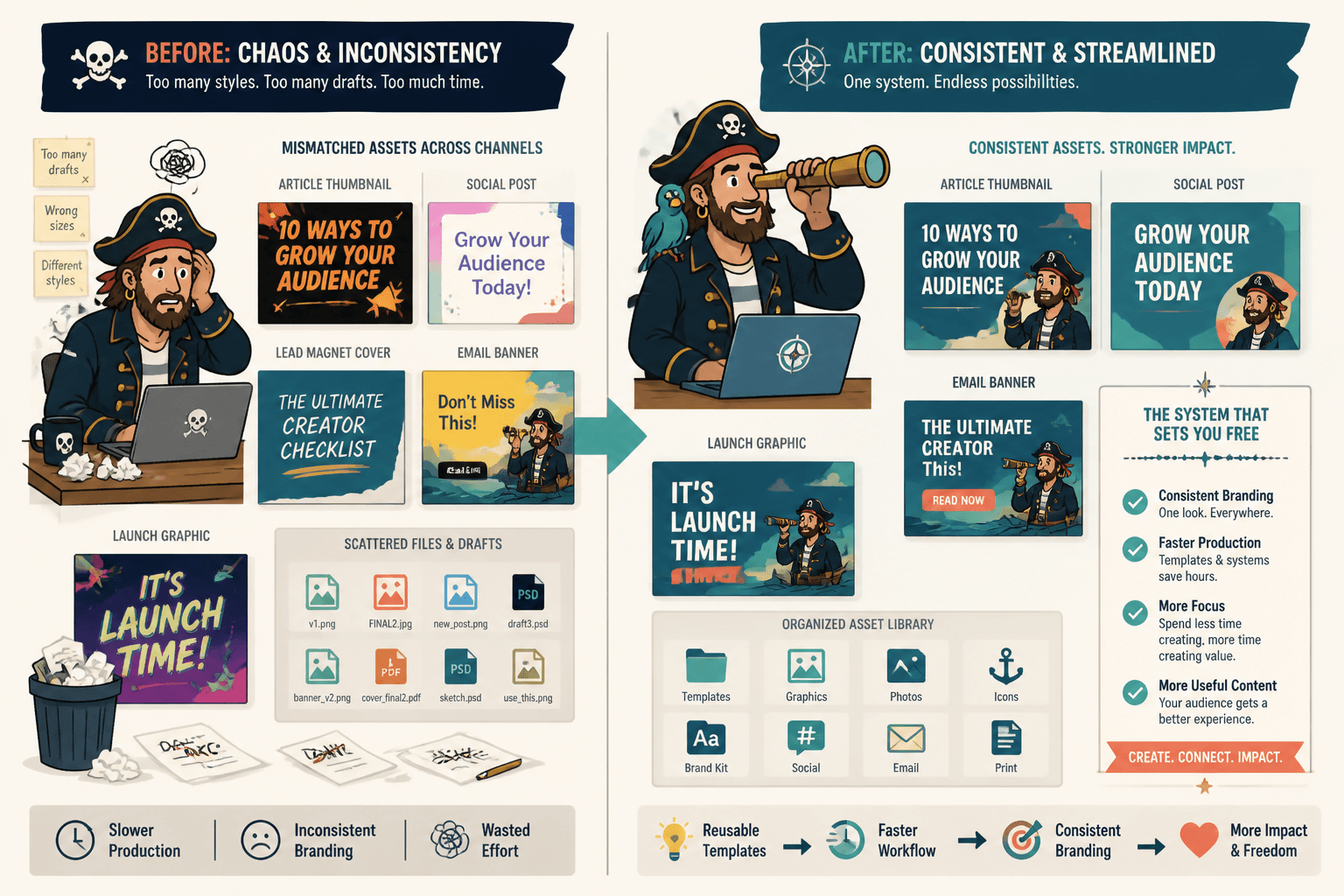
6. Speed up branded content production
Once you know what your brand needs repeatedly, AI images can help you produce variations without rebuilding the entire system every time. That is where this gets genuinely useful: fewer one-off decisions, more repeatable assets.
A consistent visual approach matters more than a clever one. A slightly less exciting image that fits the system is usually better than a visually loud orphan.
Where AI image use cases work best
AI image use cases tend to perform well when the image has a defined job and the content around it is already doing some of the heavy lifting.
- Clarity beats realism: the image needs to explain or support something, not convince people it was photographed in a studio.
- Iteration matters: you need multiple drafts, not a single perfect artifact.
- Consistency matters: the image must fit a broader creator system.
- Speed matters: the use case benefits from getting to a usable draft quickly.
- Abstraction is the point: the visual is helping interpret an idea, not document reality.
If your use case depends on trust, proof, or exact product representation, AI images need more caution. Useful does not mean universal.
Where AI image use cases go wrong
The failure modes are usually predictable.
Fake proof
Using AI visuals to imply evidence, results, or real-world scenes that did not happen is where things get messy fast. A generated image can support a point, but it should not pretend to be documentation.
Overly abstract hero images
A hero image can look expensive and still say nothing. That is a common way to waste the top of a page: beautiful vapor, no message.
Generic “creative” visuals
Floating shapes, glowing screens, and metaphor soup are not strategy. They are visual wallpaper.
Style drift
If every image looks like it came from a different universe, the page stops feeling intentional. A content system needs enough continuity that the reader trusts the rest of the page to mean what it says.
If you are working on visuals for sales pages specifically, the related page on AI image use cases for sales page visuals is a useful companion for avoiding the most common mistakes.
How to choose the right use case
A good use case starts with the output, not the tool.
- Name the task. What exactly does the image need to do?
- Identify the friction. Is the problem speed, clarity, iteration, consistency, or cost?
- Match the format. Social graphic, cover draft, concept art, diagram, mockup, or background?
- Choose the simplest useful version. The best image is often the least dramatic one that still works.
- Check the risk. If the image could mislead, oversell, or blur the message, revise the use case.
That sequence sounds almost too plain, which is usually a sign it is doing actual work. Creative systems love to cosplay complexity when plain decisions would do.
A simple creator workflow for AI image use cases
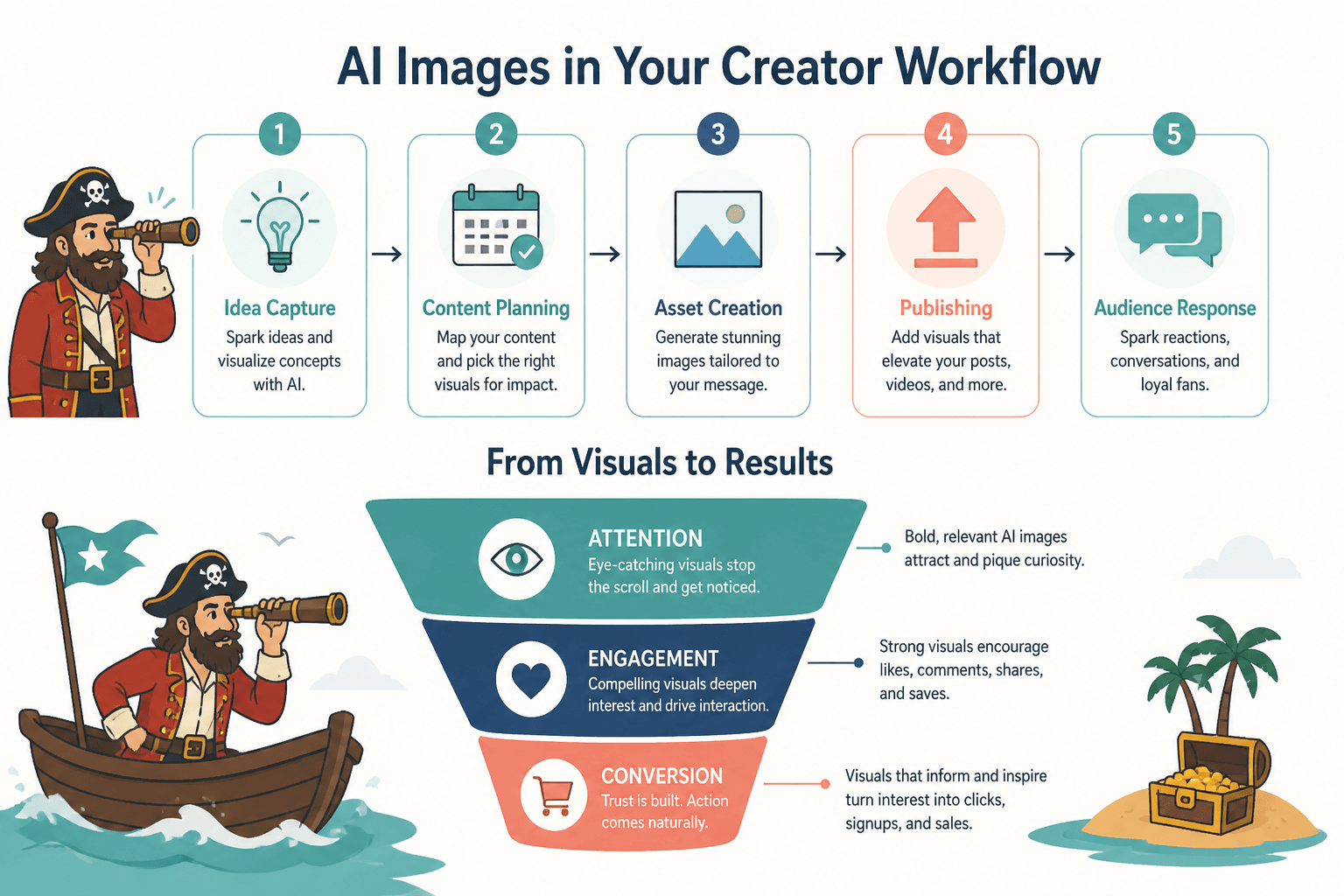
Here is a practical way to keep the process from turning into prompt theater:
- Start with the content goal. Post, page, lead magnet, thumbnail, or package?
- Define the visual job. Support, explain, preview, compare, or attract?
- Draft the image direction. Keep it specific enough to be useful.
- Generate a small set of options. Do not overproduce before you know what matters.
- Review for fit. Does the image support the message or just decorate it?
- Refine and reuse. Keep what works so the next asset is easier.
For workflows that lean on structured content, the image should behave like part of the system, not like an interrupting guest who brought their own music.
Quick decision table: which AI image use case fits which job?
| Content job | Best AI image use case | What to watch for |
|---|---|---|
| Social post | Supporting graphic or concept visual | Too much visual clutter |
| Lead magnet | Cover concept, mockup, promo asset | Generic stock-photo energy |
| Article or newsletter | Editorial concept art or section illustration | Mismatch between image and angle |
| Thumbnail | Draft composition and style testing | Readability at small sizes |
| Framework or process explanation | Diagram or visual metaphor | Metaphor that obscures the point |
| Branded system | Reusable template or asset family | Style drift across variations |
Useful sources and standards
If you are using AI images in public-facing content, it helps to stay current on platform rules and disclosure norms. A few primary sources are worth keeping nearby:
- OpenAI’s image generation guidance
- Google Search guidance on image content and visibility
- FTC Endorsement Guides
- Instagram Help Center
You do not need to turn every AI image into a compliance seminar. You do need to know when an image is decorative, when it is explanatory, and when it might carry obligations beyond “looks nice.”
Bottom line
AI image use cases are strongest when they make a creator’s work clearer, faster, and more repeatable. That is the job. Not replacing design judgment. Not manufacturing authority. Not churning out endless visual puffs of productivity.
Pick the use case by asking what the image is for, what friction it removes, and whether it helps the content do its real work. Do that, and the tool becomes a lever instead of a detour.