
A sales page can start in a notes app, get half-fixed in an AI writer, get pasted into a doc, then end up in a page builder sounding like three different people fought over the same headline. That is usually the real bottleneck: not a shortage of tools, but too many handoffs. The useful move is to build a lean system that helps you research the offer, draft the copy, tighten the message, and publish without the page falling apart on the way.
This guide is about the tools that actually help with that job. If you want the bigger strategy first, start with the sales pages guide. If you want examples first, the sales pages examples page is the better companion.
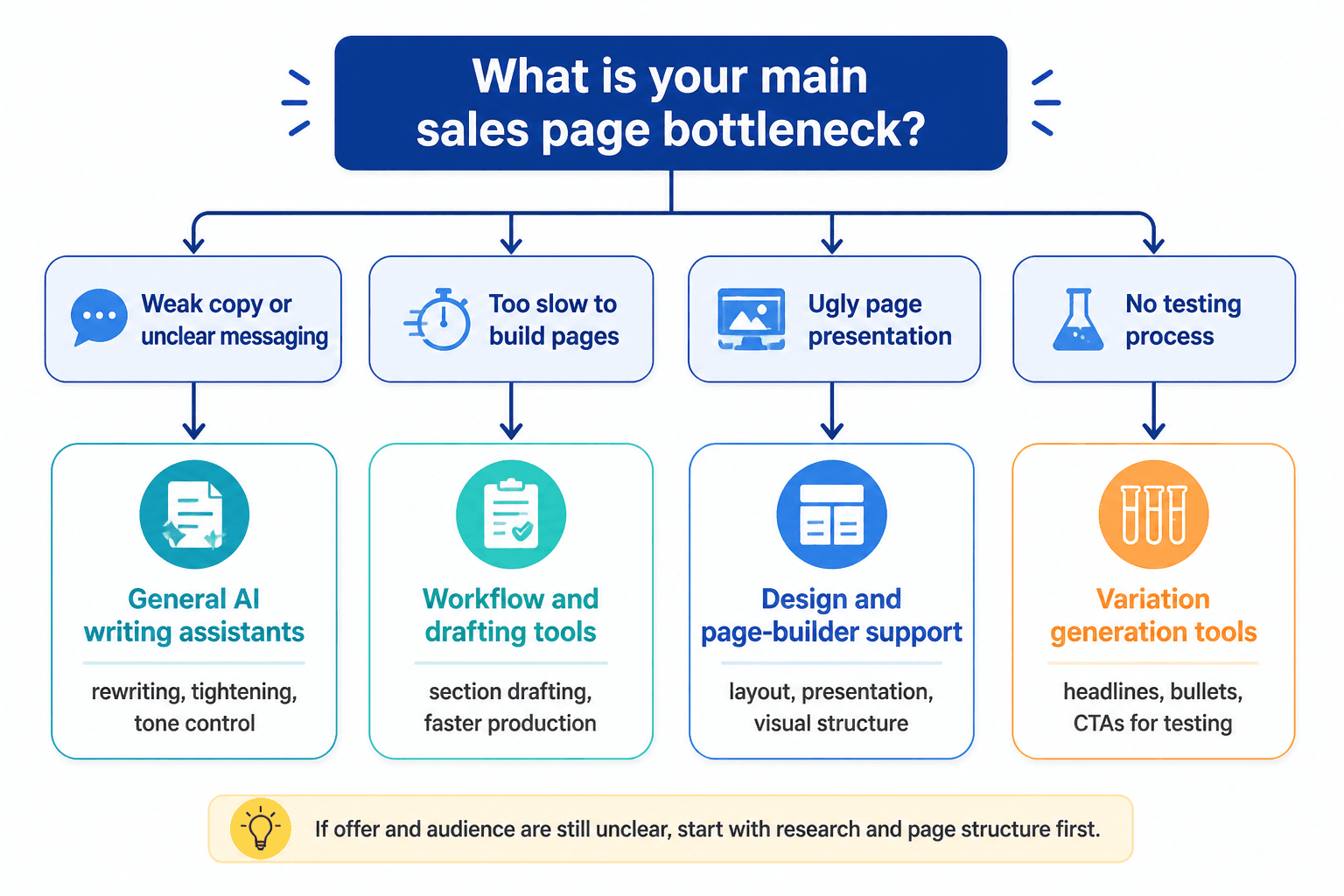
What AI tools should actually do for sales pages
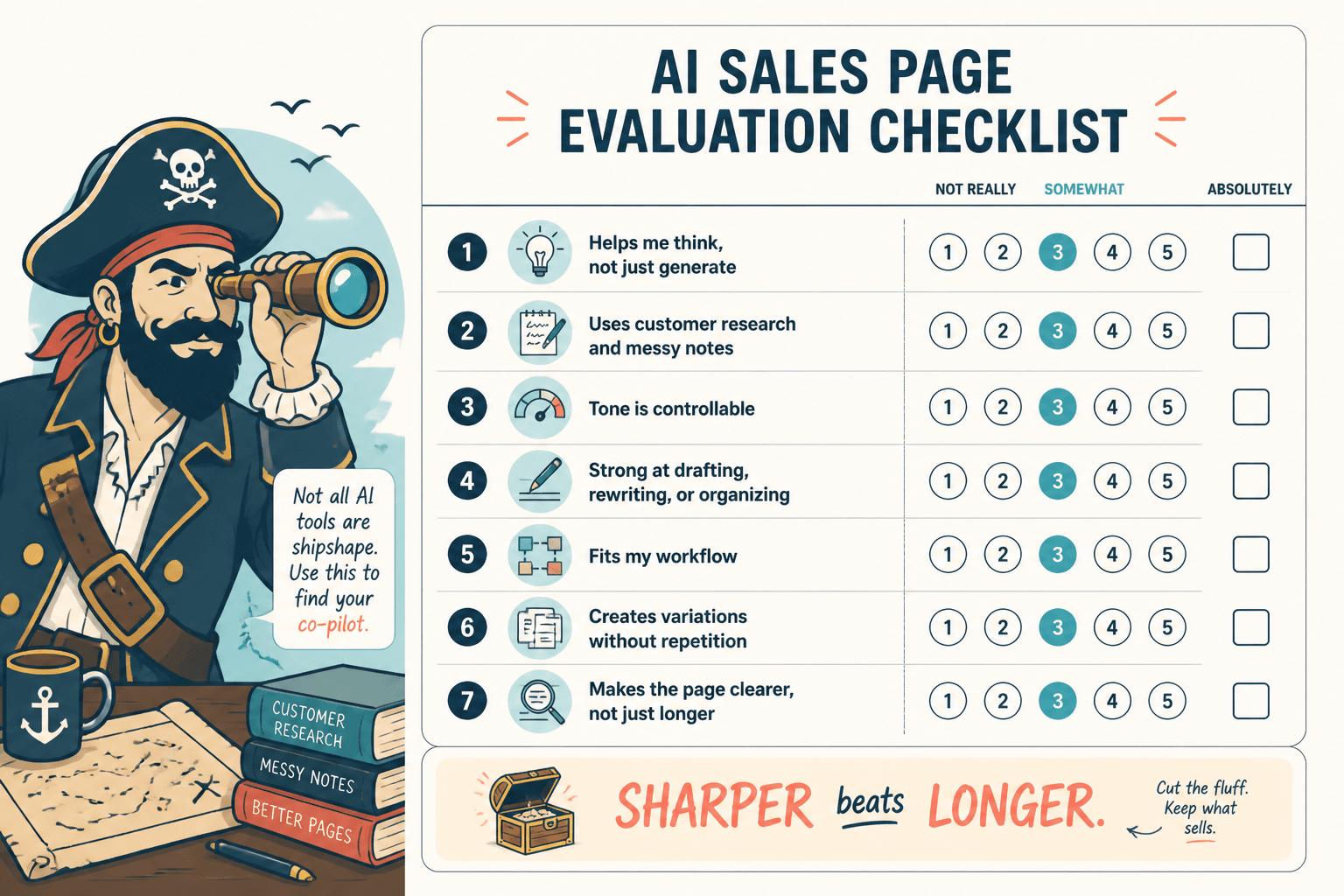
For sales pages, AI is most useful when it reduces friction in a specific part of the process. It should help you think faster, organize better, and revise more cleanly. It should not be asked to magically invent a message that the offer itself has not earned.
The best tools usually help with five jobs:
- Research: pull together audience language, offer angles, objections, and competitor patterns.
- Drafting: generate a workable first pass without turning the page into generic marketing soup.
- Editing: cut filler, sharpen headlines, and improve clarity.
- Structuring: help arrange sections so the page moves toward a decision.
- Testing: support variant creation for headlines, CTAs, and section order.
If a tool does not improve one of those jobs, it is probably just adding interface.
The lean tool stack that actually works
You do not need ten AI subscriptions to build a useful sales page. You need a small stack that covers the main stages without creating new bottlenecks.
1. Research and positioning tool
Use this to gather customer language, surface objections, and compare competing offers. The point is not to copy competitors. The point is to understand what the market is already teaching you.
2. Drafting tool
This is where you build the first version of the page. It should handle outlines, rough section copy, and alternate headline directions without collapsing into blandness.
3. Editing and clarity tool
These tools are good at cleanup: sentence tightening, repetition removal, readability checks, and tone control. For sales pages, that matters more than clever phrasing.
4. Page structure or builder tool
A good page builder or content tool helps you assemble the page in order, keep formatting clean, and avoid the classic “pretty design, muddy argument” problem.
5. Testing tool
Once the page is live, use testing tools to compare headlines, CTAs, and section variants. Even modest testing can show you where the copy is doing real work and where it is just occupying space.
How to choose tools by sales page type
The right tool mix depends on the kind of sales page you are building. A short product page and a long-form coaching page do not need the same level of support.
Short-form sales pages
Short pages work best when the offer is simple and the next step is obvious. The tool priority here is fast drafting plus sharp editing. You want fewer sections, cleaner claims, and a direct CTA.
Medium-length sales pages
These need better structure. Use AI to map the flow: problem, promise, proof, offer, CTA. Medium pages benefit most from tools that help with outlining and section transitions.
Long-form sales pages
Long pages need discipline, not just length. AI can help manage multiple proof sections, objection handling, and repeated CTA placement. It is especially useful for trimming repetition so the page does not start sounding like it is circling the runway.
Application-focused sales pages
If the goal is applications, calls, or enrollments rather than instant checkout, the tool stack should support qualification language and clearer process explanation. The copy has to make the application feel selective without becoming vague or ceremonial.
Types of AI tools worth considering
The label on the app matters less than the job it does. These categories are the ones that usually earn their keep.
Research tools
Use research tools to summarize audience feedback, extract common phrases, and identify recurring objections. They are helpful for turning messy input into something you can actually write from.
Outline and drafting tools
These are the workhorses. They help you move from a blank page to a structured first pass. The good ones can generate multiple headline options, CTA variants, and section order ideas without forcing the same voice everywhere.
Editing tools
Editing tools are where weak copy gets rescued from itself. They are especially useful for removing filler, simplifying jargon, and keeping claims concrete. A sales page rarely needs more adjectives. It usually needs fewer evasions.
Structure and page assembly tools
These tools help turn copy into a page that is easy to scan and easy to trust. That means sensible spacing, repeatable components, and a layout that does not fight the argument.
Testing and optimization tools
Use these for headline variants, CTA tests, and conversion experiments. You do not need a giant experimentation program to learn something useful. A few structured tests can tell you a lot about where the page is helping or losing attention.
A practical workflow from brief to live page
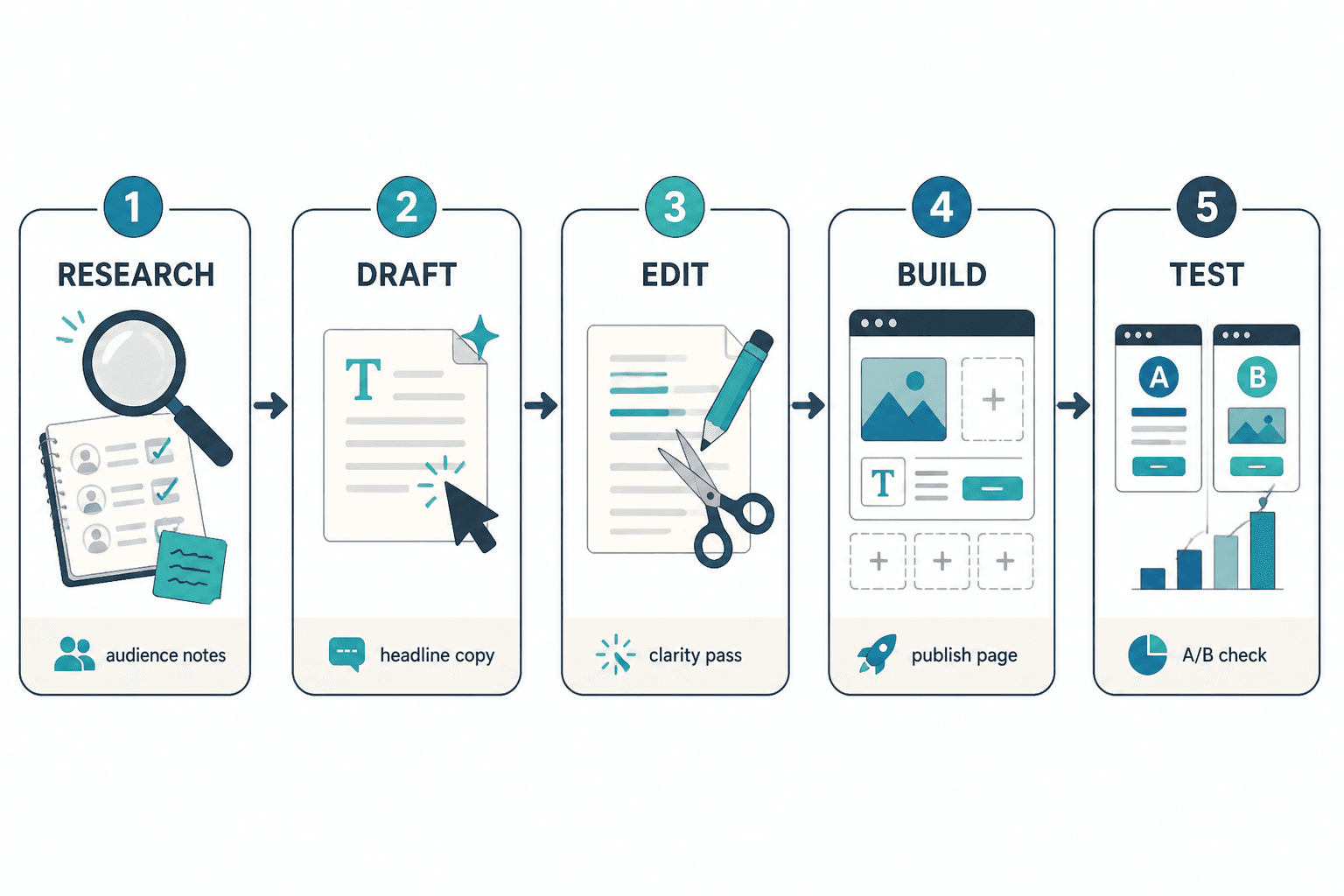
This is the lean version of the process:
- Define the offer. Write down what is being sold, who it is for, and what outcome matters.
- Gather audience language. Pull objections, questions, and phrases from real customer input where possible.
- Build the first outline. Decide the page order before writing full sections.
- Draft in the AI tool. Use the tool to create a workable pass, not the final truth.
- Revise manually. Remove filler, sharpen claims, and make the CTA unmistakable.
- Assemble in the page builder. Keep the structure clean and the visual hierarchy obvious.
- Review on mobile. Sales pages often break down in small screens where the sentence rhythm matters more.
- Test one thing at a time. Start with headlines or CTA copy before changing the whole page.
That is the actual job: fewer detours, fewer mystery steps, fewer “I thought the AI handled that” surprises.
Common mistakes to avoid
- Using AI as a substitute for positioning. If the offer is unclear, the copy will be unclear too.
- Generating too many variants too early. First solve structure, then optimize language.
- Letting the tool invent proof. Claims need real support, not polished confidence.
- Ignoring the handoff to design. Good copy can still fail if the layout buries the point.
- Testing everything at once. That usually produces noise, not insight.
A simple way to choose the right tool
Use this rule of thumb:
- If you need clarity: choose research and editing tools.
- If you need speed: choose drafting and outlining tools.
- If you need structure: choose assembly and page-building tools.
- If you need better results over time: choose testing tools.
That is also why the broader sales page stack works best as a system, not as a random pile of apps. A tool is only useful if it reduces one of the real bottlenecks between idea and live page.
Related guide
If you are building the page itself, the next stop is the sales pages guide. If you want to compare formats and structure, the sales pages examples page is the natural companion. For the full conversion-copy context, start with the parent guide on sales pages.
Used well, AI tools do not make a sales page “more persuasive” by magic. They make the work less tangled. That is usually enough.