
A landing page draft can start in a notes app, get half-rewritten in an AI editor, get pasted into a builder, then die quietly in a tab called “final-final.” That is the real bottleneck: not a shortage of tools, but too many handoffs. The best AI tools for landing pages do not just generate words or layouts. They help you move from message to page to test without turning the process into a minor administrative hobby.
If you want the broader strategy behind the page structure and conversion logic, the landing pages guide is the place to start. This article is the toolchain version: what belongs in it, what to skip, and how to keep the stack lean enough to be useful.
What “best” actually means for landing page AI tools
The best tool is not the one with the longest feature list. It is the one that helps you do three jobs well:
- clarify the offer and audience;
- turn that into decent page copy and structure quickly;
- improve the page with testing, analytics, and iteration.
That means a good stack usually includes more than one category of tool. A copy tool is not a builder. A builder is not a testing platform. A testing platform is not a messaging strategist, no matter how confidently it wears the label.
When teams try to make one app do everything, the result is usually a page that looks tidy but thinks in circles. A lean stack keeps each tool in its lane and makes the handoff between them boring in the best possible way.
The lean landing page AI stack most teams actually need
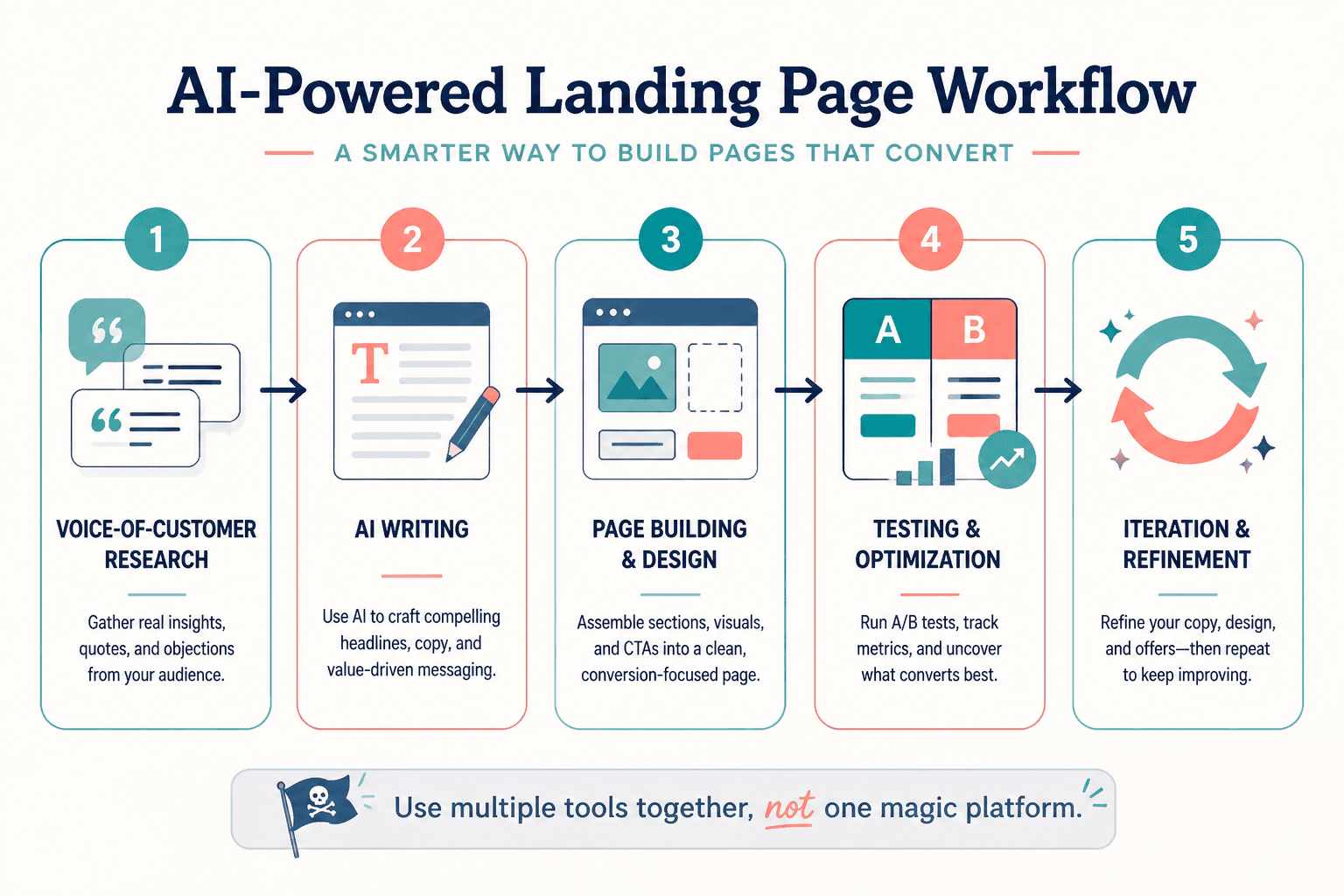
1. Research and message shaping
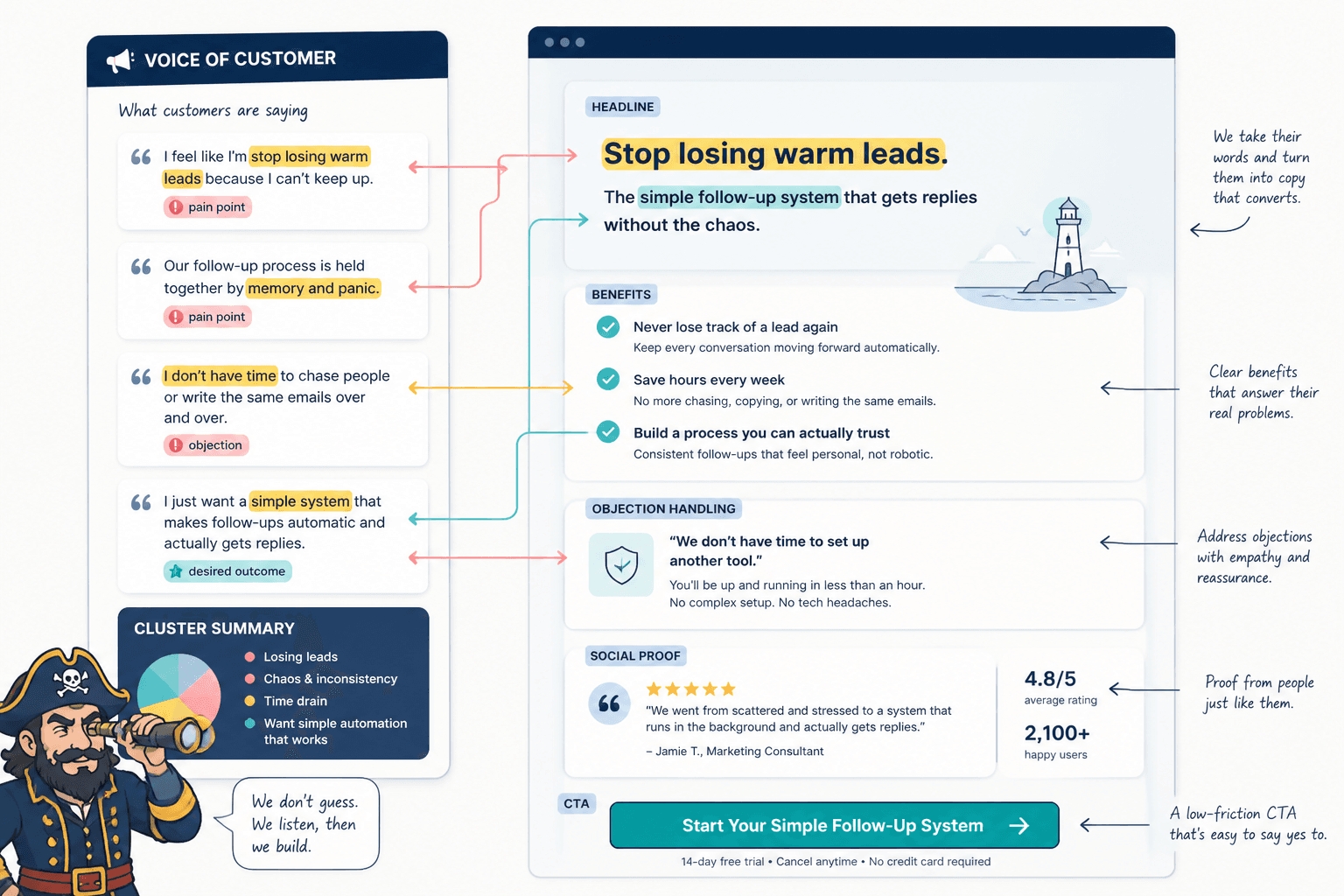
Before a headline is drafted, you need to know what the page is selling, who it is for, and what hesitation it has to overcome. AI can help here by clustering customer language, summarizing notes, or turning rough inputs into message themes.
Useful jobs for this layer include:
- pulling pain points from interviews, reviews, or support tickets;
- grouping objections into a few patterns;
- turning scattered notes into a simple offer summary;
- drafting headline angles from one core promise.
This is the place for tools that can handle synthesis, not just generation. A page built on vague inputs will still be vague, only faster.
2. Copy drafting and editing
Once the message is clear, AI writing tools become useful for the unglamorous middle: headline variants, hero copy, benefit bullets, FAQ drafts, CTA options, and rough section transitions. The point is not to let the model “write the page” and hope for a miracle. It is to get to a decent first pass without staring at a blank screen like it owes you money.
Strong copy tools should help you:
- generate multiple headline angles;
- compress feature-heavy language into benefits;
- adjust tone without flattening the message;
- rewrite cluttered sections into clearer, shorter copy.
If your landing page copy tool cannot produce usable variants, it is mostly a very enthusiastic thesaurus.
3. Page building and layout support
AI page builders are useful when they speed up layout decisions, not when they hide them. The good ones help you assemble a page faster, keep sections consistent, and avoid starting every project from an empty canvas.
For most landing pages, the builder should make it easy to:
- move sections around without breaking the layout;
- reuse components across pages;
- keep mobile versions sane;
- connect forms, calendars, or checkout steps.
That last one matters. A landing page that sends leads into a dead-end form or a broken integration is just decorative content with ambition.
4. Testing and analytics
AI does not replace experimentation. It can help you form hypotheses, interpret patterns, and summarize results, but it cannot tell you which version your audience prefers without data. For that, you still need testing and analytics tools.
Helpful features include:
- A/B or split testing support;
- heatmaps or session replays;
- conversion tracking;
- clean event reporting tied to the page goal.
Google’s own guidance on GA4 events and conversion measurement is worth keeping close if you want to track actual outcomes rather than congratulating yourself on clicks. For experimentation, VWO’s documentation on A/B testing and Optimizely’s overview of A/B testing are useful reference points for how these systems work in practice.
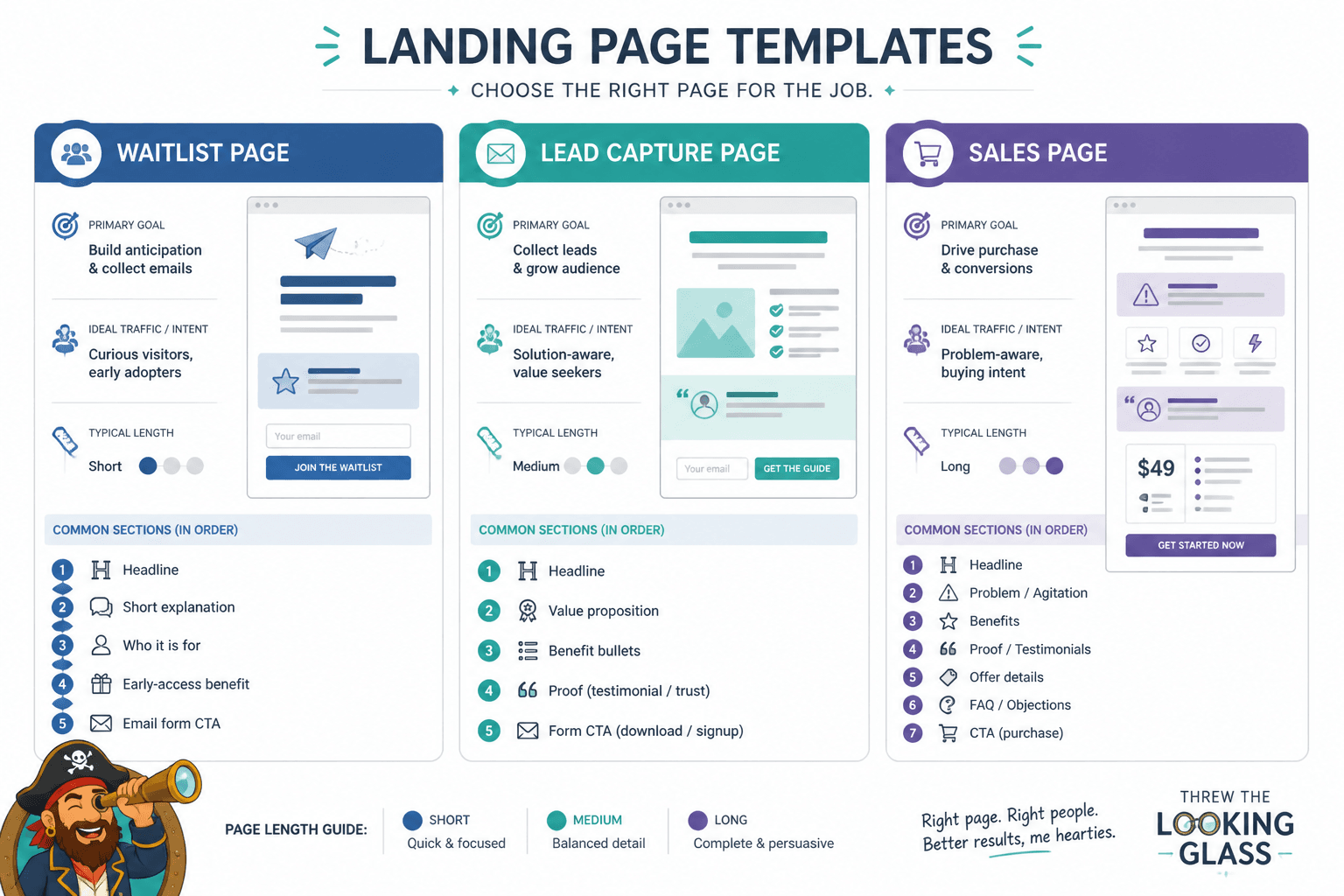
How to choose tools by landing page type
Lead magnet landing pages
For lead magnets, the biggest job is clarity. The tool stack should help you quickly shape the promise, compress the benefit stack, and keep the form friction low. You do not need elaborate personalization here. You need a clean offer and a straightforward path to download or subscribe.
Best-fit tools tend to support:
- headline and subheadline variations;
- short form copy;
- form integrations;
- fast layout changes for testing.
Service booking landing pages
Service pages usually need more reassurance than flash. AI is helpful for turning rough service notes into clearer outcomes, but it should not make the page sound like it was assembled by a motivational poster.
Prioritize tools that help with:
- proof and testimonial formatting;
- FAQ generation from common objections;
- calendar or booking integration;
- clear service positioning.
If you are comparing structure ideas, the landing pages examples page is a good companion.
Product or offer launch pages
Launch pages need sharper sequencing: what the thing is, why it matters, why now, and what happens next. AI helps most when it can generate multiple ways to explain the value without flattening the urgency.
Look for tools that support:
- benefit-first copy drafting;
- hero and CTA variants;
- launch countdown or waitlist integrations;
- fast page duplication for updates.
Waitlist and prelaunch pages
Waitlist pages are often overbuilt for what they need. The page should collect interest, set expectation, and keep the messaging tight. AI is useful here for testing different “why join” angles and short form onboarding copy.
The strongest tools for this use case are the ones that reduce friction, not add cleverness. A waitlist page does not need a novel. It needs momentum.
What a good landing page AI tool should actually do
When you are comparing tools, focus less on the marketing and more on the workflow. A genuinely useful landing page AI tool should make these things easier:
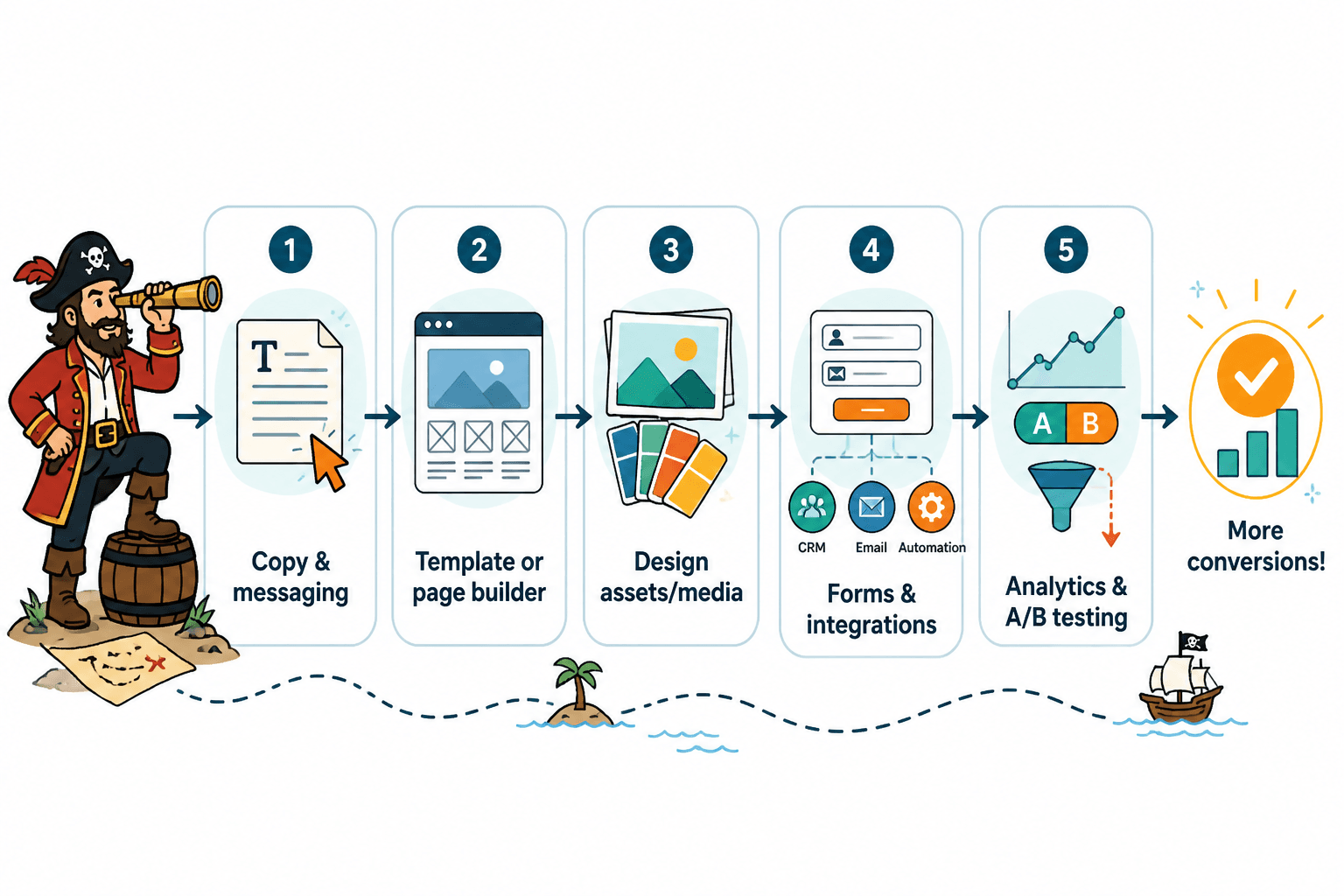
- start with rough input and end with a usable draft;
- move from copy to page without excessive reformatting;
- support quick revisions without breaking the layout;
- connect the page to tracking and testing;
- keep the team from duplicating work across apps.
That last point matters more than it sounds. If your stack requires you to rewrite the same message in three places, the tools are not saving time. They are renting it back to you.
Common mistakes when stacking too many tools
The most common failure mode is tool sprawl. One app for research. Another for drafting. Another for design. Another for experimentation. Another for notes. Another for “final copy,” which is usually where good ideas go to get stamped and filed.
That kind of stack usually creates three problems:
- Duplication: the same copy gets rewritten in multiple places.
- Decision drag: too many options make simple page choices feel expensive.
- Lost context: the message gets weaker every time it is copied forward.
The fix is not fewer ideas. It is fewer handoffs. Keep the source of truth in one place, use AI to accelerate the slow parts, and choose tools that fit the job you are actually doing.
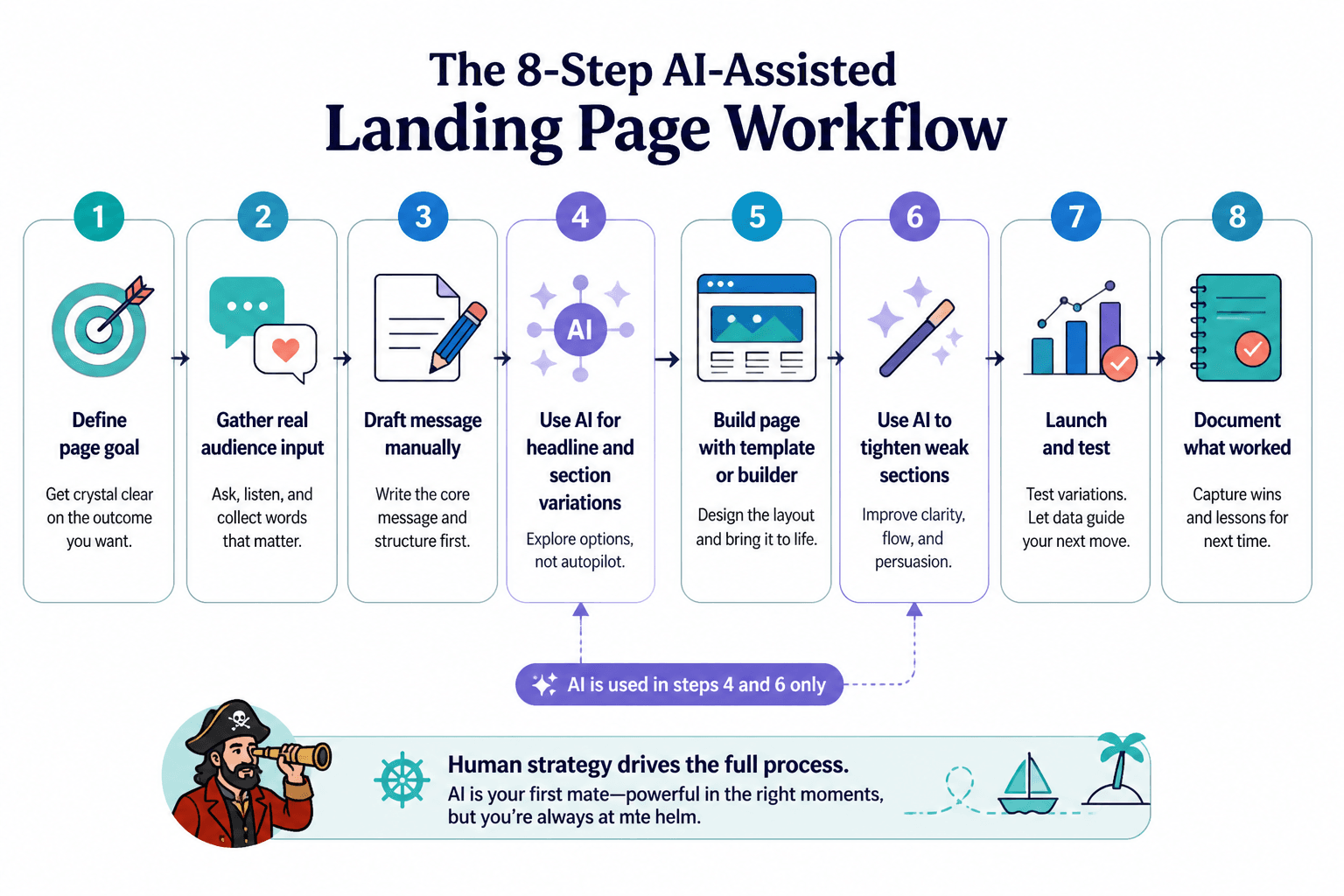
A simple workflow that stays lean
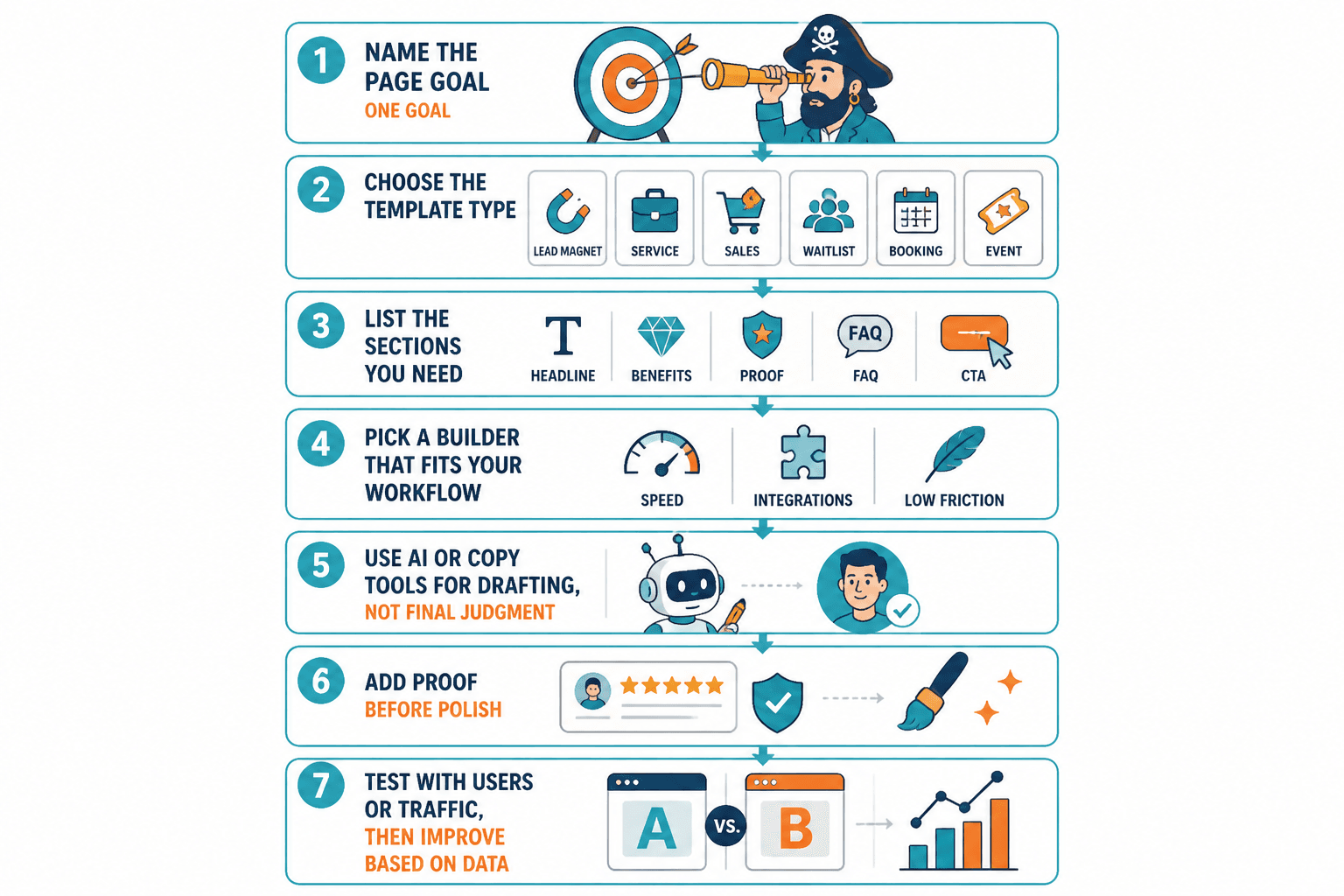
If you want a practical setup, this is the version worth copying:
- Collect audience notes, objections, and product details.
- Use AI to cluster the main themes and sharpen the offer.
- Draft headlines, section copy, and CTA options.
- Build the page in a tool that handles layout and integrations cleanly.
- Measure one primary conversion goal.
- Test one meaningful change at a time.
- Document what worked so the next page starts smarter.
That is enough for most landing pages. It is also about as much complexity as a sensible human should tolerate before lunch.
Bottom line
The best AI tools for landing pages are not the flashiest ones. They are the ones that help you think clearly, draft faster, build cleaner, and test what matters without turning the process into a tool museum.
If you are choosing a stack, start with the smallest combination that covers message shaping, page building, and testing. Then improve the workflow, not just the output. That is the part that keeps landing pages from becoming polished little cul-de-sacs.
For more on page structure, strategy, and sibling use cases, see the landing pages guide and the landing pages examples page.