
Most people compare AI image tools like they are shopping for a toaster.
They look at sample outputs, maybe glance at pricing, notice a few shiny features, and then make a commercial decision based on vibes and one Reddit thread. Then the problems show up later. Licensing is murky. Team usage gets weird. Client work becomes risky. The tool that looked “good enough” turns out to be annoying inside an actual workflow.
If you need a Simple AI Image Tool Commercial Use Framework for Faster Decisions, the goal is not to find the most magical tool. It is to rule out bad fits quickly, compare the right factors in the right order, and make a decision you will not regret three client projects later.
This article gives you a simple framework for comparing AI image tools for commercial use without turning the process into a spreadsheet-themed hostage situation. You will get a practical scoring approach, the commercial-use checks that actually matter, and a cleaner way to choose based on your business model instead of random feature envy.
If you want the bigger picture, start with the parent guide.
Why most AI image tool comparisons waste your time
A lot of comparisons are built for curiosity, not decisions.
They show outputs. They list features. They rank tools as if one winner makes sense for everyone. That is fine if you are casually exploring. It is not fine if you are a creator, consultant, marketer, brand, or small business trying to use AI images in paid work, content, products, campaigns, client deliverables, or team workflows.
Commercial use changes the question.
You are not just asking, “Can this make nice images?” You are asking things like:
- Can I use the output in paid work?
- How clear are the usage rights?
- Will this create legal or brand risk?
- Can my team actually use it without chaos?
- Is the output consistent enough for real business use?
- Will this tool fit my speed, budget, and production style?
That is why a better comparison framework starts with commercial reality, not feature glitter.
If you want a broader foundation first, the parent guide on AI image tool comparisons is worth reading alongside this one. It gives you the wider comparison context. This article is the quicker decision layer for commercial use specifically.
The simple commercial-use framework: 5 filters in order
Here is the easiest way to make faster decisions: do not compare everything at once.
Run each tool through five filters in order. If a tool fails badly in an early filter, stop romanticizing it and move on.
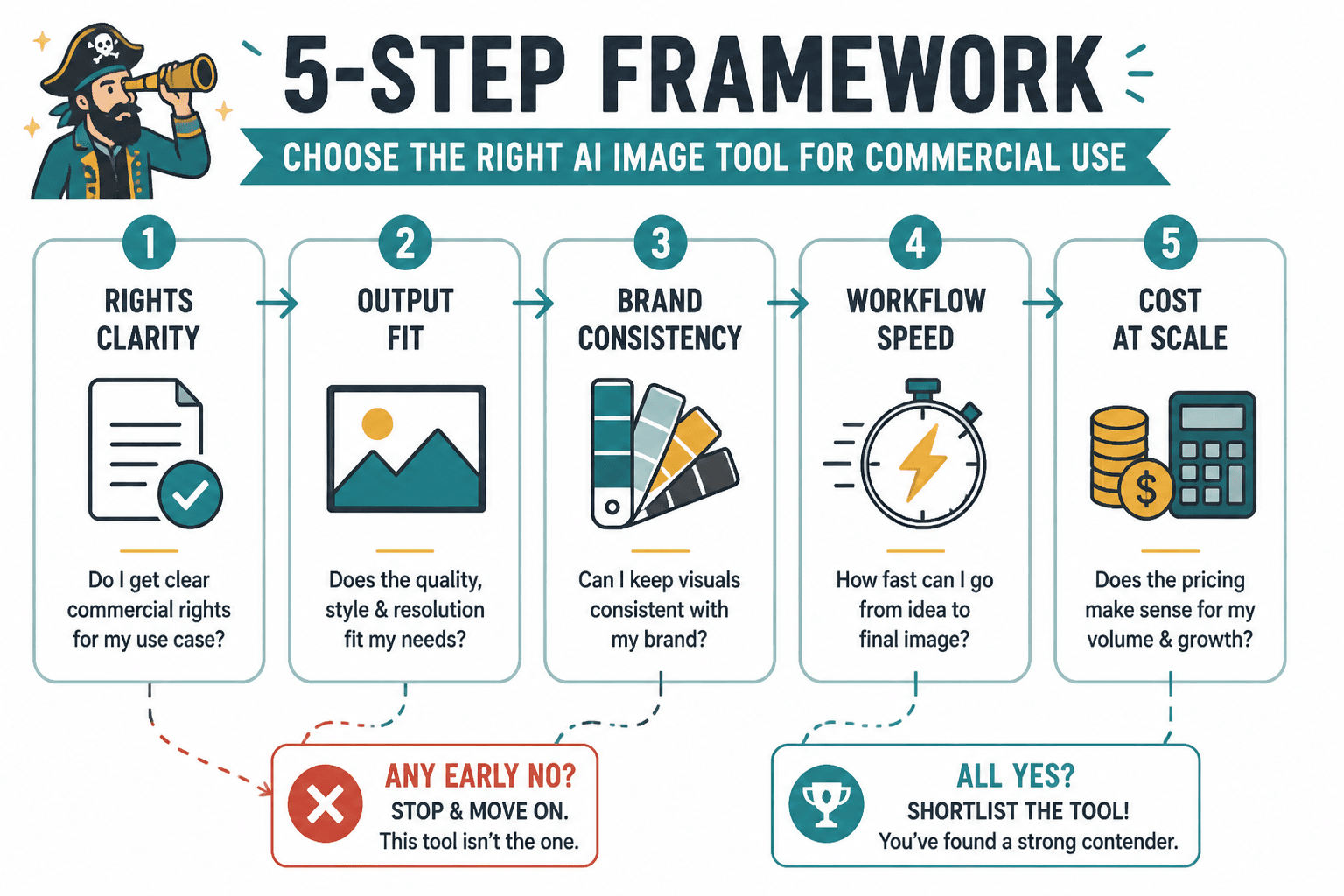
1. Rights clarity
First question: can you clearly understand what you are allowed to do with the output?
If the licensing or terms are vague, inconsistent, buried, or written in a way that leaves you guessing, that is already a problem. Commercial use is not the place for “probably fine.”
You do not need every tool to offer identical terms. You do need enough clarity to know whether you can safely use outputs in client work, brand assets, ads, lead magnets, course material, ebooks, websites, product packaging drafts, or social content tied to revenue.
2. Output fit
A tool can be legally usable and still be commercially useless for your needs.
Ask whether the outputs fit your actual use case. Not “Can it make cool stuff?” More like:
- Can it create brand-friendly visuals?
- Can it handle the style you need repeatedly?
- Does it produce images that need minor cleanup or endless babysitting?
- Can it create outputs usable in content, ads, thumbnails, mockups, concept art, or client presentations?
Some tools are great at dramatic novelty and bad at clean practical output. Fun for experiments. Less fun when a paying client is waiting.
3. Workflow fit
This is where people make expensive dumb choices.
A tool can produce great results and still slow your team down. Maybe prompt iteration is clunky. Maybe file export is annoying. Maybe organization is weak. Maybe collaboration is poor. Maybe version control is chaos. Maybe it works beautifully for solo experimenting and terribly for repeatable production.
If a tool creates friction every day, its “great outputs” stop feeling great pretty quickly.
4. Cost realism
Do not compare pricing in a vacuum. Compare cost against volume, team size, revision habits, and the value of the output in your business.
A cheap tool that burns your time is not cheap. A pricier tool that cuts hours from production might be the bargain. But also, some people absolutely overbuy because the dashboard looked sleek and made them feel like a creative emperor. Resist.
5. Risk tolerance
Not every business needs the same level of caution.
A solo creator making social graphics for their own content may accept more ambiguity than an agency producing client campaign assets, a consultant making paid materials, or a company touching regulated industries and stronger brand standards.
The right tool depends partly on how much uncertainty your business can absorb without becoming a headache factory.
What to check under commercial use
Commercial use sounds simple until you realize it usually hides three separate questions.
First, can you use the output in revenue-connected work? Second, are there restrictions around ownership, attribution, platform tier, or prohibited industries? Third, are there practical brand and client risks even if the terms technically allow use?
That is why “commercial use allowed” by itself is not enough. You need a more useful checklist.
- Allowed use: Can you use outputs in paid products, client deliverables, ads, websites, social content, lead magnets, and branded materials?
- Plan dependency: Are commercial rights tied to a paid plan or a specific subscription tier?
- Ownership language: Does the tool clearly explain what rights you receive in the output?
- Restrictions: Are there rules around trademarks, likenesses, sensitive industries, or resale?
- Training or data concerns: Does the tool raise concerns your clients or brand team may care about?
- Team use: Is the tool usable across multiple people without account-sharing nonsense?
- Auditability: Can you document what was created, when, and by whom if needed?
Some of those are legal-ish. Some are operational. Both matter.
If you are building your own comparison sheet, pair this framework with what to show in AI image tool comparisons so the reader can decide faster. It helps you avoid comparisons that look complete but somehow skip the parts a business buyer actually needs.
A practical scoring table you can actually use
You do not need a 27-column monster spreadsheet unless spreadsheets are your hobby and your enemies deserve less of your time. For most people, a simple weighted score works well.
Score each tool from 1 to 5 on the categories below. Then weight the categories based on your use case.
| Category | What you are judging | Suggested weight |
|---|---|---|
| Rights clarity | How clear and usable the commercial terms are | 25% |
| Output quality for your use case | How well results match your actual business needs | 25% |
| Workflow fit | Speed, usability, organization, iteration, team practicality | 20% |
| Cost realism | Value relative to volume, team, revisions, and output value | 15% |
| Risk fit | How appropriate the uncertainty level is for your business | 15% |
Example: if you are a solo creator making social visuals and digital products, you might lower risk fit slightly and increase output fit. If you run an agency or create client campaign work, rights clarity and risk fit should probably carry more weight.
Simple decision rule
- Eliminate any tool that scores poorly on rights clarity.
- Eliminate any tool that fails your main output need.
- Choose between the remaining tools based on workflow fit and cost realism.
That order matters. People often do the exact opposite. They get seduced by output samples first, then try to rationalize everything else later.
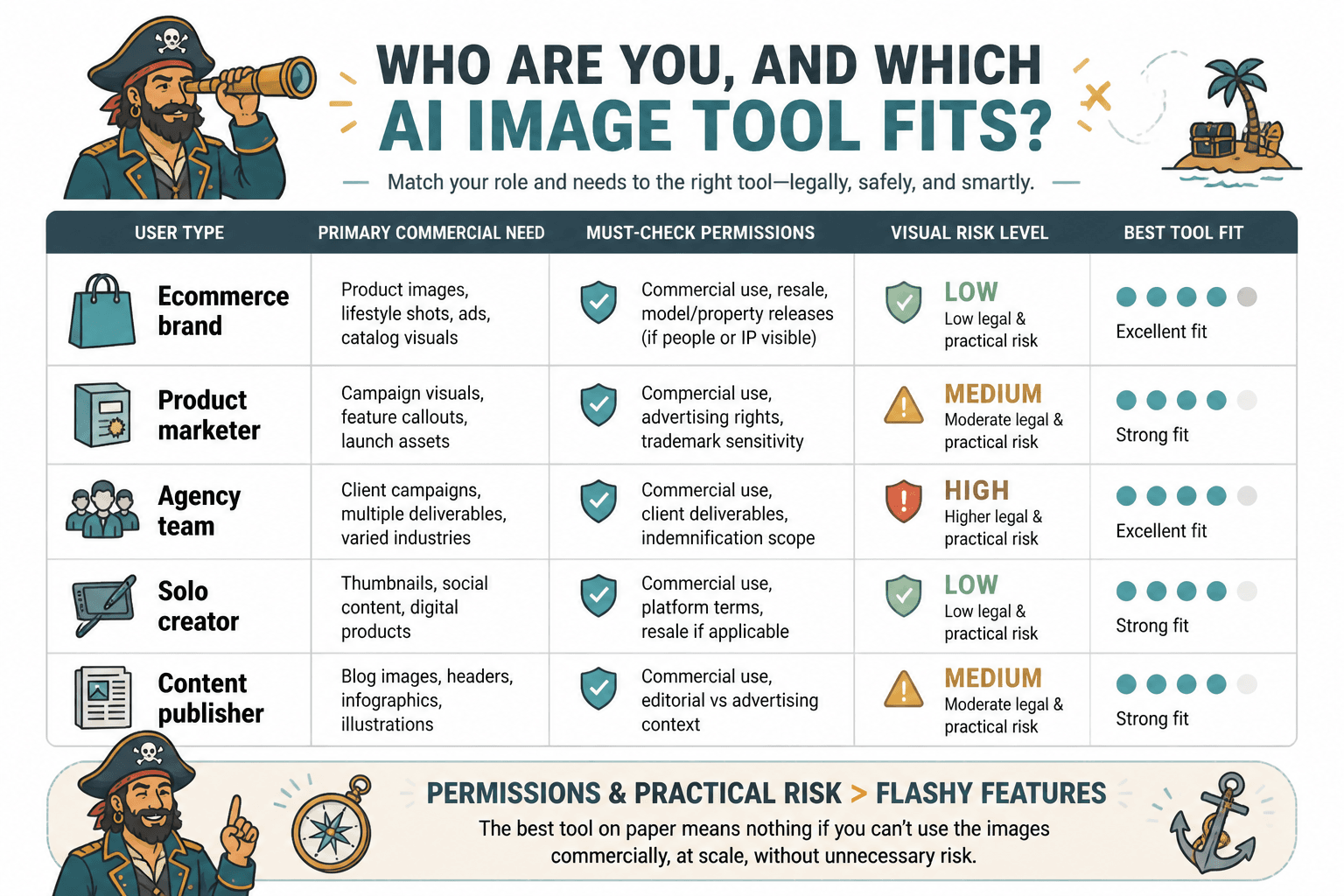
How different commercial users should compare tools
The best tool for commercial use depends on what “commercial use” means in your world. That phrase covers a lot of ground.
For solo creators and personal brands
Your priorities are usually speed, decent rights clarity, output consistency, and affordability. You probably need graphics for content, products, newsletters, lead magnets, landing pages, or lightweight sales assets.
You can usually tolerate a little more imperfection if the tool is fast and easy. But you still should not ignore the terms just because you are “small.” Small businesses get into avoidable messes too.
For consultants, coaches, and educators
You may care less about cinematic art quality and more about clean visual support. Think diagrams, branded illustrations, ebook visuals, workshop material, social content, presentation support, or course graphics.
In this case, workflow simplicity and brand-fit matter a lot. Fancy output means very little if it does not look usable inside your ecosystem.
For marketers and agencies
Your bar should be higher. Client work adds approval layers, liability concerns, and repeatability needs. You need clearer terms, stronger process control, easier collaboration, and outputs that can survive scrutiny without everyone suddenly becoming very interested in “where exactly this came from.”
For this group, a tool that is merely impressive is not enough. It has to be manageable.
For ecommerce and product-heavy businesses
You need to be extra careful around realism, brand representation, packaging concepts, ad creatives, and anything that edges toward misleading visual claims. Even if the tool terms are technically usable, practical risk still matters. If the images can create confusion, that is your problem, not the tool’s.
That is one reason broad comparison lists often miss the mark. They do not account for context. If you want more fit-based guidance, best AI image tool comparisons for creators who need the right fit is a useful next read.
The mistakes that slow decisions down
If your comparison process takes forever, it is usually because you are evaluating too many irrelevant things or skipping the obvious elimination criteria.
Mistake 1: comparing features before permissions
Feature lists are seductive because they are visible. Licensing and usage boundaries are less glamorous, which is exactly why people ignore them until the awkward part arrives.
Check the boring stuff first. It is boring right up until it is expensive.
Mistake 2: using generic test prompts only
If you test every tool with random “cool image” prompts, you are not really comparing commercial usefulness. Use prompts tied to your actual work.
- A branded blog header visual
- A clean ebook illustration
- A social promo graphic concept
- A simple course thumbnail style
- A client presentation support image
Real prompts reveal real fit.
Mistake 3: treating all commercial use as equal
Using AI images in your own newsletter is not the same as using them in client ads, paid templates, or branded product campaigns. The risk profile changes. So should your standards.
Mistake 4: overvaluing novelty
Some tools are brilliant at making eye-catching weirdness. Great. But commercial content usually needs useful consistency more than surreal fireworks. Your audience does not care that the tool can generate a fluorescent walrus CEO in a velvet boardroom if what you actually needed was a clean hero visual for a landing page.
Mistake 5: ignoring downstream workflow
If prompts are hard to organize, exports are messy, and revisions are a slog, your team will quietly stop using the tool well. Then someone will call the tool disappointing when the real issue was adoption friction all along.
For more on where buyers get this wrong, read AI image tool comparisons pricing fit mistakes that lead to bad tool picks. It pairs nicely with this framework because poor pricing logic and poor comparison logic love to travel together.
A fast comparison workflow you can use in 20 minutes
If you need to choose quickly, use this process.
- Pick 3 tools max. More than that and you are probably procrastinating in a productive costume.
- Define one main commercial use case. Client ads, brand visuals, course graphics, social content, ebook images, whatever it is.
- Check rights clarity first. If a tool is vague, downgrade or eliminate it.
- Run 3 to 5 real prompts. Use your actual business scenarios, not generic art prompts.
- Score workflow friction. How fast was it to get something usable?
- Check cost against your likely monthly volume.
- Choose the best fit, not the most exciting demo.
That is enough for many decisions. You do not need to simulate an enterprise procurement process just to make better social graphics or client assets.
How this fits into a bigger creator workflow
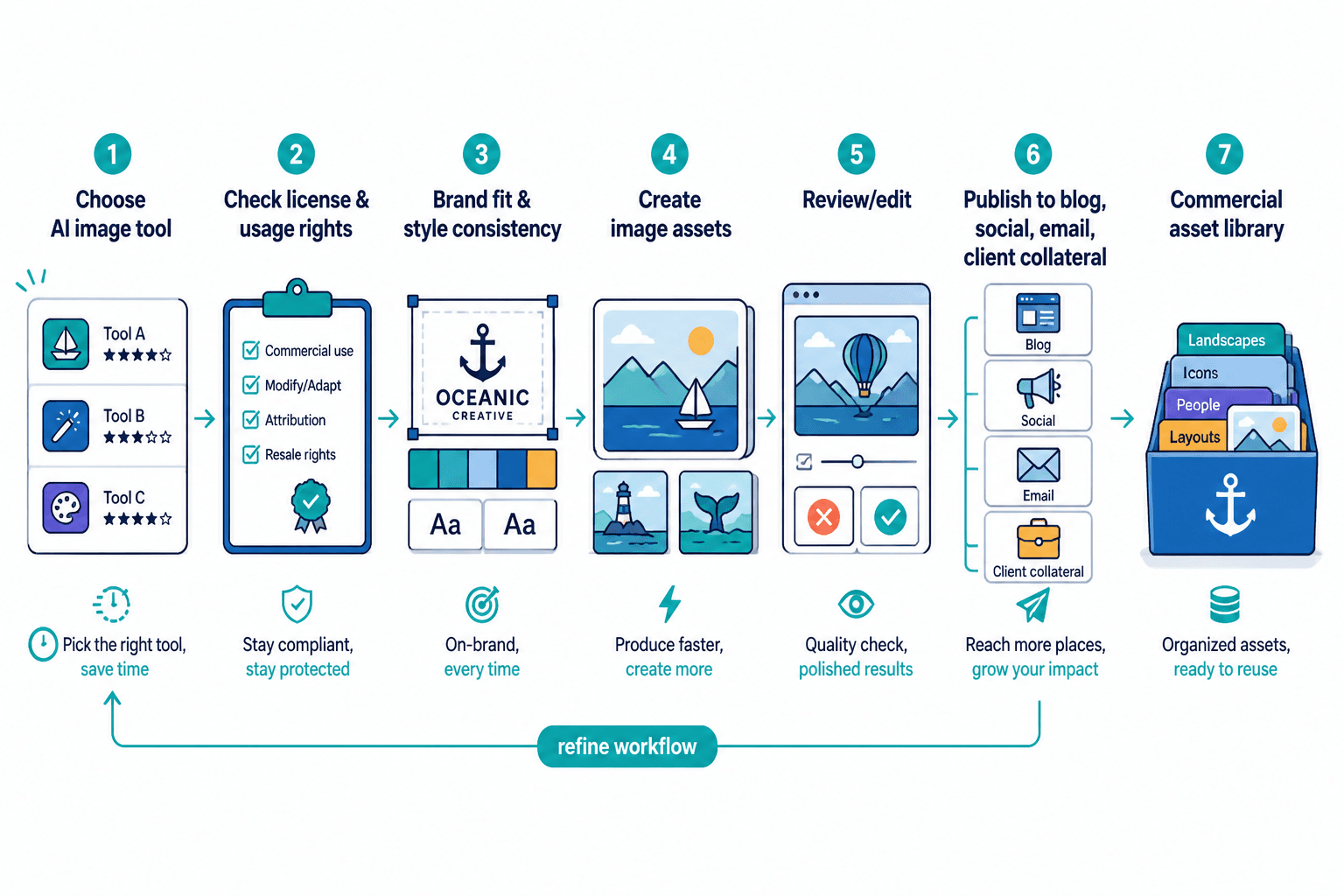
A commercial-use framework is useful on its own, but it gets even more useful when it connects to the rest of your workflow.
Maybe you are comparing image tools as part of a content production system. Maybe you want visuals for articles, lead magnets, sales pages, social posts, or client collateral. In that case, your tool decision should support the business flow around it, not sit in a little isolated gadget box.
If that is your situation, it helps to explore the wider AI writing tools and workflows path and especially how to use AI image tool comparisons in a creator funnel. Because yes, tool choices affect funnels too. Faster asset creation, cleaner branding, and more consistent content all change what you can publish and sell without setting your calendar on fire.
The bigger point is simple: clearer structure and clearer writing make the piece more useful. That is usually what makes the ending land better too.